
Speech-to-Textでのリアルタイムのストリーミング音声ができない
解決したいこと
Google Speech-to-Textにて、Googleが提供するサンプル(※)の実行をしておりますが、音声認識が途中で止まり、実行できません。
対応方法をご教示頂ければ幸いです。
(※)https://cloud.google.com/speech-to-text/docs/streaming-recognize?hl=ja#performing_streaming_speech_recognition_on_an_audio_stream
実行環境
・Raspberry Pi 4 Model B/4GB
・Raspbian GNU/Linux 11 (bullseye)
エラー状態
「こんにちは、今日は晴天です」とマイクに話しかけると、以下のように初めの言葉のみテキスト変換となるが、後が続かない。(この例では「今」のみです)
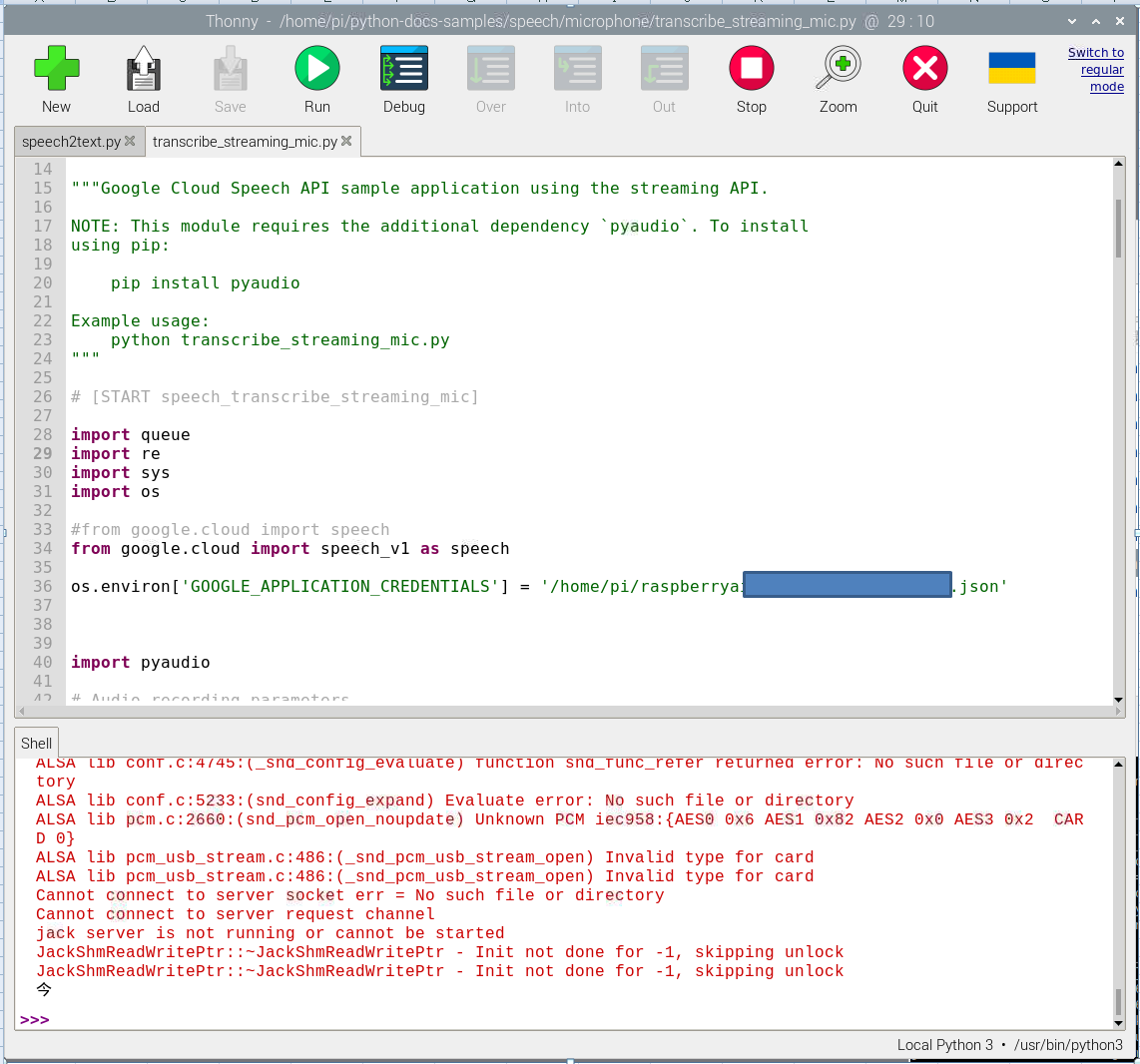
該当するソースコード
# Copyright 2017 Google LLC
#
# Licensed under the Apache License, Version 2.0 (the "License");
# you may not use this file except in compliance with the License.
# You may obtain a copy of the License at
#
#    https://www.apache.org/licenses/LICENSE-2.0
#
# Unless required by applicable law or agreed to in writing, software
# distributed under the License is distributed on an "AS IS" BASIS,
# WITHOUT WARRANTIES OR CONDITIONS OF ANY KIND, either express or implied.
# See the License for the specific language governing permissions and
# limitations under the License.

"""Google Cloud Speech API sample application using the streaming API.

NOTE: This module requires the additional dependency `pyaudio`. To install
using pip:

    pip install pyaudio

Example usage:
    python transcribe_streaming_mic.py
"""

# [START speech_transcribe_streaming_mic]

import queue
import re
import sys
import os

#from google.cloud import speech
from google.cloud import speech_v1 as speech

os.environ['GOOGLE_APPLICATION_CREDENTIALS'] = '/home/pi/raspberryai-***************.json'


import pyaudio

# Audio recording parameters
RATE = 16000
CHUNK = int(RATE / 10)  # 100ms


class MicrophoneStream:
    """Opens a recording stream as a generator yielding the audio chunks."""

    def __init__(self: object, rate: int = RATE, chunk: int = CHUNK) -> None:
        """The audio -- and generator -- is guaranteed to be on the main thread."""
        self._rate = rate
        self._chunk = chunk

        # Create a thread-safe buffer of audio data
        self._buff = queue.Queue()
        self.closed = True

    def __enter__(self: object) -> object:
        self._audio_interface = pyaudio.PyAudio()
        self._audio_stream = self._audio_interface.open(
            format=pyaudio.paInt16,
            # The API currently only supports 1-channel (mono) audio
            # https://goo.gl/z757pE
            channels=1,
            rate=self._rate,
            input=True,
            frames_per_buffer=self._chunk,
            # Run the audio stream asynchronously to fill the buffer object.
            # This is necessary so that the input device's buffer doesn't
            # overflow while the calling thread makes network requests, etc.
            stream_callback=self._fill_buffer,
        )

        self.closed = False

        return self

    def __exit__(
        self: object,
        type: object,
        value: object,
        traceback: object,
    ) -> None:
        """Closes the stream, regardless of whether the connection was lost or not."""
        self._audio_stream.stop_stream()
        self._audio_stream.close()
        self.closed = True
        # Signal the generator to terminate so that the client's
        # streaming_recognize method will not block the process termination.
        self._buff.put(None)
        self._audio_interface.terminate()

    def _fill_buffer(
        self: object,
        in_data: object,
        frame_count: int,
        time_info: object,
        status_flags: object,
    ) -> object:
        """Continuously collect data from the audio stream, into the buffer.

        Args:
            in_data: The audio data as a bytes object
            frame_count: The number of frames captured
            time_info: The time information
            status_flags: The status flags

        Returns:
            The audio data as a bytes object
        """
        self._buff.put(in_data)
        return None, pyaudio.paContinue

    def generator(self: object) -> object:
        """Generates audio chunks from the stream of audio data in chunks.

        Args:
            self: The MicrophoneStream object

        Returns:
            A generator that outputs audio chunks.
        """
        while not self.closed:
            # Use a blocking get() to ensure there's at least one chunk of
            # data, and stop iteration if the chunk is None, indicating the
            # end of the audio stream.
            chunk = self._buff.get()
            if chunk is None:
                return
            data = [chunk]

            # Now consume whatever other data's still buffered.
            while True:
                try:
                    chunk = self._buff.get(block=False)
                    if chunk is None:
                        return
                    data.append(chunk)
                except queue.Empty:
                    break

            yield b"".join(data)


def listen_print_loop(responses: object) -> str:
    """Iterates through server responses and prints them.

    The responses passed is a generator that will block until a response
    is provided by the server.

    Each response may contain multiple results, and each result may contain
    multiple alternatives; for details, see https://goo.gl/tjCPAU.  Here we
    print only the transcription for the top alternative of the top result.

    In this case, responses are provided for interim results as well. If the
    response is an interim one, print a line feed at the end of it, to allow
    the next result to overwrite it, until the response is a final one. For the
    final one, print a newline to preserve the finalized transcription.

    Args:
        responses: List of server responses

    Returns:
        The transcribed text.
    """
    num_chars_printed = 0
    for response in responses:
        if not response.results:
            continue

        # The `results` list is consecutive. For streaming, we only care about
        # the first result being considered, since once it's `is_final`, it
        # moves on to considering the next utterance.
        result = response.results[0]
        if not result.alternatives:
            continue

        # Display the transcription of the top alternative.
        transcript = result.alternatives[0].transcript

        # Display interim results, but with a carriage return at the end of the
        # line, so subsequent lines will overwrite them.
        #
        # If the previous result was longer than this one, we need to print
        # some extra spaces to overwrite the previous result
        overwrite_chars = " " * (num_chars_printed - len(transcript))

        if not result.is_final:
            sys.stdout.write(transcript + overwrite_chars + "\r")
            sys.stdout.flush()

            num_chars_printed = len(transcript)

        else:
            print(transcript + overwrite_chars)

            # Exit recognition if any of the transcribed phrases could be
            # one of our keywords.
            if re.search(r"\b(exit|quit)\b", transcript, re.I):
                print("Exiting..")
                break

            num_chars_printed = 0

        return transcript


def main() -> None:
    """Transcribe speech from audio file."""
    # See http://g.co/cloud/speech/docs/languages
    # for a list of supported languages.
    #language_code = "en-US"  # a BCP-47 language tag
    language_code = "ja_JP"

    client = speech.SpeechClient()
    config = speech.RecognitionConfig(
        encoding=speech.RecognitionConfig.AudioEncoding.LINEAR16,
        sample_rate_hertz=RATE,
        language_code=language_code,
    )

    streaming_config = speech.StreamingRecognitionConfig(
        config=config, interim_results=True
    )

    with MicrophoneStream(RATE, CHUNK) as stream:
        audio_generator = stream.generator()
        requests = (
            speech.StreamingRecognizeRequest(audio_content=content)
            for content in audio_generator
        )

        responses = client.streaming_recognize(streaming_config, requests)

        # Now, put the transcription responses to use.
        listen_print_loop(responses)


if __name__ == "__main__":
    main()
# [END speech_transcribe_streaming_mic]
参考にした情報
https://teratail.com/questions/221590
https://qiita.com/hamham/items/3733ac8cd9e3d7b9ccae
https://www.ingenious.jp/articles/howto/raspberry-pi-howto/voice-recognition/
うまくいった例
https://canmakewakuwaku.com/rasppi_bot/
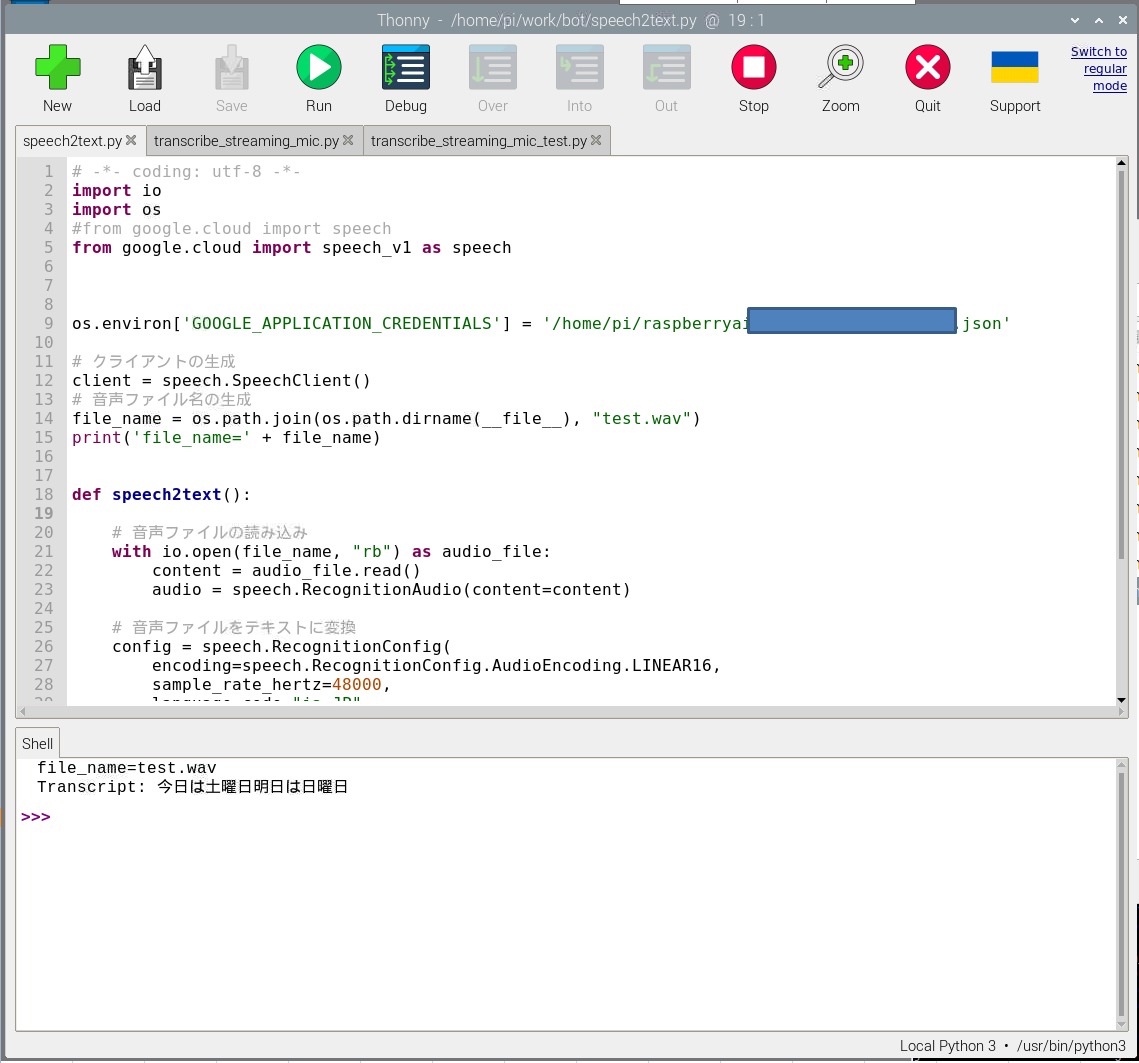
を参考にして、以下プログラムを作成し、音声データからの文字おこしは実行できています。従って、この例からSpeech-to-Text自体は動作しているものと考えております。
# -*- coding: utf-8 -*-
import io
import os
#from google.cloud import speech
from google.cloud import speech_v1 as speech


os.environ['GOOGLE_APPLICATION_CREDENTIALS'] = '/home/pi/raspberryai-********************.json'

# クライアントの生成
client = speech.SpeechClient()
# 音声ファイル名の生成
file_name = os.path.join(os.path.dirname(__file__), "test.wav")
print('file_name=' + file_name)


def speech2text():

    # 音声ファイルの読み込み
    with io.open(file_name, "rb") as audio_file:
        content = audio_file.read()
        audio = speech.RecognitionAudio(content=content)

    # 音声ファイルをテキストに変換
    config = speech.RecognitionConfig(
        encoding=speech.RecognitionConfig.AudioEncoding.LINEAR16,
        sample_rate_hertz=48000,
        language_code="ja-JP",
    )
    return client.recognize(config=config, audio=audio)


if __name__ == '__main__':
    res = speech2text()
    # 出力
    for result in res.results:
        print("Transcript: {}".format(result.alternatives[0].transcript))
以上
0 likes

