
laravelのポートフォリオを作成しています。ユーザー新規登録をしたあとにエラーが発生してしまいました。おそらくmysqlデータベースのエラーです。ご教授をお願いいたします。
解決したいこと
laravelのポートフォリオを作成しています。
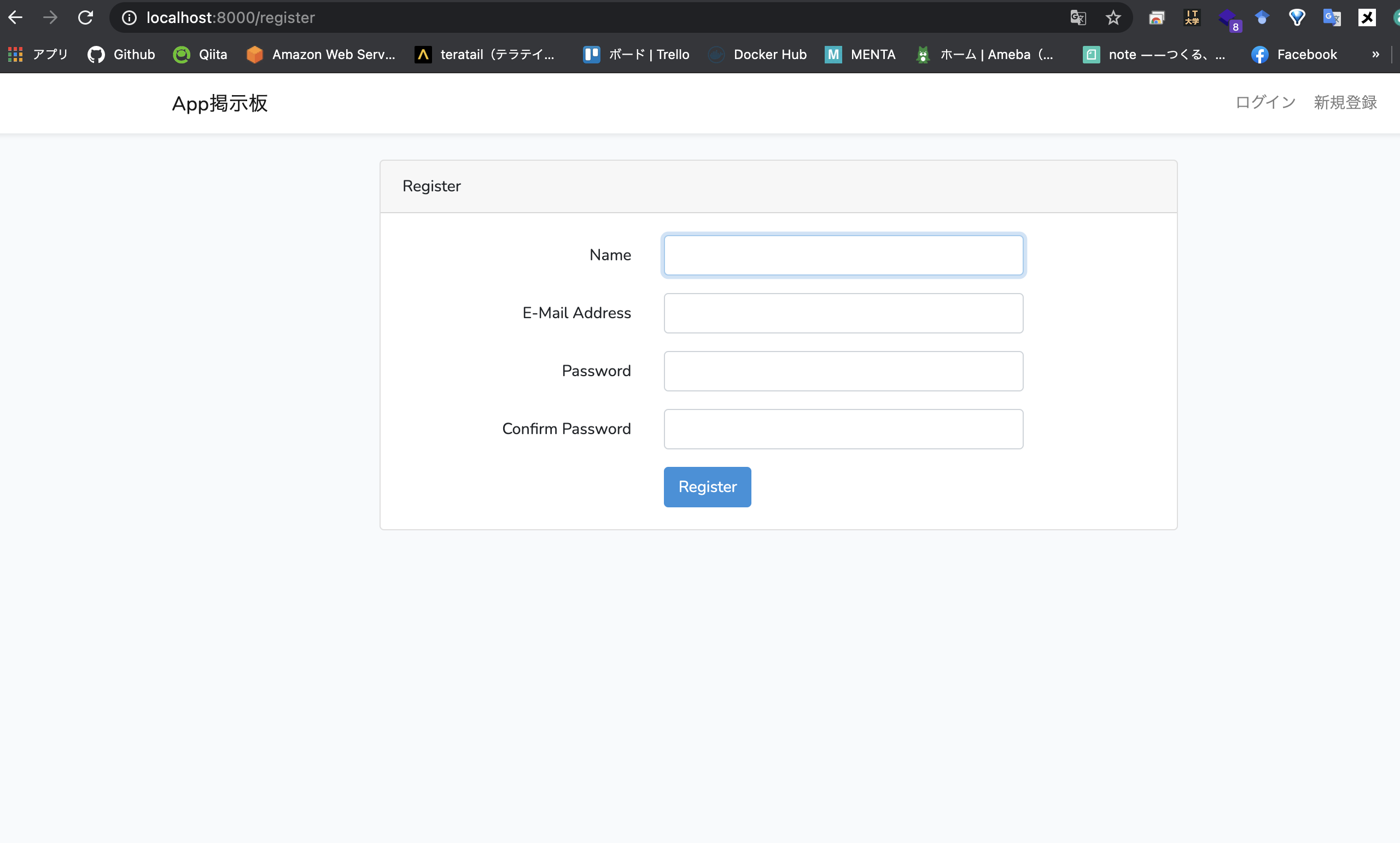
ユーザー新規登録をしたあとにエラーが発生してしまいました。
おそらくmysqlデータベースのエラーです。ご教授をお願いいたします。
以前にmysqlを指定しデータベースを作成しようとした際にエラーが発生指定しまいました。
なのでデータベースを作成できていないため保存できないのだと思います。
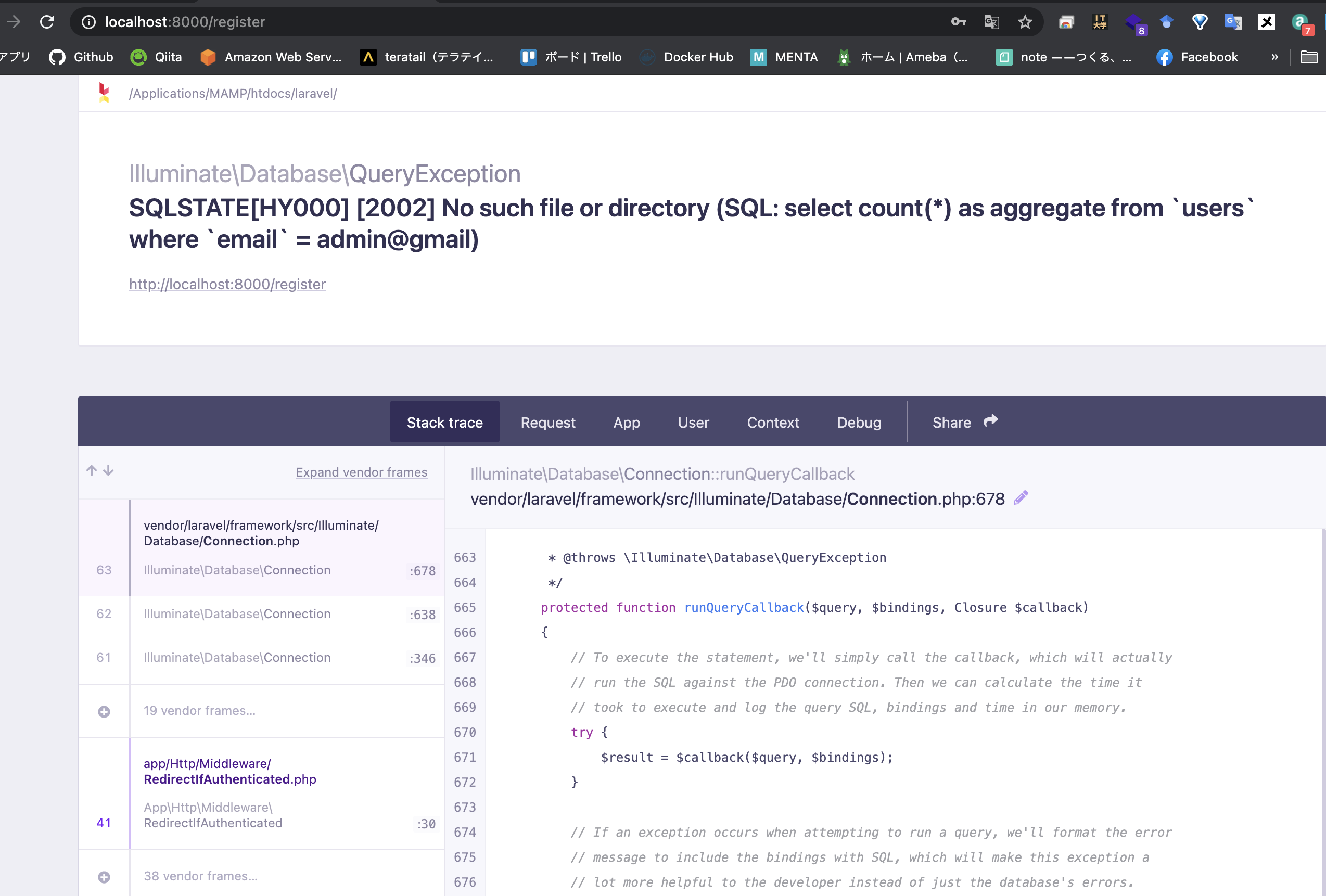
発生している問題・エラー
terminal console
``` terminal console
Illuminate\Database\QueryException
SQLSTATE[HY000] [2002] No such file or directory (SQL: select count(*) as aggregate from users where email = admin@gmail)
```
現在使用している環境
mysqlは8系をインストールしたら、5.7に変更
(base) nakamura@nakamuranoMBP laravel % mysql --version
mysql  Ver 14.14 Distrib 5.7.32, for osx10.16 (x86_64) using  EditLine wrapper
manpを使用しその中にlaravelをインストールしアプリ作成。
(base) nakamura@nakamuranoMBP laravel % pwd
/Applications/MAMP/htdocs/laravel
MacOSです。
MacOS Big Sur 11.0.1(20B50)
該当するソースコード
config/database.php
<?php

use Illuminate\Support\Str;

return [

    /*
    |--------------------------------------------------------------------------
    | Default Database Connection Name
    |--------------------------------------------------------------------------
    |
    | Here you may specify which of the database connections below you wish
    | to use as your default connection for all database work. Of course
    | you may use many connections at once using the Database library.
    |
    */

    'default' => env('DB_CONNECTION', 'mysql'),

    /*
    |--------------------------------------------------------------------------
    | Database Connections
    |--------------------------------------------------------------------------
    |
    | Here are each of the database connections setup for your application.
    | Of course, examples of configuring each database platform that is
    | supported by Laravel is shown below to make development simple.
    |
    |
    | All database work in Laravel is done through the PHP PDO facilities
    | so make sure you have the driver for your particular database of
    | choice installed on your machine before you begin development.
    |
    */

    'connections' => [

        'sqlite' => [
            'driver' => 'sqlite',
            'url' => env('DATABASE_URL'),
            'database' => env('DB_DATABASE', database_path('database.sqlite')),
            'prefix' => '',
            'foreign_key_constraints' => env('DB_FOREIGN_KEYS', true),
        ],

        'mysql' => [
            'driver' => 'mysql',
            'url' => env('DATABASE_URL'),
            'host' => env('DB_HOST', '127.0.0.1'),
            'port' => env('DB_PORT', '3306'),
            'database' => env('DB_DATABASE', 'forge'),
            'username' => env('DB_USERNAME', 'forge'),
            'password' => env('DB_PASSWORD', ''),
            'unix_socket' => env('DB_SOCKET', ''),
            'charset' => 'utf8mb4',
            'collation' => 'utf8mb4_unicode_ci',
            'prefix' => '',
            'prefix_indexes' => true,
            'strict' => true,
            'engine' => null,
            'options' => extension_loaded('pdo_mysql') ? array_filter([
                PDO::MYSQL_ATTR_SSL_CA => env('MYSQL_ATTR_SSL_CA'),
            ]) : [],
        ],

        'pgsql' => [
            'driver' => 'pgsql',
            'url' => env('DATABASE_URL'),
            'host' => env('DB_HOST', '127.0.0.1'),
            'port' => env('DB_PORT', '5432'),
            'database' => env('DB_DATABASE', 'forge'),
            'username' => env('DB_USERNAME', 'forge'),
            'password' => env('DB_PASSWORD', ''),
            'charset' => 'utf8',
            'prefix' => '',
            'prefix_indexes' => true,
            'schema' => 'public',
            'sslmode' => 'prefer',
        ],

        'sqlsrv' => [
            'driver' => 'sqlsrv',
            'url' => env('DATABASE_URL'),
            'host' => env('DB_HOST', 'localhost'),
            'port' => env('DB_PORT', '1433'),
            'database' => env('DB_DATABASE', 'forge'),
            'username' => env('DB_USERNAME', 'forge'),
            'password' => env('DB_PASSWORD', ''),
            'charset' => 'utf8',
            'prefix' => '',
            'prefix_indexes' => true,
        ],

    ],

    /*
    |--------------------------------------------------------------------------
    | Migration Repository Table
    |--------------------------------------------------------------------------
    |
    | This table keeps track of all the migrations that have already run for
    | your application. Using this information, we can determine which of
    | the migrations on disk haven't actually been run in the database.
    |
    */

    'migrations' => 'migrations',

    /*
    |--------------------------------------------------------------------------
    | Redis Databases
    |--------------------------------------------------------------------------
    |
    | Redis is an open source, fast, and advanced key-value store that also
    | provides a richer body of commands than a typical key-value system
    | such as APC or Memcached. Laravel makes it easy to dig right in.
    |
    */

    'redis' => [

        'client' => env('REDIS_CLIENT', 'phpredis'),

        'options' => [
            'cluster' => env('REDIS_CLUSTER', 'redis'),
            'prefix' => env('REDIS_PREFIX', Str::slug(env('APP_NAME', 'laravel'), '_').'_database_'),
        ],

        'default' => [
            'url' => env('REDIS_URL'),
            'host' => env('REDIS_HOST', '127.0.0.1'),
            'password' => env('REDIS_PASSWORD', null),
            'port' => env('REDIS_PORT', '6379'),
            'database' => env('REDIS_DB', '0'),
        ],

        'cache' => [
            'url' => env('REDIS_URL'),
            'host' => env('REDIS_HOST', '127.0.0.1'),
            'password' => env('REDIS_PASSWORD', null),
            'port' => env('REDIS_PORT', '6379'),
            'database' => env('REDIS_CACHE_DB', '1'),
        ],

    ],

];
.env
APP_NAME=Laravel
APP_ENV=local
APP_KEY=base64:IZQUMcI/Dw7ymjRIZsKiR/GBIymlkpmmNt6vsehDaVA=
APP_DEBUG=true
APP_URL=http://localhost

LOG_CHANNEL=stack
LOG_LEVEL=debug

DB_CONNECTION=mysql
DB_HOST=localhost
DB_PORT=8889
DB_DATABASE=localhost
DB_USERNAME=root
DB_PASSWORD=***********

BROADCAST_DRIVER=log
CACHE_DRIVER=file
QUEUE_CONNECTION=sync
SESSION_DRIVER=file
SESSION_LIFETIME=120

REDIS_HOST=127.0.0.1
REDIS_PASSWORD=null
REDIS_PORT=6379

MAIL_MAILER=smtp
MAIL_HOST=smtp.mailtrap.io
MAIL_PORT=2525
MAIL_USERNAME=null
MAIL_PASSWORD=null
MAIL_ENCRYPTION=null
MAIL_FROM_ADDRESS=null
MAIL_FROM_NAME="${APP_NAME}"

AWS_ACCESS_KEY_ID=
AWS_SECRET_ACCESS_KEY=
AWS_DEFAULT_REGION=us-east-1
AWS_BUCKET=

PUSHER_APP_ID=
PUSHER_APP_KEY=
PUSHER_APP_SECRET=
PUSHER_APP_CLUSTER=mt1

MIX_PUSHER_APP_KEY="${PUSHER_APP_KEY}"
MIX_PUSHER_APP_CLUSTER="${PUSHER_APP_CLUSTER}"
自分で試したこと・仮説
おそらくmysqlデータベースのエラーです。ご教授をお願いいたします。
以前にmysqlを指定しデータベースを作成しようとした際にエラーが発生指定しまいました。
なのでデータベースを作成できていないため保存できないのだと思います。
以前に php artisan migrateコマンドを実行した際にエラーが起きてしまいました。その際のエラー文も以下に記載しておきました。ご確認お願いいたします。
php artisan migrate

   Illuminate\Database\QueryException

  SQLSTATE[HY000] [2002] No such file or directory (SQL: select * from information_schema.tables where table_schema = localhost and table_name = migrations and table_type = 'BASE TABLE')

  at vendor/laravel/framework/src/Illuminate/Database/Connection.php:678
    674▕         // If an exception occurs when attempting to run a query, we'll format the error
    675▕         // message to include the bindings with SQL, which will make this exception a
    676▕         // lot more helpful to the developer instead of just the database's errors.
    677▕         catch (Exception $e) {
  ➜ 678▕             throw new QueryException(
    679▕                 $query, $this->prepareBindings($bindings), $e
    680▕             );
    681▕         }
    682▕

      +33 vendor frames
  34  artisan:37
      Illuminate\Foundation\Console\Kernel::handle(Object(Symfony\Component\Console\Input\ArgvInput), Object(Symfony\Component\Console\Output\ConsoleOutput))
0 likes
