
npm install minidroneがインストールできない
解決したいこと
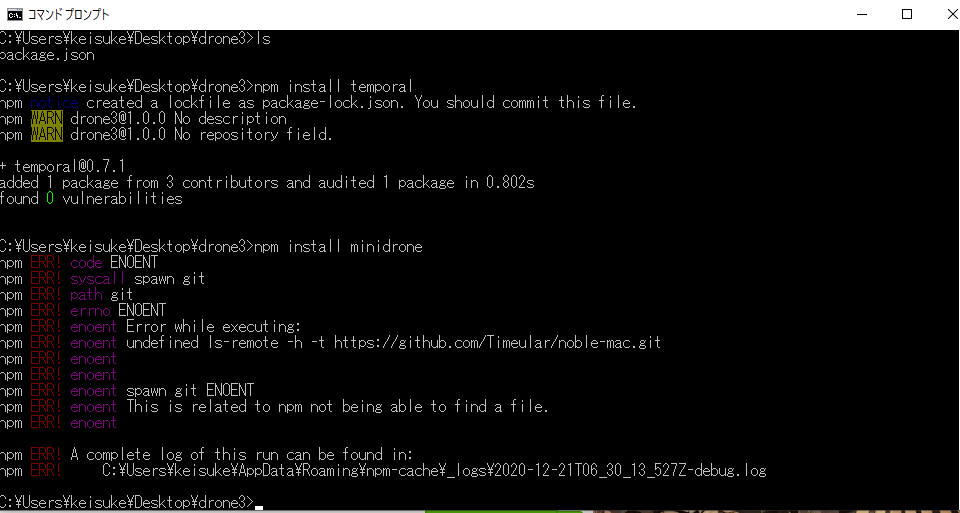
現在、(https://qiita.com/junn8k/items/fc9f60039a91b365c038) のサイトにてParrot Mamboを制御させようと試みている者です。サイト内のminidrone for Node.jsのインストールにて、コマンドプロントによりライブラリーをインストールする手順があります。そこの「npm install minidrone」をコマンドで実行させインストールを使用と思いましたが、インストールできていない状況です。送付する写真のようなコマンド実行結果が出てしまいますがどうすればよいのでしょうか?
解決方法を教えて頂ければ、幸いです。
発生している問題・エラー
C:\Users\keisuke\Desktop\drone3>npm install minidrone
npm ERR! code ENOENT
npm ERR! syscall spawn git
npm ERR! path git
npm ERR! errno ENOENT
npm ERR! enoent Error while executing:
npm ERR! enoent undefined ls-remote -h -t https://github.com/Timeular/noble-mac.git
npm ERR! enoent
npm ERR! enoent
npm ERR! enoent spawn git ENOENT
npm ERR! enoent This is related to npm not being able to find a file.
npm ERR! enoent

npm ERR! A complete log of this run can be found in:
npm ERR!     C:\Users\keisuke\AppData\Roaming\npm-cache\_logs\2020-12-21T06_30_13_527Z-debug.log
または、問題・エラーが起きている画像をここにドラッグアンドドロップ。
該当するソースコード
上記のエラー文同様
自分で試したこと
モジュールtemporalについてはインストールできました。
また、npmのインストールを行う前にコマンド「npm init」を入力した後試しました。
0 likes
