
python/jupyterlabでのsys.exit()について
Q&A
Closed
概要
CorseraでPythonの勉強を最近始めた者です。
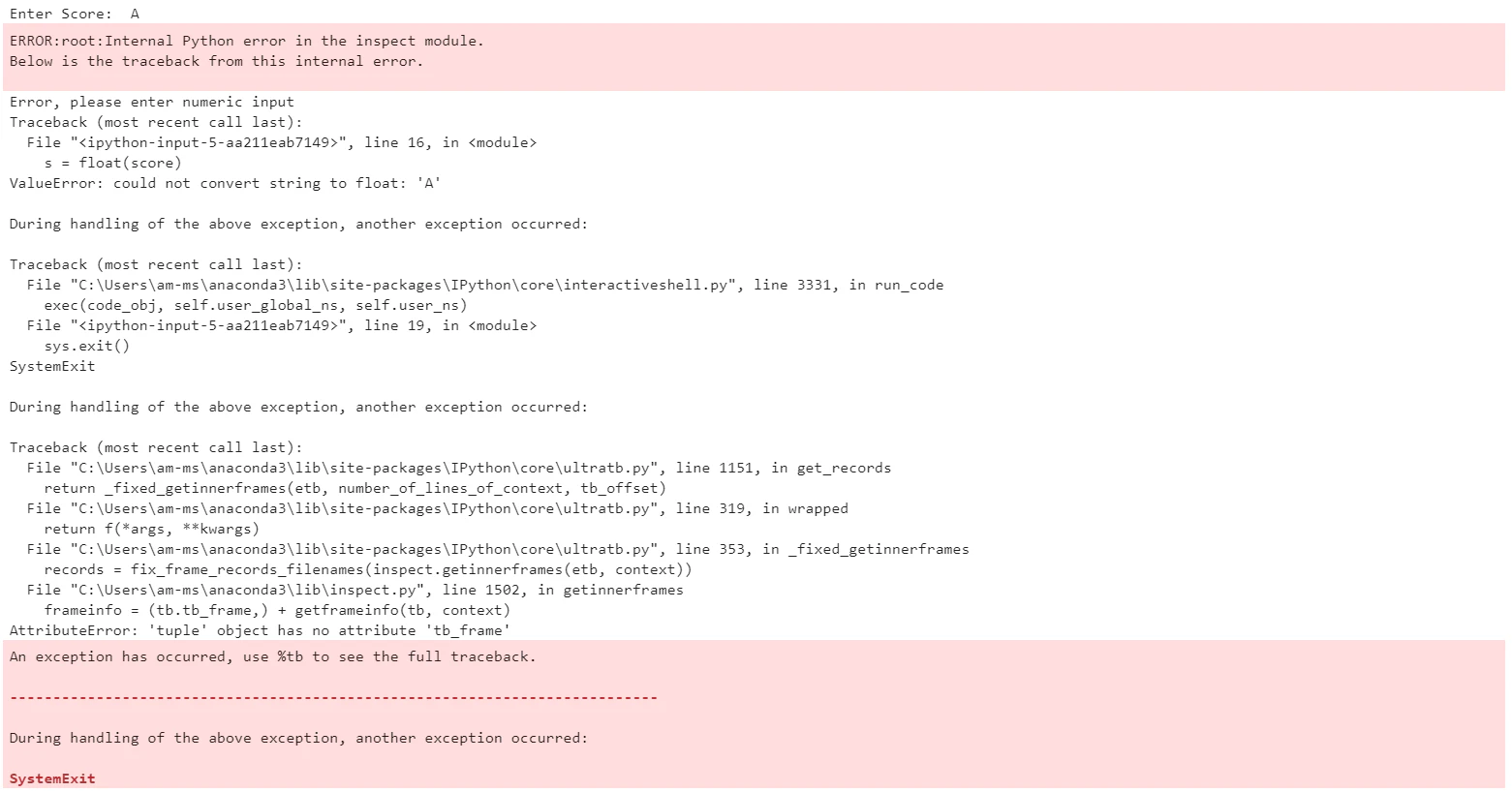
sys.exit()について自分なりにコードに取り入れてみたのですがエラーが発生してしまいました。
下のコードをSpyderでは問題なく、実行できたのですが、JupyterLabで実行するとエラーになってしまします。
もともとexit(), quit()でやっていたのですが、kernelがどうのこうので諦め、ここに行きついたのですが、
何が間違っているのでしょうか。。。ご教授ください
問題
Write a program to prompt for a score between 0.0 and 1.0. If the score is out of range, print an error.
If the score is between 0.0 and 1.0, print a grade using the following table:
Score Grade
0.9以上 A
0.8以上 B
0.7以上 C
0.6以上 D
0.6未満 F
If the user enters a value out of range, print a suitable error message and exit.
For the test, enter a score of 0.85.
私のコード
import sys
score = input("Enter Score: ")


try:
    s = float(score)
except:
    print("Error, please enter numeric input")
    sys.exit()
    #ここで数字でないものを除外したい。エラーあり。

if s > 1.0 or s < 0.0:
    print("Error. please input between 0.0 and 1.0")
    #ここで範囲外のものを除外。ここはエラーなし。
elif s >= 0.9:
    print("A")
elif s >= 0.8:
    print("B")
elif s >= 0.7:
    print("C")
elif s >= 0.6:
    print("D")
else:
    print("F")
エラーのキャプチャ
0 likes

