

はじめに
Azure Databricks 利用に際しあらかじめ運用コストを把握しておきたいところですが、ワークロードの性質や規模によって計算負荷が大きく変わってくるため、見積もりそのものが困難です。
本稿では Azure Databricks Workspace 上でクラスタの実行履歴を確認、その利用料金を概算する手順を示します。※以下の記事で利用したクラスタの履歴/概算
金融取引データから異常検知
- 導入/環境設定
- Collaborative Notebook でデータ可視化
- Anomaly Detector をデータ探索ツールとして使ってみる
- 1つ目のモデル構築 (データの偏り 未考慮)
- [2つ目のモデル構築 (データの偏り 考慮)] (https://qiita.com/Catetin0310/items/0780b4e0f1ba07509930)
クラスタ実行履歴確認
Cluster から Notebook に紐づけたクラスターを選択。
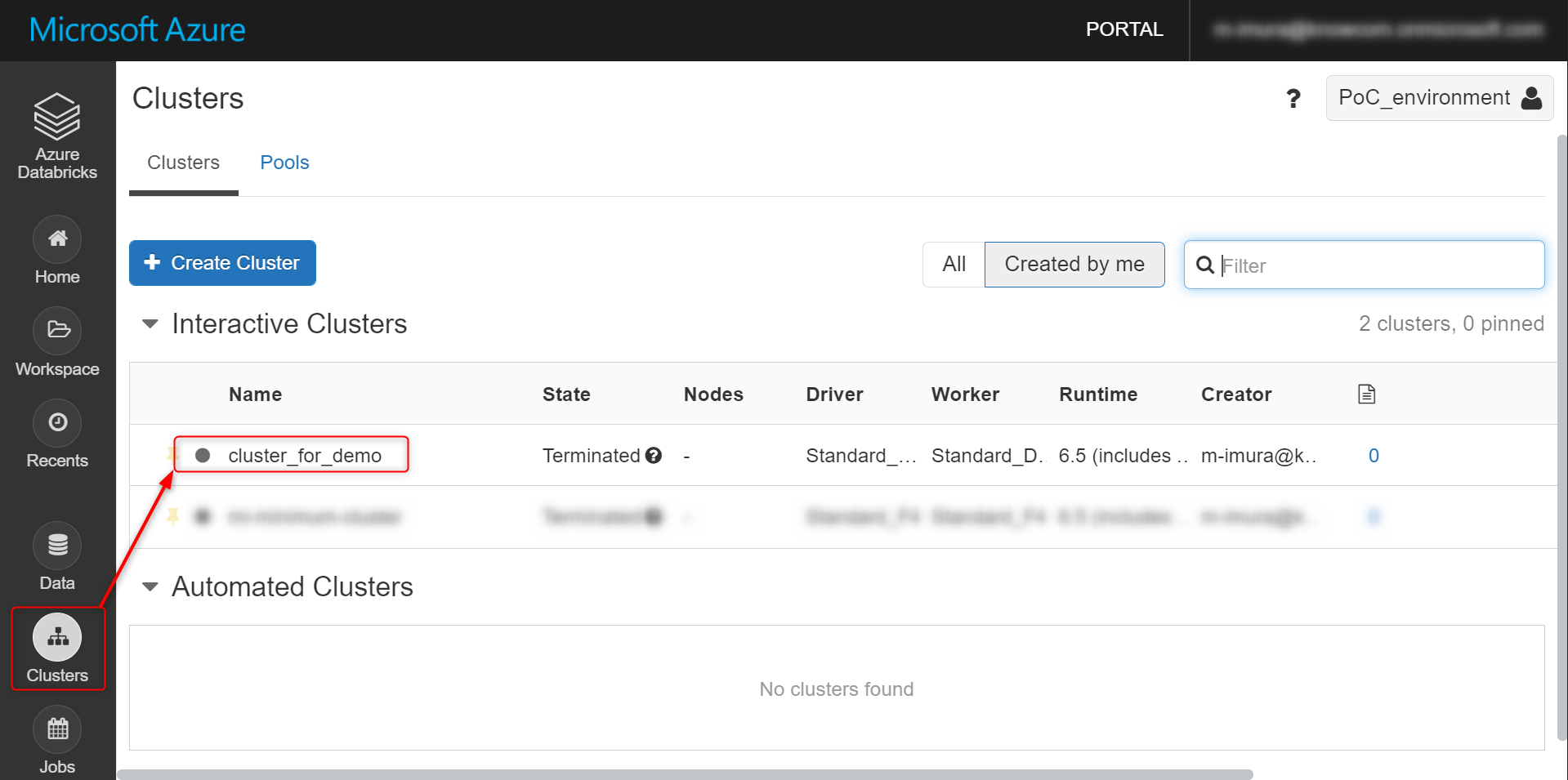
赤枠で囲っている履歴の料金を算出してみます。おおよそ 5 時間、Auto Scaling が働かない状態でクラスタが起動していたようです。

この時はクラスタ起動の直前に設定項目を変えています。EDITED をクリックすると、変更前後の設定を確認できます。以下は一部抜粋。Notebook の編集や可視化メインでモデリング処理はやらないつもりだったのでしょう。クラスタのスペックを下げ、Auto Scaling を長めに設定しています。
{
  "previous_attributes": {
    "cluster_name": "cluster_for_demo",
    "node_type_id": "Standard_DS4_v2",
    "driver_node_type_id": "Standard_DS4_v2",
    "autotermination_minutes": 30
  },
  "attributes": {
    "cluster_name": "cluster_for_demo",
    "node_type_id": "Standard_DS3_v2",
    "driver_node_type_id": "Standard_DS3_v2",
    "autotermination_minutes": 120
  },
  "previous_cluster_size": {
    "autoscale": {
      "min_workers": 2,
      "max_workers": 16
    }
  },
  "cluster_size": {
    "autoscale": {
      "min_workers": 1,
      "max_workers": 4
    }
  },
}
つまり、
- Standard_DS3_v2 インスタンスが、
- driver と worker で 1 台づつ、
- 5 時間稼働した
ことになります。
料金算出
公式サイトから単価を拾い、Azure Databricks の利用料金を算出します。仮想マシン (VM) と、選択した VM インスタンスに基づく Databricks の単位 (DBU) に対して課金されるので、従量課金制の合計額の項目を参照。
77.448 (インスタンス単価) x 2 (起動台数) x 5 (実行時間) ≒ 800 円弱

備考:メトリクス確認方法
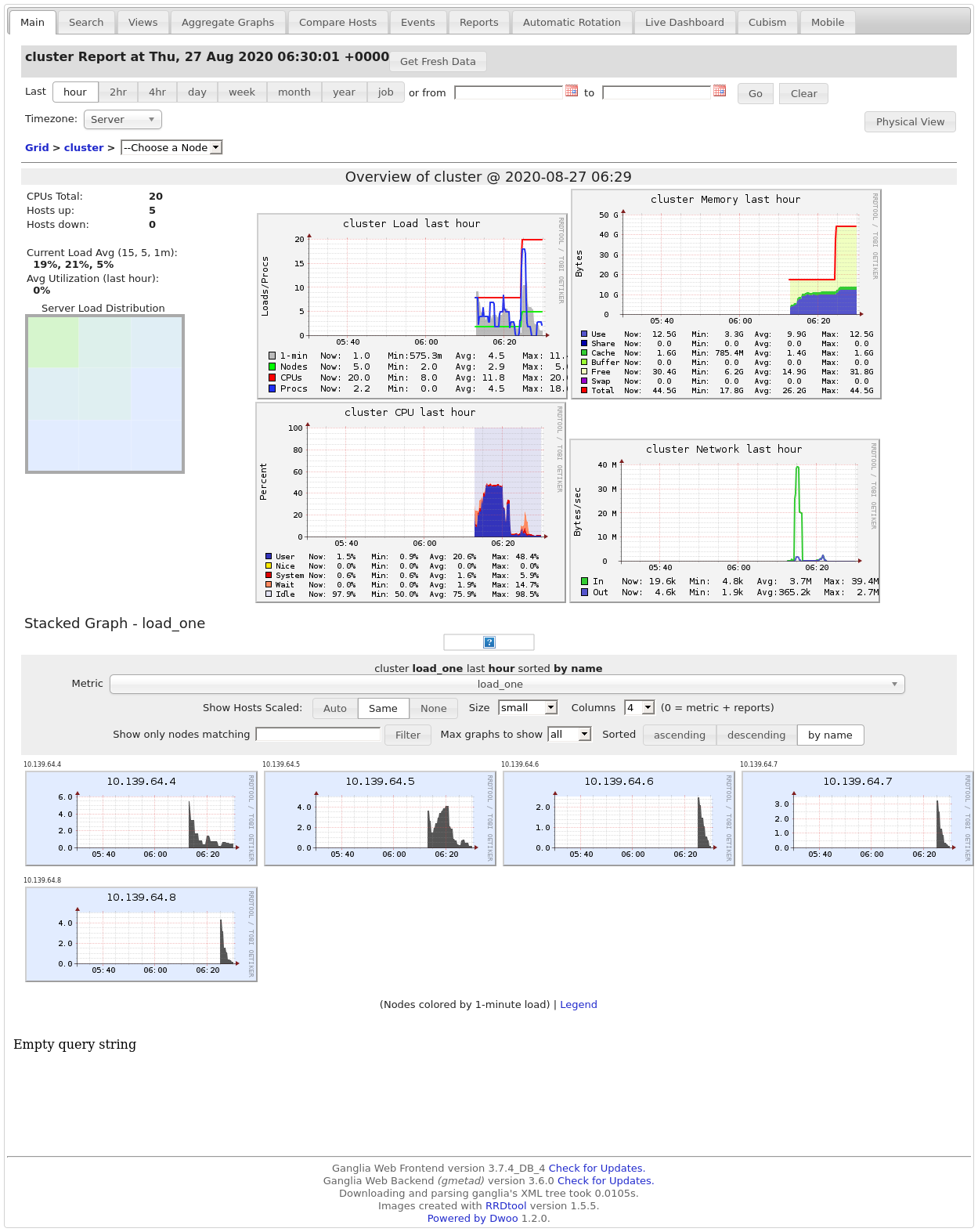
ビッグデータ解析や各種バッチ処理を行う場合には、何回か実験を繰り返して費用対効果の高い構成にする必要があるはずです。Metrics から任意の Name を選択すると、
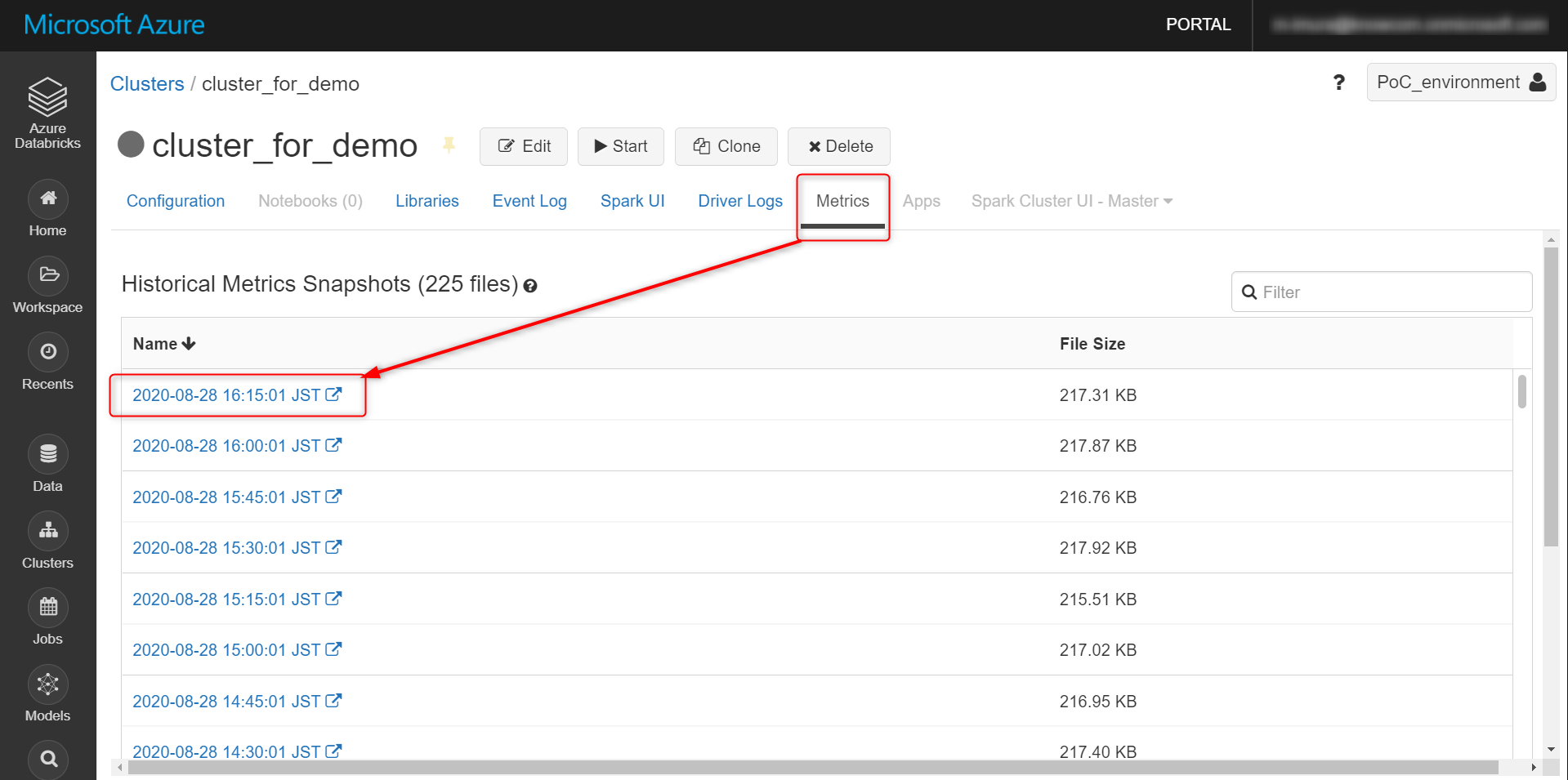
メトリクスのスナップショットを取得できます。Azure Monitor や Datadog との連携も可能。
おわりに
従量課金型なので実際に試してみて利用料金を見てみるのが手っ取り早いです。
参考サイト
Azure Databricks の価格
databricks configure metrics collection