

Before proceeding with this article, please complete the configuration described in this post.
In the article above, we configured outbound traffic from PowerVS to the Internet.
In this article, we will configure inbound traffic from the Internet to PowerVS using only managed services.
Key points of the configuration
・Use Public Address Ranges (PARs). (The term “Power LPAR” [Logical PARtition] also appears in this article. While it sounds similar to PAR and may be confusing, please treat them as separate concepts.)
・In the VPC ingress routing table, route packets arriving from the Internet destined for the PAR to the NLB (routing mode).
・In the VPC egress routing table, configure packets destined for the PAR to be routed to the Delegate-VPC.
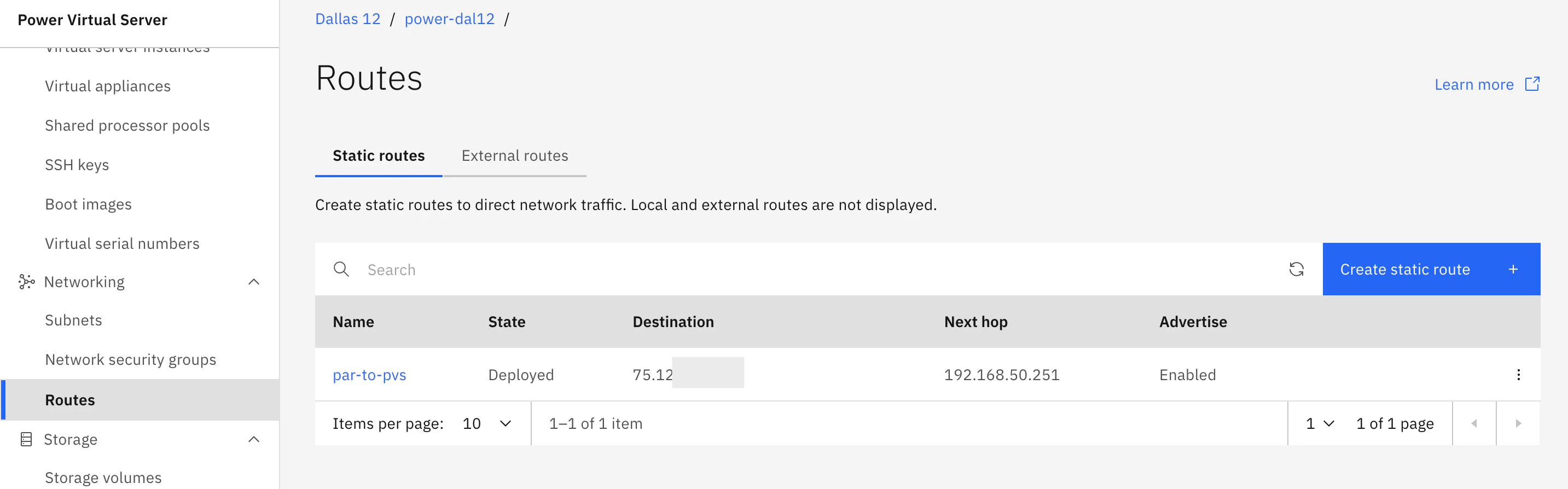
・In the PowerVS static route definition, configure the settings to route packets destined for the PAR to the LPAR.
・Set the PAR IP address as the IP alias for the LPAR.
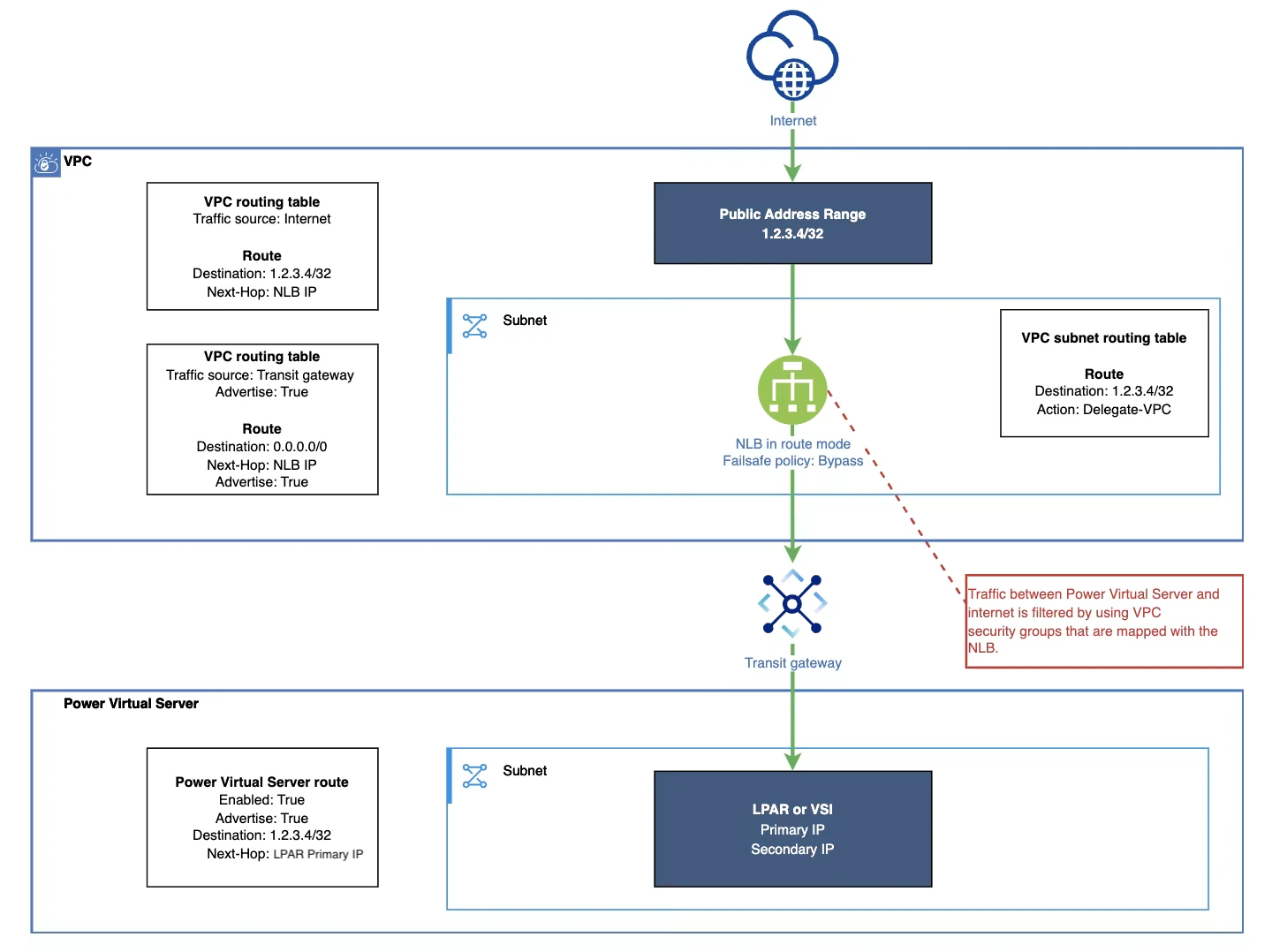
Configuration
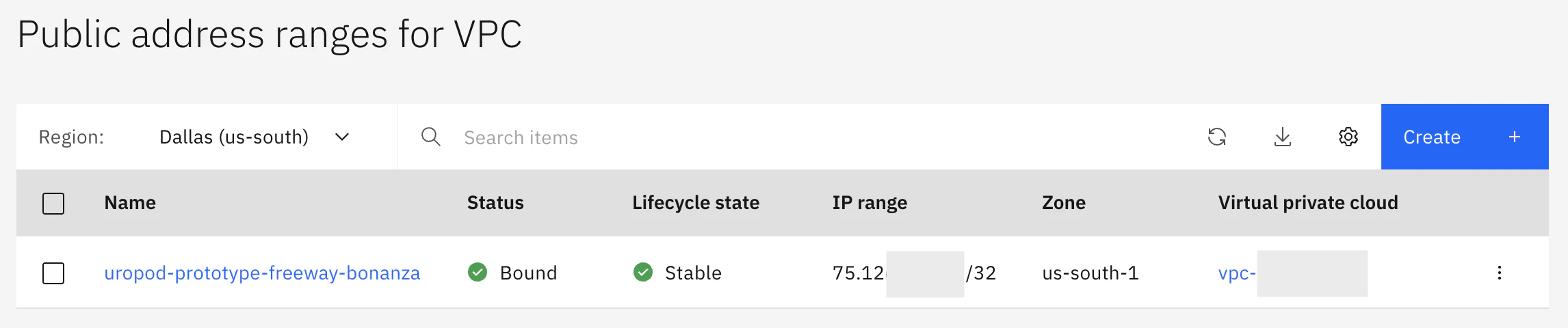
Order Public Address Range
Link it to the same zone as the NLB.
Configure the Security Groups for the NLB
Configure the ports and source addresses you want to allow from the internet in the NLB's security groups.
Confiture ingress routing table
Create a routing table that accepts incoming traffic from the public internet. (I think it would be clearer to create this separately from the routing table you created for the Transit Gateway used for outbound traffic.)
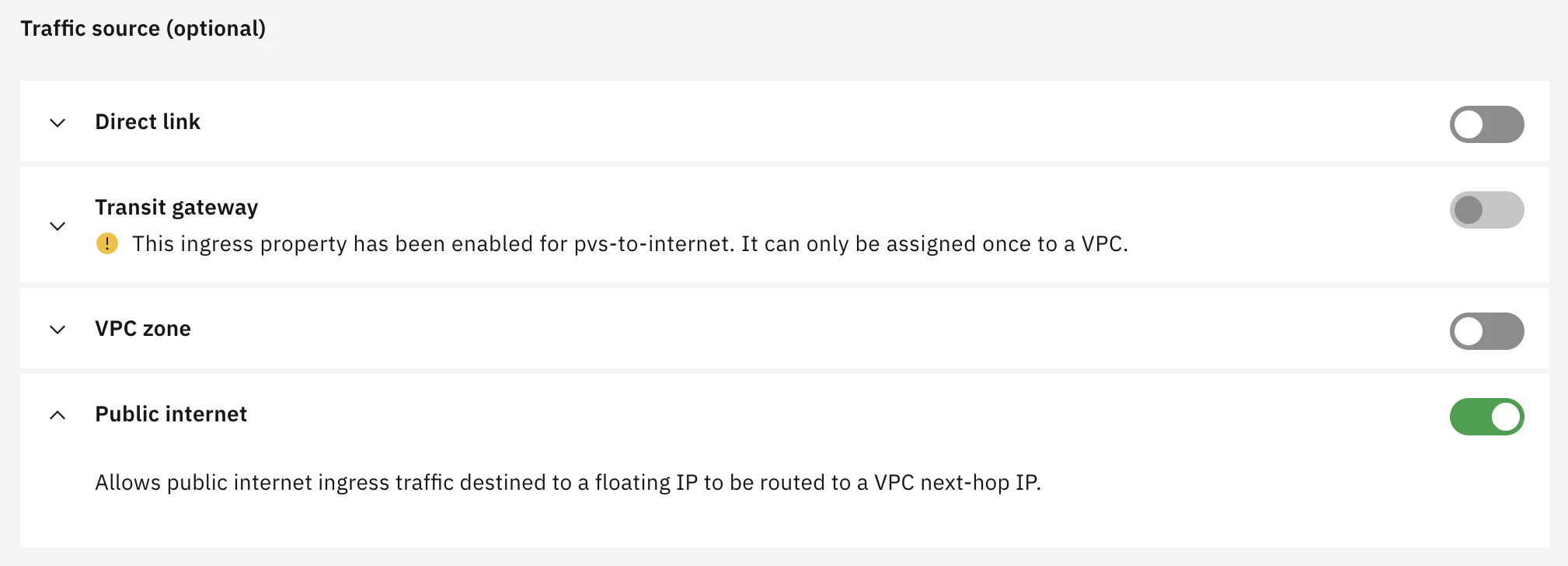
Define a route so that packets destined for the PAR are routed to the NLB's IP address. You can use the NLB created in this article.

Configure egress routing table
Since the PAR-destined packets forwarded by the NLB (routing mode) have PAR (public IP) as their destination, they are routed to the Internet by default. Because we want them routed to the private side, we will create a Delegate-VPC definition.

Define a static route on the PowerVS side
Configure the PowerVS route so that packets addressed to the PAR are routed to the LPAR's private IP address. In my environment, 192.168.50.251 is the private IP address assigned when the LPAR was created.
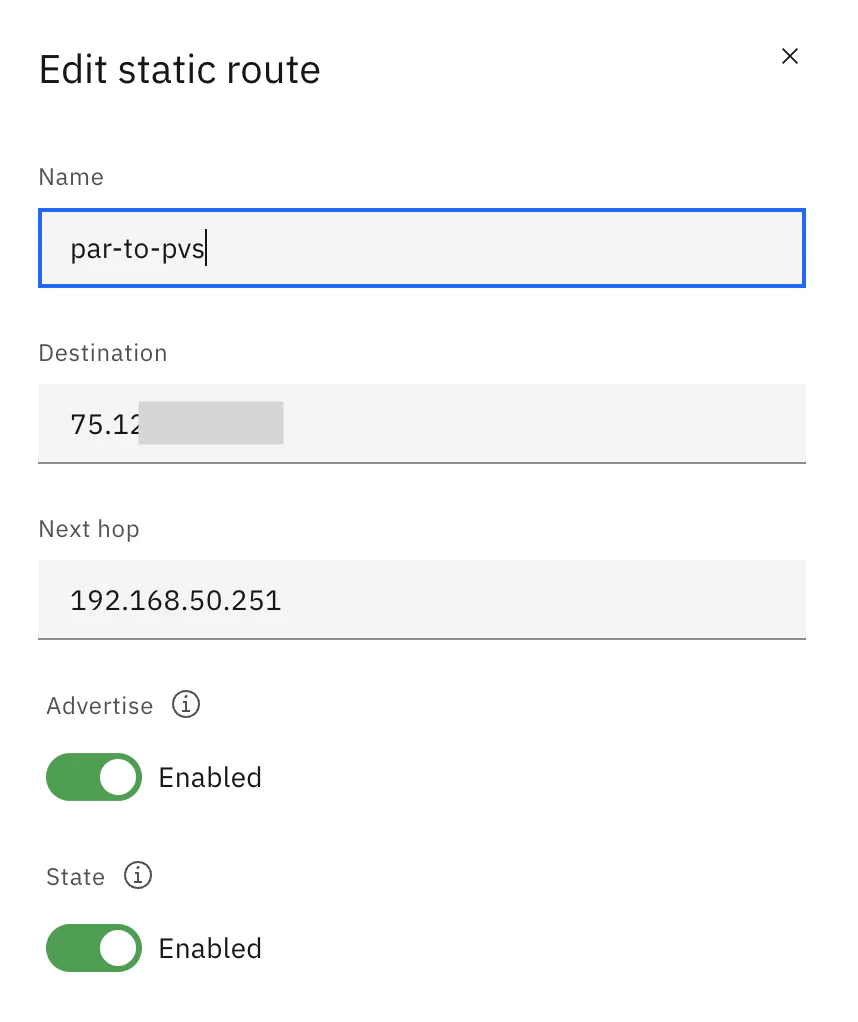
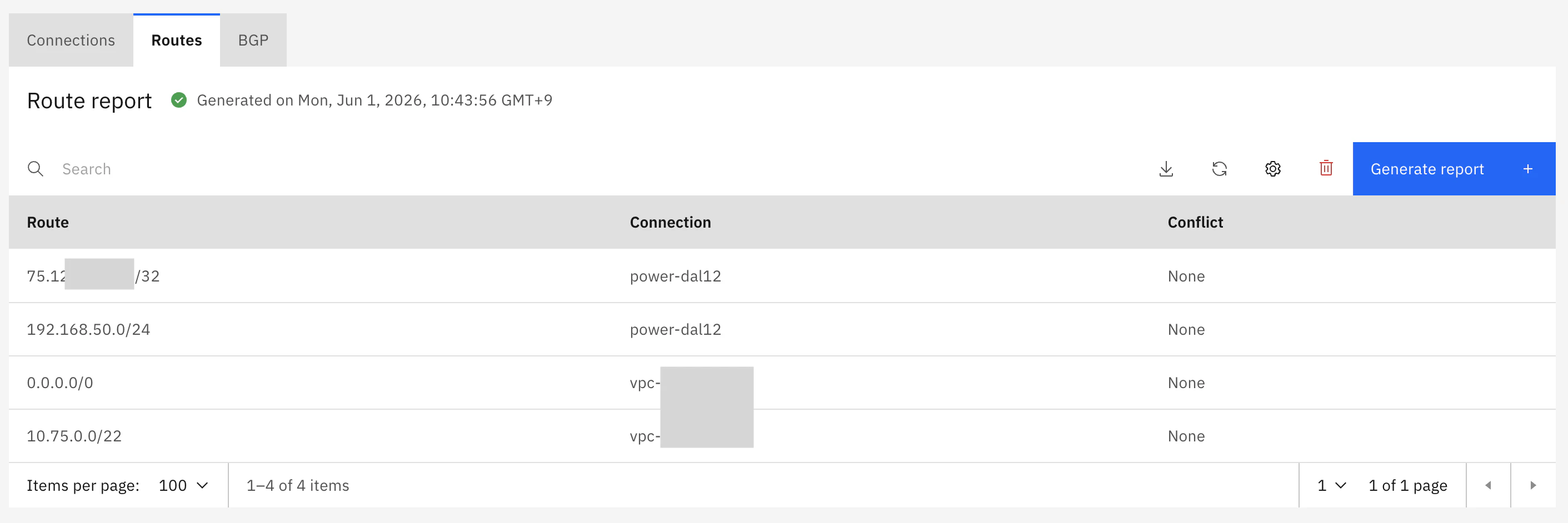
As a result of this definition, route information to the PAR is advertised from PowerVS to the Transit Gateway.
Assign the PAR IP address on the PowerVS OS
This is the only step that requires OS configuration. Assign the PAR's IP address as an alias to the OS of the PowerVS LPAR.
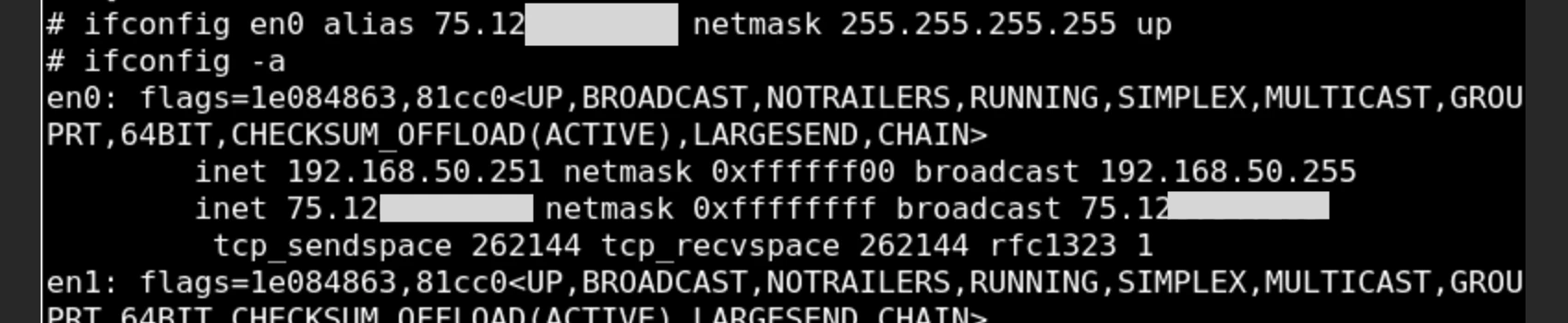
The ifconfig command shown above assigns a temporary IP alias (which is removed upon reboot).
To make the configuration permanent, use the chdev command or similar.
Verification
Verify that external communication with the relevant PAR is possible.
% ssh -l root 75.12x.xxx.xxx
Last login: Sun May 31 22:26:23 CDT 2026 on /dev/pts/0 from xx.xx.xx.xx
*******************************************************************************
*                                                                             *
*                                                                             *
*  Welcome to AIX Version 7.3!                                                *
*                                                                             *
*                                                                             *
*  Please see the README file in /usr/lpp/bos for information pertinent to    *
*  this release of the AIX Operating System.                                  *
*                                                                             *
*                                                                             *
*******************************************************************************
#