アドカレ
KENTOのひとりアドカレ4日目の記事です。
https://qiita.com/advent-calendar/2025/kento
環境情報
| ツール/SDK | バージョン |
|---|---|
| Unity | 6000.0.62f1 |
| Meta XR Core SDK | 81.0.0 |
| Open XR Plugin | 1.16.0 |
| XR Interaction Toolkit | 3.0.9 |
事前準備は以下の通りです。
パススルー設定からビルドまで
せっかくなので、OpenXRベースの汎用的なXR Originを使ったサンプルを作っていきます。
XR Originは以下パスにあります。これをシーンに置いていきます。
Assets/Samples/XR Interaction Toolkit/3.0.9/Starter Assets/Prefabs/XR Origin (XR Rig).prefab
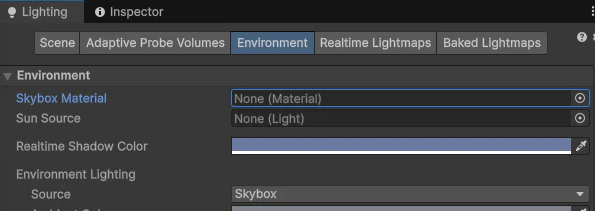
まずはSkyboxが邪魔だと思うので消してしまいましょう。
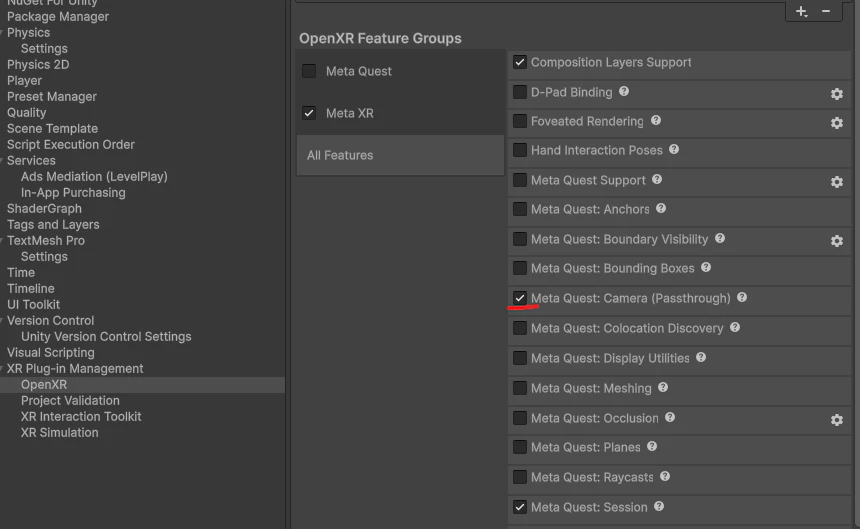
次にOpenXR Feature Groupsからパススルー設定をオンにします。
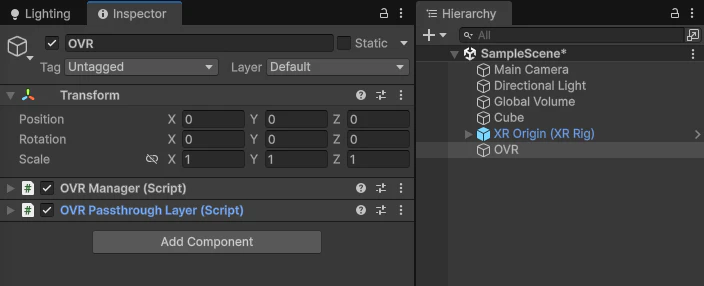
そのあと、OVR関連のコンポーネントを用意していきます。OVRManagerとOVRPassthroughLayerをアタッチします。
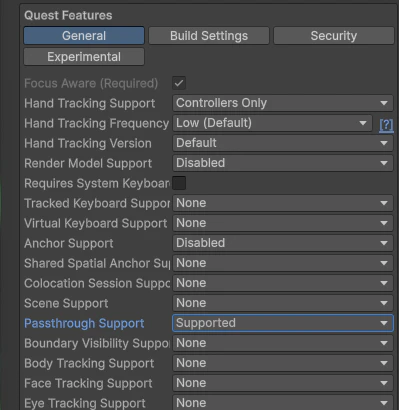
OVR ManagerのPassthrough SupportをSupportedに変更します。
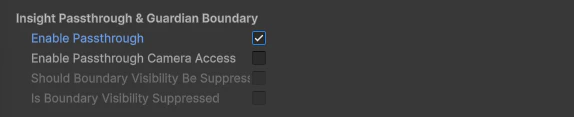
下の方にもパススルーの設定項目があるのでチェックを入れておきます。
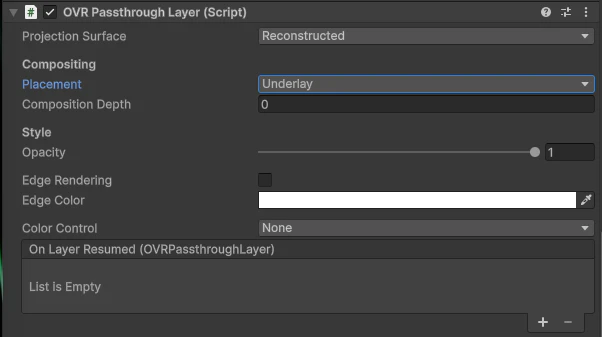
次にOVR Passthrough LayerのPlacementをUnderlayに設定します。
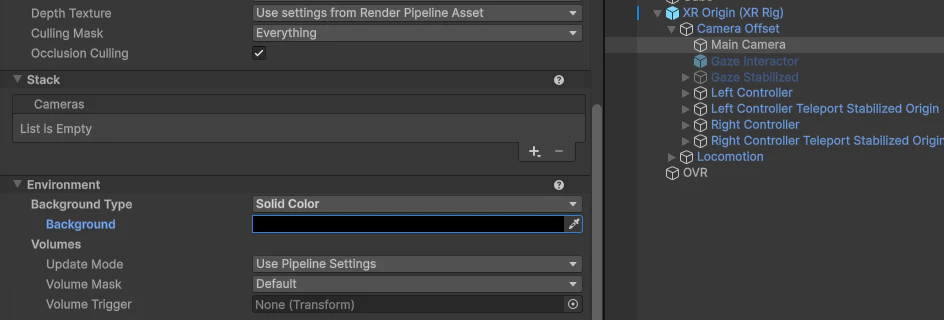
Cameraにも設定が必要です。Background TypeをSolid Colorに変更します。RGBAは全部0でOKです。
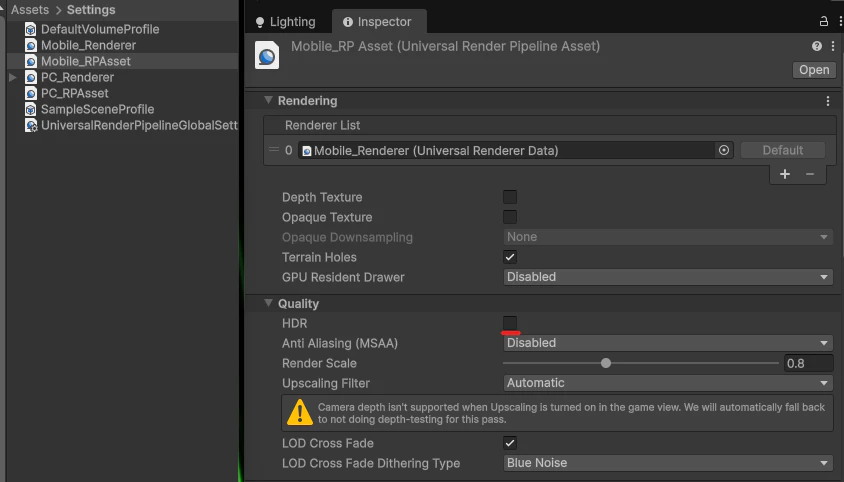
利用するRender Pipeline AssetのHDRが有効だとパススルーが有効化されないのでオフにします。
最後に、AndroidManifestを編集します。ここまで設定を行った場合、Update AndroidManifest.xmlを選択すると自動でファイルの内容が更新されます。
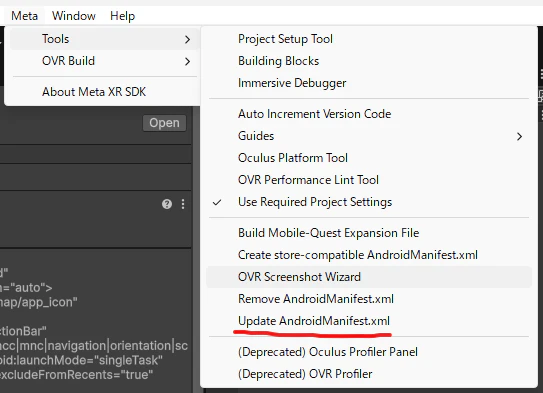
ファイルに以下が追記されていれば成功です。
<uses-feature android:name="com.oculus.feature.PASSTHROUGH" android:required="false" />

ここまで設定してビルドすればパススルー状態となります。