
はじめに
毎日ひとつ、AIアプリをつくる。
日替わりでテーマに沿って小さなアプリを開発します。Claudeで。
この記事は  AI Code Challenge Advent Calender 2025 の 15 日目の記事です!
 14日目の記事:間違い探しメーカーアプリを作ってみる!
16日目の記事:太陽系シミュレーターアプリを作ってみた! 
AI アプリ
概要

星空  を眺めていて、あれがなんとかっていう星座だよ。って言えたらかっこいいな...
そんな星座を教えてくれるアプリを作りたい 
向いている方向から見上げたら見える星座を教えてくれるアプリ。
AI 実装
Claude Desktopでプロンプトを与えて実装してもらいます。
 プロンプト:
星座を教えてくれるアプリを作りたい。
向いているGPSの方向から見上げたら見える星座を教えてくれる。

星座ファインダーアプリを作成しました!
プロンプト:
方位センサーを読み込んでいます...で止まっています。
方位センサーが読み込めていないようですね。
センサーを有効化するためのボタンをもっと目立つように改善し、手動で許可を求められるようにします。
プロンプト:
(結局、包囲センサーを有効化することができなかった。。。使い方を変えよう。)
日時、場所(首都レベル)を与えて、どの方角でどの星座が見えるかを教えてくれるようにして。
あと、星座の形も教えてくれるようにして。
日時と場所を入力すると、その時間にどの方角でどの星座が見えるかを表示するアプリケーションを作成します。
完成したアプリ
できました!
星座ファインダー
 のリンクからアプリを確認できます
使い方:
- 場所(東京、大阪など)を選択
- 日付と時刻を入力
- 「星座を検索」ボタンをクリック
- 見える星座の一覧が表示されます
- 星座をクリックすると、詳細な星座図と主要な恒星の名前が表示されます
こんなイメージです。
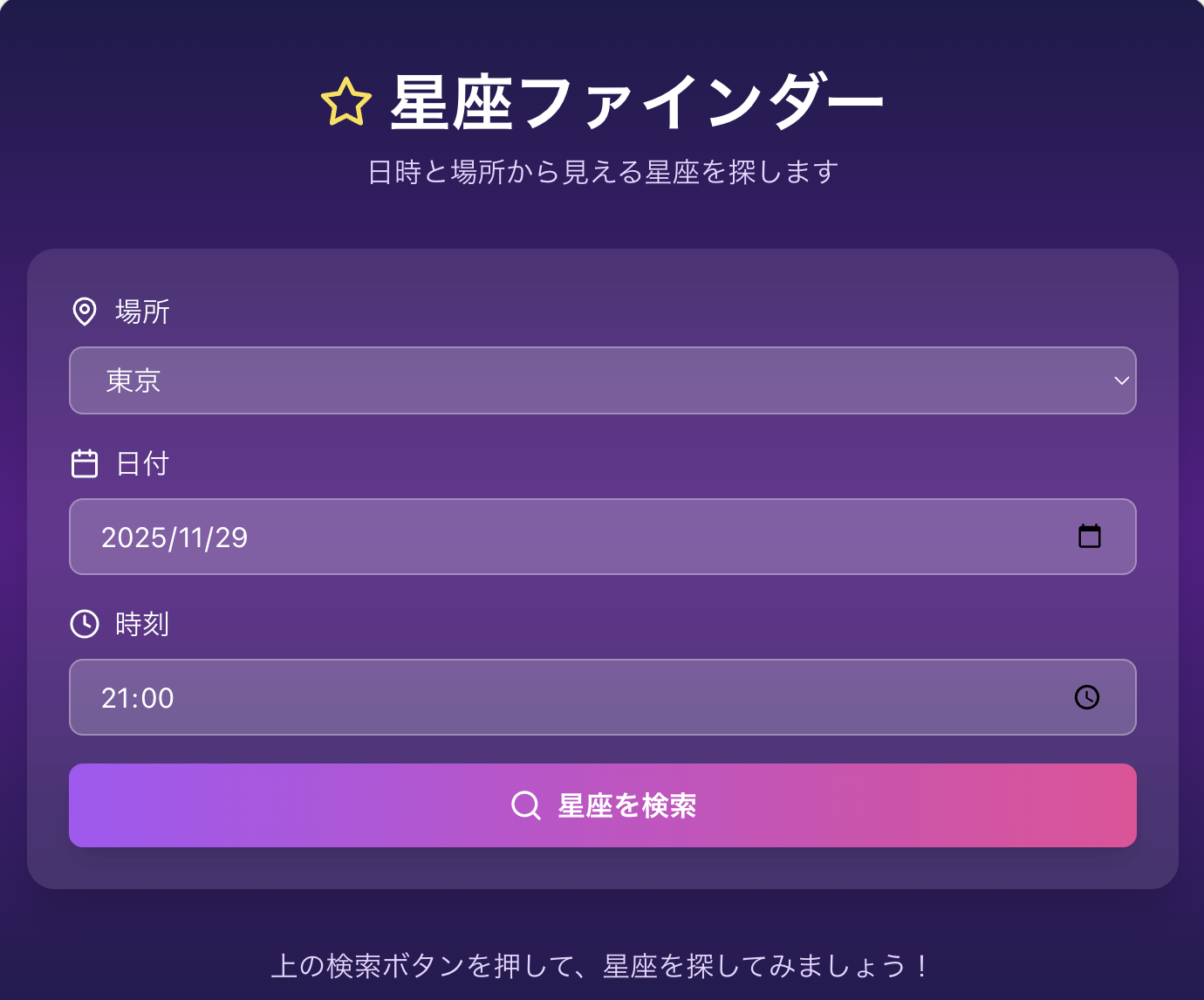
場所と日付を入力して「星座を検索」をクリックします。
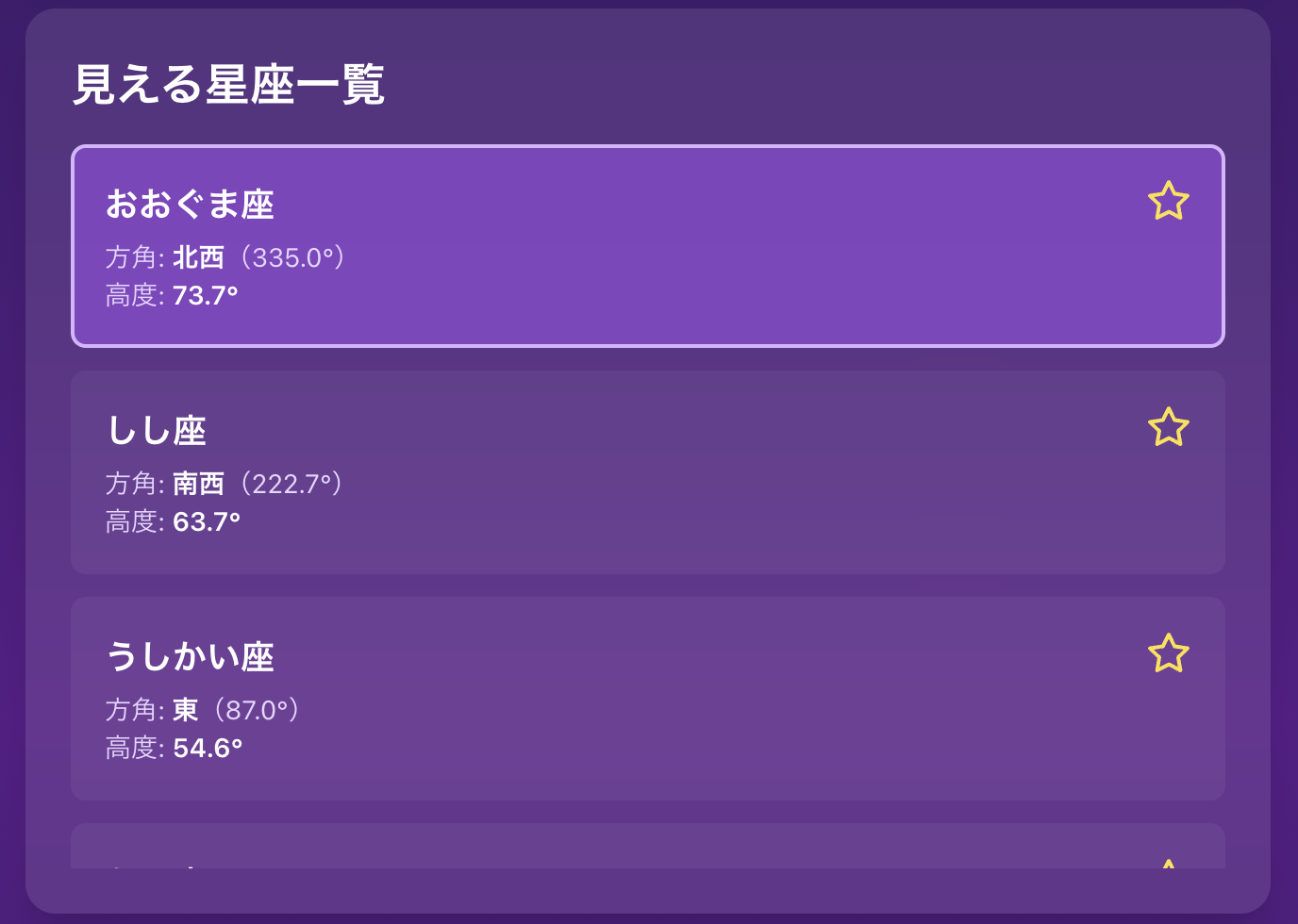
星座図も表示してくれます。
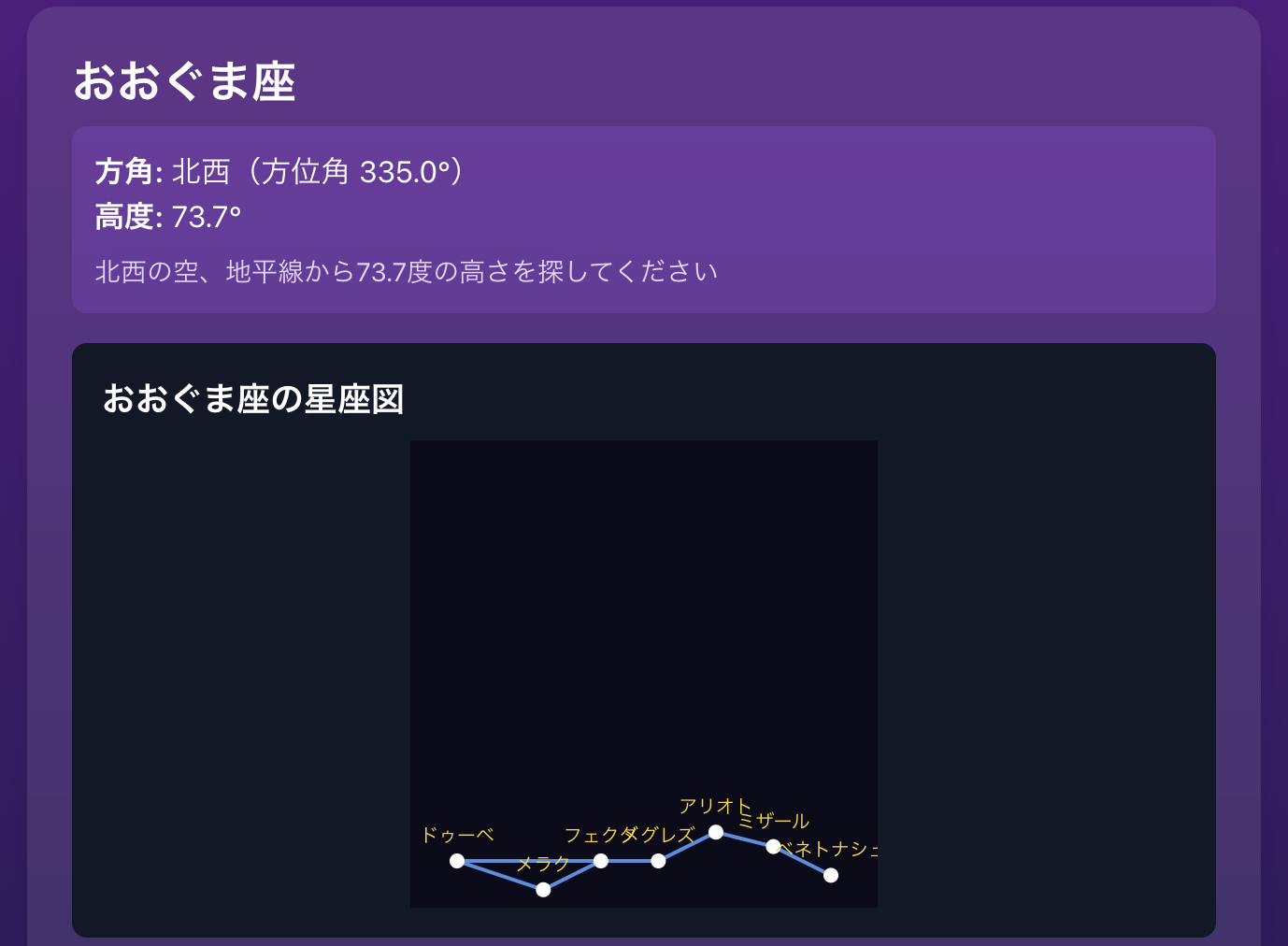
こういうのが欲しかった!
プログラム解説
ポイントとなるプログラムを開設します。
- 主要都市の座標データを定義します。
// 主要都市の座標データ
const CITIES = {
  '東京': {
    lat: 35.6762,
    lon: 139.6503,
    timezone: 9
  },

  '大阪': {
    lat: 34.6937,
    lon: 135.5023,
    timezone: 9
  },

  '札幌': {
    lat: 43.0642,
    lon: 141.3469,
    timezone: 9
  },

  '福岡': {
    lat: 33.5904,
    lon: 130.4017,
    timezone: 9
  },

  'ニューヨーク': {
    lat: 40.7128,
    lon: -74.0060,
    timezone: -5
  },

  'ロンドン': {
    lat: 51.5074,
    lon: -0.1278,
    timezone: 0
  },

  'パリ': {
    lat: 48.8566,
    lon: 2.3522,
    timezone: 1
  },

  'シドニー': {
    lat: -33.8688,
    lon: 151.2093,
    timezone: 10
  },

  'ソウル': {
    lat: 37.5665,
    lon: 126.9780,
    timezone: 9
  },

  '北京': {
    lat: 39.9042,
    lon: 116.4074,
    timezone: 8
  }
};
- 主要の星座情報を定義します。
// 主要星座のデータ(赤経、赤緯、見える季節、星の配置)
const CONSTELLATIONS = {
  // 春の星座
  'おおぐま座': {
    ra: 11,
    dec: 50,
    season: 'spring',
    months: [3, 4, 5, 6],

    stars: [
      { name: 'ドゥーベ',       x: 0,   y: 0 },
      { name: 'メラク',         x: 30,  y: -10 },
      { name: 'フェクダ',       x: 50,  y: 0 },
      { name: 'メグレズ',       x: 70,  y: 0 },
      { name: 'アリオト',       x: 90,  y: 10 },
      { name: 'ミザール',       x: 110, y: 5 },
      { name: 'ベネトナシュ',   x: 130, y: -5 }
    ],

    lines: [
      [0, 1],
      [1, 2],
      [2, 3],
      [3, 4],
      [4, 5],
      [5, 6],
      [0, 3]
    ]
  },
};
・・・
- 定義された星座情報から星座図を描画します。
const ConstellationDiagram = ({ constellation }) => {
  if (!constellation) return null;

  const maxX = Math.max(...constellation.stars.map(s => s.x));
  const maxY = Math.max(...constellation.stars.map(s => s.y));
  const scale = 200 / Math.max(maxX, maxY);

  return (
    <div className="bg-gray-900 rounded-lg p-4 mt-4">
      <h3 className="text-lg font-semibold text-white mb-2">
        {constellation.name} の星座図
      </h3>

      <svg width="250" height="250" className="mx-auto">
        <rect width="250" height="250" fill="#0a0a1a" />

        {/* 線を描画 */}
        {constellation.lines.map((line, idx) => {
          const start = constellation.stars[line[0]];
          const end = constellation.stars[line[1]];

          return (
            <line
              key={idx}
              x1={25 + start.x * scale}
              y1={225 - start.y * scale}
              x2={25 + end.x * scale}
              y2={225 - end.y * scale}
              stroke="#4a90e2"
              strokeWidth="2"
            />
          );
        })}

        {/* 星を描画 */}
        {constellation.stars.map((star, idx) => (
          <g key={idx}>
            <circle
              cx={25 + star.x * scale}
              cy={225 - star.y * scale}
              r="4"
              fill="#ffffff"
            />
            <text
              x={25 + star.x * scale}
              y={215 - star.y * scale}
              fill="#ffd700"
              fontSize="10"
              textAnchor="middle"
            >
              {star.name}
            </text>
          </g>
        ))}
      </svg>
    </div>
  );
};
おわりに
- 位置情報がうまく取得できなかったので使い方を変えてアプリを完成させました。
方位センサーなど他の機能と連携する場合は少し工夫が必要そうです。 - 主要な星座がコードにベタ書きなので、外部から取得できるようになるといいな。改良の検討。
AI で楽しいアプリ開発を!!
この記事は AI Code Challenge Advent Calender 2025 の 15 日目の記事です!