
はじめに
毎日ひとつ、AIアプリをつくる。
日替わりでテーマに沿って小さなアプリを開発します。Claudeで。
この記事は  AI Code Challenge Advent Calender 2025 の 16 日目の記事です!
 15日目の記事:星空から星座を見つけるアプリを作ってみた!
17日目の記事:どの芸能人に似ているか判定するアプリを作ってみる!
AI アプリ
概要

宇宙に興味があるので宇宙に関するアプリをつくりたい!
例えば太陽系の惑星を動かすシミュレーションとか 
AI 実装
Claude Desktopでプロンプトを与えて実装してもらいます。
 プロンプト:
太陽系の動きをマウス操作できるアプリを作って

太陽系の動きをマウスで操作できるインタラクティブなアプリを作成しました!
プロンプト:
マウスで星を動かせるようにしたい
惑星を個別にドラッグして動かせるようになりました!
プロンプト:
(マウスで星を自由に動かせすぎ。。。せめて軌道上にいて欲しい。)
マウスで星は動かせるが、軌道は外れないようにしたい
惑星が軌道から外れないように修正しました!
完成したアプリ
できました!
 太陽系シミュレーター
 のリンクからアプリを確認できます
使い方:
- 各惑星の相対的な大きさと軌道距離を表現
- 実際の公転速度の比率を反映
- 惑星名を日本語で表示
こんなイメージです。
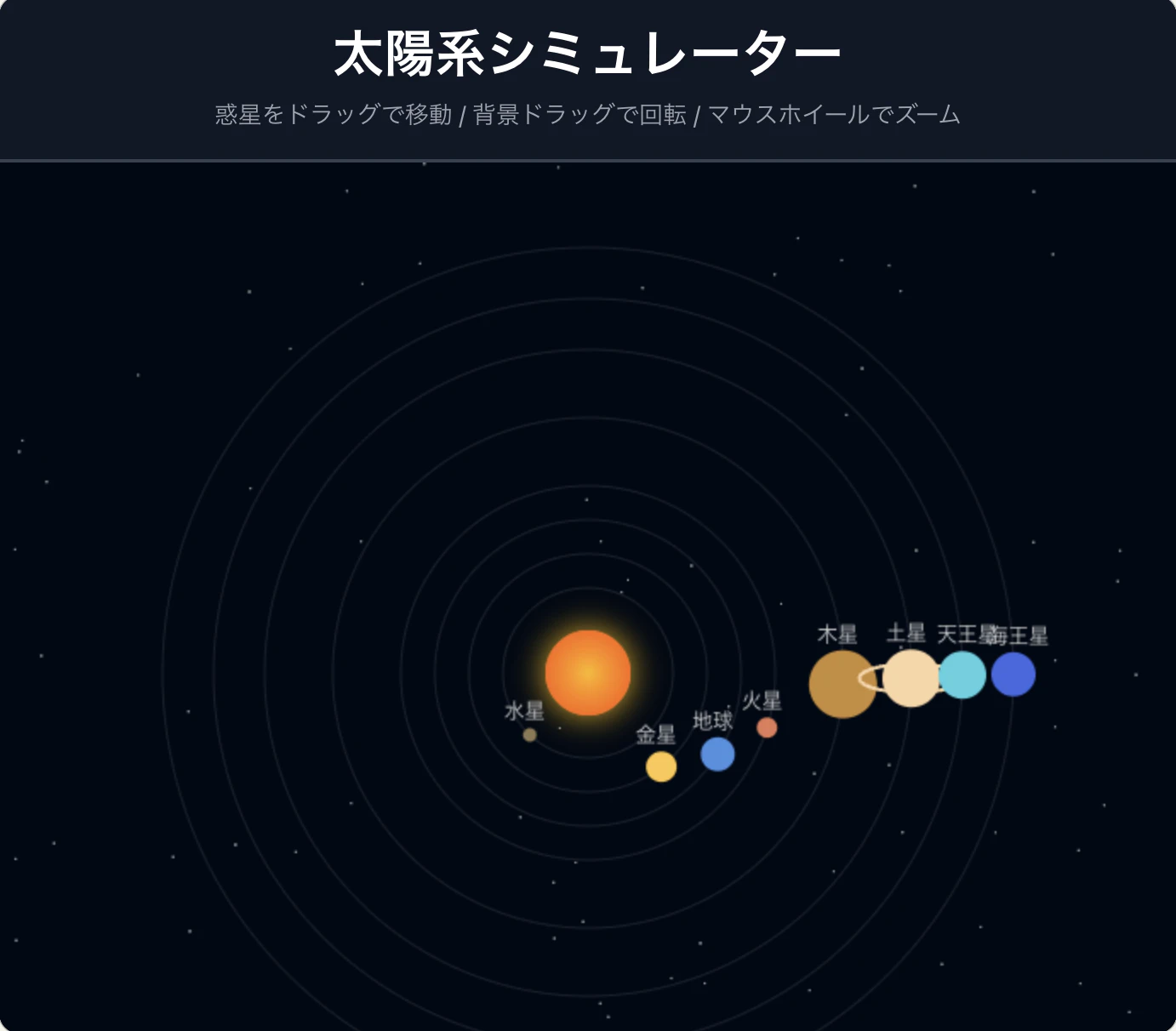
マウスで星を動かせます。土星を動かしてみました。
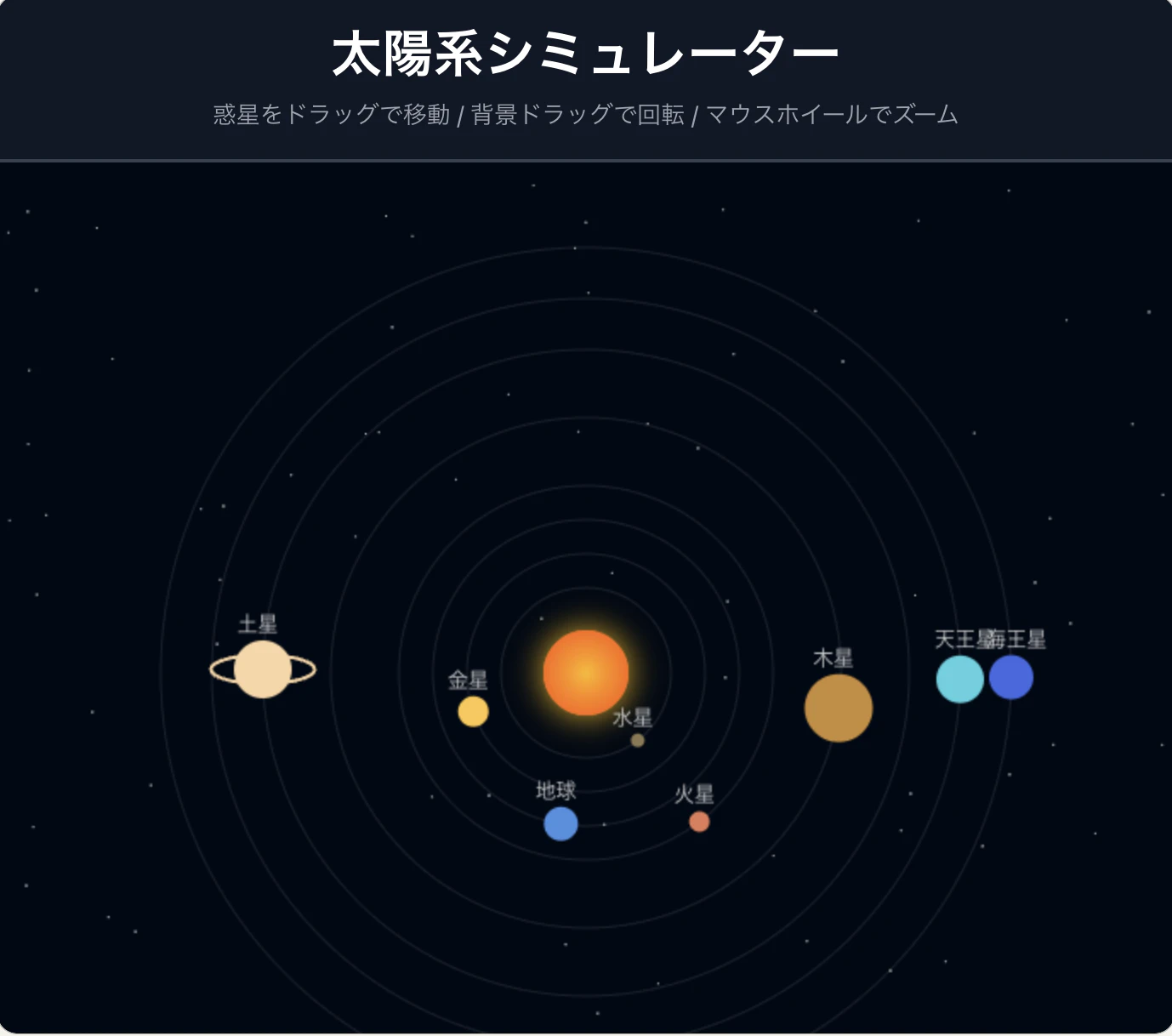
ずっと見てられる 笑
プログラム解説
ポイントとなるプログラムを解説します。
- 惑星の初期状態(位置・大きさ・色・公転速度)を定義します。
  const planetsRef = useRef([
    { name: '水星', distance: 50, size: 4, color: '#8C7853', speed: 4.15, angle: 0 },
    { name: '金星', distance: 70, size: 9, color: '#FFC649', speed: 1.62, angle: 0 },
    { name: '地球', distance: 90, size: 10, color: '#4A90E2', speed: 1, angle: 0 },
    { name: '火星', distance: 110, size: 6, color: '#E27B58', speed: 0.53, angle: 0 },
    { name: '木星', distance: 150, size: 20, color: '#C88B3A', speed: 0.08, angle: 0 },
    { name: '土星', distance: 190, size: 17, color: '#FAD5A5', speed: 0.03, angle: 0 },
    { name: '天王星', distance: 220, size: 14, color: '#4FD0E0', speed: 0.01, angle: 0 },
    { name: '海王星', distance: 250, size: 13, color: '#4169E1', speed: 0.006, angle: 0 }
  ]);
- 惑星を描画します。土星は輪っかをつけます。zoomで拡大縮小が可能。
    const drawPlanet = (planet, isSelected) => {
      const x = centerX + Math.cos(planet.angle) * planet.distance * zoom;
      const y = centerY + Math.sin(planet.angle) * planet.distance * zoom;

      if (isSelected) {
        ctx.strokeStyle = 'rgba(255, 255, 255, 0.8)';
        ctx.lineWidth = 2;
        ctx.beginPath();
        ctx.arc(x, y, planet.size * zoom + 5, 0, Math.PI * 2);
        ctx.stroke();
      }

      ctx.fillStyle = planet.color;
      ctx.beginPath();
      ctx.arc(x, y, planet.size * zoom, 0, Math.PI * 2);
      ctx.fill();

      ctx.fillStyle = 'rgba(255, 255, 255, 0.8)';
      ctx.font = '12px sans-serif';
      ctx.fillText(planet.name, x - 15, y - planet.size * zoom - 5);

      if (planet.name === '土星') {
        ctx.strokeStyle = planet.color;
        ctx.lineWidth = 2;
        ctx.beginPath();
        ctx.ellipse(x, y, planet.size * zoom * 1.8, planet.size * zoom * 0.5, 0, 0, Math.PI * 2);
        ctx.stroke();
      }

      return { x, y };
    };
- マウス操作の処理。
handleMouseDown、handleMouseMove、handleMouseUp。マウス位置に惑星があればドラッグでき、惑星がなければキャンバス(宇宙)を回転できます。
  const handleMouseDown = (e) => {
    const planetIndex = getPlanetAtPosition(e.clientX, e.clientY);

    if (planetIndex !== null) {
      mouseRef.current.dragType = 'planet';
      setSelectedPlanet(planetIndex);
    } else {
      mouseRef.current.dragType = 'canvas';
    }

    mouseRef.current.isDragging = true;
    mouseRef.current.lastX = e.clientX;
    mouseRef.current.lastY = e.clientY;
  };

  const handleMouseMove = (e) => {
    if (mouseRef.current.isDragging) {
      if (mouseRef.current.dragType === 'planet' && selectedPlanet !== null) {
        const canvas = canvasRef.current;
        const rect = canvas.getBoundingClientRect();
        const mouseX = e.clientX - rect.left;
        const mouseY = e.clientY - rect.top;
        const centerX = canvas.width / 2;
        const centerY = canvas.height / 2;

        const dx = mouseX - centerX;
        const dy = mouseY - centerY;
        const angle = Math.atan2(dy, dx);

        planetsRef.current[selectedPlanet].angle = angle;
      } else if (mouseRef.current.dragType === 'canvas') {
        const deltaX = e.clientX - mouseRef.current.lastX;
        const deltaY = e.clientY - mouseRef.current.lastY;

        rotationRef.current.x += deltaY;
        rotationRef.current.y += deltaX;
      }

      mouseRef.current.lastX = e.clientX;
      mouseRef.current.lastY = e.clientY;
    } else {
      const planetIndex = getPlanetAtPosition(e.clientX, e.clientY);
      canvasRef.current.style.cursor = planetIndex !== null ? 'pointer' : 'move';
    }
  };

  const handleMouseUp = () => {
    mouseRef.current.isDragging = false;
    mouseRef.current.dragType = null;
    setSelectedPlanet(null);
  };
おわりに
- 経過時間とか、何年後の位置情報とかがあると、より面白そう。
- 惑星が一直線に並ぶのがどのくらいのスパンなのかがわかるかもですね!
AI で楽しいアプリ開発を!!
この記事は AI Code Challenge Advent Calender 2025 の 16 日目の記事です!
15日目の記事:星空から星座を見つけるアプリを作ってみた!
17日目の記事:どの芸能人に似ているか判定するアプリを作ってみる!