
はじめに
毎日ひとつ、AIアプリをつくる。
日替わりでテーマに沿って小さなアプリを開発します。Claudeで。
この記事は  AI Code Challenge Advent Calender 2025 の 13 日目の記事です!
 12日目の記事:AIにジョークを言ってもらうアプリを作ってみた!
14日目の記事:間違い探しメーカーアプリを作ってみる! 
AI アプリ
概要

絶対音感の人は街の音がどのように聞こえているのだろうか?
そうだ、音から音符に変換するアプリを作ってみよう! 
AI 実装
Claude Desktopでプロンプトを与えて実装してもらいます。
 プロンプト:
音から音符に変換するアプリをつくって

音から音符に変換するアプリを作成しました!
プロンプト:
(英語表記の音階になっているな、、、)
ドレミファの音階に変換できる?
ドレミファソラシドの音階表記に対応しました!
プロンプト:
検出した音符を音階で五線譜で表示して
五線譜表示機能を追加しました!
完成したアプリ
できました!
 音楽から音符に変換アプリ
 のhtmlコードをローカルに「index.html」として保存します。
保存したhtmlファイルをダブルクリックしてブラウザで確認できます
index.html
index.html
<!DOCTYPE html>
<html lang="ja">
<head>
<meta charset="UTF-8">
<meta name="viewport" content="width=device-width, initial-scale=1.0">
<title>音楽から音符への変換アプリ</title>
<style>
* {
margin: 0;
padding: 0;
box-sizing: border-box;
}
body {
font-family: 'Segoe UI', Tahoma, Geneva, Verdana, sans-serif;
background: linear-gradient(135deg, #667eea 0%, #764ba2 100%);
min-height: 100vh;
display: flex;
flex-direction: column;
align-items: center;
padding: 20px;
}
.container {
background: white;
border-radius: 20px;
padding: 40px;
box-shadow: 0 20px 60px rgba(0, 0, 0, 0.3);
max-width: 800px;
width: 100%;
}
h1 {
color: #333;
text-align: center;
margin-bottom: 30px;
font-size: 2em;
}
.controls {
display: flex;
justify-content: center;
gap: 20px;
margin-bottom: 30px;
}
button {
padding: 15px 30px;
font-size: 16px;
border: none;
border-radius: 10px;
cursor: pointer;
transition: all 0.3s;
font-weight: bold;
user-select: none;
}
#startBtn {
background: #4CAF50;
color: white;
}
#startBtn:hover {
background: #45a049;
}
#startBtn:disabled {
background: #cccccc;
cursor: not-allowed;
}
#stopBtn {
background: #f44336;
color: white;
}
#stopBtn:hover {
background: #da190b;
}
#stopBtn:disabled {
background: #cccccc;
cursor: not-allowed;
}
.current-note {
text-align: center;
margin: 30px 0;
padding: 40px;
background: linear-gradient(135deg, #f093fb 0%, #f5576c 100%);
border-radius: 15px;
color: white;
}
.current-note h2 {
font-size: 1.2em;
margin-bottom: 10px;
opacity: 0.9;
}
.note-display {
font-size: 4em;
font-weight: bold;
margin: 10px 0;
}
.frequency-display {
font-size: 1.2em;
opacity: 0.9;
}
.note-history {
margin-top: 30px;
}
.note-history h3 {
color: #333;
margin-bottom: 15px;
}
.notes-container {
display: flex;
flex-wrap: wrap;
gap: 10px;
max-height: 200px;
overflow-y: auto;
padding: 15px;
background: #f5f5f5;
border-radius: 10px;
}
.note-item {
padding: 8px 15px;
background: white;
border-radius: 8px;
border-left: 4px solid #667eea;
font-size: 14px;
box-shadow: 0 2px 5px rgba(0, 0, 0, 0.1);
}
.status {
text-align: center;
margin-top: 20px;
padding: 10px;
border-radius: 8px;
font-weight: bold;
}
.status.recording {
background: #4CAF50;
color: white;
}
.status.stopped {
background: #f44336;
color: white;
}
.visualizer {
margin: 20px 0;
background: #f5f5f5;
border-radius: 10px;
padding: 10px;
}
.staff-notation {
margin: 20px 0;
background: white;
border-radius: 10px;
padding: 20px;
box-shadow: 0 2px 10px rgba(0, 0, 0, 0.1);
}
.staff-notation h3 {
color: #333;
margin-bottom: 15px;
text-align: center;
}
#staffCanvas {
width: 100%;
border-radius: 8px;
background: white;
}
canvas {
width: 100%;
border-radius: 8px;
background: white;
}
</style>
</head>
<body>
<div class="container">
<h1>🎵 音楽から音符への変換</h1>
<div class="controls">
<button id="startBtn">🎤 録音開始</button>
<button id="stopBtn" disabled>⏹️ 録音停止</button>
</div>
<div class="visualizer">
<canvas id="visualizer" width="720" height="100"></canvas>
</div>
<div class="current-note">
<h2>現在の音符</h2>
<div class="note-display" id="noteDisplay">--</div>
<div class="frequency-display" id="frequencyDisplay">周波数: -- Hz</div>
</div>
<div class="staff-notation">
<h3>五線譜</h3>
<canvas id="staffCanvas" width="1200" height="300"></canvas>
</div>
<div class="note-history">
<h3>検出された音符の履歴</h3>
<div class="notes-container" id="notesContainer">
<p style="color: #999;">録音を開始すると、検出された音符がここに表示されます</p>
</div>
</div>
<div class="status stopped" id="status">停止中</div>
</div>
<script>
let audioContext;
let analyser;
let microphone;
let scriptProcessor;
let isRecording = false;
let notesHistory = [];
let lastNote = '';
const startBtn = document.getElementById('startBtn');
const stopBtn = document.getElementById('stopBtn');
const noteDisplay = document.getElementById('noteDisplay');
const frequencyDisplay = document.getElementById('frequencyDisplay');
const notesContainer = document.getElementById('notesContainer');
const status = document.getElementById('status');
const visualizerCanvas = document.getElementById('visualizer');
const visualizerCtx = visualizerCanvas.getContext('2d');
const staffCanvas = document.getElementById('staffCanvas');
const staffCtx = staffCanvas.getContext('2d');
let staffNotes = []; // 五線譜に表示する音符の配列
const maxStaffNotes = 20; // 五線譜に表示する最大音符数
// 音符名とMIDI番号の対応(ドレミ表記のみ)
const doremiStrings = ['ド', 'ド#', 'レ', 'レ#', 'ミ', 'ファ', 'ファ#', 'ソ', 'ソ#', 'ラ', 'ラ#', 'シ'];
// 周波数からMIDI番号を計算
function frequencyToMidi(frequency) {
return 12 * Math.log2(frequency / 440) + 69;
}
// MIDI番号から音符名を取得(ドレミ表記)
function midiToNoteName(midi) {
const noteIndex = Math.round(midi) % 12;
const octave = Math.floor(Math.round(midi) / 12) - 1;
return doremiStrings[noteIndex] + octave;
}
// 五線譜を描画
function drawStaff() {
const width = staffCanvas.width;
const height = staffCanvas.height;
const lineSpacing = 20;
const startY = height / 2 - lineSpacing * 2;
// キャンバスをクリア
staffCtx.clearRect(0, 0, width, height);
staffCtx.fillStyle = 'white';
staffCtx.fillRect(0, 0, width, height);
// 五線を描画
staffCtx.strokeStyle = '#333';
staffCtx.lineWidth = 2;
for (let i = 0; i < 5; i++) {
const y = startY + i * lineSpacing;
staffCtx.beginPath();
staffCtx.moveTo(40, y);
staffCtx.lineTo(width - 40, y);
staffCtx.stroke();
}
// ト音記号を描画(簡易版)
staffCtx.font = 'bold 60px serif';
staffCtx.fillStyle = '#333';
staffCtx.fillText('𝄞', 50, startY + lineSpacing * 3);
// 音符を描画
if (staffNotes.length > 0) {
const noteWidth = (width - 200) / maxStaffNotes;
staffNotes.forEach((noteData, index) => {
const x = 150 + index * noteWidth;
drawNote(x, noteData, startY, lineSpacing);
});
}
}
// 音符の位置を計算(MIDI番号から五線譜上のY座標を計算)
function getNoteY(midi, startY, lineSpacing) {
// C4(ミドルC, MIDI 60)を基準とする
const c4Position = startY + lineSpacing * 5; // 第1線の下
const halfStep = lineSpacing / 2;
const stepsFromC4 = midi - 60;
return c4Position - (stepsFromC4 * halfStep);
}
// 音符を描画
function drawNote(x, noteData, startY, lineSpacing) {
const y = getNoteY(noteData.midi, startY, lineSpacing);
const noteRadius = 8;
// 音符の丸(黒塗り)
staffCtx.fillStyle = '#333';
staffCtx.beginPath();
staffCtx.ellipse(x, y, noteRadius, noteRadius * 0.8, -20 * Math.PI / 180, 0, 2 * Math.PI);
staffCtx.fill();
// 音符の棒
staffCtx.strokeStyle = '#333';
staffCtx.lineWidth = 2;
staffCtx.beginPath();
staffCtx.moveTo(x + noteRadius - 2, y);
staffCtx.lineTo(x + noteRadius - 2, y - 40);
staffCtx.stroke();
// 加線が必要な場合
const lineY = Math.round((y - startY) / lineSpacing) * lineSpacing + startY;
if (y < startY - lineSpacing || y > startY + lineSpacing * 4 + lineSpacing) {
staffCtx.strokeStyle = '#333';
staffCtx.lineWidth = 2;
// 上の加線
if (y < startY) {
for (let ly = startY - lineSpacing; ly >= y - lineSpacing / 2; ly -= lineSpacing) {
staffCtx.beginPath();
staffCtx.moveTo(x - 12, ly);
staffCtx.lineTo(x + 12, ly);
staffCtx.stroke();
}
}
// 下の加線
if (y > startY + lineSpacing * 4) {
for (let ly = startY + lineSpacing * 5; ly <= y + lineSpacing / 2; ly += lineSpacing) {
staffCtx.beginPath();
staffCtx.moveTo(x - 12, ly);
staffCtx.lineTo(x + 12, ly);
staffCtx.stroke();
}
}
}
// シャープ記号
if (noteData.isSharp) {
staffCtx.font = 'bold 20px serif';
staffCtx.fillStyle = '#333';
staffCtx.fillText('♯', x - 20, y + 5);
}
// 音符名を下に表示(ドレミのみ)
staffCtx.font = '12px sans-serif';
staffCtx.fillStyle = '#666';
staffCtx.textAlign = 'center';
staffCtx.fillText(noteData.noteName, x, startY + lineSpacing * 5 + 30);
}
// 初期描画
drawStaff();
// 自己相関を使った基本周波数検出
function autoCorrelate(buffer, sampleRate) {
const SIZE = buffer.length;
const MAX_SAMPLES = Math.floor(SIZE / 2);
let best_offset = -1;
let best_correlation = 0;
let rms = 0;
let foundGoodCorrelation = false;
// RMSを計算(音量チェック)
for (let i = 0; i < SIZE; i++) {
const val = buffer[i];
rms += val * val;
}
rms = Math.sqrt(rms / SIZE);
// 音が小さすぎる場合は-1を返す
if (rms < 0.01) return -1;
// 自己相関を計算
let lastCorrelation = 1;
for (let offset = 1; offset < MAX_SAMPLES; offset++) {
let correlation = 0;
for (let i = 0; i < MAX_SAMPLES; i++) {
correlation += Math.abs((buffer[i]) - (buffer[i + offset]));
}
correlation = 1 - (correlation / MAX_SAMPLES);
if (correlation > 0.9 && correlation > lastCorrelation) {
foundGoodCorrelation = true;
if (correlation > best_correlation) {
best_correlation = correlation;
best_offset = offset;
}
} else if (foundGoodCorrelation) {
const shift = (buffer[best_offset + 1] - buffer[best_offset - 1]) / buffer[best_offset];
return sampleRate / (best_offset + (8 * shift));
}
lastCorrelation = correlation;
}
if (best_correlation > 0.01) {
return sampleRate / best_offset;
}
return -1;
}
// 波形を可視化
function drawWaveform(dataArray) {
visualizerCtx.fillStyle = 'white';
visualizerCtx.fillRect(0, 0, visualizerCanvas.width, visualizerCanvas.height);
visualizerCtx.lineWidth = 2;
visualizerCtx.strokeStyle = '#667eea';
visualizerCtx.beginPath();
const sliceWidth = visualizerCanvas.width / dataArray.length;
let x = 0;
for (let i = 0; i < dataArray.length; i++) {
const v = dataArray[i] / 128.0;
const y = v * visualizerCanvas.height / 2;
if (i === 0) {
visualizerCtx.moveTo(x, y);
} else {
visualizerCtx.lineTo(x, y);
}
x += sliceWidth;
}
visualizerCtx.lineTo(visualizerCanvas.width, visualizerCanvas.height / 2);
visualizerCtx.stroke();
}
// 音符を履歴に追加
function addNoteToHistory(note, frequency, midi) {
if (note === lastNote) return;
lastNote = note;
const timestamp = new Date().toLocaleTimeString('ja-JP');
notesHistory.unshift({ note, frequency, timestamp });
// 最新50個まで保持
if (notesHistory.length > 50) {
notesHistory.pop();
}
// 五線譜用の音符データを追加
const noteIndex = Math.round(midi) % 12;
const isSharp = doremiStrings[noteIndex].includes('#');
staffNotes.push({
midi: Math.round(midi),
noteName: note,
isSharp: isSharp
});
// 最大数を超えたら古い音符を削除
if (staffNotes.length > maxStaffNotes) {
staffNotes.shift();
}
updateNotesDisplay();
drawStaff();
}
// 音符履歴の表示を更新
function updateNotesDisplay() {
if (notesHistory.length === 0) return;
notesContainer.innerHTML = notesHistory.map(item => {
return `
<div class="note-item">
<strong>${item.note}</strong>
<span style="color: #666;">(${item.frequency.toFixed(1)} Hz)</span>
<br>
<small style="color: #999;">${item.timestamp}</small>
</div>
`;
}).join('');
}
startBtn.addEventListener('click', async () => {
console.log('Start button clicked');
// Check if browser supports getUserMedia
if (!navigator.mediaDevices || !navigator.mediaDevices.getUserMedia) {
alert('お使いのブラウザはマイク機能に対応していません。Chrome、Firefox、Edgeなどの最新ブラウザをご利用ください。');
return;
}
try {
status.textContent = 'マイクにアクセス中...';
status.className = 'status recording';
const stream = await navigator.mediaDevices.getUserMedia({
audio: {
echoCancellation: false,
noiseSuppression: false,
autoGainControl: false
}
});
console.log('Microphone access granted');
audioContext = new (window.AudioContext || window.webkitAudioContext)();
analyser = audioContext.createAnalyser();
microphone = audioContext.createMediaStreamSource(stream);
scriptProcessor = audioContext.createScriptProcessor(4096, 1, 1);
analyser.fftSize = 2048;
const bufferLength = analyser.fftSize;
const dataArray = new Float32Array(bufferLength);
const timeDataArray = new Uint8Array(bufferLength);
microphone.connect(analyser);
analyser.connect(scriptProcessor);
scriptProcessor.connect(audioContext.destination);
scriptProcessor.onaudioprocess = function() {
analyser.getFloatTimeDomainData(dataArray);
analyser.getByteTimeDomainData(timeDataArray);
drawWaveform(timeDataArray);
const frequency = autoCorrelate(dataArray, audioContext.sampleRate);
if (frequency > 0 && frequency < 4000) {
const midi = frequencyToMidi(frequency);
const note = midiToNoteName(midi);
noteDisplay.textContent = note;
frequencyDisplay.textContent = `周波数: ${frequency.toFixed(2)} Hz`;
addNoteToHistory(note, frequency, midi);
}
};
isRecording = true;
startBtn.disabled = true;
stopBtn.disabled = false;
status.textContent = '録音中';
status.className = 'status recording';
notesContainer.innerHTML = '<p style="color: #999;">音を出してください...</p>';
} catch (err) {
console.error('Error:', err);
let errorMsg = 'マイクへのアクセスに失敗しました。\n\n';
if (err.name === 'NotAllowedError' || err.name === 'PermissionDeniedError') {
errorMsg += 'マイクの使用が拒否されました。ブラウザの設定でマイクの使用を許可してください。';
} else if (err.name === 'NotFoundError') {
errorMsg += 'マイクが見つかりません。マイクが接続されているか確認してください。';
} else if (err.name === 'NotReadableError') {
errorMsg += 'マイクが他のアプリケーションで使用中の可能性があります。';
} else {
errorMsg += err.message;
}
alert(errorMsg);
status.textContent = '停止中';
status.className = 'status stopped';
}
});
stopBtn.addEventListener('click', () => {
if (scriptProcessor) {
scriptProcessor.disconnect();
scriptProcessor = null;
}
if (microphone) {
microphone.disconnect();
microphone = null;
}
if (analyser) {
analyser.disconnect();
analyser = null;
}
if (audioContext) {
audioContext.close();
audioContext = null;
}
isRecording = false;
startBtn.disabled = false;
stopBtn.disabled = true;
status.textContent = '停止中';
status.className = 'status stopped';
noteDisplay.textContent = '--';
frequencyDisplay.textContent = '周波数: -- Hz';
lastNote = '';
// 五線譜はクリアせずに保持
});
</script>
</body>
</html>
使い方:
- ファイルをダウンロードしてブラウザで開く
- マイクの使用を許可
- 「録音開始」をクリック
- 楽器を演奏すると、五線譜上に音符が順番に表示されます
こんなイメージです。
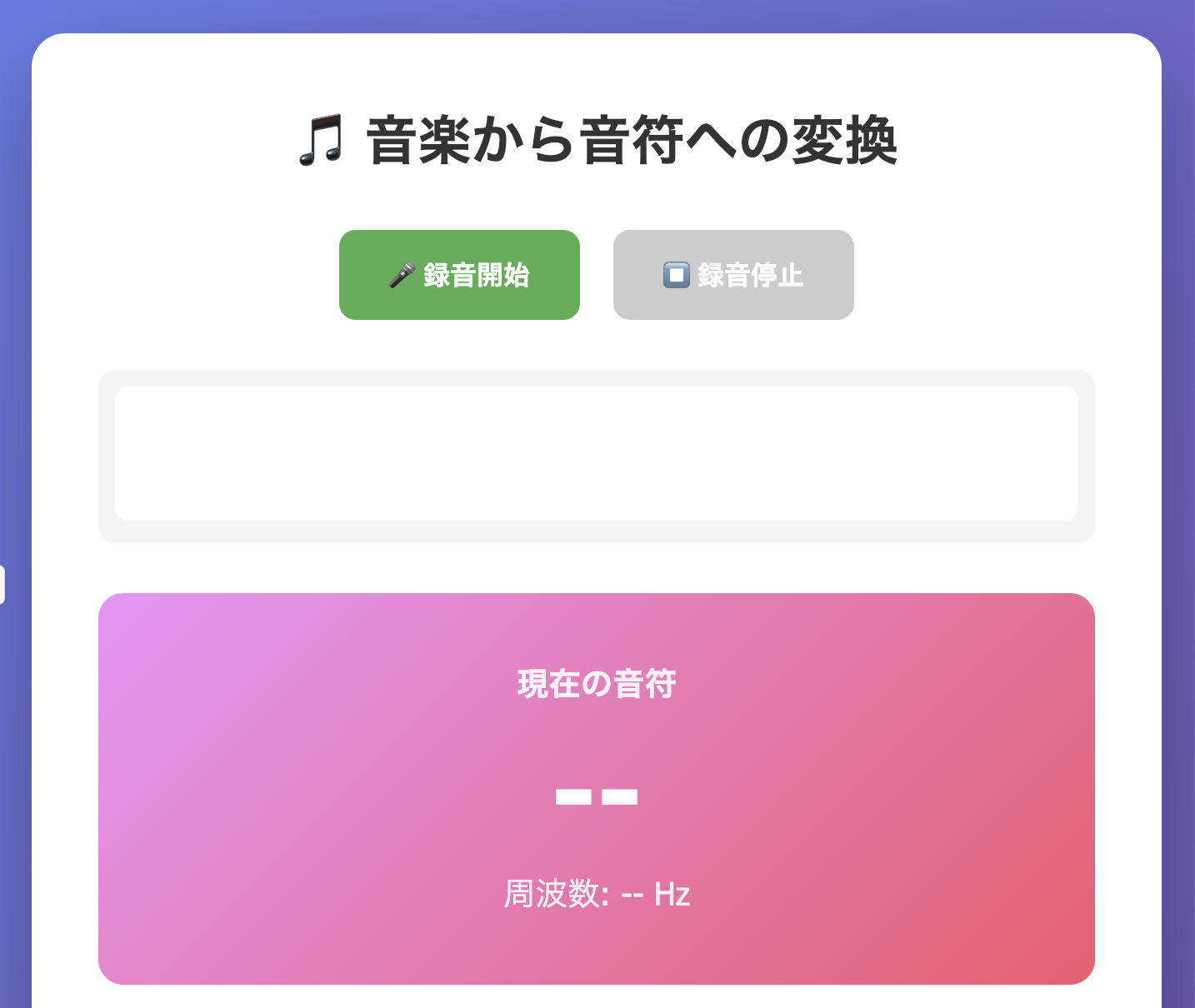
「録音開始」で喋ってみました。

おーできてる!(合っているかは分かりませんが。笑)
プログラム解説
ポイントとなるプログラムを解説します。
- 周波数から対数を用いてMIDI番号を算出します。
function frequencyToMidi(frequency) {
    return 12 * Math.log2(frequency / 440) + 69;
}
- MIDI番号を音名(ドレミ)+オクターブ番号に変換します。
function midiToNoteName(midi) {
    const noteIndex = Math.round(midi) % 12;
    const octave = Math.floor(Math.round(midi) / 12) - 1;
    return doremiStrings[noteIndex] + octave;
}
- フォントで「𝄞」でト音記号を表現します。
staffCtx.font = 'bold 60px serif';
staffCtx.fillStyle = '#333';
staffCtx.fillText('𝄞', 50, startY + lineSpacing * 3);
- MIDI番号から五線譜上のY座標を計算します。MIDI 60(C4:ミドルC)を基準しています。
function getNoteY(midi, startY, lineSpacing) {
    const c4Position = startY + lineSpacing * 5; // C4基準
    const halfStep = lineSpacing / 2;
    const stepsFromC4 = midi - 60;
    return c4Position - (stepsFromC4 * halfStep);
}
- 周波数の検出をします。
function autoCorrelate(buffer, sampleRate) {
    const SIZE = buffer.length;
    const MAX_SAMPLES = Math.floor(SIZE / 2);

    let best_offset = -1;
    let best_correlation = 0;
    let rms = 0;
    let foundGoodCorrelation = false;
    ...
}
- 音声の波形は周期的なので、周期分だけずらしたときに最もよく一致するという性質を利用して、周期(=基本周波数)を求めます。
// 自己相関を使った基本周波数検出
function autoCorrelate(buffer, sampleRate) {
    const SIZE = buffer.length;
    const MAX_SAMPLES = Math.floor(SIZE / 2);

    let best_offset = -1;
    let best_correlation = 0;
    let rms = 0;
    let foundGoodCorrelation = false;

    // RMSを計算(音量チェック)
    for (let i = 0; i < SIZE; i++) {
        const val = buffer[i];
        rms += val * val;
    }
    rms = Math.sqrt(rms / SIZE);

    // 音が小さすぎる場合は -1 を返す
    if (rms < 0.01) return -1;

    // 自己相関を計算
    let lastCorrelation = 1;

    for (let offset = 1; offset < MAX_SAMPLES; offset++) {
        let correlation = 0;

        for (let i = 0; i < MAX_SAMPLES; i++) {
            correlation += Math.abs(buffer[i] - buffer[i + offset]);
        }

        correlation = 1 - (correlation / MAX_SAMPLES);

        if (correlation > 0.9 && correlation > lastCorrelation) {
            foundGoodCorrelation = true;

            if (correlation > best_correlation) {
                best_correlation = correlation;
                best_offset = offset;
            }

        } else if (foundGoodCorrelation) {
            const shift =
                (buffer[best_offset + 1] - buffer[best_offset - 1]) /
                buffer[best_offset];

            return sampleRate / (best_offset + (8 * shift));
        }

        lastCorrelation = correlation;
    }
}
おわりに
- わずか5分程度でアプリは完成しました。
思いついたことがすぐに実現できるって素晴らしいですね! - プログラムの解説もAIに教えてもらいました!
AI で楽しいアプリ開発を!!
この記事は AI Code Challenge Advent Calender 2025 の 13 日目の記事です!
12日目の記事:AIにジョークを言ってもらうアプリを作ってみた!
14日目の記事:間違い探しメーカーアプリを作ってみる!