

目的
自分のPCで動いているObsidianをIBM BobからMCPで利用出来るようにする。
手順
ObsidianにLocal REST API with MCPプラグインをインストール
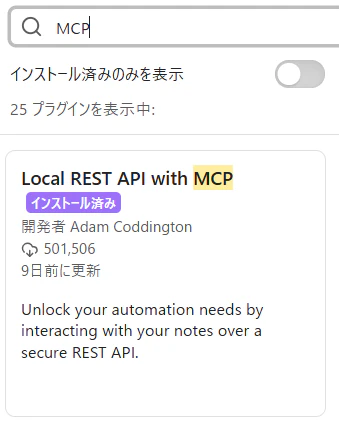
プラグインの設定
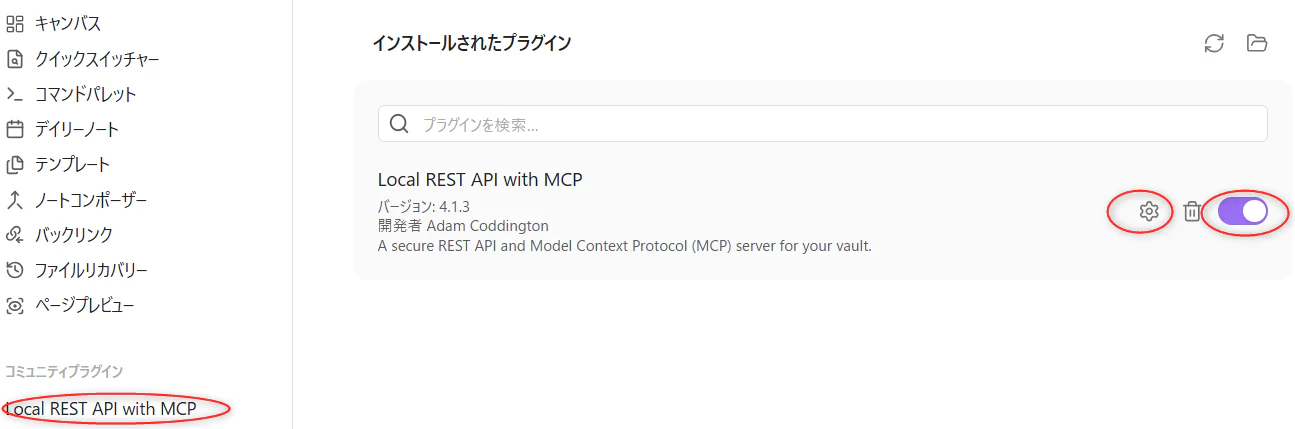
Local REST API with MCPプラグインを有効化してギアアイコンを選択する。
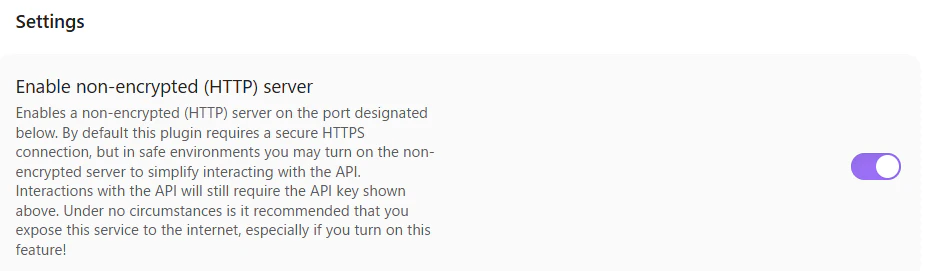
あくまでローカルPC内の通信に留めるのでEnable non-encrypted (HTTP) serverを有効化する。
もしWindows上のObsidianをWSLからアクセスしたい場合はバインドホストを127.0.0.1から0.0.0.0に変更する。

APIキーを確認する。

IBM Bobの設定
Bobの設定→MCP→グローバルまたはプロジェクトの設定で下記の定義を追記する。
{
    "mcpServers": {
        "obsidian": {
            "type": "streamable-http",
            "url": "http://<Obsidianが実行されているIP>:27123/mcp/",
            "headers": {
                "Authorization": "Bearer <APIキー>"
            },
            "disabled": false,
            "alwaysAllow": []
        }
    }
}
typeが"streamable-http"であることに注意。Local REST API with MCPの公式ドキュメントのサンプル表記とは異なる。
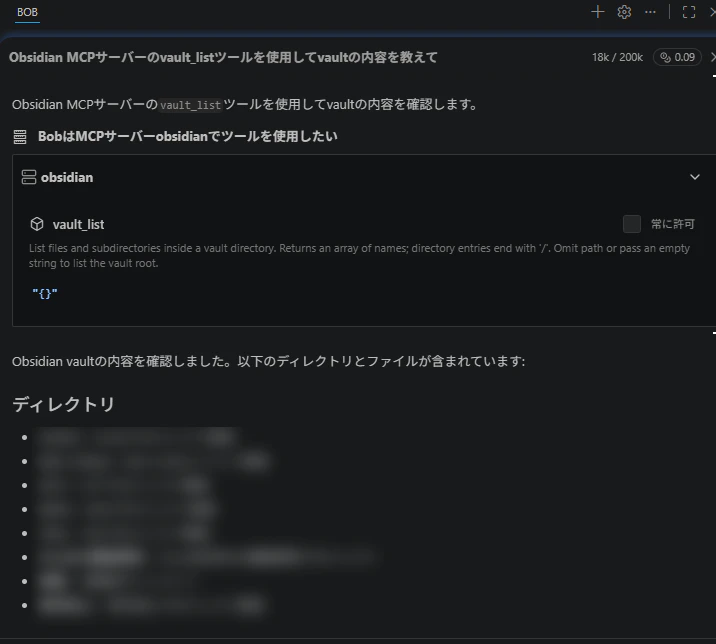
動作確認
以上