0
0

Delete article

Deleted articles cannot be recovered.

Draft of this article would be also deleted.

Are you sure you want to delete this article?

More than 3 years have passed since last update.

Undefined symbol: _OBJC_CLASS_$_ARGeoAnchor, Unity ARFoundation

Last updated at Posted at 2021-08-12

Undefined symbol: OBJC_CLASS$_ARGeoAnchor

Unityでビルド後、Xcodeで以下の2つのコンパイルエラーが出る。

Undefined symbol: _OBJC_CLASS_$_ARGeoAnchor
Undefined symbol: _OBJC_CLASS_$_ARGeoTrackingConfiguration

ARFoundation samplesとの差分を見る

Unity公式のarfoundation-samplesを参考に設定などを自分のプロジェクトと比較しました。Package関連は完全に同じでも、Player settingsやARKitが若干違ったので、Edit -> Project Settings...` から以下のように設定しました。

1. Plug-in ProvidersのARKitをオンにする

今回の問題はおそらくここが問題で、チェックを入れてビルドすれば、問題は解決しました!!

ARKitOn.png

(2. Face trackingをオンにする)

多分ここはなくても問題ないですが、Unity公式のarfoundation-samplesに合わせました。

ARKitCheck.png

(3. Symbolsを設定する。)

ここも2と同様必要ではないと思いますが、一応設定しました。
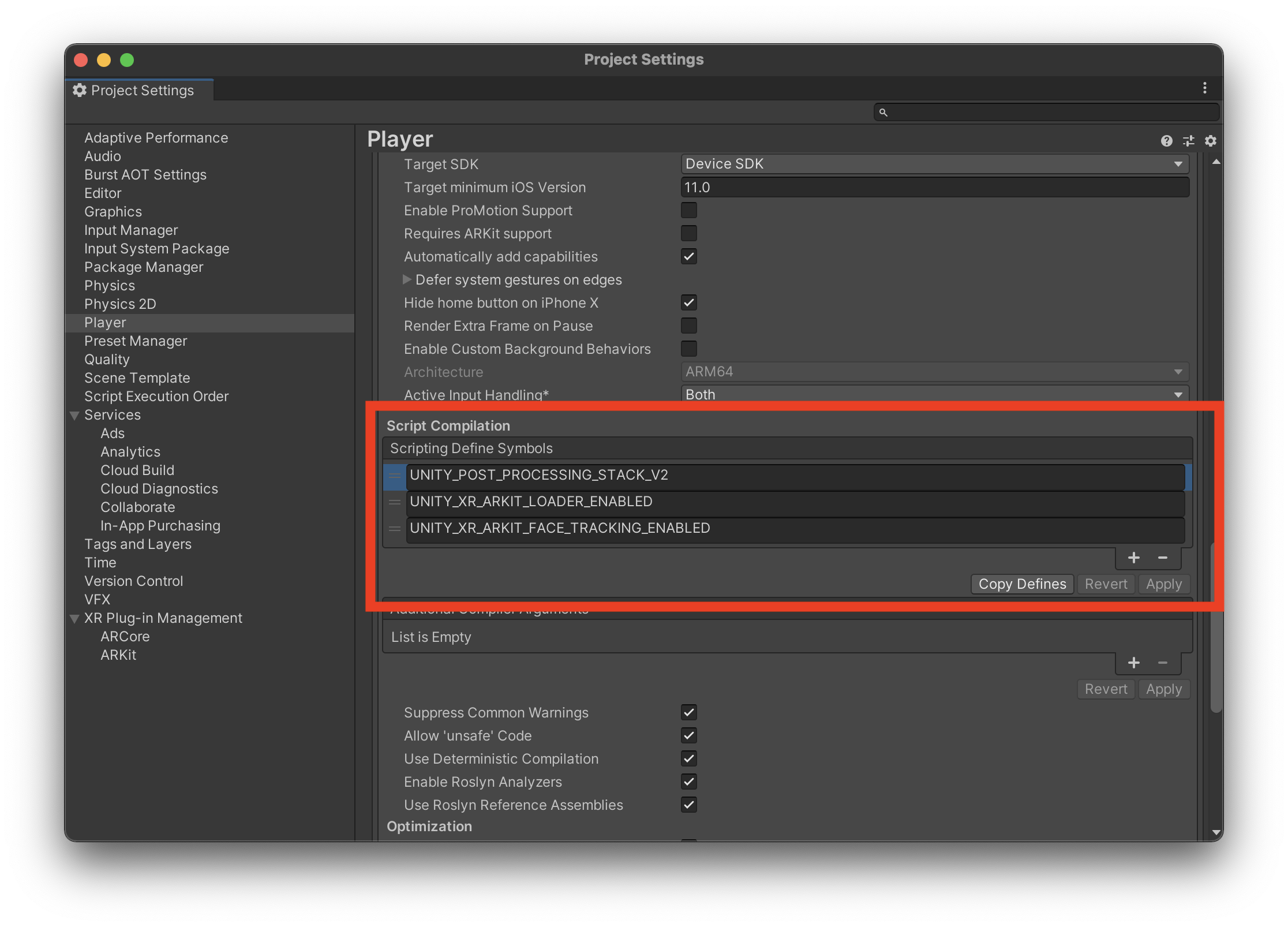
Symbols.png

最後に

M1チップ対応で結構つまづくかと思いますが、Unity公式のarfoundation-samples を見ながら地道に進めていきましょう!

0
0
0

Register as a new user and use Qiita more conveniently

  1. You get articles that match your needs
  2. You can efficiently read back useful information
  3. You can use dark theme
What you can do with signing up
0
0

Delete article

Deleted articles cannot be recovered.

Draft of this article would be also deleted.

Are you sure you want to delete this article?