

はじめに
この記事ではDBを操作するためのアプリケーション接続設定で作成したアプリケーション接続を利用して、DBのテーブルにデータを削除(DELETE)する実装を確認します。
なお、この記事は次の記事の内容を理解していることを前提としています。
テーブルのデータを削除する実装
テーブルのデータを削除するには、削除対象のデータを 割り当てステップ にて クエリ として取得して、その後 サービスステップ にて取得した削除対象のデータを指定します。
DBのテーブルのデータを削除(DELTE)するには次のようにCAIプロセスを作成します。
-
CAIプロセスを次の設定で作成します。
- 名前を recipe-psa-jdbcUpdate とする
- 匿名アクセス を許可する
- Secure Agent にデプロイする
-
一時フィールドを以下のように定義します。

-
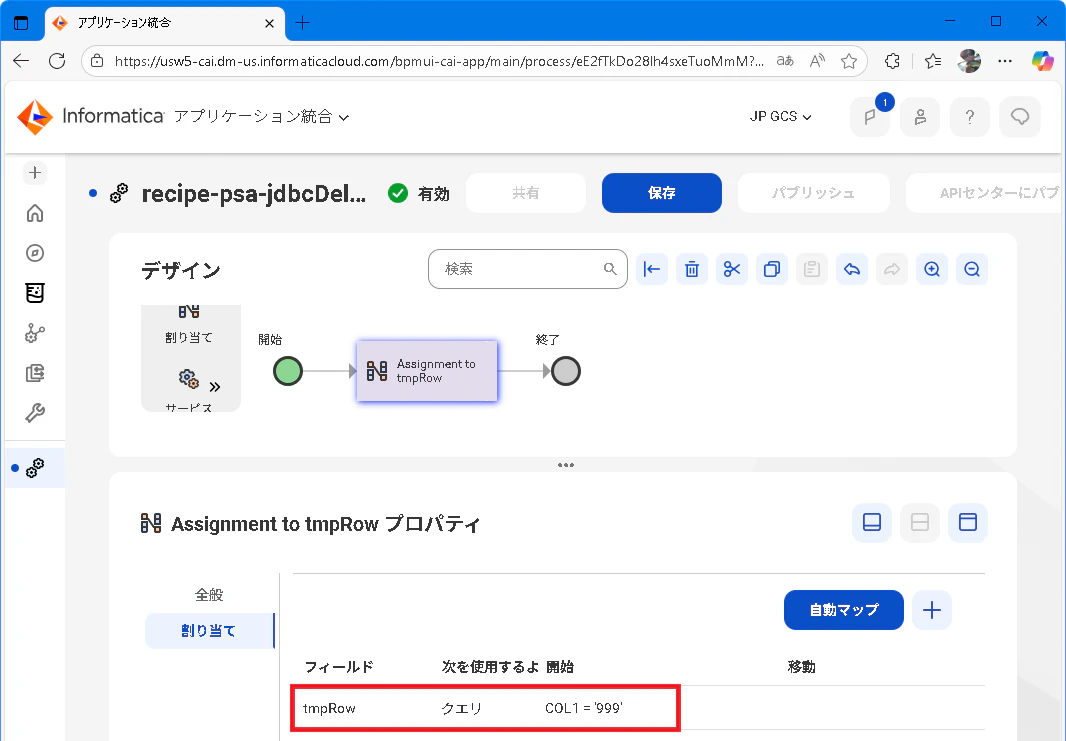
割り当てステップ を追加して次のように一時フィールド tmpRow に クエリ として COL1='999' を指定して条件を満たすデータを取得します。
-
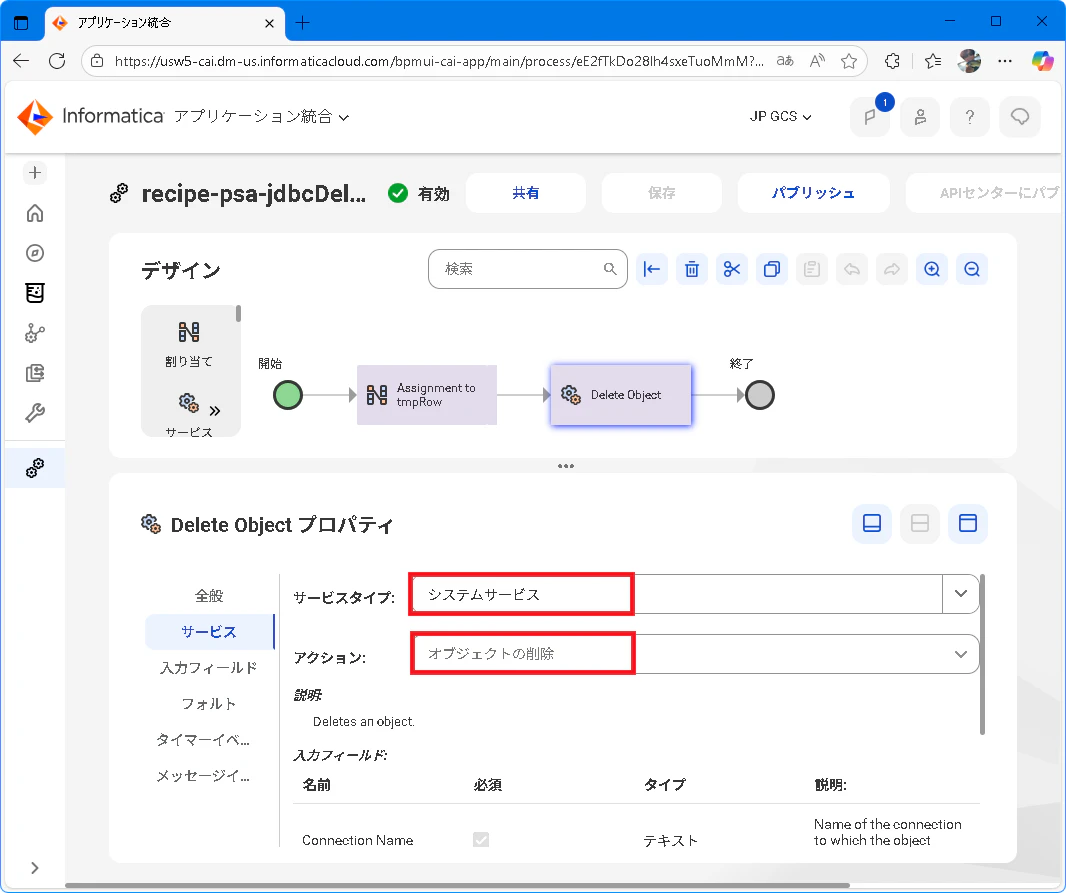
サービスステップ を追加して、サービスタブ にて サービスタイプ に システムサービス、アクション に オブジェクトの削除 を指定します。
-
入力フィールドタブ に切り替えて次のように指定します。

-
保存してパブリッシュします。
curlコマンドによりCAIプロセスを2回実行すると、以下のように2回目のデータ削除時に削除データが適切に指定されていないためにエラーとして Object ID not specified が発生する動作を確認できます。
curlコマンドと実行結果
// curl コマンド
curl -k https://localhost:7443/process-engine/public/rt/recipe-psa-jdbcDelete | jq

// 実行結果(1回目)
{}

// 実行結果(2回目)
curl -k https://invgcsjcsa01.informatica.com:7443/process-engine/public/rt/
{
  "error": {
    "code": 500,
    "detail": {
      "reason": "Object ID not specified.",
      "code": "DataProviderException",
      "details": "Object ID not specified."
    },
    "message": "Object ID not specified."
  }
}