

はじめに
ElasticのAIエージェント作成機能 Elastic Agent Builderがv9.2からTech Previewで登場しました。
本記事ではAIエージェントが使える道具となるデフォルトのToolsについて見てきます。
Elastic Agent Builderについては、以下の他の記事もぜひご参照ください。
新しく出たElasticのAIエージェント作成機能: Elastic Agent Builderを試す
デフォルトのToolsについて
執筆時点のv9.2では、この画像の7つのToolsがデフォルトで用意されています。
これらに加えてカスタムのToolsを自分で作っていくこともできます。自分オリジナルのAI Agentを作るためにはカスタムToolsの作成も必要となってきますが、デフォルトのToolsができることも正しく理解し使っていくことが必要です。
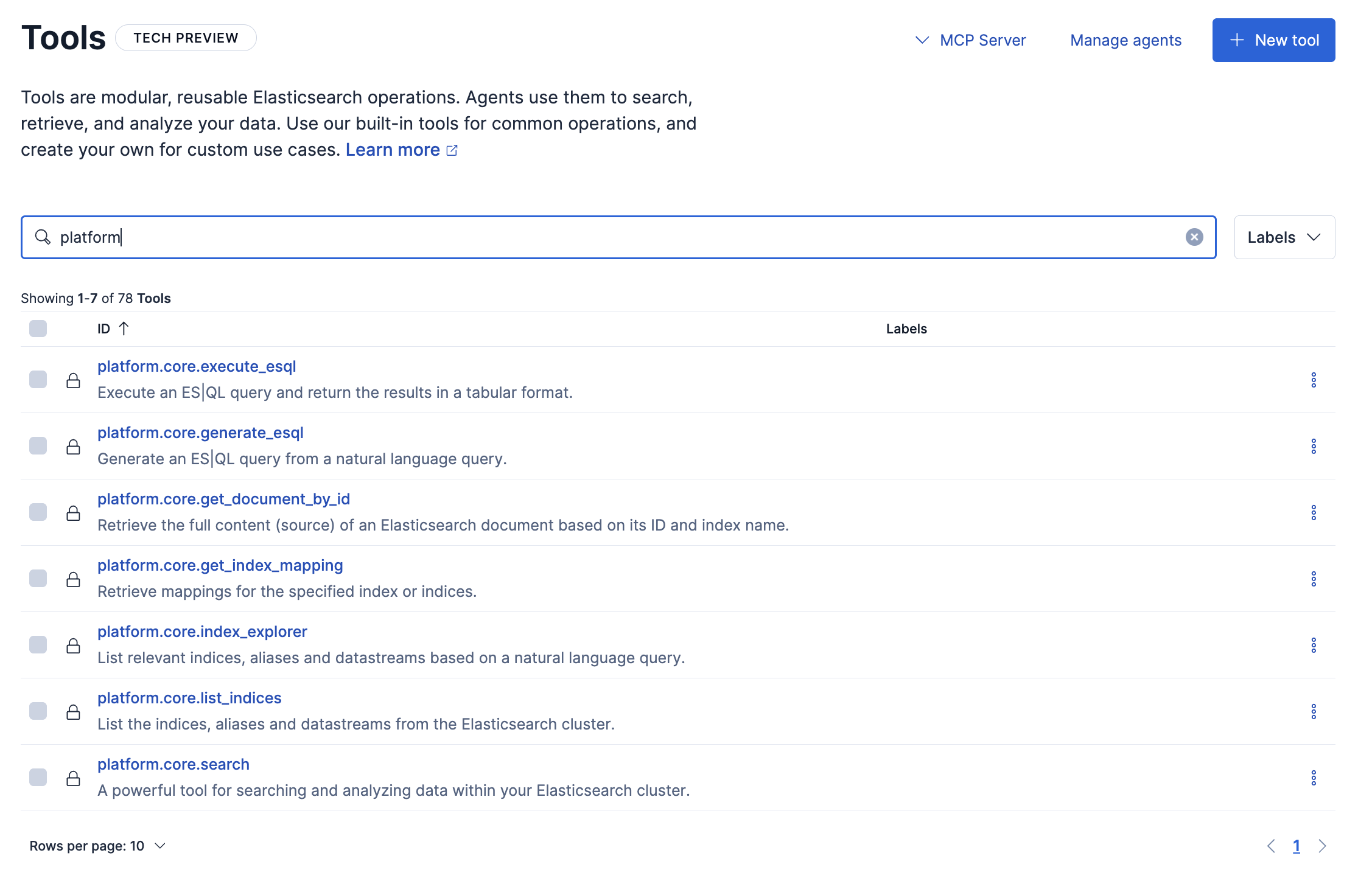
Tools: platform.core.search
このToolの定義はこのようになっています。
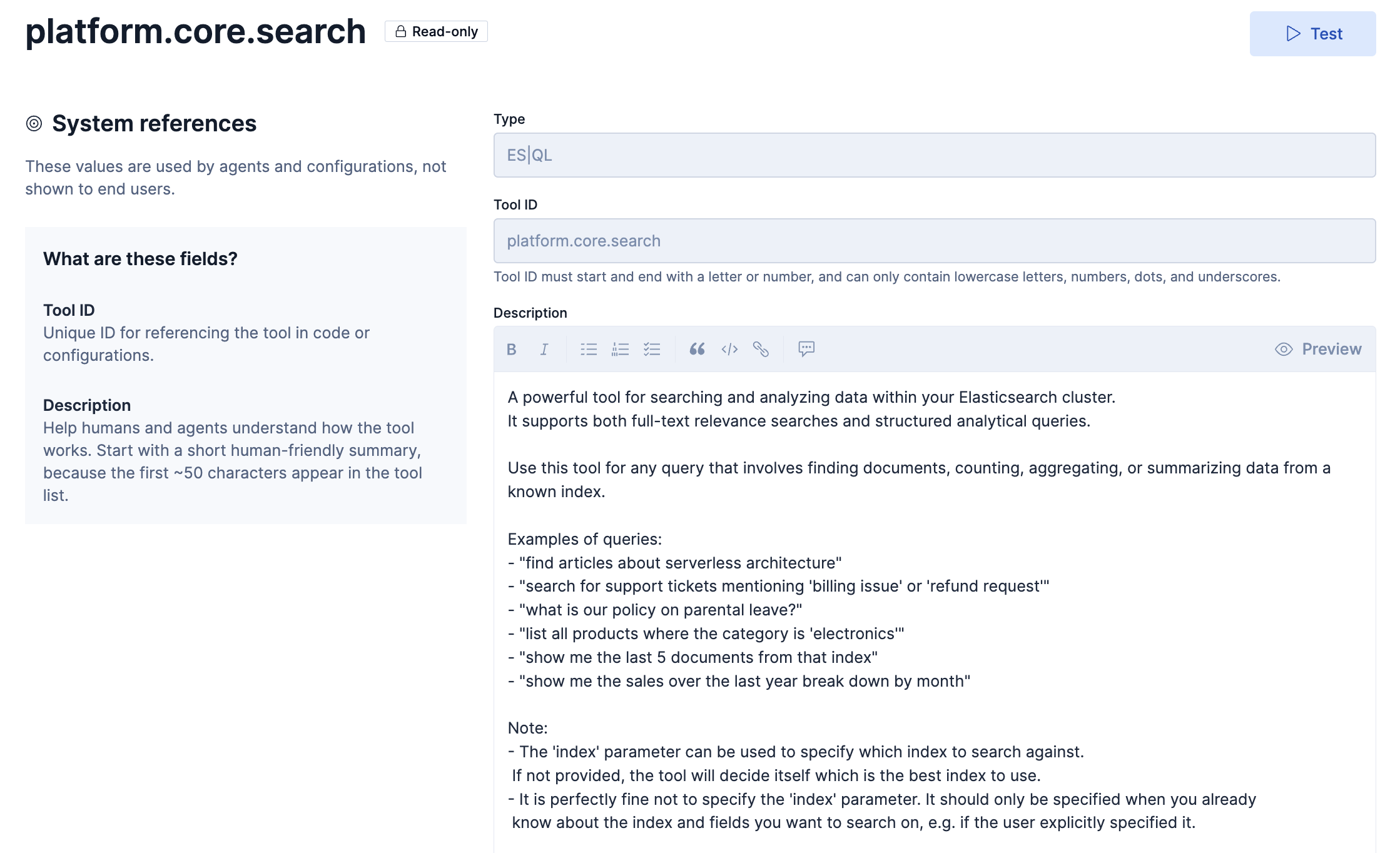
Descriptionの和訳
Elasticsearchクラスター内のデータを検索・分析するための強力なツールです。
全文関連性検索と構造化分析クエリの両方をサポートします。既知のインデックスからのドキュメントの検索、データのカウント、集計、要約などのクエリには、このツールを使用します。
クエリの例:
「サーバーレスアーキテクチャに関する記事を見つける」
「『請求の問題』または『払い戻しリクエスト』と記載されたサポートチケットを検索」
「育児休暇に関する当社の方針は何ですか?」
「カテゴリが「電子機器」であるすべての製品をリストする」
「そのインデックスから最後の5つの文書を表示してください」
「過去1年間の売上を月ごとに表示してください」Note:
- 「index」パラメータは、検索対象となるインデックスを指定するために使用できます。
指定されていない場合は、ツールが最適なインデックスを自動的に決定します。- 「index」パラメータを指定しなくても全く問題ありません。検索対象となるインデックスとフィールドが既に分かっている場合、例えばユーザーが明示的に指定した場合のみ指定してください。
以下はこのTools: platform.core.searchを使用してみた例です。
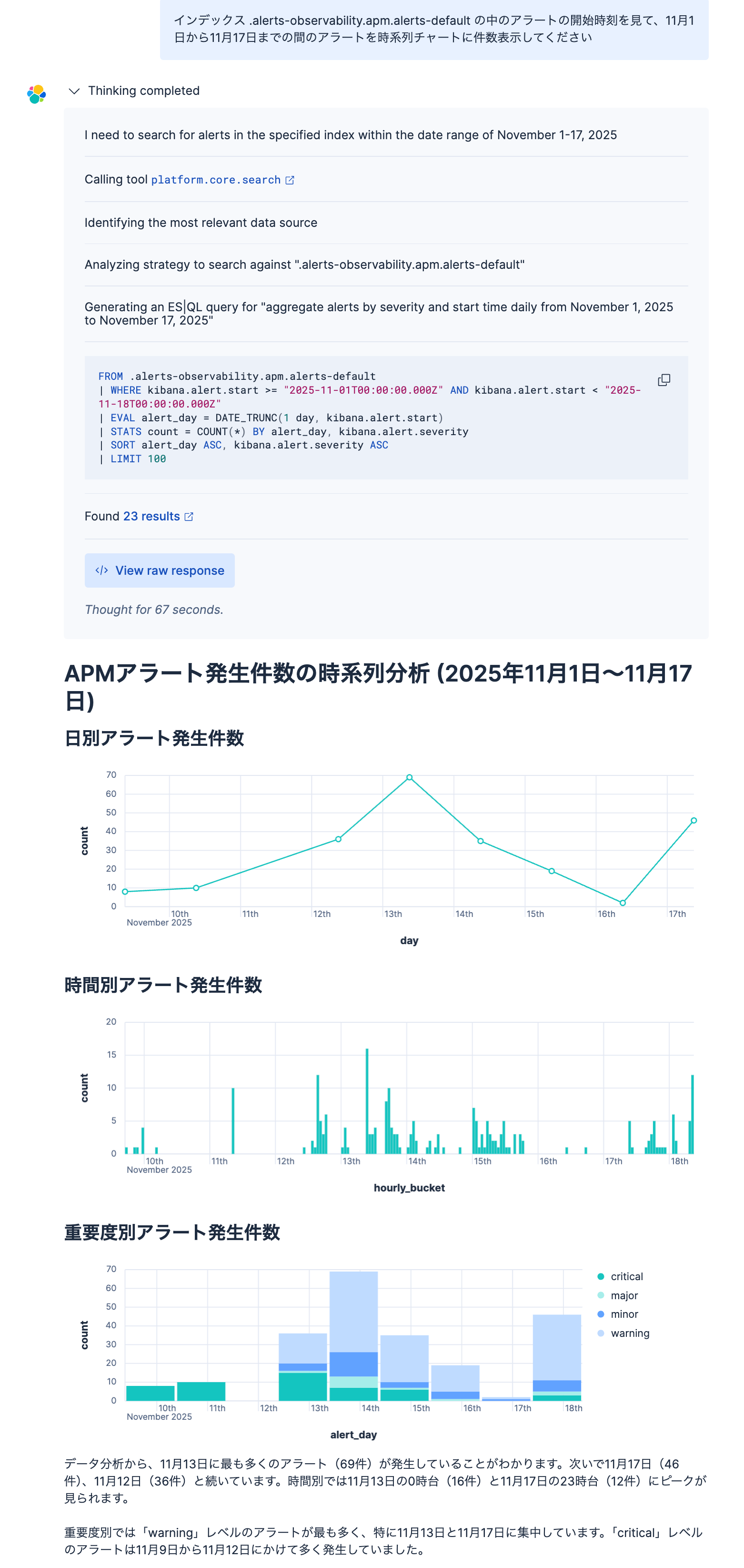
以下のこと自動的にやってくれました。
- 私の自然言語での依頼に応じたES|QLクエリーを自動生成し
- そのES|QLをそのまま実行
- 結果をビジュアルなチャートに表示
- テキストでのサマライズ
この一つのToolで、Elasticsearchに保存したデータを検索して、サマライズしてくれる、強力なツールと言えます。
platform.core.list_indices
このToolの定義はこのようになっています。
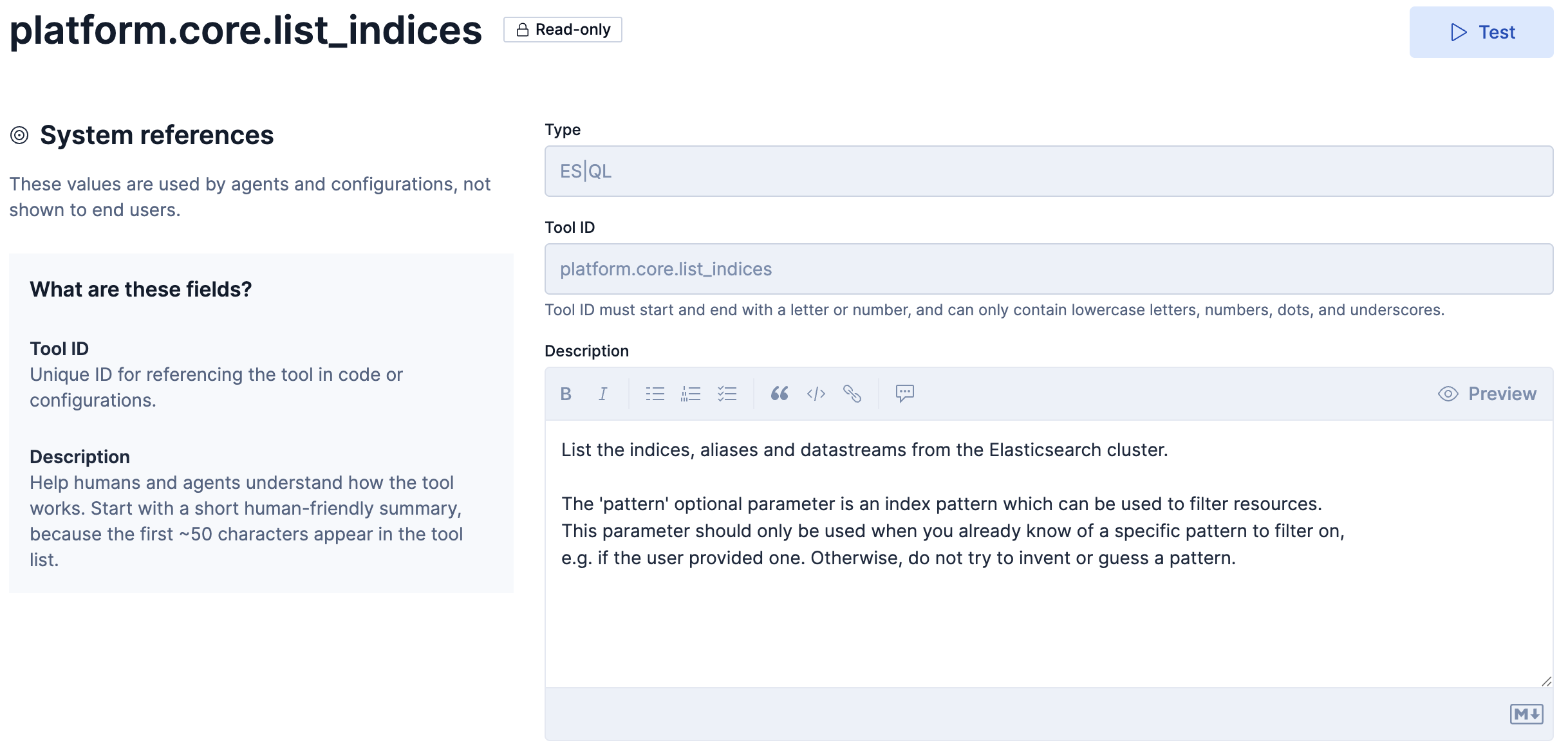
Descriptionの和訳
Elasticsearch クラスターからのインデックス、エイリアス、データストリームを一覧表示します。
オプションパラメータ「pattern」は、リソースをフィルタリングするために使用できるインデックスパターンです。
このパラメータは、フィルタリングする特定のパターンが既にわかっている場合(
例えば、ユーザーがパターンを指定した場合など)にのみ使用してください。それ以外の場合は、パターンを勝手に作成したり推測したりしないでください。
以下はこのTools: platform.core.list_indicesを使用してみた例です。
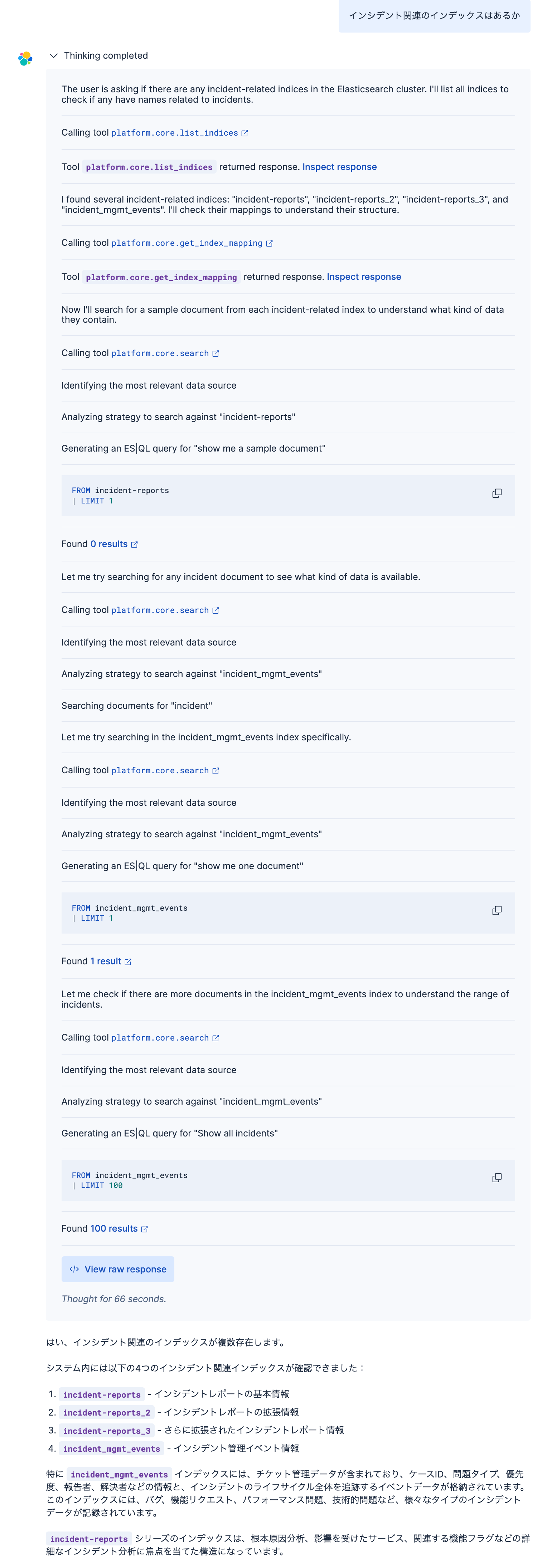
platform.core.list_indicesで存在するインデックスを確認し、さらにplatform.core.get_index_mappingでそのインデックスのフィールドマッピングを取得することで、Elasticsearchに格納されているインデックスのメタデータ(どんなデータがあるか)はこれでエージェントが理解します。
さらにplatform.core.searchで実際のデータを見て、非常に的確な回答を作成してくれました。
platform.core.list_indicesのraw responseを確認すると、以下のようにインデックスのリストを全部取得していました。つまり、このリストから質問に関連するインデックスを見つけているのは、AI(LLM)のようです。
{
  "indices": [
    {
      "name": "agent-builder-examples"
    },
    {
      "name": "agent-learnings"
    },
    {
      "name": "api-schemas"
    },
    {
      "name": "incident-reports"
    },
    {
      "name": "incident-reports_2"
    },
    {
      "name": "incident-reports_3"
    },
    {
      "name": "incident_mgmt_events"
    },
    {
      "name": "kibana_sample_data_ecommerce"
    },
    {
      "name": "kibana_sample_data_flights"
    },
(省略)
  ],
  "aliases": [],
  "data_streams": [
    {
      "name": "kibana_sample_data_logs",
      "indices": [
        ".ds-kibana_sample_data_logs-2025.10.15-000001",
        ".ds-kibana_sample_data_logs-2025.11.14-000002"
      ]
    },
(省略)
platform.core.get_index_mapping
このToolの定義はこのようになっています。
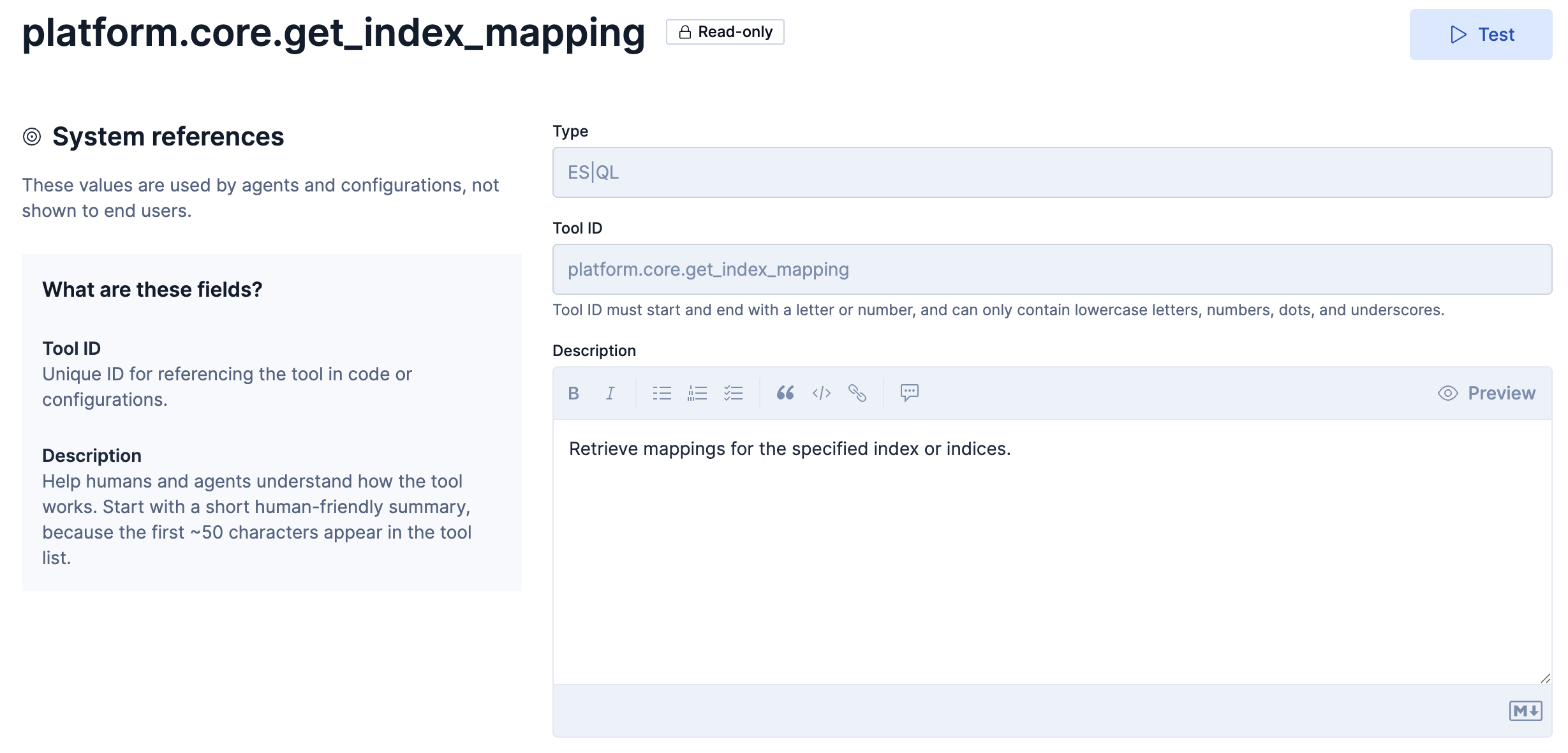
Descriptionの和訳
指定されたインデックスのマッピングを取得します。
使用例は、一つ上のplatform.core.list_indicesのスクショにあります。
インデックスのフィールド情報を確認しています。それによってより具体的にそのインデックスの役割をAIが理解できるようになります。AIがインデックスを選ぶにあたって重要なコンテキストをこれで得ていると言えます。
platform.core.index_explorer
このToolの定義はこのようになっています。
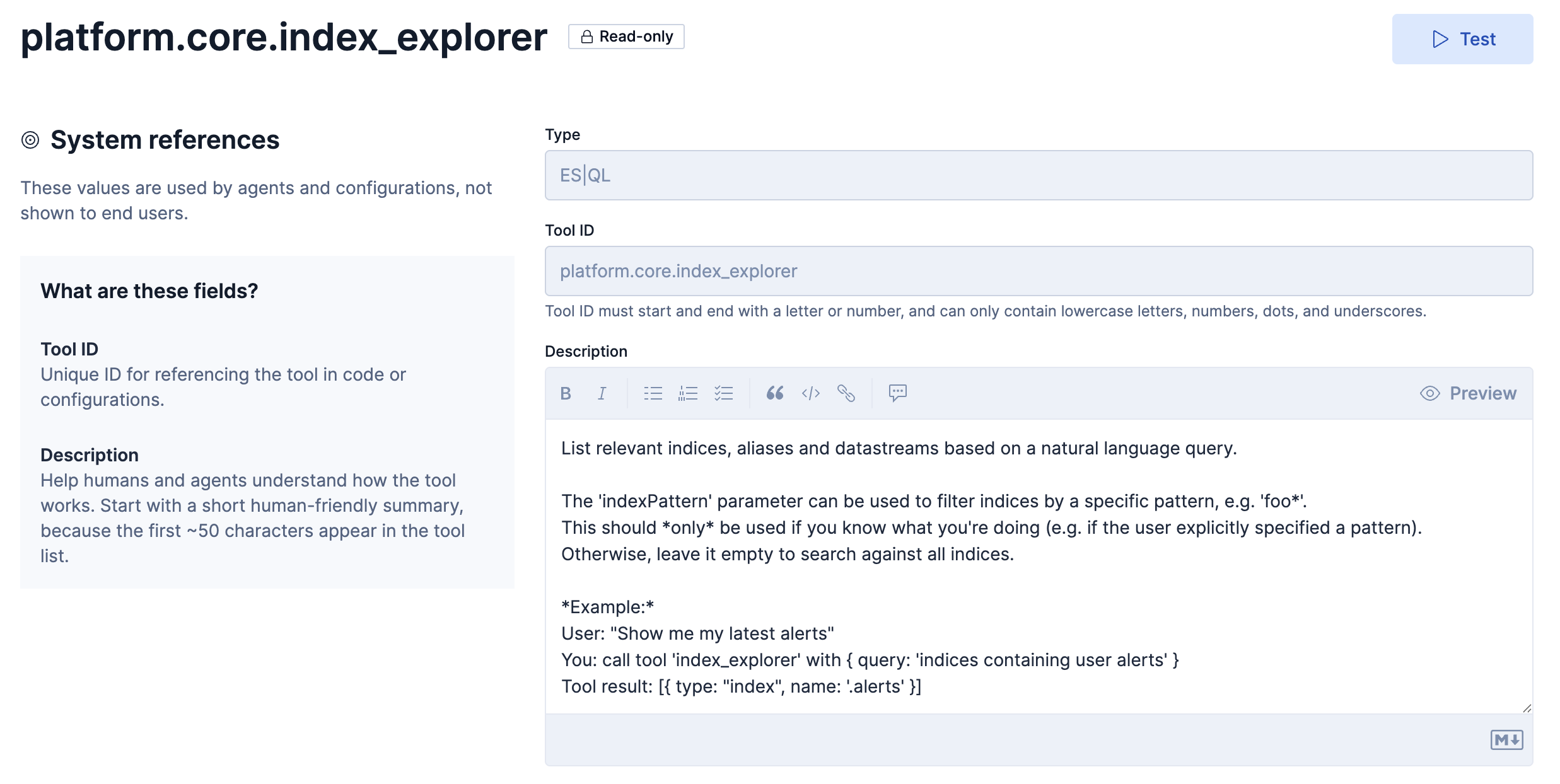
Descriptionの和訳
自然言語クエリに基づいて、関連するインデックス、エイリアス、データストリームを一覧表示します。
'indexPattern'パラメータは、特定のパターン(例:'foo*')でインデックスをフィルタリングするために使用できます。
このパラメータは、何をしようとしているのかが明確にわかっている場合(例えば、ユーザーが明示的にパターンを指定した場合)のみ
使用してください。 そうでない場合は、空のままにしてすべてのインデックスを検索します。例:
ユーザー:「最新のアラートを表示してください」
あなた: ツール 'index_explorer' を { クエリ: 'ユーザーアラートを含むインデックス' } で呼び出します
ツールの結果: [{ タイプ: "index", 名前: '.alerts' }]
以下はこのTools: platform.core.index_explorerを使用してみた例です。platform.core.list_indicesと役割が似ていたので、違いを把握するために同じ質問(インシデント関連のインデックスはあるか)をしてみました。
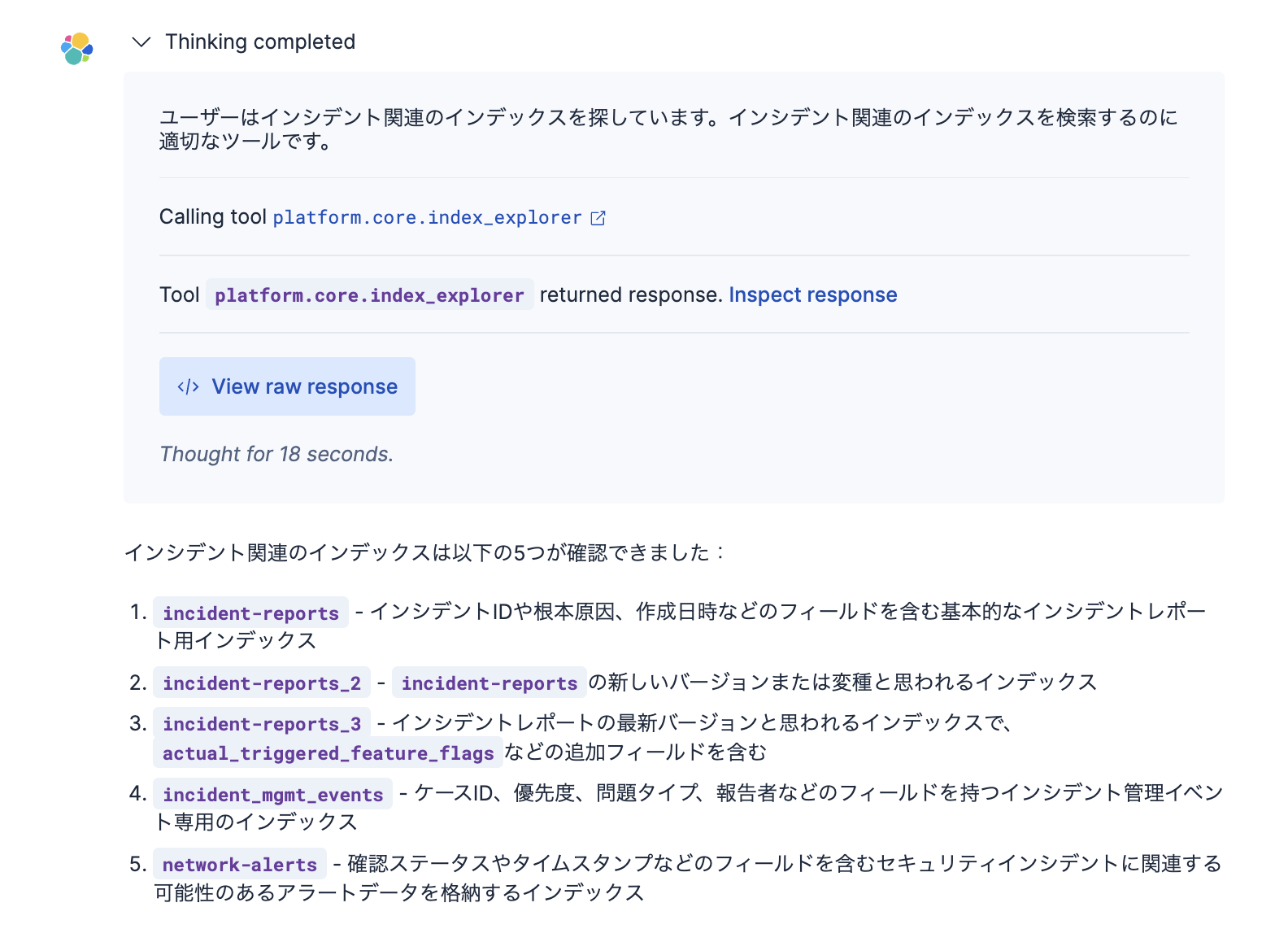
さきほどのplatform.core.list_indicesとの違いで見えてきたのは、インデックスの名前にインシデント関連の言葉がないnetwork-alertsというインデックスも見つけてくれました。どうやらインデックスの名前や内部のフィールド名を見て、セマンティックに関連しそうなインデックスも見つけてくれると言えそうです。
2つのToolsのraw responseを比較すると、違いがより詳しくわかります。上に書いたplatform.core.list_indicesのraw responseと比較してみてください。
{
  "resources": [
    {
      "type": "index",
      "name": "incident-reports",
      "reason": "This index directly relates to incident reports, containing fields like incident_id, root_cause, and created_at which are essential for incident management."
    },
    {
      "type": "index",
      "name": "incident-reports_2",
      "reason": "This appears to be a newer version or variant of the incident-reports index, containing similar incident-related fields with some structural differences."
    },
    {
      "type": "index",
      "name": "incident-reports_3",
      "reason": "This is likely the latest version of the incident reports index, containing additional fields like actual_triggered_feature_flags that may be useful for incident analysis."
    },
    {
      "type": "index",
      "name": "incident_mgmt_events",
      "reason": "This index specifically focuses on incident management events with fields like Case ID, Priority, Issue Type, and Reporter which are critical for tracking incident workflows."
    },
    {
      "type": "index",
      "name": "network-alerts",
      "reason": "Contains alert data which may include security incidents, with fields for acknowledgment status and timestamps that are relevant to incident management."
    }
  ]
}
platform.core.list_indices とplatform.core.index_explorerだけ使えるエージェントで聞いたみました。どちらのToolが使われるのでしょう?
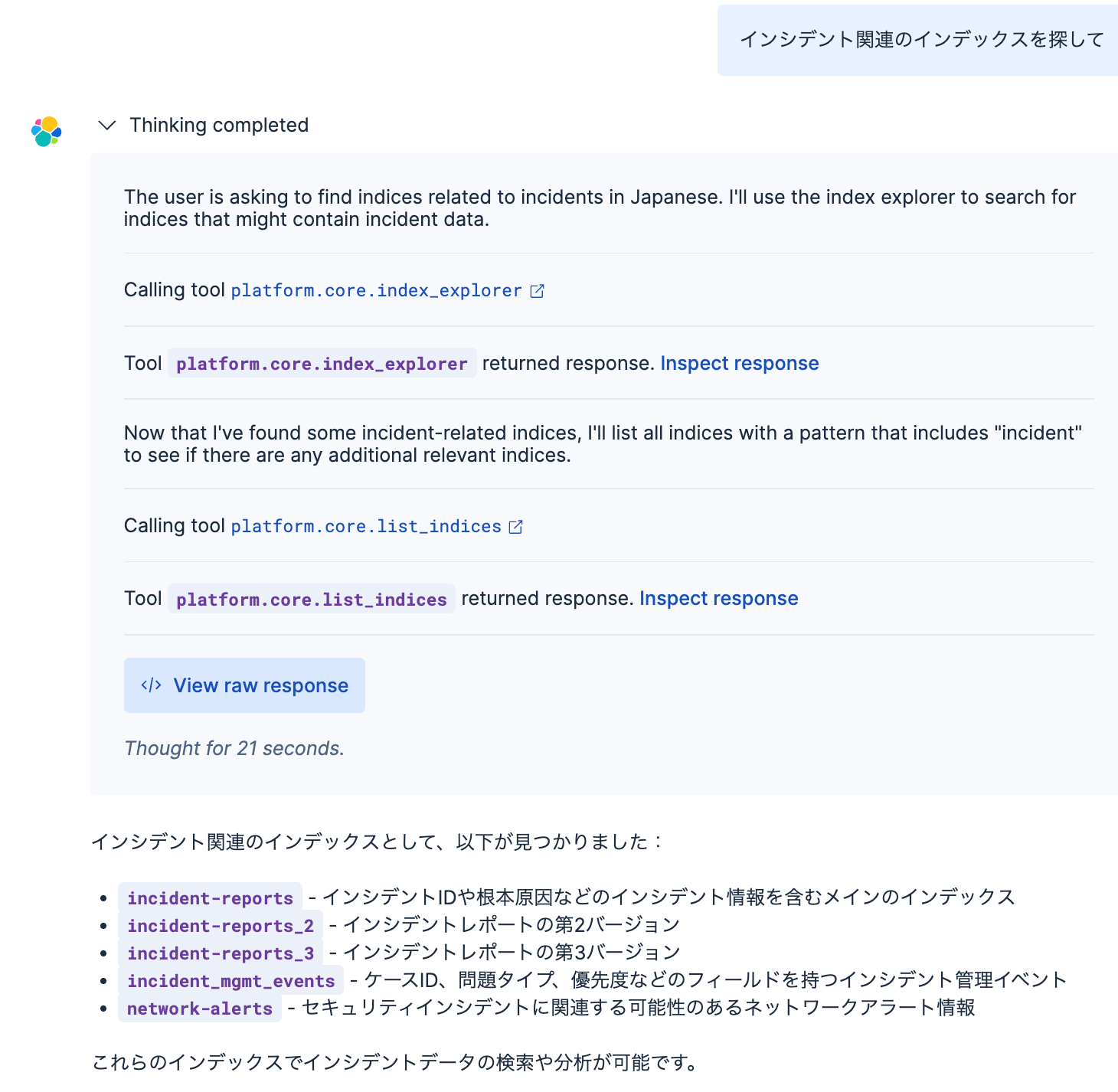
結果、両方のToolを使っていました。
platform.core.get_document_by_id
このToolの定義はこのようになっています。
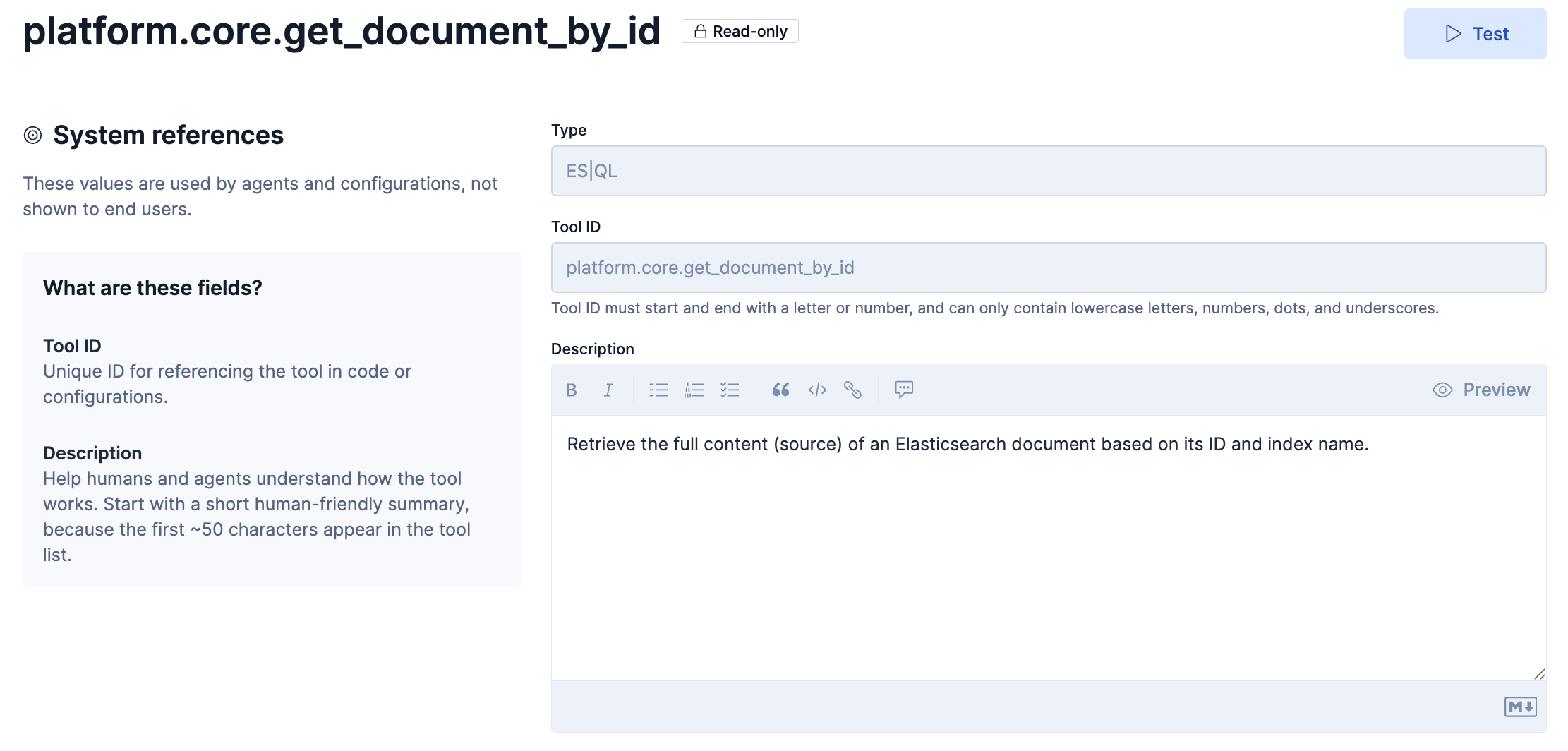
Description和訳
ID とインデックス名に基づいて、Elasticsearch ドキュメントの完全なコンテンツ (ソース) を取得します。
以下はこのToolの使用例です。
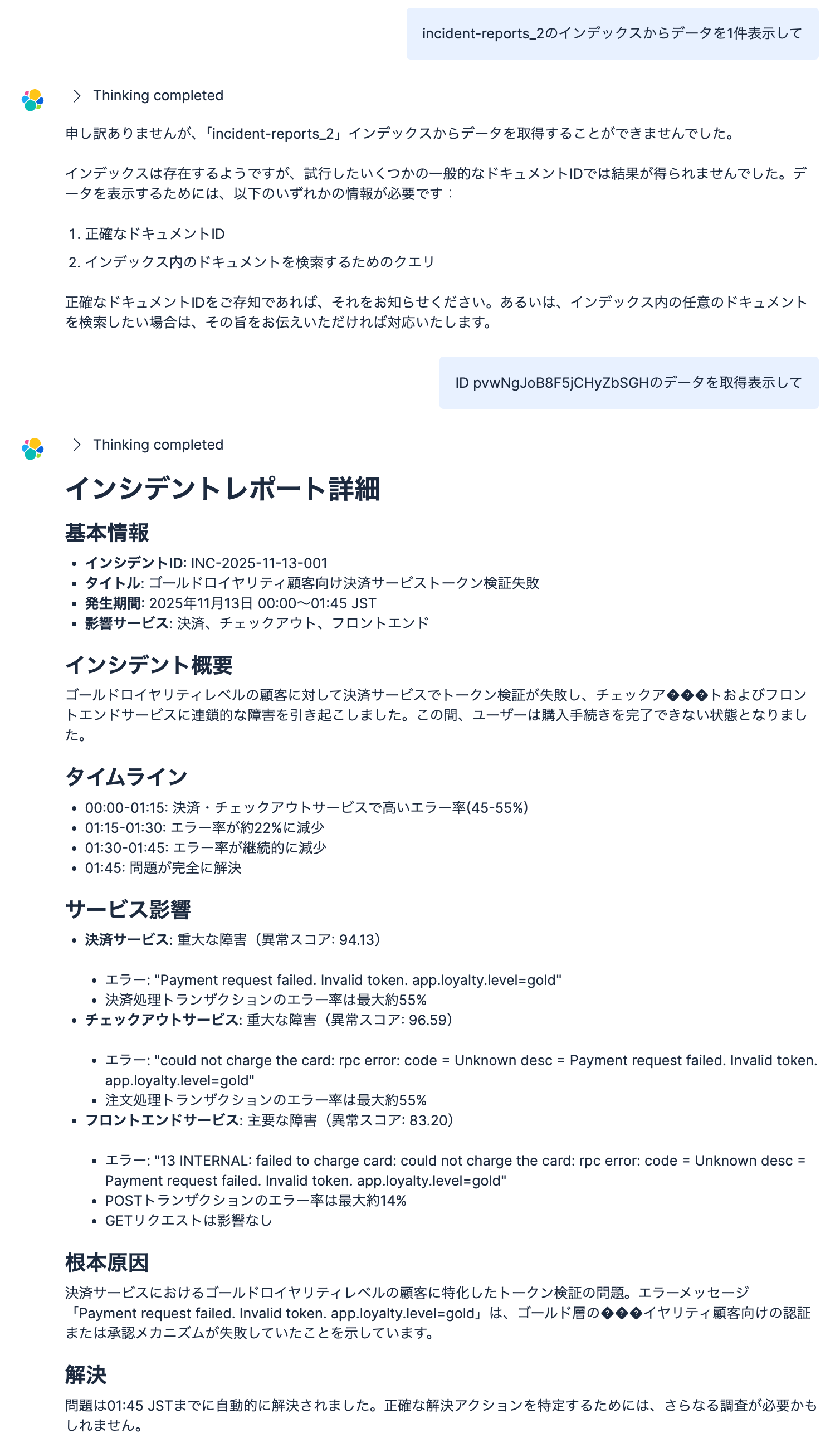
Toolのraw response:
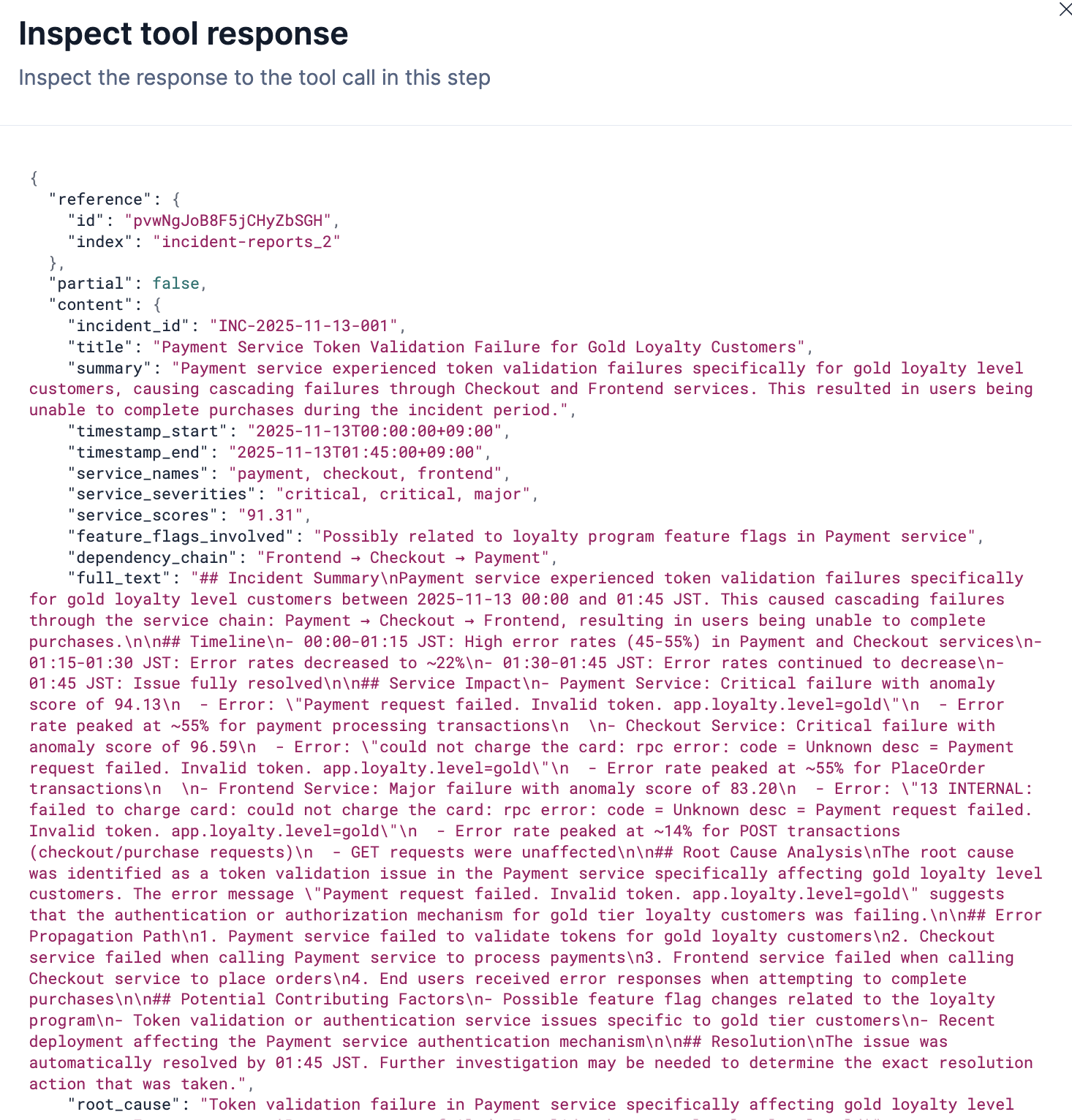
ざっくりとした質問に対してはこのToolは回答できません。
見たいドキュメントのIDを渡さないといけません。このToolを使うケースは他と比べて少なそうです。
platform.core.generate_esql
このToolの定義はこのようになっています。
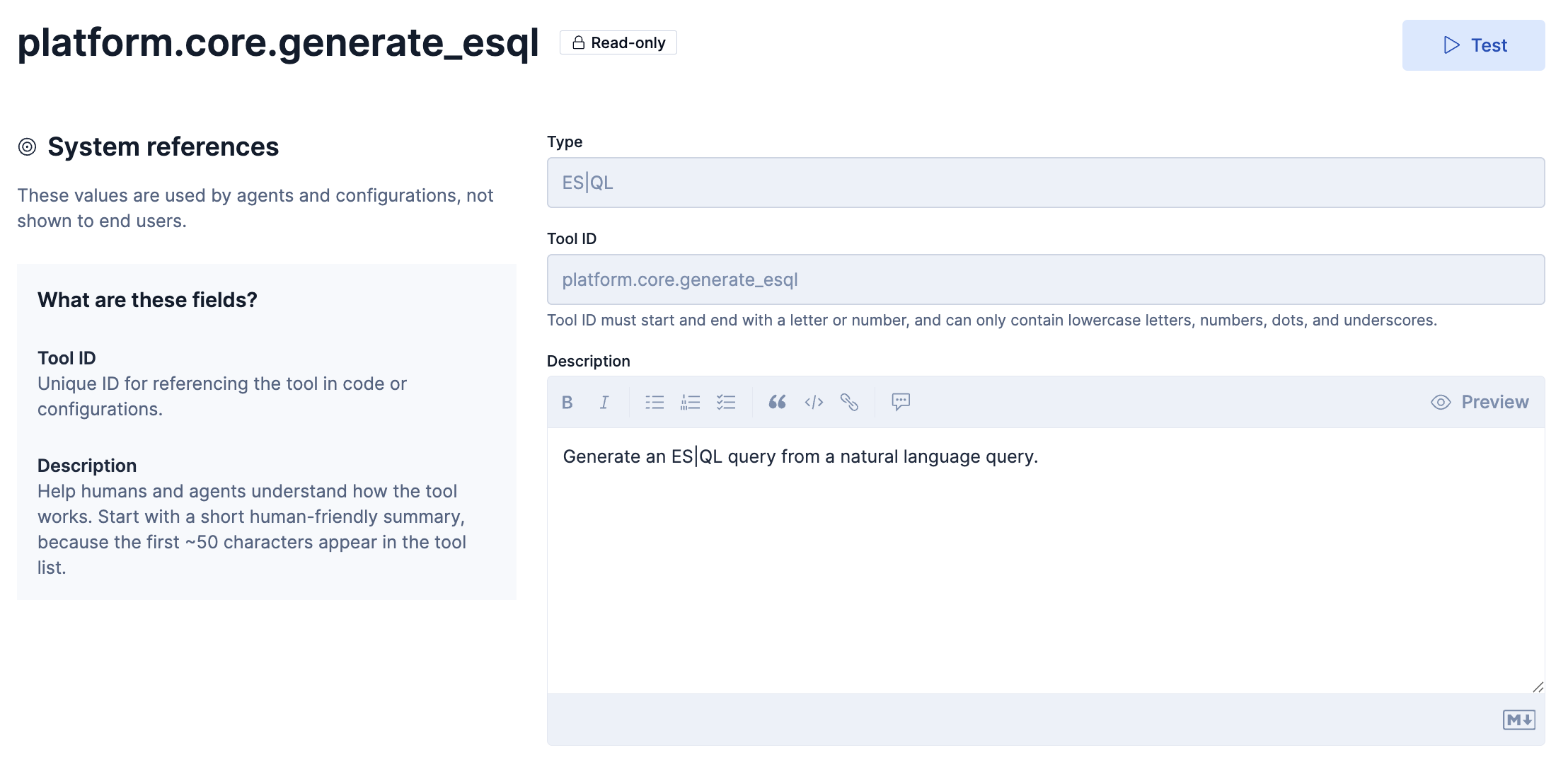
Descriptionの和訳
自然言語クエリからESQLクエリを作成する
Descriptionはシンプルですが、ハルシネーションを起こさずに実行エラーとならないES|QL文を作成するためには、ここには見えていない工夫がおそらく結構作り込んであると推測します。おそらくですが、ES|QLのリファレンス情報をコンテキストとして事前に与えていて、それにより正確なクエリーを生成してくれるのだと思います(筆者予想)
platform.core.execute_esql
このToolの定義はこのようになっています。
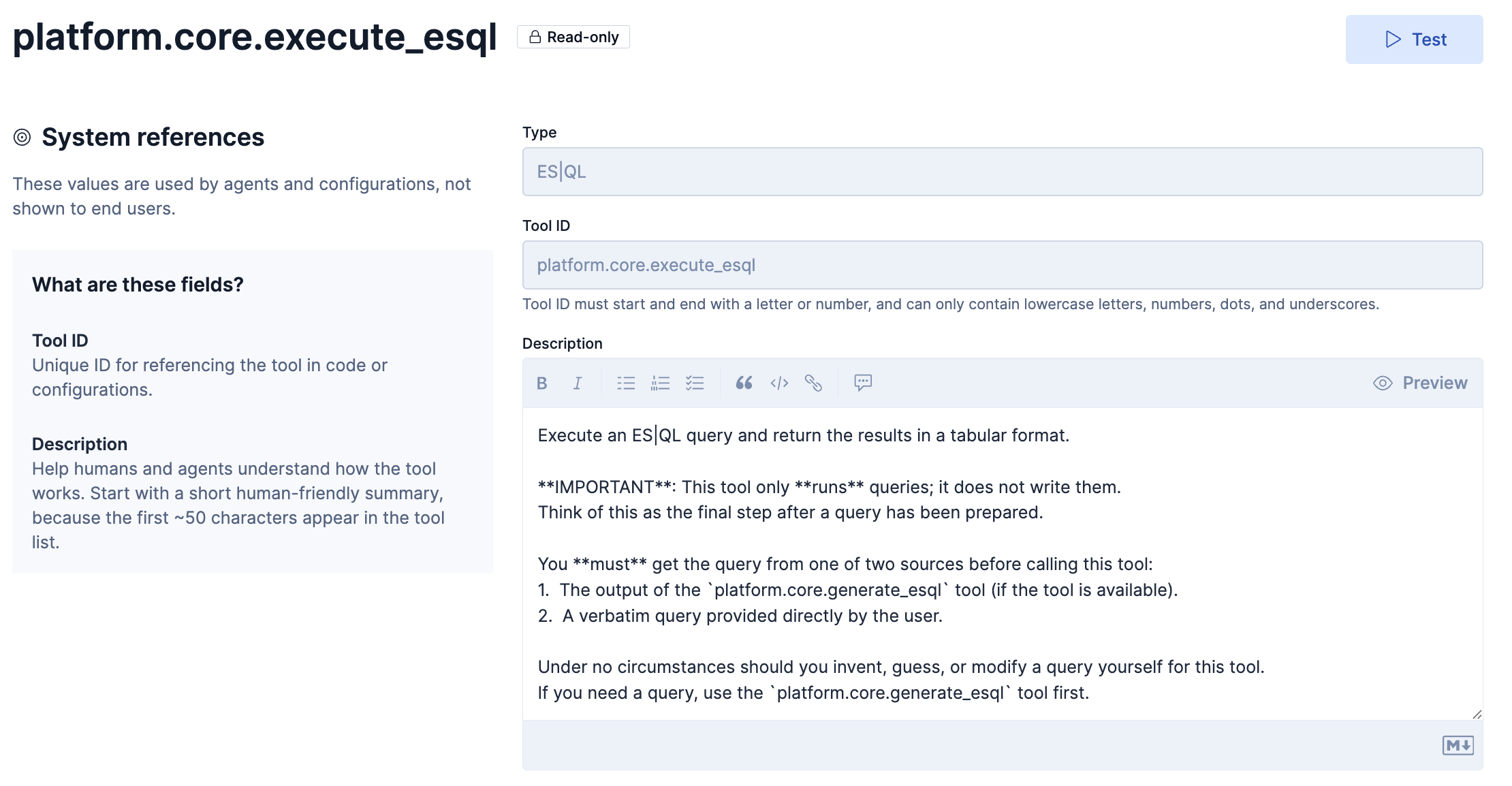
ES|QL クエリを実行し、結果を表形式で返します。
重要: このツールはクエリーを 実行 するだけであり、クエリを作成することはしません。
これは「準備されたクエリを実行する最終ステップ」と考えてください。このツールを呼び出す前に、クエリは必ず以下のいずれかから取得しなければなりません:
platform.core.generate_esqlツールの出力(利用可能な場合)- ユーザーが直接そのまま提示したクエリ(原文のまま)
いかなる状況でも、このツール用にクエリを自分で作る・推測する・書き換えることはしてはいけません。
もしクエリが必要な場合は、まずplatform.core.generate_esqlツールを使用してください。
以下はplatform.core.generate_esqlとplatform.core.execute_esqlを使った例です。
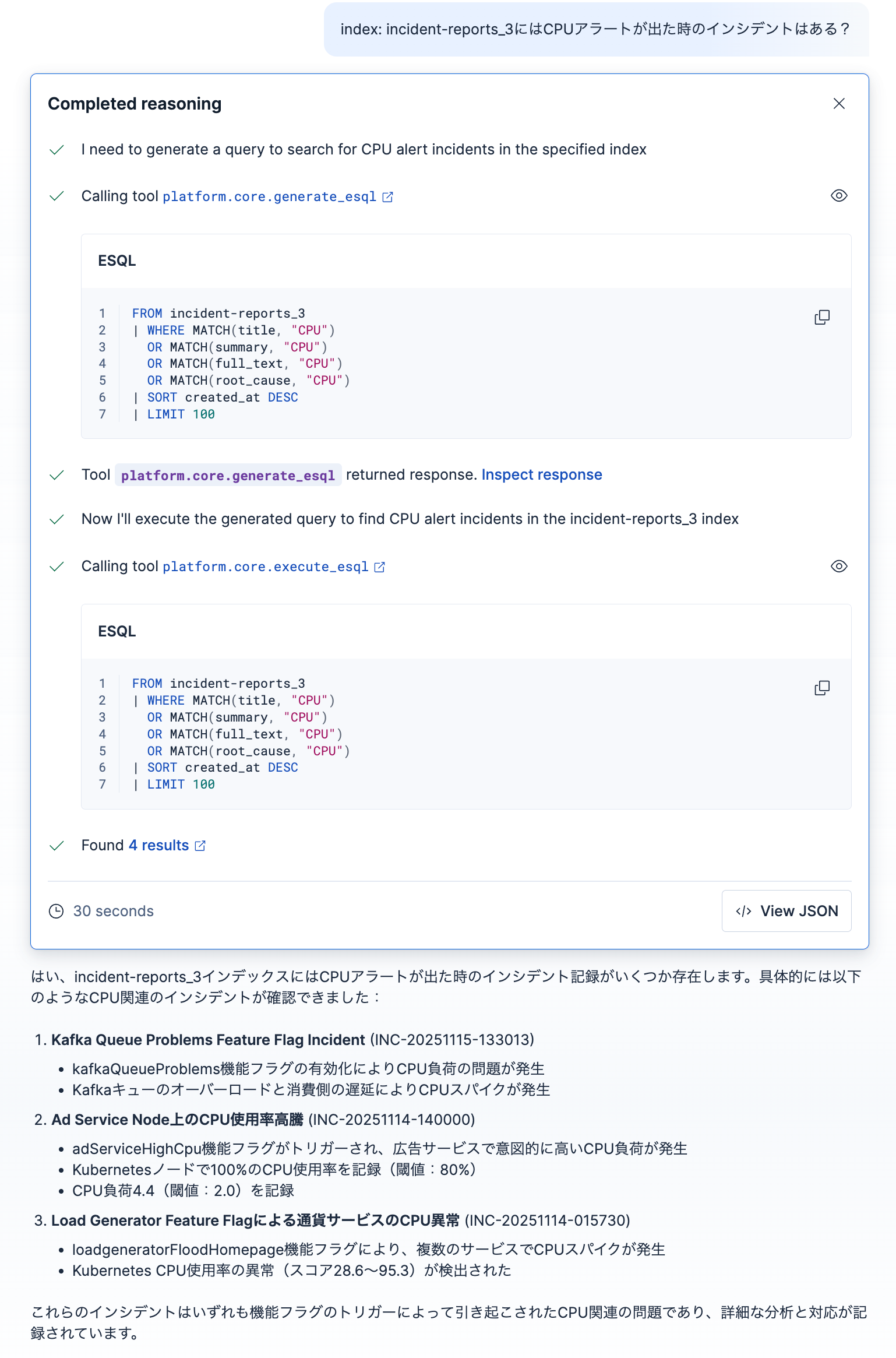
platform.core.generate_esqlのraw responseも見てみましょう。
{
"answer": "Based on the information provided, I'll create an ES|QL query to find incidents related to CPU alerts or high CPU usage from the incident-reports_3 index.\n\nLooking at the fields available, I'll search for CPU-related incidents by examining the title, summary, and full_text fields, which are likely to contain information about CPU alerts or high CPU usage.\n\nesql\nFROM incident-reports_3\n| WHERE MATCH(title, \"CPU\") \n OR MATCH(summary, \"CPU\") \n OR MATCH(full_text, \"CPU\") \n OR MATCH(root_cause, \"CPU\")\n| SORT created_at DESC\n| LIMIT 100\n\n\nThis query:\n1. Searches the incident-reports_3 index\n2. Filters for incidents where any of the text fields (title, summary, full_text, or root_cause) contain mentions of "CPU"\n3. Sorts the results by creation date in descending order to show the most recent incidents first\n4. Limits the results to 100 records for safety\n\nThe MATCH function is used for full-text search capability, which will find documents containing the term "CPU" even if it appears as part of other words or phrases like "high CPU usage" or "CPU alerts"."
}
ここで使われているsummary, full_text, root_causeの3つのフィールドは、確かにこのインデックスに存在していたので、どうやらこのツールの中でフィールドのメタ情報も確認してくれるようです。
platform.core.generate_esqlの実行結果にFound 4 resultsと出ていて、リンクをクリックするとDiscoverページで4つのドキュメントをすぐに確認できます。
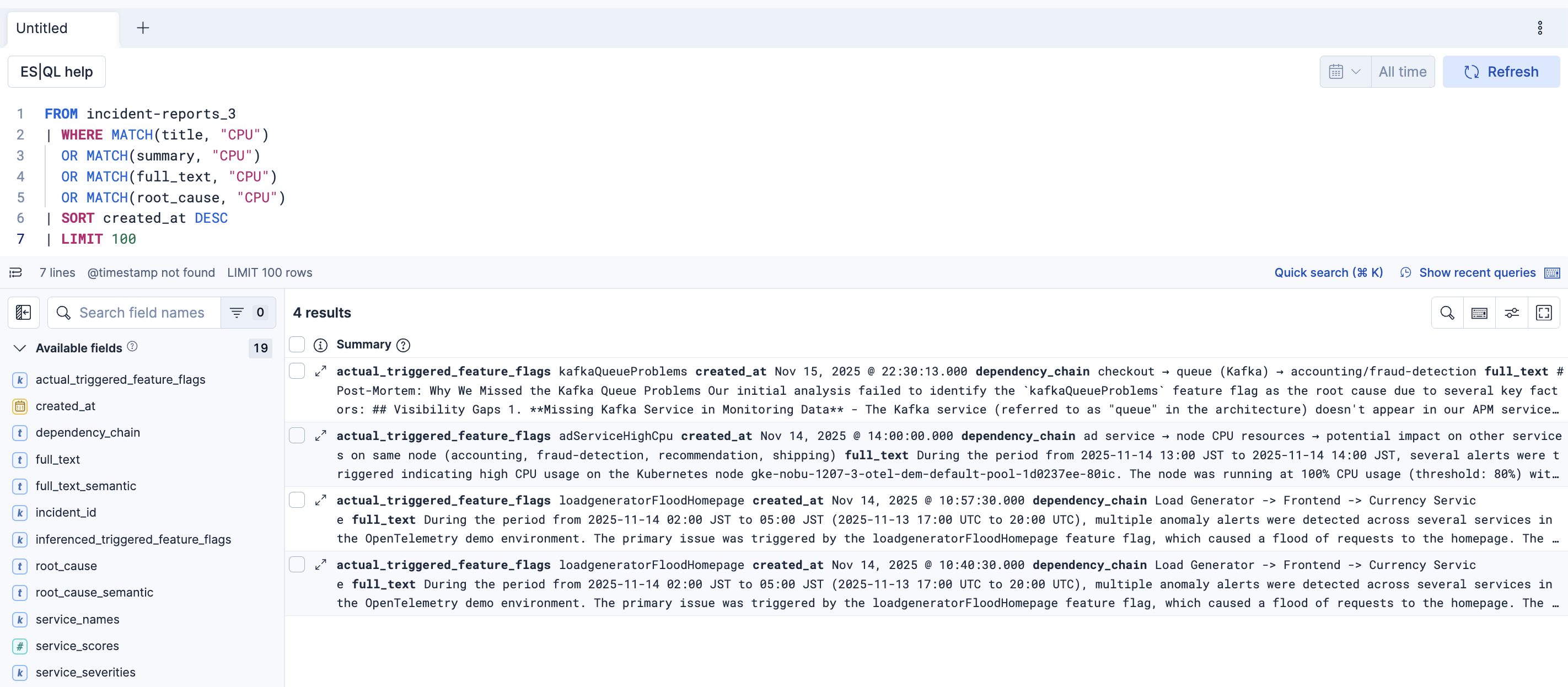
platform.core.search でもES|QLを作成して実行する動きが見られました。このplatform.core.generate_esqlがそれとどう違うのは詳しくは確認できませんでしたが、もしかしたらこちらの方が良い精度のES|QLを作ってくれるかも?しれません。この辺はもう少し検証が必要そうです。
おわり
デフォルトのツールの動きについて理解いただけたら嬉しいです。
今後は、自然言語でどこまでのすごいES|QLクエリーをこのToolで書いてくれるか挑戦してみたいとも思ったりしています。
最後、Elastic社の公式ブログにあもElastic Agent Builderの情報が色々アップされているので、リンクを掲載します。
Introducing Elastic Agent Builder
https://www.elastic.co/search-labs/blog/elastic-ai-agent-builder-context-engineering-introduction
Building an AI agent for HR with Elastic Agent Builder and GPT-OSS
https://www.elastic.co/search-labs/blog/build-an-ai-agent-hr-elastic-agent-builder-gpt-oss
Your first Elastic Agent: From a single query to an AI-powered chat
https://www.elastic.co/search-labs/blog/ai-agent-builder-elasticsearch
Getting started with Elastic Agent Builder and Microsoft Agent Framework
Getting started with Elastic Agent Builder and Microsoft Agent Framework
Top Elastic Agent Builder projects and learnings from Cal Hacks 12.0
https://www.elastic.co/search-labs/blog/agent-builder-projects-learnings-cal-hacks-12-0