はじめに
Windows環境では、初期状態で使えるフォントがserif、sans、monoの3種類しかありません。
そこで今回は、MSゴシックなどWindows環境でお馴染みのフォントを使う方法を記事としてまとめてみました。
利用可能なフォントを確認する
> names(windowsFonts())
[1] "serif" "sans"  "mono"
pngなどの画像で出力する場合
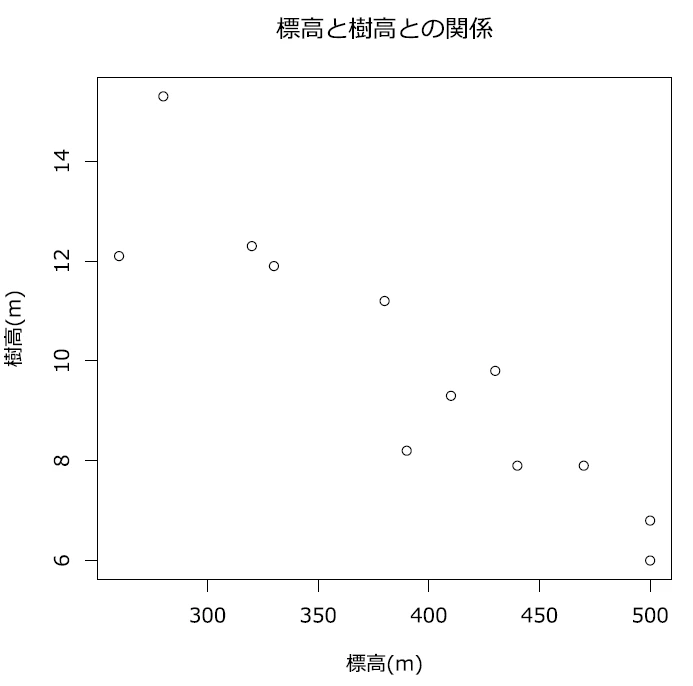
- 【R】散布図を描く方法の記事で利用したデータを用いて、今回も同様に散布図を作成してみました。
# データを読み込む
setwd("D:\\workspace\\R")
tree_height <- read.table(".\\tree_height.csv", header=TRUE, encoding="CP932", sep=",")

# フォントのエイリアスを登録する
windowsFonts(
  msgoth = windowsFont("MS Gothic"),     # MS ゴシック
  msmin  = windowsFont("MS Mincho"),     # MS 明朝
  meiryo = windowsFont("Meiryo"),        # メイリオ
  yuGoth = windowsFont("Yu Gothic")      # 游ゴシック
)

names(windowsFonts())
] "serif"  "sans"   "mono"   "msgoth" "msmin"  "meiryo" "yuGoth"

# デフォルトのフォントを使う
plot(
  tree_height$altitude,
  tree_height$tree_height,
  main="標高と樹高との関係",
  xlab="標高(m)",
  ylab="樹高(m)"
)

# メイリオを使う
plot(
  tree_height$altitude,
  tree_height$tree_height,
  main="標高と樹高との関係",
  xlab="標高(m)",
  ylab="樹高(m)",
  family = "meiryo"
)
- 1つ目の図がデフォルトのフォント(sans:ゴシック体)による散布図で、2つ目の図がメイリオによる散布図となります。


PDFに出力する場合
- 上記の
windowsFonts()で登録したフォント名は、Windowsの画面描画(GDIデバイス)用のエイリアスであるため、pdf()デバイスやGhostscriptのembedFonts()からは直接認識されず、エラーが発生してしまいます。 - そこでshowtextパッケージを使用することで、指定したフォントで出力できるようになります。
-
showtextパッケージを使うとテキストがベクタ図形化されて出力されるため、どの環境でも文字化けしないという欠点がある一方で、PDFにテキスト情報を埋め込むことができないのが欠点です。
- そのため、厳密には「フォントを埋め込む方法」ではありません。
-
【R】作成した図にフォントを埋め込むでは
embedFonts()を紹介しましたが、今回のshowtextの方が使いやすいと思われます。
install.packages('showtext')
library(showtext)

setwd("D:\\workspace\\R")
tree_height <- read.table(".\\tree_height.csv", header=TRUE, encoding="CP932", sep=",")

# PDFで出力する
pdf("meiryo.pdf", width = 6, height = 6)

# showtextを有効化する
showtext_auto()

# メイリオをフォントとして登録する
font_add("meiryo", "meiryo.ttc")

# メイリオを指定して作図する
plot(
  tree_height$altitude,
  tree_height$tree_height,
  main="標高と樹高との関係",
  xlab="標高(m)",
  ylab="樹高(m)",
  family = "meiryo"
)

# showtextを無効化してデバイスを閉じる
showtext_end()
dev.off()
- 以下はメイリオを指定して出力したPDFのスクショですが、日本語の文字を見るとメイリオで出力されているのが分かると思います。