

ヤッホー!
最近 IBM Bob にTerraform MCPを繋げたので、設定方法をメモとして残しておく。
設定ファイルの場所
MCPの設定はプロジェクト毎に.bob/mcp.jsonで管理する。
プロジェクト構成の例
.
├── .bob/
│   └── mcp.json    # 👈 ここ
├── README.md
├── environments/
│   ├── dev/
│   ├── prod/
│   └── staging/
└── modules/
今回はTerraformでインフラを管理しているレポジトリに配置した。
mcp.json の書き方
今回は Terraform MCP Server を使う。
まず、コンテナイメージを取得しておく。
podman pull docker.io/hashicorp/terraform-mcp-server:0.3.3
通常、このMCPサーバーはSTDIOモードで以下のように起動する。
podman run -i --rm hashicorp/terraform-mcp-server:0.3.3
このコマンドをmcp.jsonに落とし込むとこうなる。
{
  "mcpServers": {
    "terraform": {
      "command": "podman",
      "args": [
        "run",
        "-i",
        "--rm",
        "hashicorp/terraform-mcp-server:0.3.3"
      ]
    }
  }
}
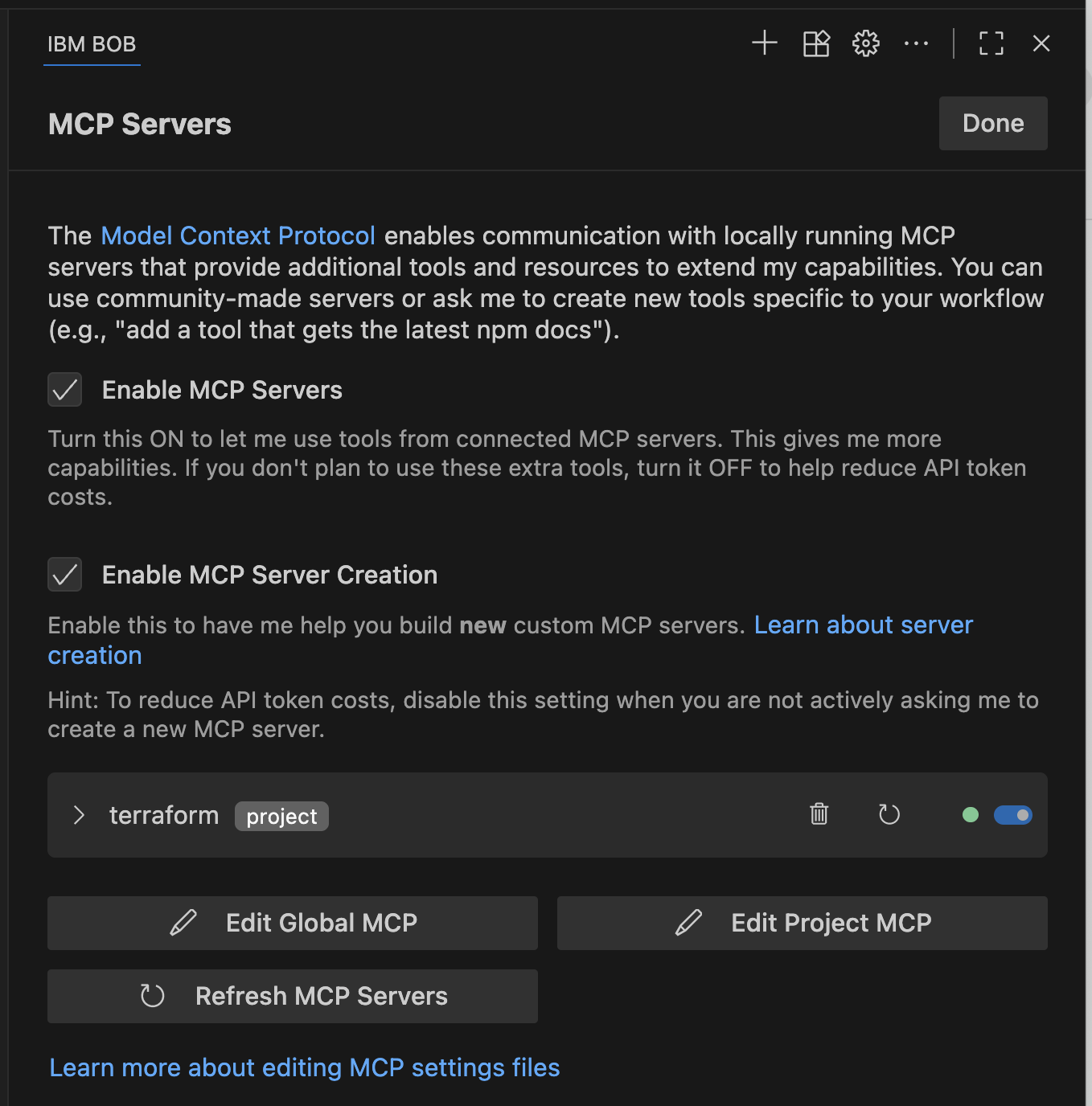
"terraform"の部分がUIに表示される名前になる。
UIで確認
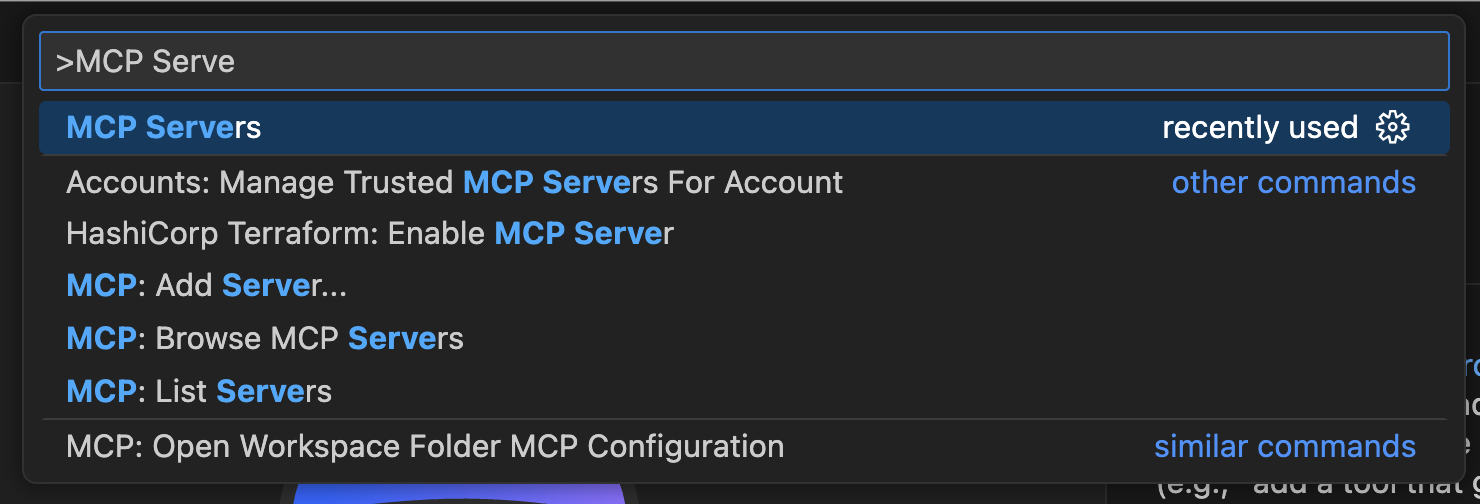
Command Paletteから「MCP Servers」を選択。
設定したサーバーが表示されていればOK。ここからEdit/Refreshもできる。
BobからMCPサーバーを使う
普通にプロンプトで聞く
Terraform MCPサーバーを接続した。このレポジトリをチェックするために使ってください。
(MCPツールを使いながらチェックされる。いつくかの指摘をもらう)
プロバイダーバージョンを6に上げたい。やってくれる?
(MCPツールを使いながら更新される)
google-beta必要か?googleだけではだめ?
google = {
source = "hashicorp/google"
version = "~> 6.0"
}
google-beta = {
source = "hashicorp/google-beta"
version = "~> 6.0"
}
(回答される。私の場合は必要)
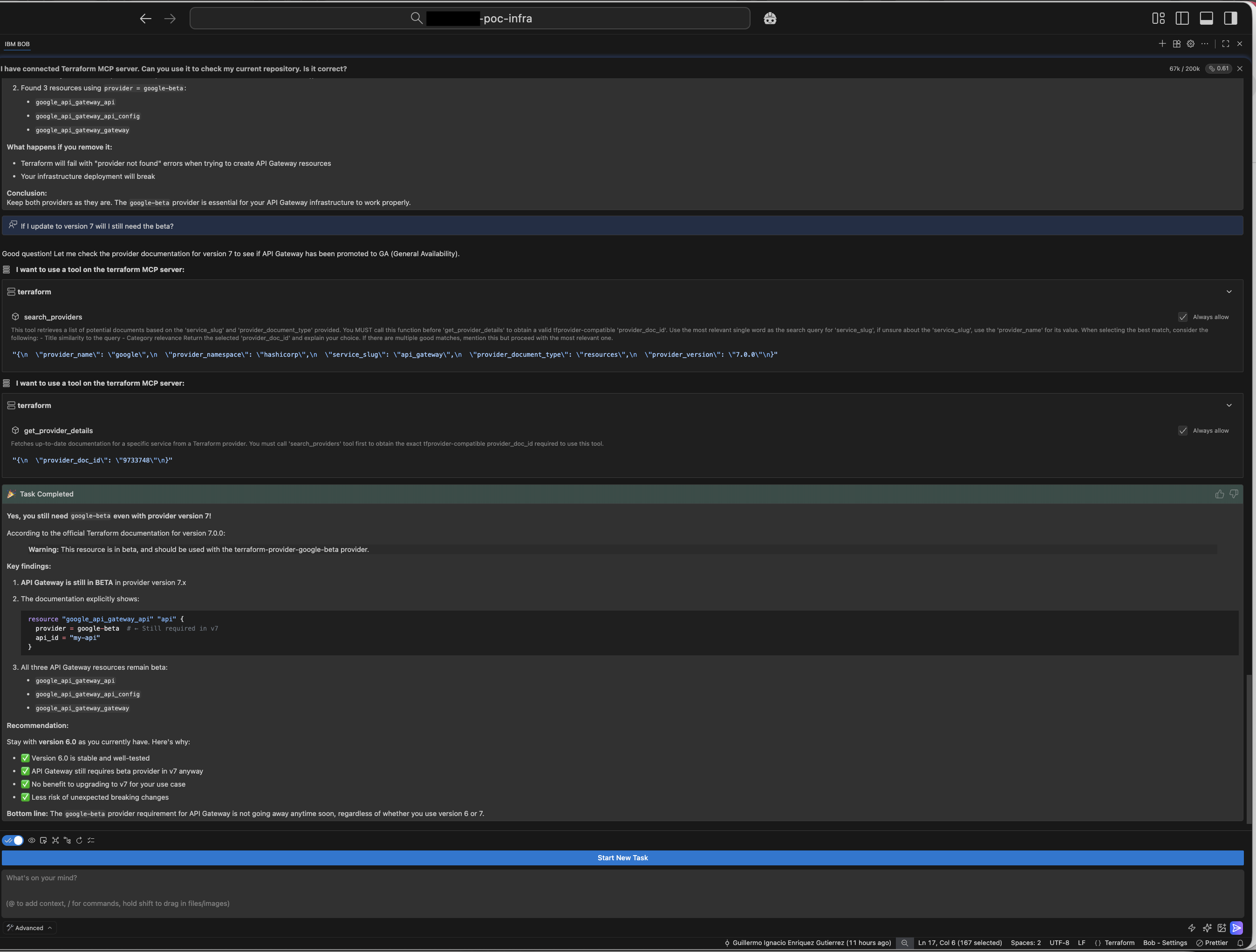
バージョン7にアップグレードしても beta必要か?
(MCPツールでドキュメント取得され回答。必要だって)
以上!
🐊