
概要
MCPホストを選択する時、公式サイトの対応機能を参考にする。しかし、フィルター機能しか用意されておらず、比較が困難である。
今回は、対応機能のマトリクス表とそのマトリクス表を取得するコードを作成した。

Client details マトリクス(2026年1月25日時点)
| Name | Discovery | Elicitation | Instructions | Prompts | Resources | Resources (partial) | Roots | Sampling | Sampling (partial) | Tasks | Tools |
|---|---|---|---|---|---|---|---|---|---|---|---|
| 5ire | × | × | × | × | × | × | × | × | × | × | ○ |
| AgentAI | × | × | × | × | × | × | × | × | × | × | ○ |
| AgenticFlow | ○ | × | × | ○ | ○ | × | × | × | × | × | ○ |
| AIQL TUUI | ○ | ○ | × | ○ | ○ | × | × | ○ | × | × | ○ |
| Amazon Q CLI | × | × | × | ○ | × | × | × | × | × | × | ○ |
| Amazon Q IDE | × | × | × | × | × | × | × | × | × | × | ○ |
| Amp | × | × | × | ○ | ○ | × | × | ○ | × | × | ○ |
| Apify MCP Tester | ○ | × | × | × | × | × | × | × | × | × | ○ |
| Augment Code | × | × | × | × | × | × | × | × | × | × | ○ |
| Avatar Shell | × | × | × | × | ○ | × | × | × | × | × | ○ |
| BeeAI Framework | × | × | × | × | × | × | × | × | × | × | ○ |
| BoltAI | × | × | × | × | × | × | × | × | × | × | ○ |
| Call Chirp | × | × | × | ○ | × | × | × | × | × | × | ○ |
| Chatbox | × | × | × | × | × | × | × | × | × | × | ○ |
| ChatFrame | × | × | × | × | × | × | × | × | × | × | ○ |
| ChatGPT | × | × | × | × | × | × | × | × | × | × | ○ |
| ChatWise | × | × | × | × | × | × | × | × | × | × | ○ |
| Chorus | × | × | × | × | × | × | × | × | × | × | ○ |
| Claude Code | ○ | × | ○ | ○ | ○ | × | ○ | × | × | × | ○ |
| Claude Desktop App | × | × | × | ○ | ○ | × | × | × | × | × | ○ |
| Claude.ai | × | × | × | ○ | ○ | × | × | × | × | × | ○ |
| Cline | ○ | × | × | × | ○ | × | × | × | × | × | ○ |
| CodeGPT | × | × | × | × | × | × | × | × | × | × | ○ |
| Codex | × | ○ | × | × | ○ | × | × | × | × | × | ○ |
| Continue | × | × | × | ○ | ○ | × | × | × | × | × | ○ |
| Copilot-MCP | × | × | × | × | ○ | × | × | × | × | × | ○ |
| Cursor | × | ○ | × | ○ | × | × | ○ | × | × | × | ○ |
| Daydreams | × | × | × | ○ | ○ | × | × | × | × | × | ○ |
| ECA - Editor Code Assistant | × | × | × | ○ | ○ | × | ○ | × | × | × | ○ |
| Emacs Mcp | × | × | × | × | × | × | × | × | × | × | ○ |
| fast-agent | ○ | ○ | ○ | ○ | ○ | × | ○ | ○ | × | × | ○ |
| Firebender | × | × | × | × | × | × | × | × | × | × | ○ |
| FlowDown | × | × | × | × | × | × | × | × | × | × | ○ |
| FLUJO | × | × | × | × | × | × | × | × | × | × | ○ |
| Gemini CLI | × | × | ○ | ○ | × | × | × | × | × | × | ○ |
| GenAIScript | × | × | × | × | ○ | × | × | × | × | × | ○ |
| Genkit | × | × | × | ○ | × | ○ | × | × | × | × | ○ |
| GitHub Copilot coding agent | × | × | × | × | × | × | × | × | × | × | ○ |
| Glama | ○ | ○ | ○ | ○ | ○ | × | × | ○ | × | ○ | ○ |
| goose | × | ○ | ○ | ○ | ○ | × | × | ○ | × | × | ○ |
| gptme | × | × | × | × | × | × | × | × | × | × | ○ |
| HyperAgent | × | × | × | × | × | × | × | × | × | × | ○ |
| Jenova | ○ | × | × | × | × | × | × | × | × | × | ○ |
| JetBrains AI Assistant | × | × | × | × | × | × | × | × | × | × | ○ |
| JetBrains Junie | × | × | × | × | × | × | × | × | × | × | ○ |
| Kilo Code | ○ | × | × | × | ○ | × | × | × | × | × | ○ |
| Klavis AI Slack/Discord/Web | × | × | × | × | ○ | × | × | × | × | × | ○ |
| Langdock | × | × | × | × | × | × | × | × | × | × | ○ |
| Langflow | × | × | × | × | × | × | × | × | × | × | ○ |
| LibreChat | × | × | ○ | × | × | × | × | × | × | × | ○ |
| LM Studio | × | × | × | × | × | × | × | × | × | × | ○ |
| LM-Kit.NET | × | × | × | × | × | × | × | × | × | × | ○ |
| Lutra | × | × | × | ○ | ○ | × | × | × | × | × | ○ |
| MCP Bundler for MacOS | × | × | × | ○ | ○ | × | × | × | × | × | ○ |
| MCPBundles | ○ | × | × | ○ | ○ | × | × | × | × | × | ○ |
| mcp-agent | × | ○ | × | ○ | ○ | × | ○ | × | ○ | × | ○ |
| mcp-client-chatbot | × | × | × | × | × | × | × | × | × | × | ○ |
| mcp-use | ○ | ○ | × | ○ | ○ | × | × | ○ | × | × | ○ |
| mcpc | ○ | × | ○ | ○ | ○ | × | × | × | × | × | ○ |
| MCPHub | × | × | × | ○ | ○ | × | × | × | × | × | ○ |
| MCPJam | × | ○ | × | ○ | ○ | × | × | × | × | × | ○ |
| MCPOmni-Connect | × | × | × | ○ | ○ | × | × | ○ | × | × | ○ |
| Memex | × | × | × | ○ | ○ | × | × | × | × | × | ○ |
| Memgraph Lab | × | ○ | ○ | × | × | × | × | ○ | × | × | ○ |
| Microsoft Copilot Studio | ○ | × | × | × | ○ | × | × | × | × | × | ○ |
| MindPal | × | × | × | × | × | × | × | × | × | × | ○ |
| Mistral AI: Le Chat | × | × | × | × | × | × | × | × | × | × | ○ |
| modelcontextchat.com | × | × | × | × | × | × | × | × | × | × | ○ |
| MooPoint | × | × | × | × | × | × | × | ○ | × | × | ○ |
| Msty Studio | × | × | × | × | × | × | × | × | × | × | ○ |
| Needle | ○ | × | × | ○ | ○ | × | × | × | × | × | ○ |
| NVIDIA Agent Intelligence (AIQ) toolkit | × | × | × | × | × | × | × | × | × | × | ○ |
| opencode | × | × | × | ○ | ○ | × | × | × | × | × | ○ |
| OpenSumi | × | × | × | × | × | × | × | × | × | × | ○ |
| oterm | × | × | × | ○ | × | × | × | ○ | × | × | ○ |
| Postman | ○ | ○ | × | ○ | ○ | × | × | ○ | × | × | ○ |
| RecurseChat | × | × | × | × | × | × | × | × | × | × | ○ |
| Replit | × | × | × | × | × | × | × | × | × | × | ○ |
| Roo Code | × | × | × | × | ○ | × | × | × | × | × | ○ |
| rtrvr.ai | × | × | × | × | × | × | × | × | × | × | ○ |
| Shortwave | × | × | × | × | × | × | × | × | × | × | ○ |
| Simtheory | ○ | × | × | ○ | ○ | × | × | × | × | × | ○ |
| Slack MCP Client | × | × | × | × | × | × | × | × | × | × | ○ |
| Smithery Playground | × | × | × | ○ | ○ | × | × | × | × | × | ○ |
| SpinAI | × | × | × | × | × | × | × | × | × | × | ○ |
| Superinterface | × | × | × | × | × | × | × | × | × | × | ○ |
| Superjoin | × | × | × | × | × | × | × | × | × | × | ○ |
| Swarms | ○ | × | × | × | × | × | × | × | × | × | ○ |
| systemprompt | × | × | × | ○ | ○ | × | × | ○ | × | × | ○ |
| Tambo | ○ | ○ | × | ○ | × | × | × | ○ | × | × | ○ |
| Tencent CloudBase AI DevKit | × | × | × | × | × | × | × | × | × | × | ○ |
| TheiaAI/TheiaIDE | × | × | × | × | × | × | × | × | × | × | ○ |
| Tome | × | × | × | × | × | × | × | × | × | × | ○ |
| TypingMind App | × | × | × | × | × | × | × | × | × | × | ○ |
| v0 | × | × | × | × | × | × | × | × | × | × | ○ |
| VS Code GitHub Copilot | ○ | ○ | ○ | ○ | ○ | × | ○ | ○ | × | × | ○ |
| VT Code | ○ | ○ | × | ○ | ○ | × | ○ | × | ○ | × | ○ |
| Warp | ○ | × | × | × | ○ | × | × | × | × | × | ○ |
| WhatsMCP | × | × | × | × | × | × | × | × | × | × | ○ |
| Windsurf Editor | ○ | × | × | × | × | × | × | × | × | × | ○ |
| Witsy | × | × | × | × | × | × | × | × | × | × | ○ |
| Zed | × | × | × | ○ | × | × | × | × | × | × | ○ |
| Zencoder | × | × | × | × | × | × | × | × | × | × | ○ |
今回のコードでできること
以下のサイトで「Copy page」をクリックして「mcp_client.md」に張り付けて保存し、
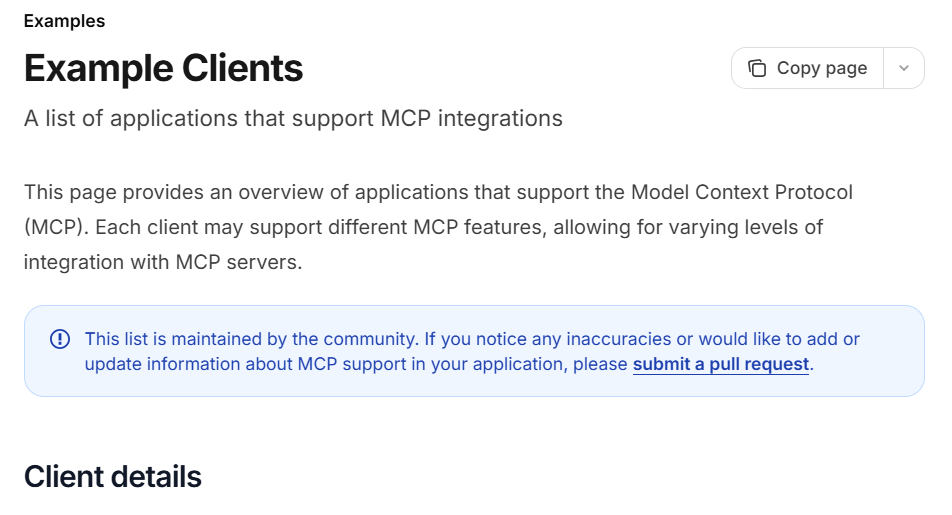
「mcp_client_support_matrix.py」を実行すればマトリクス表が得られる。

ソースコード(mcp_client_support_matrix.py)
import re
from pathlib import Path

# =========================
# 設定
# =========================
MD_PATH = Path("mcp_client.md")

# =========================
# McpClient 抽出
# =========================
text = MD_PATH.read_text(encoding="utf-8")

client_pattern = re.compile(r"<McpClient\s+([^>]+)>", re.IGNORECASE)
attr_pattern = re.compile(r'(\w+)="([^"]*)"')

clients = []
all_supports = set()

for m in client_pattern.finditer(text):
    attrs = dict(attr_pattern.findall(m.group(1)))
    if "name" in attrs and "supports" in attrs:
        supports = [s.strip() for s in attrs["supports"].split(",")]
        clients.append({
            "name": attrs["name"],
            "supports": set(supports),
        })
        all_supports.update(supports)

support_types = sorted(all_supports)

# =========================
# Markdown テーブル生成
# =========================
header = ["Name"] + support_types
rows = []

for c in clients:
    row = [c["name"]]
    for s in support_types:
        row.append("○" if s in c["supports"] else "×")
    rows.append(row)

# =========================
# Markdown 出力
# =========================
def md_row(cols):
    return "| " + " | ".join(cols) + " |"

print(md_row(header))
print(md_row(["---"] * len(header)))

for row in rows:
    print(md_row(row))