0
0

Delete article

Deleted articles cannot be recovered.

Draft of this article would be also deleted.

Are you sure you want to delete this article?

More than 5 years have passed since last update.

Gitについて勉強する。第二弾 (Gitでよく使うコマンドにエイリアスを設定しよう 編)

Last updated at Posted at 2019-09-26

エイリアスって何?

いちいち git commit とか打つのがめんどくさいので、自分用のショートカットを設定することです。
単純にキーボード叩く量が少なくなるので、作業効率を上げることができます。

エイリアスの設定の仕方(コミットの場合)

git --global alias.<自分の設定したいコマンド> commit

--global オプションは、PC全体でgitのエイリアスを設定することができます。
作業を楽にするのが目的なので、PC全体の設定にしておきます。

設定してみました(サンプル)

↓お手本にさせて頂きました
Gitを使い始めたらやっておきたい便利な設定いろいろ - アシアルブログ

コミット

$ git config --global alias.ci commit

ステータス

$ git config --global alias.st status

ブランチ

$ git config --global alias.br branch

チェックアウト

$ git config --global alias.co checkout

実際にやってみた。

ちゃんと、「git st」でも「git status」でも同じ結果が出ているのが確認できますね!
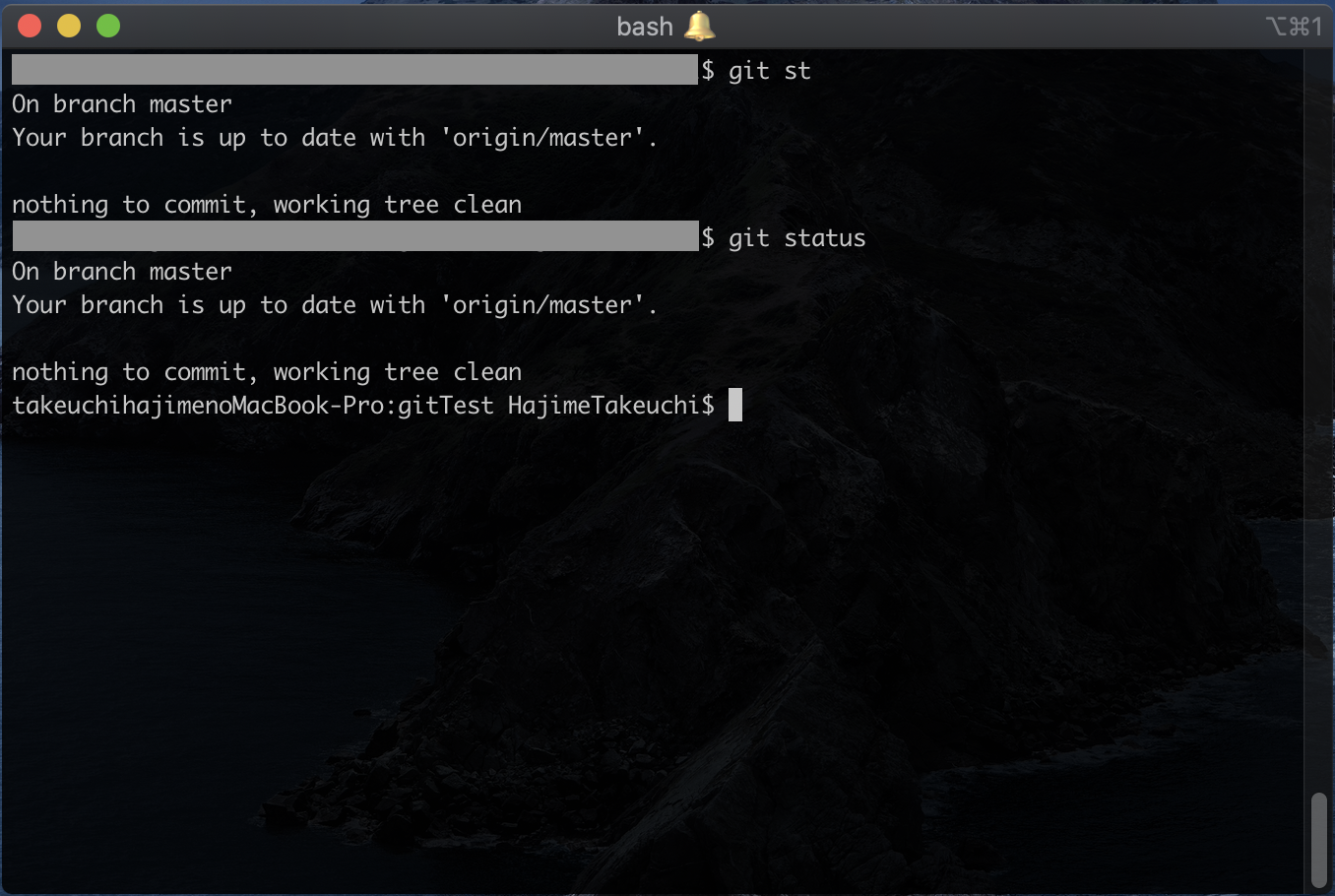
スクリーンショット 2019-09-26 23.08.29.png

あとがき

git専用でもエイリアスの設定が可能なんですね。
私は、ふつうに.bash_profileで書き込むところでした。

ぶっちゃけgitって打つのも面倒だから 「alias git='g'」 みたいにエイリアス設定しようかな...

次・第三弾

0
0
0

Register as a new user and use Qiita more conveniently

  1. You get articles that match your needs
  2. You can efficiently read back useful information
  3. You can use dark theme
What you can do with signing up
0
0

Delete article

Deleted articles cannot be recovered.

Draft of this article would be also deleted.

Are you sure you want to delete this article?