
自分でビルドしたGRUBから生成したISOから起動が出来ない
解決したいこと
インストールしたGRUBを使って生成したmyos.isoは実機からもQEMUからも起動可能でカーネルに問題は無いのですが
grub-mkrescue -o myos.iso iso
ビルドしたGRUBを使うとBIOSからの起動に失敗します
../grub/grub-mkrescue -o myos.iso iso
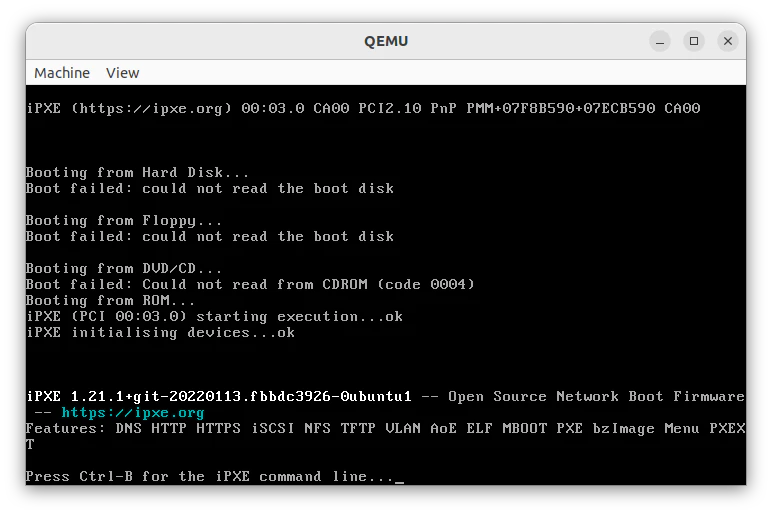
インストールしたGRUBの場合は以下の記事のように正しく動きます。
GRUBから複数の自作カーネルを選択する設定
ソースを取得してビルド
git clone https://gitlab.freedesktop.org/gnu-grub/grub.git

sudo apt install autoconf automake libtool pkg-config gettext autopoint flex bison python3 gawk


./bootstrap
./configure --target=i386 --host=i386-linux-gnu CFLAGS="-m32" LDFLAGS="-m32"

make AWK=gawk -j$(nproc)
makeやり直す前はこれ実行
make distclean
ビルド終わったか確認
test@test-fujitsu:~/kaihatsu/grub$ ./grub-mkrescue --version
ビルドしたGRUBからISOを生成する。
kaihatsu/test/下で実験をする。
rm -r tmp
mkdir tmp

nasm -f elf32 start.asm -o tmp/start.o
gcc -m32 -ffreestanding -nostdlib -c kernel.c -o tmp/kernel.o
ld -m elf_i386 -T link.ld -o tmp/kernel.bin tmp/start.o tmp/kernel.o

mkdir -p iso/boot/grub
cp tmp/kernel.bin iso/boot/kernel.bin
cp grub.cfg iso/boot/grub/grub.cfg
qemu-system-i386 -cdrom myos.iso
0 likes