
Unity 6.5において、AndroidのWindow Insetsに関する設定やAPIが追加されます。
Unity 6.5のリリースノートにおける、関連項目は以下の通りです。
Android: Insets visibility can now be controlled via Editor API/UI and Runtime API. Refer to PlayerSettings.Android.requestedVisibleWindowInsets, PlayerSettings.Android.systemBarsBehavior, AndroidApplication.currentWindowInsets, AndroidApplication.onWindowInsetsChanged to learn more.
Android: Added: AndroidWindowInsets, controls system bars behavior and queries insets at runtime.
Android: Added: Listen and control insets at runtime - AndroidApplication.onWindowInsetsChanged, AndroidApplication.currentWindowInsets.
Android: Added: PlayerSettings.Android.requestedVisibleWindowInsets, controls which insets should be visible on application start.
Android: Changed: PlayerSettings.Android.renderOutsideSafeArea will only control cutout rendering mode, it will not affect status bar visibility, if you want to show/hide status bar use PlayerSettings.Android.requestedVisibleWindowInsets or AndroidApplication.currentWindowInsets.Show/Hide functions.
Android: Changed: Screen.fullscreen no longer does anything on Android, if you want to control navigation bars visibility, use AndroidApplication.currentWindowInsets.Show/Hide functions.
Android: Removed unity.launch-fullscreen entry in manifest and replaced it with unity.requested-visible-insets and unity.system-bars-behavior.
上記の「Changed」の変更は注意が必要です。PlayerSettings.Android.renderOutsideSafeAreaがstatus barの可視状態に影響を与えなくなり、Screen.fullscreenがAndroidで何も効力を発揮しなくなっている点に注意してください。
Unity 6.5で次のようなクラスやプロパティー・メソッドが追加されています。
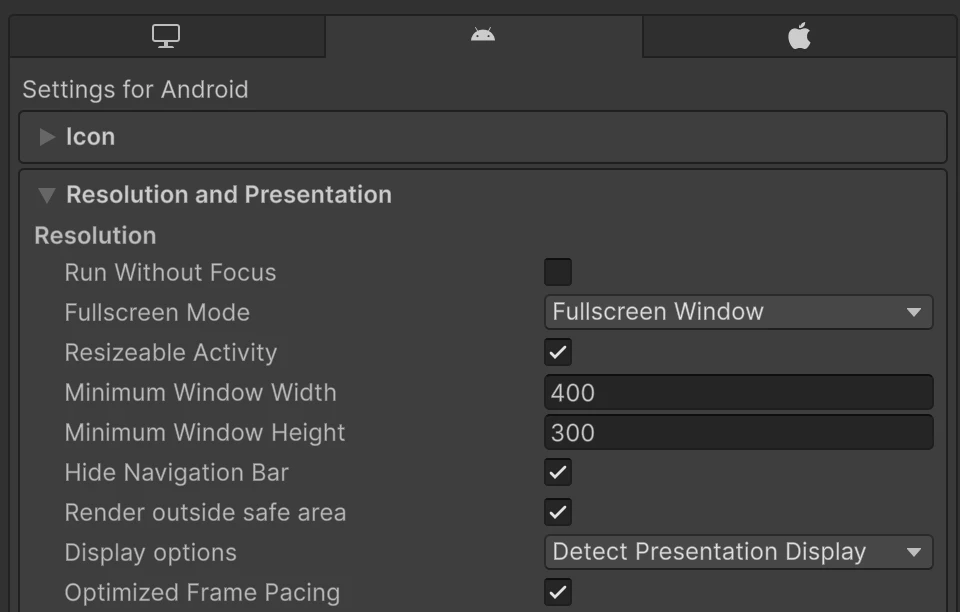
Project Settings > Player Settings > Android > Settings for Android > Resolution and Presentationの項目に、Unity 6.4とUnity 6.5で変更があります。(スクリーンショットは、Unity 6.4は6000.4.2f1・Unity 6.5は6000.5.0b3)
| Unity 6.4 | Unity 6.5 |
|---|---|
 |
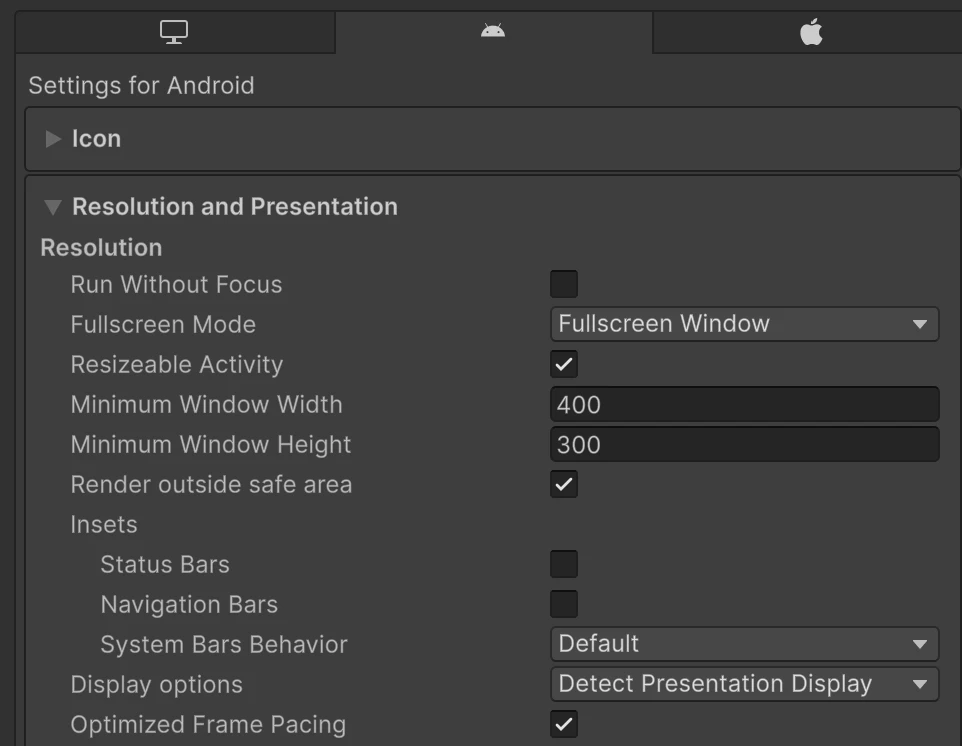 |
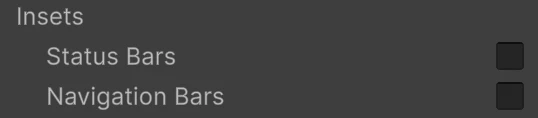
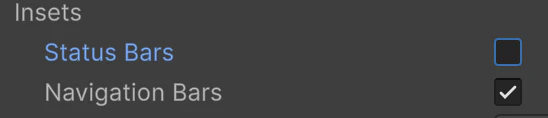
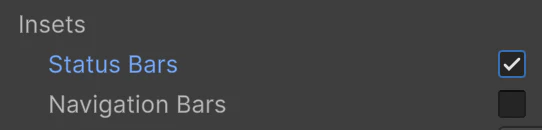
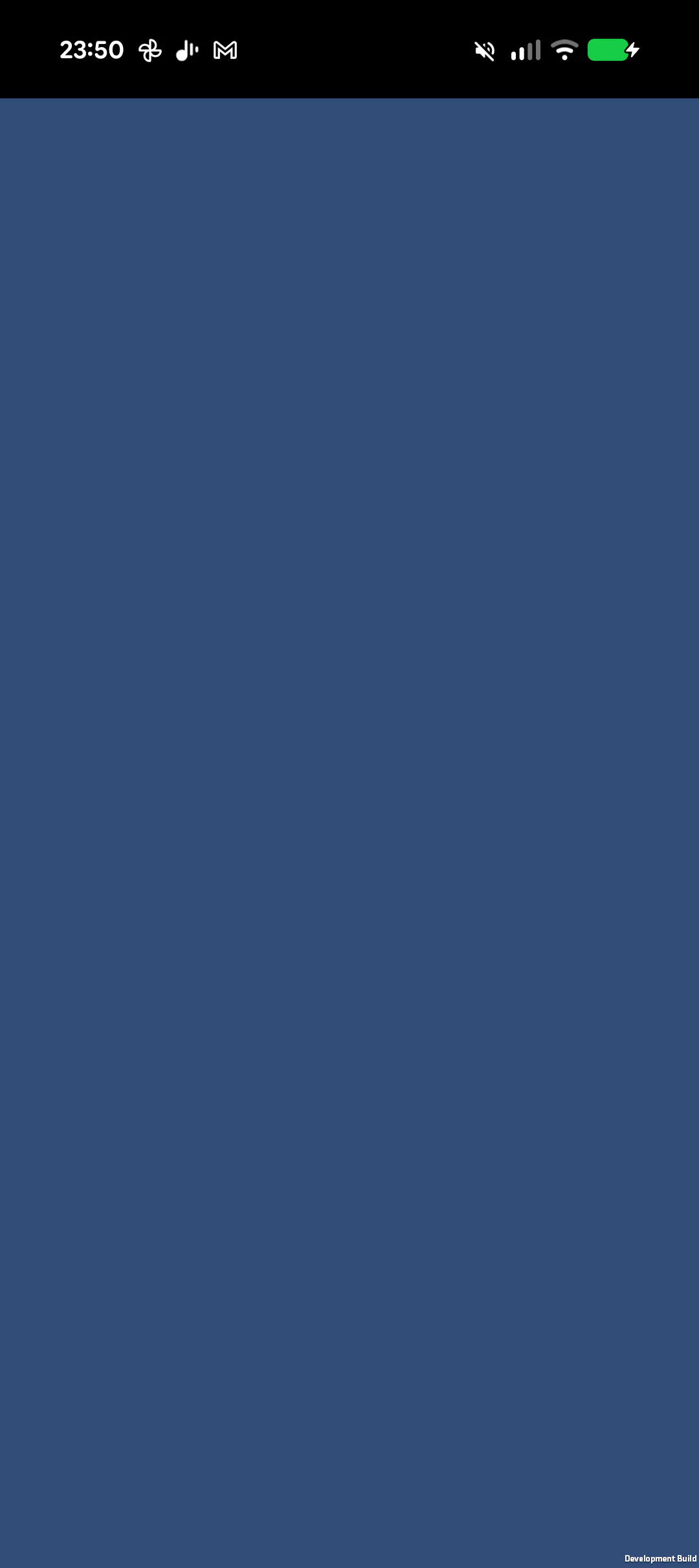
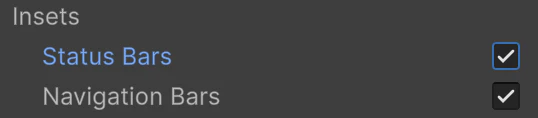
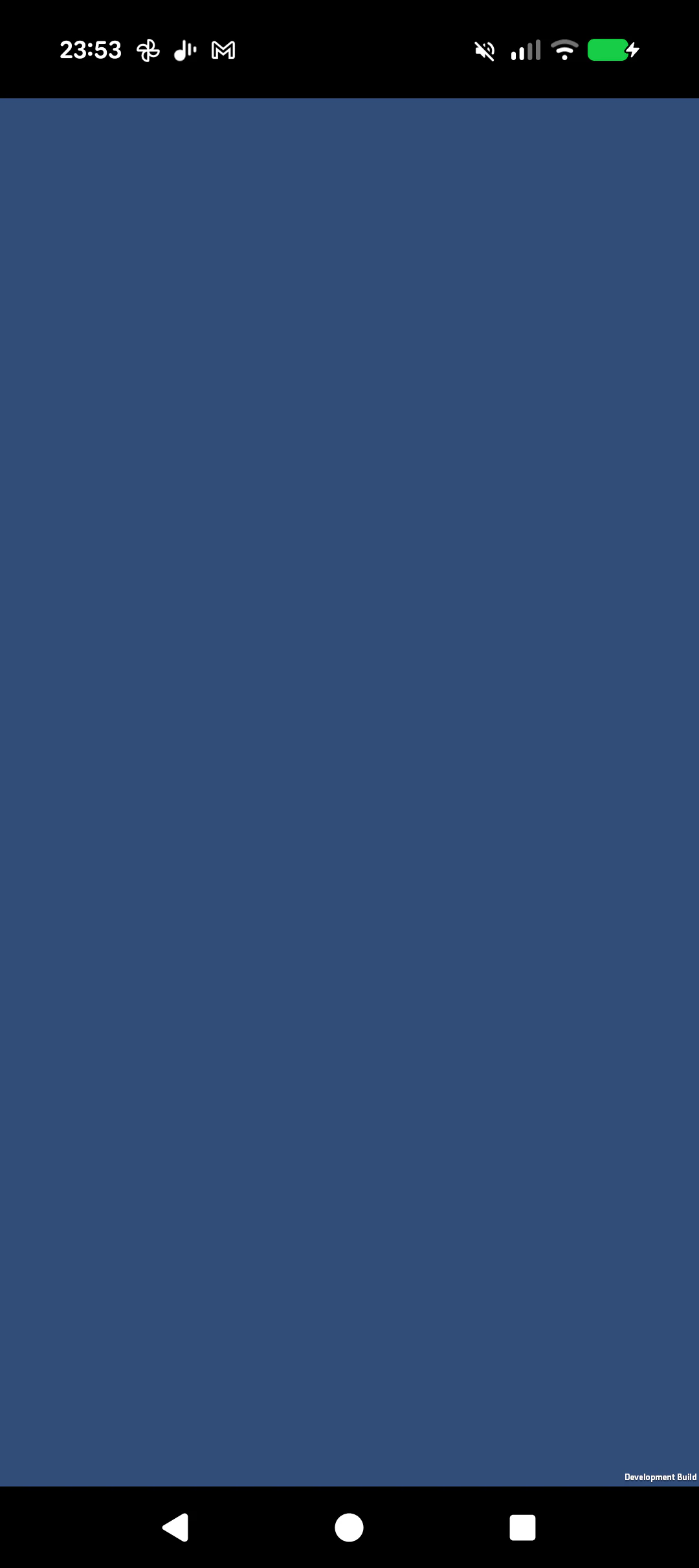
Unity 6.4にあった「Hide Navigation Bar」がなくなり、Insetsセクションが追加されました。Status Bar・Navigation Barはそれぞれチェックをすると、表示されるようです。
| Insets設定 | Android実機 |
|---|---|
 |
 |
 |
 |
 |
 |
 |
 |
上記のマニュアルには、以下のような説明もあります。
Note: The Hide Navigation Bar Player setting is obsolete in new projects created using Unity versions 6000.5 and later. For existing projects with this setting enabled, the navigation bar remains disabled by default.