

はじめに
AIXではディクス管理にLVM(Logical Volume Manager)が採用されています。
LVMは、物理ディスク(Physical Volume: PV)をまとめてボリュームグループ(Volume Group: VG)を作成し、VG上に論理ボリューム(Logical Volume: LV)を構築します。
LVMにより、LPARを停止することなく、ディスクの追加や拡張を行うことができます。
Volome Group(VG)に新しくPVを追加した際の作業メモです。
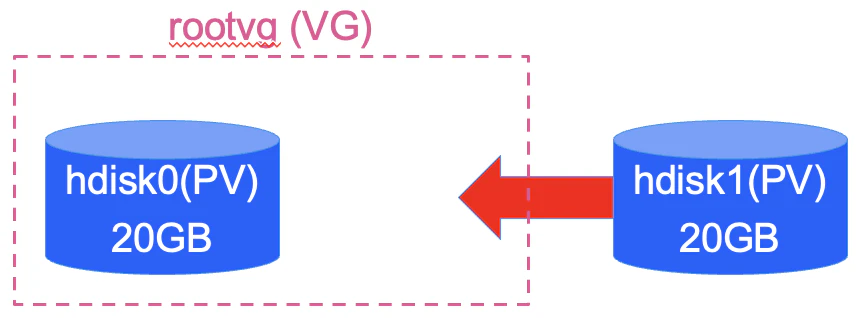
s922211に新しいPVをhdisk1として追加し、hdisk1をrootvgに割り当てました。
実施環境
- LPAR
- ホスト名:s922211
- ディスク
- hdisk0(rootvg) 20GB
- hdisk1 20GB(←rootvgに追加)
実施内容
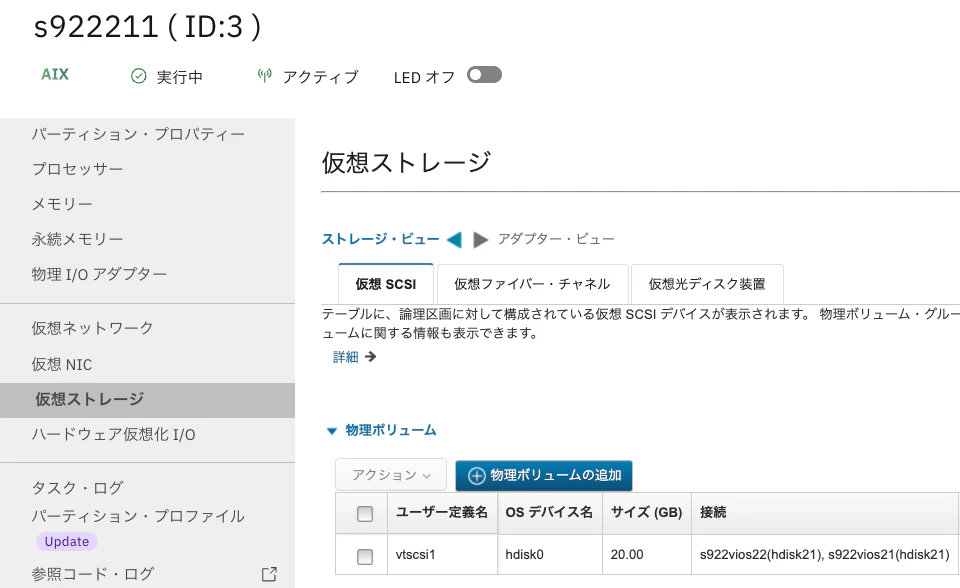
初期状態のs922211は、20GBのhdisk0のみ割り当てられており、20GBのvSCSIディスクがVIOSに割り当てられていました。
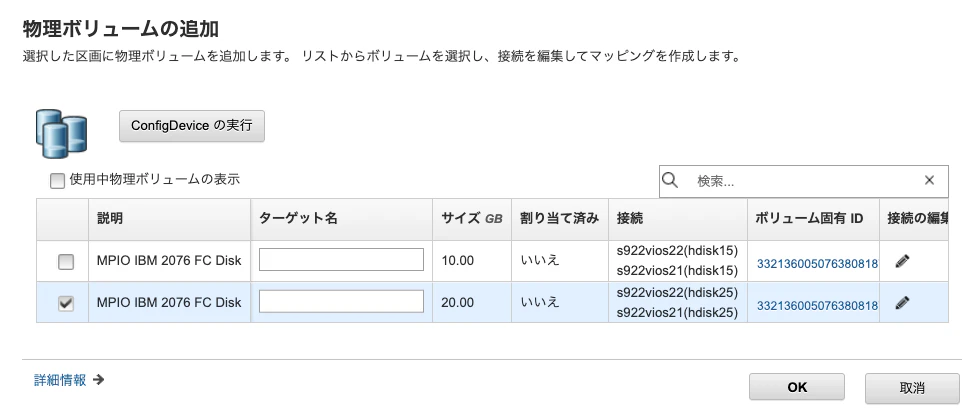
そこで、20GBのvSCSIディスクを新しいPVとして、s922211に割り当てました。
HMC上からs922211の仮想ストレージの画面を開き物理ボリュームの追加をクリック
追加するディスクを選択して、OKをクリック
s922211に新しいPVが割り当てられました。
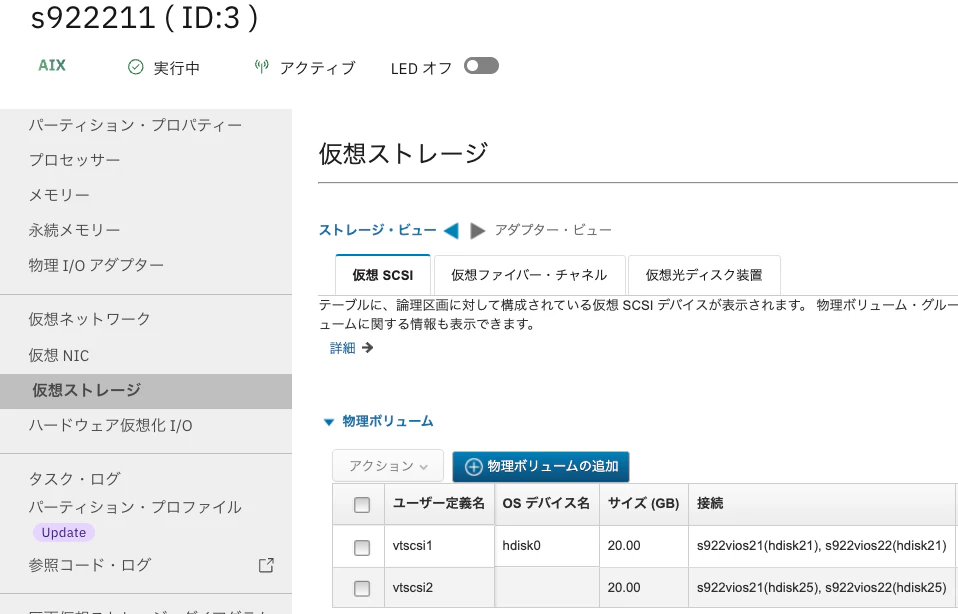
HMC上でディスクを割り当てただけでは、OSはディスクを認識していません。
[root@s922211:/]# lspv
hdisk0          00cde680811e2439                    rootvg          active
[root@s922211:/]# lsdev -Cc disk
hdisk0 Available  Virtual SCSI Disk Drive
cfgmgrコマンドにより、OSに新たに割り当てたPVを認識させました。
[root@s922211:/]# cfgmgr
[root@s922211:/]# lspv
hdisk0          00cde680811e2439                    rootvg          active
hdisk1          none                                None
[root@s922211:/]# lsdev -Cc disk
hdisk0 Available  Virtual SCSI Disk Drive
hdisk1 Available  Virtual SCSI Disk Drive
extendvgコマンドにより、hdisk1をrootvgに割り当てました。
hdisk1にPVIDが割り振られていないため、まだLVMの管理下にはありませんでしたが、extendvgで自動的に割り振られます。
chdev -l hdisk1 -a pv=yesからPVIDを手動で割り当てることも可能です。
[root@s922211:/]# extendvg rootvg hdisk1
0516-1254 extendvg: Changing the PVID in the ODM.
[root@s922211:/]# lspv
hdisk0          00cde680811e2439                    rootvg          active
hdisk1          00cde680fe95e84e                    rootvg          active
以上