
概要
Claude CodeでAsanaが使いたい!!!
設定方法がまとまっている情報が見当たらなかったので、備忘録兼ねて執筆します。
設定手順
1. Asanaアプリの作成
- Asanaのアプリ作成画面にアクセスし「アプリを新規作成」をクリック
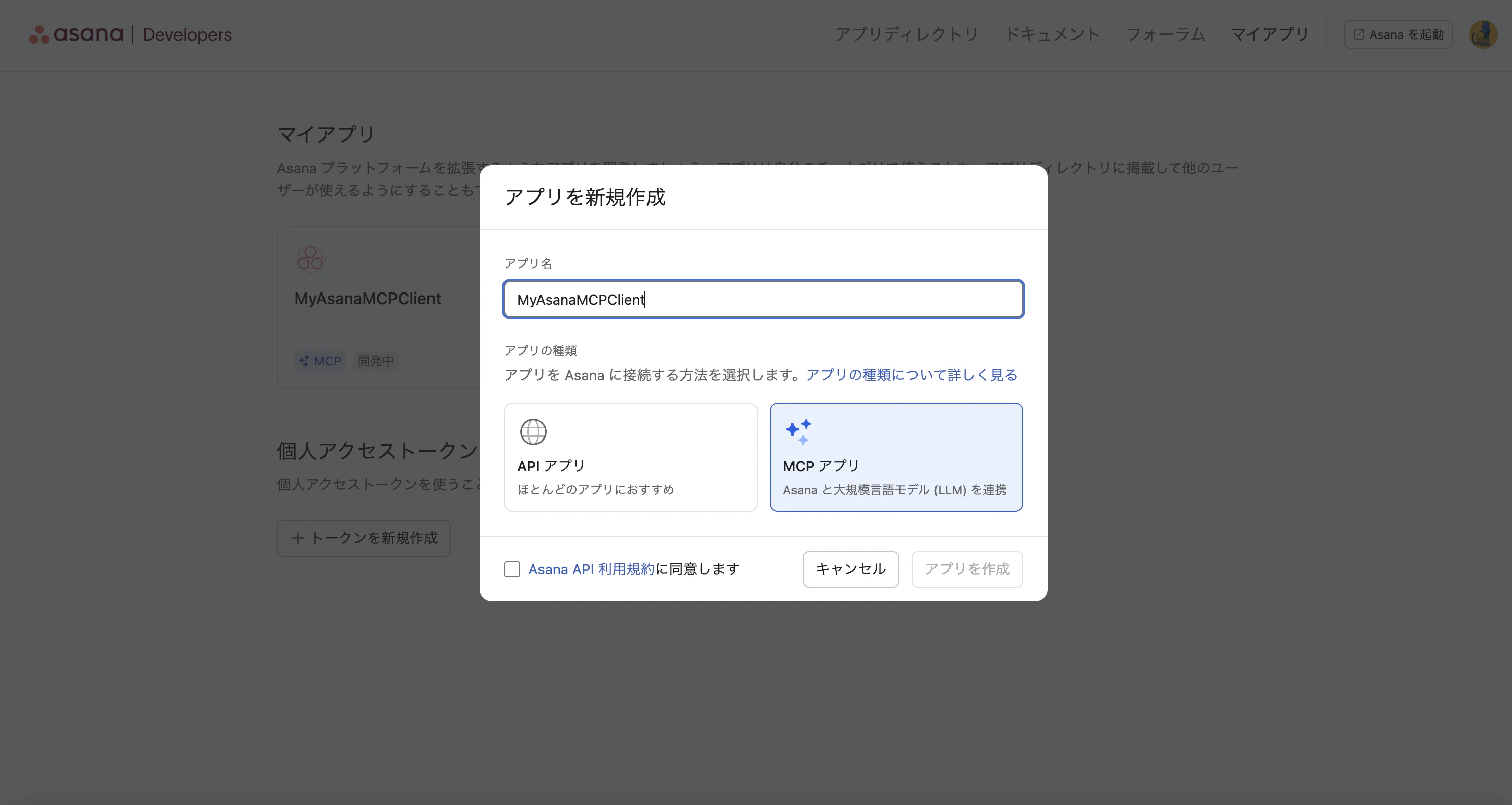
- OAuthのリダイレクトURLを
http://localhost:8080/callbackに設定する

2. Claude CodeのMCP設定
- コマンドラインで以下を実行する
- ルートスコープで設定する場合は
--scope projectを省略)
- ルートスコープで設定する場合は
-
client-idには、Asanaアプリで発行されたクライアントIDを使用する - 実行時に入力を求められる OAuth client secret には、同様にAsanaアプリで発行されたクライアントシークレットを使用する
claude mcp add --scope project --transport http \
  --client-id {クライアントID} \
  --client-secret \
  --callback-port 8080 \
  asana https://mcp.asana.com/v2/mcp
.mcp.jsonの例
{
  "mcpServers": {
    "asana": {
      "type": "http",
      "url": "https://mcp.asana.com/v2/mcp",
      "oauth": {
        "clientId": "{クライアントID}",
        "callbackPort": 8080
      }
    }
  }
}
3. 疎通確認
- 一度Claude Codeを再起動し
/mcpでconnectedになっていることを確認する- 再起動していない場合は、
needs authenticateが表示される
- 再起動していない場合は、
以下は成功時のTUI例:
╭─────────────────────────────────────────────────────────────────────────────────────────────────────────────────────╮
│ Asana MCP Server                                                                                                    │
│                                                                                                                     │
│ Status: ✔ connected                                                                                                 │
│ Auth: ✔ authenticated                                                                                               │
│ URL: https://mcp.asana.com/v2/mcp                                                                                   │
│ Config location: /Users/hoge/.claude.json [project: /Users/hoge/code/my-claude-code-setting]      │
│ Capabilities: tools                                                                                                 │
│ Tools: 22 tools                                                                                                     │
│                                                                                                                     │
│ ❯ 1. View tools                                                                                                     │
│   2. Re-authenticate                                                                                                │
│   3. Clear authentication                                                                                           │
│   4. Reconnect                                                                                                      │
│   5. Disable                                                                                                        │
╰─────────────────────────────────────────────────────────────────────────────────────────────────────────────────────╯
参考