
はじめに
毎日ひとつ、AIアプリをつくる。
日替わりでテーマに沿って小さなアプリを開発します。Claudeで。
この記事は  AI Code Challenge Advent Calender 2025 の 10 日目の記事です!
 9日目の記事:映画のセリフで英語の発音練習するアプリを作ってみた!
11日目の記事:AIが提案してくれるやることルーレットアプリを作ってみた! 
AI アプリ
概要

単純でずっとやり込めるゲームを作りたいな...
ずっとやり込める...無限に続く...
そうだ! 円周率を答え続けるゲームを作ってみよう 
AI 実装
Claude Desktopでプロンプトを与えて実装してもらいます。
 プロンプト:
円周率記憶ゲームのアプリを作りたい
数字入力で何桁まであっているか、時間はどのくらいかかったか

円周率記憶ゲームを作成しました!
完成したアプリ
できました!
 円周率記憶ゲーム
 のリンクからアプリを確認できます
使い方:
- 「ゲームスタート」をクリック
- 3.14159265... の続きを数字で入力
- 間違えるまで、または最後まで入力
- 結果確認(正解桁数と所要時間)
こんなイメージです。

ゲームスタートを押すと

途中で間違えた。
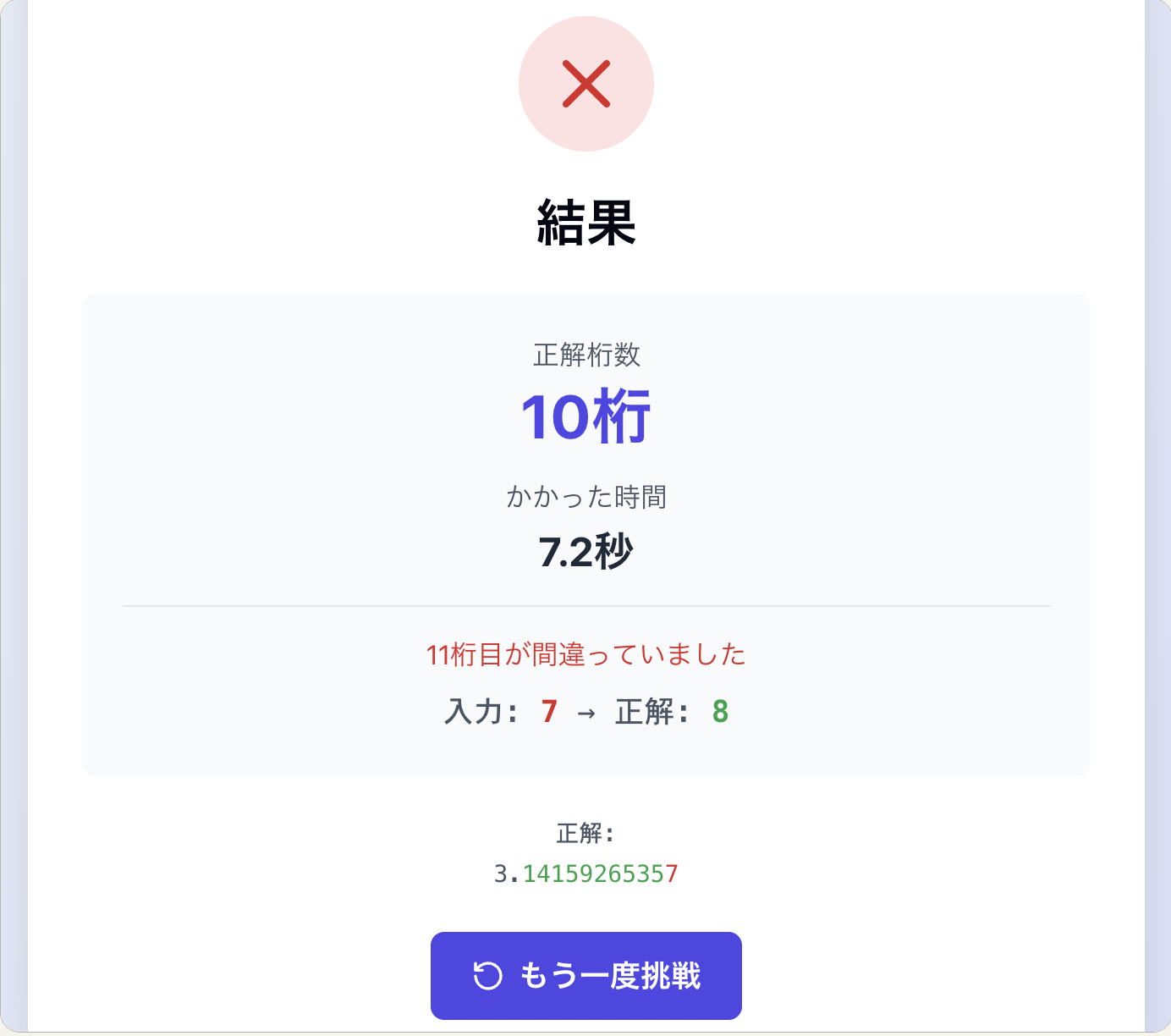
たのしー!! 記憶自慢にもちょうど良いですね!
プログラム解説
ポイントとなるプログラムを解説します。
  useEffect(() => {
    if (gameState === 'playing' && inputRef.current) {
      inputRef.current.focus();
    }
  }, [gameState]);

  const startGame = () => {
    setInput('');
    setGameState('playing');
    setStartTime(Date.now());
    setEndTime(null);
    setCorrectDigits(0);
    setWrongDigit(null);
  };

  const handleInputChange = (e) => {
    const value = e.target.value;

    // 数字のみを許可
    if (!/^\d*$/.test(value)) return;

    const newDigit = value[value.length - 1];
    const position = value.length - 1;

    // 正解チェック
    if (newDigit && PI_DIGITS[position] !== newDigit) {
      // 不正解
      setEndTime(Date.now());
      setGameState('finished');
      setCorrectDigits(position);
      setWrongDigit(newDigit);
      setInput(value);
      return;
    }

    setInput(value);

    // 全桁正解した場合
    if (value.length === PI_DIGITS.length) {
      setEndTime(Date.now());
      setGameState('finished');
      setCorrectDigits(PI_DIGITS.length);
    }
  };

  const formatTime = (ms) => {
    const seconds = Math.floor(ms / 1000);
    const minutes = Math.floor(seconds / 60);
    const remainingSeconds = seconds % 60;
    const milliseconds = ms % 1000;

    if (minutes > 0) {
      return `${minutes}分${remainingSeconds}.${Math.floor(milliseconds / 100)}秒`;
    }
    return `${remainingSeconds}.${Math.floor(milliseconds / 100)}秒`;
  };

  const getElapsedTime = () => {
    if (!startTime) return 0;
    const end = endTime || Date.now();
    return end - startTime;
  };
- 入力が変わるたびに入力された最後の数字を取り出し、円周率 (PI_DIGITS) の対応する桁と比較します。
const handleInputChange = (e) => {
  const value = e.target.value;

  // 数字のみを許可
  if (!/^\d*$/.test(value)) return;

  const newDigit = value[value.length - 1];
  const position = value.length - 1;

  // 正解チェック
  if (newDigit && PI_DIGITS[position] !== newDigit) {
    // 不正解
    setEndTime(Date.now());
    setGameState('finished');
    setCorrectDigits(position);
    setWrongDigit(newDigit);
    setInput(value);
    return;
  }

  setInput(value);
  ・・・
};
おわりに
- プロンプト一発でおもしろいゲームができました。
- ぜひとも無限に遊んでいただけると嬉しです。
AI で楽しいアプリ開発を!!
この記事は AI Code Challenge Advent Calender 2025 の 10 日目の記事です!
9日目の記事:映画のセリフで英語の発音練習するアプリを作ってみた!
11日目の記事:AIが提案してくれるやることルーレットアプリを作ってみた!