4
0

Delete article

Deleted articles cannot be recovered.

Draft of this article would be also deleted.

Are you sure you want to delete this article?

【PowerPoint】Office Agent(Frontier)を試す

Last updated at Posted at 2025-12-16

はじめに

いつものようにCopilotと会話するためにM365アプリを開いたところ、Office Agent(Frontier)というアプリを見つけました。

image.png

「あれ、こんなのいたっけ?」ということで、試してみました。

2025/12/16に検証した際の記事になります。

試したいこと

私が書いている以下の記事をパワポにしてもらおうかと思います。

プロンプト

以下の文章をPowerPointでまとめて なるべくシンプルなスライドで、1スライド1メッセージを意識して作って。
+記事のMarkdownをコピペ

image.png

出力の様子

Markdownを読み取って、プレゼンの対象等を読み取ってくれます。
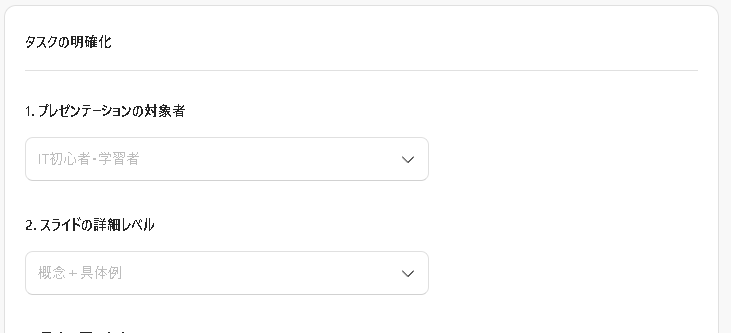
image.png

重点を置く内容を決められます。

image.png

テーマも決められます。

全部で18種類、シンプルなものが多めでした。
image.png

決めた後は勝手に色々タスクを順番にこなしてくれます。

image.png

作成中のスライドが横に出てきます。

image.png

完了すると右上にこれが出てきます

image.png

「プレゼント」ボタンを押す

パワポ作ってくれた画面のままプレゼンテーションができます。
発表者ビューとかは出せませんでした。

image.png

ダウンロードしたファイルがこちらです。(修正していません。)

最後に

今回は簡単な検証でしたが、Office Agentを使えば誰でも手軽にプレゼンのたたき台を作成できることが分かりました。
図を駆使するにはまだ工夫できる余地があるのかもしれませんが、それはまたの機会としたいと思います。

4
0
0

Register as a new user and use Qiita more conveniently

  1. You get articles that match your needs
  2. You can efficiently read back useful information
  3. You can use dark theme
What you can do with signing up
4
0

Delete article

Deleted articles cannot be recovered.

Draft of this article would be also deleted.

Are you sure you want to delete this article?
