
はじめに
いつもはStoryboardからAutoLayoutを使用し制約を付けていたのですが、
コードから制約をつける機会があり、NSLayoutAnchorを使用したので、その方法を記載したいと思います。
今回はTwitterのように、画面の右下に固定されたボタンを表示させる方法を書いていきます(UITableViewの上に設置しています)。
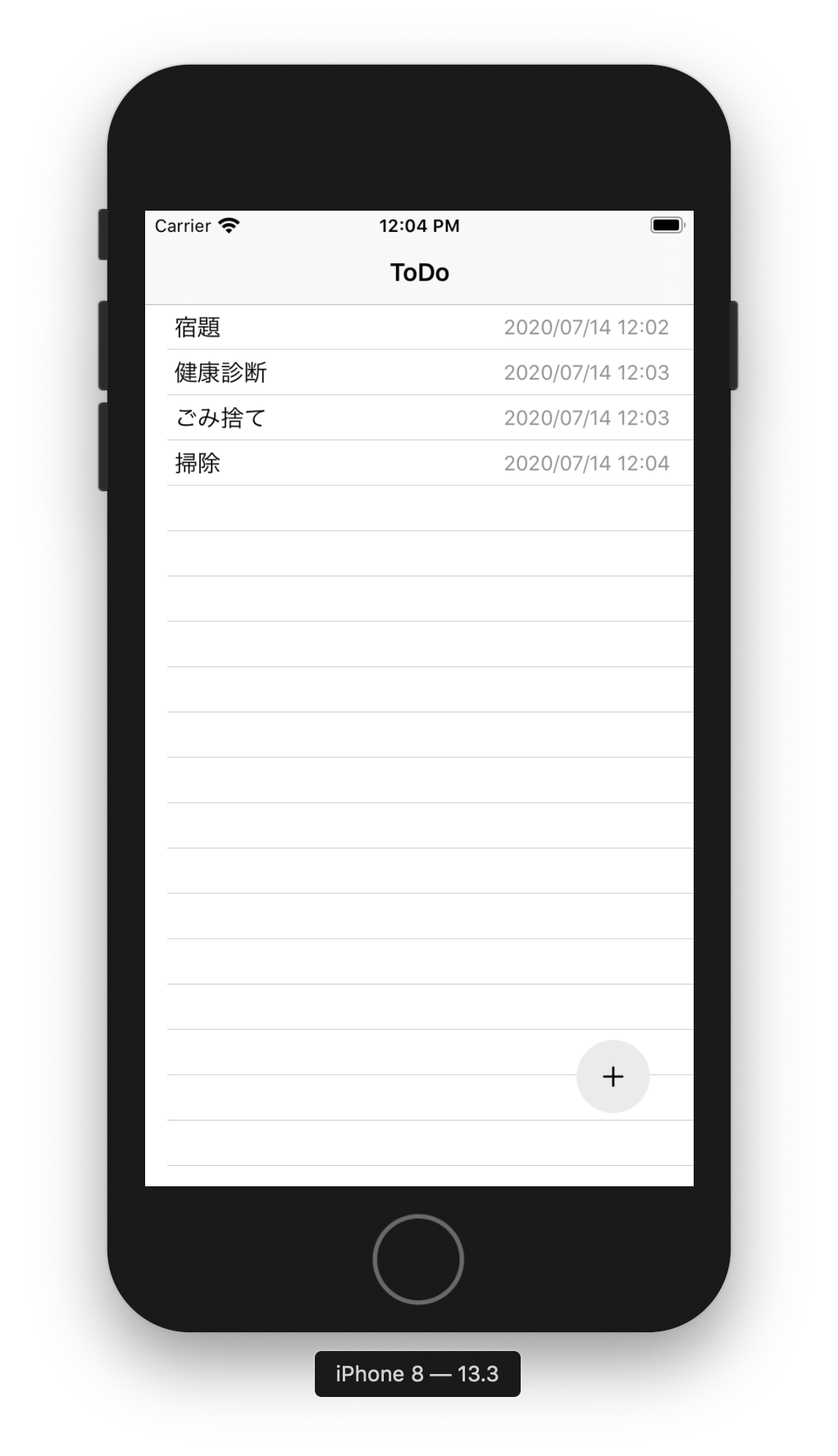
環境
- Swift:5.1.3
- Xcode:11.3.1
NSLayoutAnchorの使い方
こちらの記事が詳しいです。
どの位置を起点にして制約をつけるかは、先ほどの記事を引用させていただくと下記のようになります。
| プロパティ名 | 位置 |
|---|---|
| leadingAnchor | 左端 |
| trailingAnchor | 右端 |
| topAnchor | 上端 |
| bottomAnchor | 下端 |
| centerYAnchor | オブジェクトのY座標軸の中心 |
| centerXAnchor | オブジェクトのX座標軸の中心 |
| widthAnchor | オブジェクトの横幅 |
| heightAnchor | オブジェクトの縦幅 |
実装してみる
// UIButtonを生成する
let plusButton = UIButton()
// 必ずfalseにする(理由は後述)
plusButton.translatesAutoresizingMaskIntoConstraints = false
// tintColorを黒にする
plusButton.tintColor = .black
// グレーっぽくする
plusButton.backgroundColor = UIColor(red: 0.92, green: 0.92, blue: 0.92, alpha: 1)
// 正円にする
plusButton.layer.cornerRadius = 25
// plustButtonのImageをplus(+)に設定する
plusButton.setImage(UIImage(systemName: "plus"), for: .normal)
// ViewにplusButtonを設置する(必ず制約を設定する前に記述する)
self.view.addSubview(plusButton)

// 以下のコードから制約を設定している
// plustButtonの下端をViewの下端から-50pt(=上に50pt)
plusButton.bottomAnchor.constraint(equalTo: self.view.bottomAnchor, constant: -50).isActive = true
// plustButtonの右端をViewの右端から-30pt(=左に30pt)
plusButton.trailingAnchor.constraint(equalTo: self.view.trailingAnchor, constant: -30).isActive = true
// plustButtonの幅を50にする
plusButton.heightAnchor.constraint(equalToConstant: 50).isActive = true
// plusButtonの高さを50にする
plusButton.widthAnchor.constraint(equalToConstant: 50).isActive = true
注意点
制約は必ず部品を配置してから
部品を配置していないのに制約をつけることはできません。
つまり、今回で言うと制約を設定する前にself.view.addSubview(plusButton)を記述しておく必要があります。
そうしないとビルドは通りますが、下記実行時エラーでクラッシュします。
Terminating app due to uncaught exception 'NSGenericException', reason: 'Unable to activate constraint with anchors <NSLayoutYAxisAnchor:0x600003dec2c0 "UIButton:0x7fa4a7704d90.bottom"> and <NSLayoutYAxisAnchor:0x600003d6b140 "UIView:0x7fa4a77024c0.bottom"> because they have no common ancestor. Does the constraint or its anchors reference items in different view hierarchies? That's illegal.'
translatesAutoresizingMaskIntoConstraints は false に
translatesAutoresizingMaskIntoConstraintsはAutoLayout以前に使われていたAutosizingというレイアウトの仕組みを、AutoLayoutに変換するかどうかを設定するフラグらしいです。
デフォルトでは、trueになっていますが、Autosizingの制約とAutoLayoutの制約がコンフリクトを起こす可能性があり、意図した動作にならないことがあるのでfalseにしましょう。
今回の場合、falseに設定しないとplusButtonが表示されませんでした。