
はじめに
GitHub Actions上でdockerコンテナを起動し、Spring Bootのアプリケーションを動かす場合があります。
そのとき、Actions secretsに登録しておいたバリューをSpring Bootのapplication.propertiesまで渡す方法について説明します。
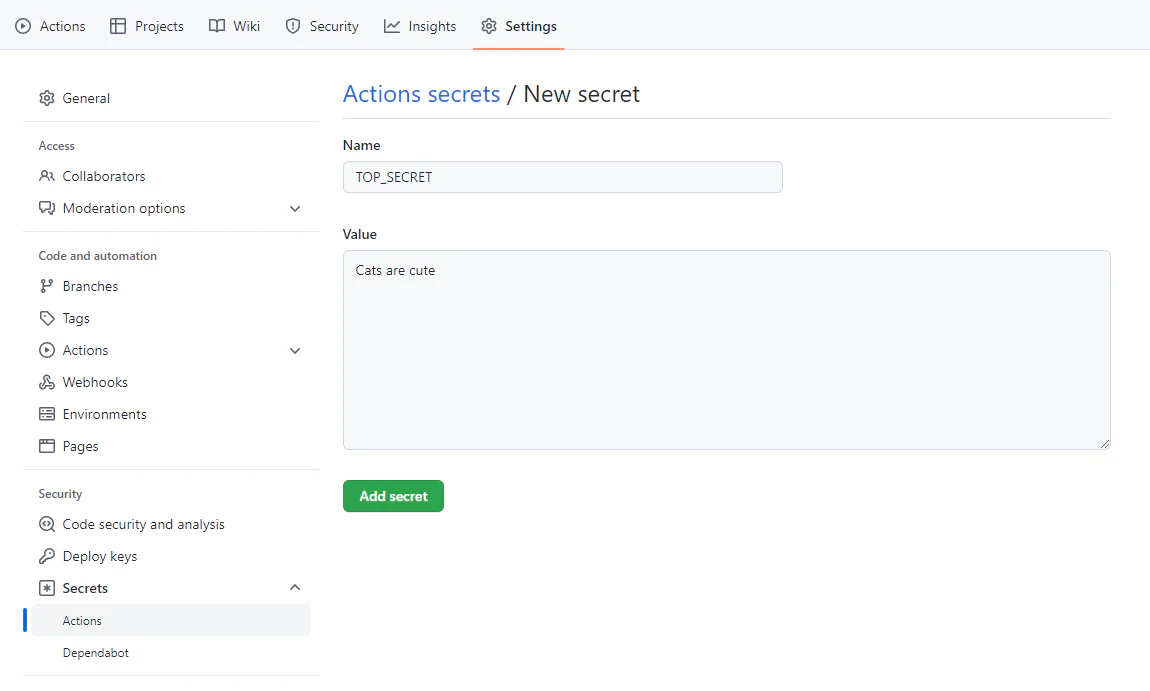
secretを登録
レポジトリのSettingsでシークレットを登録します。
(例)
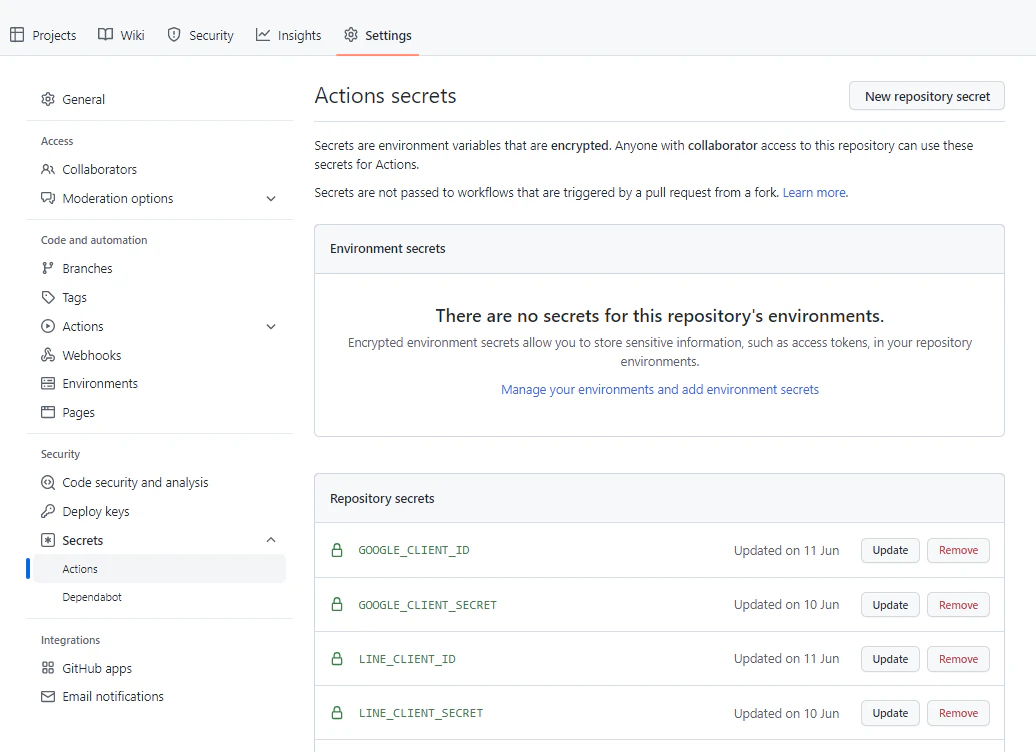
↓登録したシークレットはリストで確認できます。
中身は見えませんので、間違った値を登録してしまったら「Update」で更新しましょう。
ワークフローファイルにsecretを設定
登録したシークレットをワークフロー内で環境変数として設定します。
secretsコンテキストを使って、シークレットにアクセスすることができます。
 test:

    runs-on: ubuntu-20.04
    env:
      GOOGLE_CLIENT_SECRET: ${{ secrets.GOOGLE_CLIENT_SECRET }}
      GOOGLE_CLIENT_ID: ${{ secrets.GOOGLE_CLIENT_ID }}
      LINE_CLIENT_SECRET: ${{ secrets.LINE_CLIENT_SECRET }}
      LINE_CLIENT_ID: ${{ secrets.LINE_CLIENT_ID }}
    steps:
    - uses: actions/checkout@v2

    - run: docker-compose -f docker-compose-gitaction.yml build
    - run: docker-compose -f docker-compose-gitaction.yml up --abort-on-container-exit
docker-compose.ymlでenvironmentとして設定
ワークフローで設定した環境変数をdocker-compose.ymlのenvironmentに設定します。
version: '3.8'
services:
  web_test:
    container_name: 'web_test'
    build:
      context: .
    tty: true
    working_dir: '/gongbu/home'
    ports:
      - "8080:8080"
    environment:
      - GOOGLE_CLIENT_SECRET=${GOOGLE_CLIENT_SECRET}
      - GOOGLE_CLIENT_ID=${GOOGLE_CLIENT_ID}
      - LINE_CLIENT_SECRET=${LINE_CLIENT_SECRET}
      - LINE_CLIENT_ID=${LINE_CLIENT_ID}
コンテナ内の環境変数をapplication.propertiesで利用
Spring Bootにて環境変数をapplication.propertiesに設定する方法は${環境変数名}です。
で、上記のdocker-compose実行時、設定した環境変数を書き込んだら終わりです。
spring.security.oauth2.client.registration.google.client-secret=${GOOGLE_CLIENT_SECRET}
spring.security.oauth2.client.registration.google.client-id=${GOOGLE_CLIENT_ID}
spring.security.oauth2.client.registration.line.client-secret=${LINE_CLIENT_SECRET}
spring.security.oauth2.client.registration.line.client-id=${LINE_CLIENT_ID}
参考サイト
私のGitHubリポジトリ
workflow ci_cd.yml
docker-compose-gitaction.yml
application-test.properties