はじめに
message.propertiesでカスタマイズした入力エラーメッセージを作成する方法について説明します。
message.propertiesにいっぺんに書いておくことで入力エラーメッセージを管理しやすくなると思います。
バリデーションチェックしたいクラス作成
import lombok.Getter;
import lombok.Setter;

import javax.validation.constraints.NotBlank;
import javax.validation.constraints.Size;

@Getter
@Setter
public class WordAddRequestDto {

    @NotBlank
	@Size(max=10)
    private String wordName;

    @NotBlank
	@Size(max=10)
    private String wordPronunciation;

    @NotBlank
	@Size(max=10)
    private String wordMeaning;

	@Size(max=10)
    private String wordExample;
}
プロパティにバリデーションアノテーションを付けます。
@Sizeの場合、max属性で最大何文字まで入力できるかが設定できます。
message.properties作成
# for property of error message
wordName=ことば
wordPronunciation=発音
wordMeaning=意味
wordExample=例文

# for validation error message
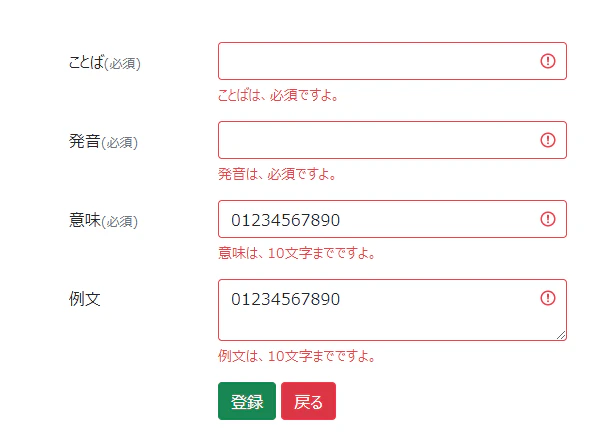
NotBlank={0}は、必須ですよ。
Size={0}は、{1}文字までですよ。
Size={0}は、{1}文字までですよ。
→{0}, {1}...は順序にプロパティ名、アノテーションに指定した属性が設定されます。
確認