
もっと・・・もっと強いAIを・・・
物足りない、一般公開されているChatGPTでは全然物足りない!
・・と思ったので、
この辺を参考に・・・専門用語に強い環境をつくります!
うまくいくといいなぁ!
学術論文PDFからの著者所属情報の抽出と分類
こいつかっ!
えっ・・・Apple silicon対応してない・・?
あちゃー・・・
これはもう、ソースからビルドするしかない・・・
JAVAのバージョン確認!
java -version
ない!インストール!
Homebrewでインストール
brew install openjdk@17
パスを追加
echo 'export PATH="/usr/local/opt/openjdk@17/bin:$PATH"' >> ~/.bash_profile
どっちのシェルか確認
echo $SHELL
/bin/zsh なら
echo 'export PATH="/usr/local/opt/openjdk@17/bin:$PATH"' >> ~/.zshrc
source ~/.zshrc
/bin/bash なら
echo 'export PATH="/usr/local/opt/openjdk@17/bin:$PATH"' >> ~/.bash_profile
source ~/.bash_profile
設定を反映
source ~/.bash_profile
システムのJavaとして認識させる
sudo ln -sfn /usr/local/opt/openjdk@17/libexec/openjdk.jdk /Library/Java/JavaVirtualMachines/openjdk-17.jdk
ターミナルの画面はこんな感じ!
Mac-mini:~ yukin_co$ sudo ln -sfn /usr/local/opt/openjdk@17/libexec/openjdk.jdk /Library/Java/JavaVirtualMachines/openjdk-17.jdk
Password: ⛄️ここはPCのパスワードを入れるとこ!
Mac-mini:~ yukin_co$ java -version
openjdk version "17.0.17" 2025-10-21
OpenJDK Runtime Environment Homebrew (build 17.0.17+0)
OpenJDK 64-Bit Server VM Homebrew (build 17.0.17+0, mixed mode, sharing)
JAVA 入りました!!
GROBIDをクローン
cd ~/Documents
git clone https://github.com/kermitt2/grobid.git
cd grobid
ビルド開始!
./gradlew clean install
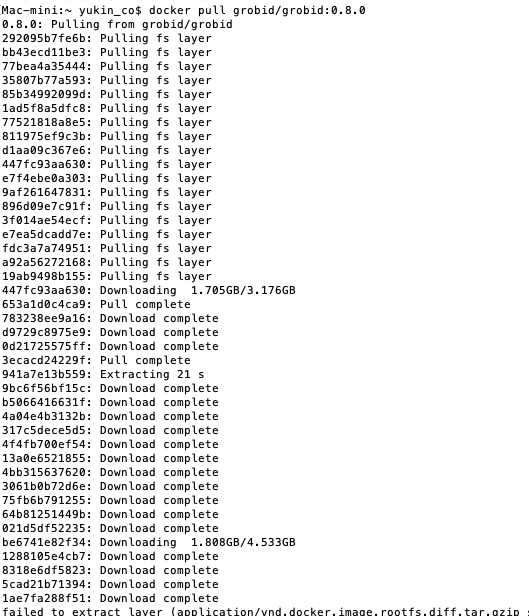
オラオラオラオラ!
オラオラ!
え・・エラーで止まった!?
Here are the highlights of this release:
 - Configuration Cache is the recommended execution mode
 - Gradle requires JVM 17 or higher to run
 - Build scripts use Kotlin 2.2 and Groovy 4.0
 - Improved Kotlin DSL script compilation avoidance

For more details see https://docs.gradle.org/9.0.0/release-notes.html

Starting a Gradle Daemon (subsequent builds will be faster)

Configure project :
Checking git under /Users/yukin_co/Documents/grobid
Current Git revision: 0.8.2-39-ge1acfc377

FAILURE: Build failed with an exception.

What went wrong:
Could not determine the dependencies of task ':grobid-core:publishMavenJavaPublicationToMavenLocal'.
> Failed to calculate the value of task ':grobid-core:compileJava' property 'javaCompiler'.
> Cannot find a Java installation on your machine (Mac OS X 15.5 x86_64) matching: {languageVersion=21, vendor=any vendor, implementation=vendor-specific, nativeImageCapable=false}. Toolchain auto-provisioning is not enabled.

Try:
> Learn more about toolchain auto-detection and auto-provisioning at https://docs.gradle.org/9.0.0/userguide/toolchains.html#sec:auto_detection.
> Run with --stacktrace option to get the stack trace.
> Run with --info or --debug option to get more log output.
> Run with --scan to generate a Build Scan (Powered by Develocity).
> Get more help at https://help.gradle.org.

BUILD FAILED in 1m 23s
Java 17を入れたのに、GROBIDはJava 21を要求してます・・・・
Homebrewでインストール!
brew install openjdk@21
エラーにも負けず、バージョン違いにも負けず・・・
Configure project :
Checking git under /Users/yukin_co/Documents/grobid
Current Git revision: 0.8.2-39-ge1acfc377

Task :grobid-core:compileJava
ノート: 一部の入力ファイルは推奨されないAPIを使用またはオーバーライドしています。
ノート: 詳細は、-Xlint:deprecationオプションを指定して再コンパイルしてください。
ノート: 入力ファイルの操作のうち、未チェックまたは安全ではないものがあります。
ノート: 詳細は、-Xlint:uncheckedオプションを指定して再コンパイルしてください。

Task :grobid-trainer:compileJava
ノート: /Users/yukin_co/Documents/grobid/grobid-trainer/src/main/java/org/grobid/trainer/TrainerFactory.javaは推奨されないAPIを使用またはオーバーライドしています。
ノート: 詳細は、-Xlint:deprecationオプションを指定して再コンパイルしてください。
ノート: 入力ファイルの操作のうち、未チェックまたは安全ではないものがあります。
ノート: 詳細は、-Xlint:uncheckedオプションを指定して再コンパイルしてください。

Task :grobid-trainer:generatePomFileForMavenJavaPublication FAILED

[Incubating] Problems report is available at: file:///Users/yukin_co/Documents/grobid/build/reports/problems/problems-report.html

FAILURE: Build failed with an exception.

What went wrong:
Execution failed for task ':grobid-trainer:generatePomFileForMavenJavaPublication'.
> 'org.gradle.api.Project org.gradle.api.artifacts.ProjectDependency.getDependencyProject()'

Try:
> Run with --stacktrace option to get the stack trace.
> Run with --info or --debug option to get more log output.
> Run with --scan to generate a Build Scan (Powered by Develocity).
> Get more help at https://help.gradle.org.

Deprecated Gradle features were used in this build, making it incompatible with Gradle 10.

You can use '--warning-mode all' to show the individual deprecation warnings and determine if they come from your own scripts or plugins.

For more on this, please refer to https://docs.gradle.org/9.0.0/userguide/command_line_interface.html#sec:command_line_warnings in the Gradle documentation.

BUILD FAILED in 1m 48s
19 actionable tasks: 14 executed, 5 up-to-date
Gradle 9.0の新しいバージョンとGROBIDの互換性の問題発生・・・。
cd ~/Documents/grobid
gradle-wrapper.propertiesを書き換え
sed -i '' 's/gradle-8.5.0-bin/gradle-8.5-bin/g' gradle/wrapper/gradle-wrapper.properties
キャッシュクリア
./gradlew clean
再ビルド
./gradlew install
これでいいかな!では改めて
Grobid起動!
cd ~/Documents/grobid
./gradlew run
ターミナルの画面はこんな感じ。
INFO  [2025-11-21 08:49:36,686] org.eclipse.jetty.server.handler.ContextHandler: Started i.d.j.MutableServletContextHandler@3a5e2525{Admin context,/,null,AVAILABLE}
INFO  [2025-11-21 08:49:36,694] org.eclipse.jetty.server.AbstractConnector: Started application@69909c14{HTTP/1.1, (http/1.1)}{0.0.0.0:8070}
INFO  [2025-11-21 08:49:36,696] org.eclipse.jetty.server.AbstractConnector: Started admin@5d3b58ca{HTTP/1.1, (http/1.1)}{0.0.0.0:8071}
INFO  [2025-11-21 08:49:36,698] org.eclipse.jetty.server.Server: Started Server@314a31b0{STARTING}[11.0.25,sto=30000] @13730ms
<============-> 94% EXECUTING [3m 1s]
> :grobid-service:run
起動しました!やったー!
では・・・
ブラウザで http://localhost:8070

よし!セルフビルド、大成功!
ここに論文を突っ込みます!!!
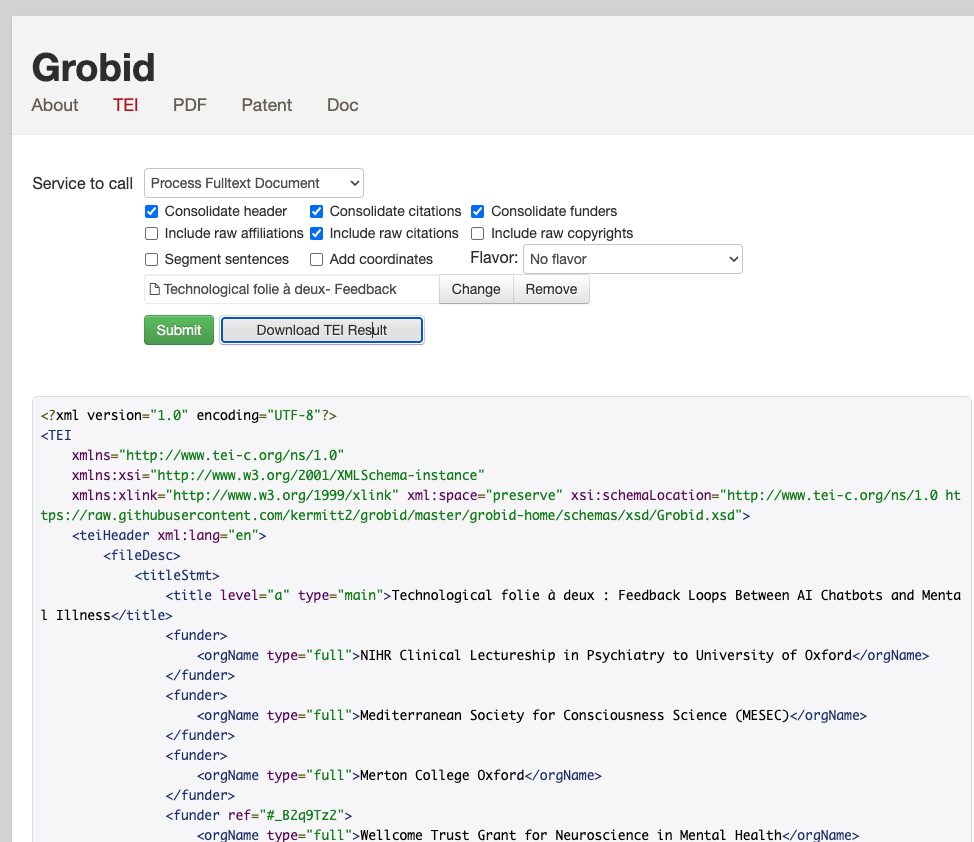
構造化データ!できました!!
ばんざーい!
私は研究パラダイスを作るぞ!