

はじめに
GitHub Actionsを使用してFirebaseにデプロイを実行したところ、エラーが出て、解決に苦戦したので記事にまとめました。
問題
Firebaseにホスティングしようとした際、以下のエラーが発生しました。
Error: Failed to get Firebase project. Please make sure the project exists and your account has permission to access it.
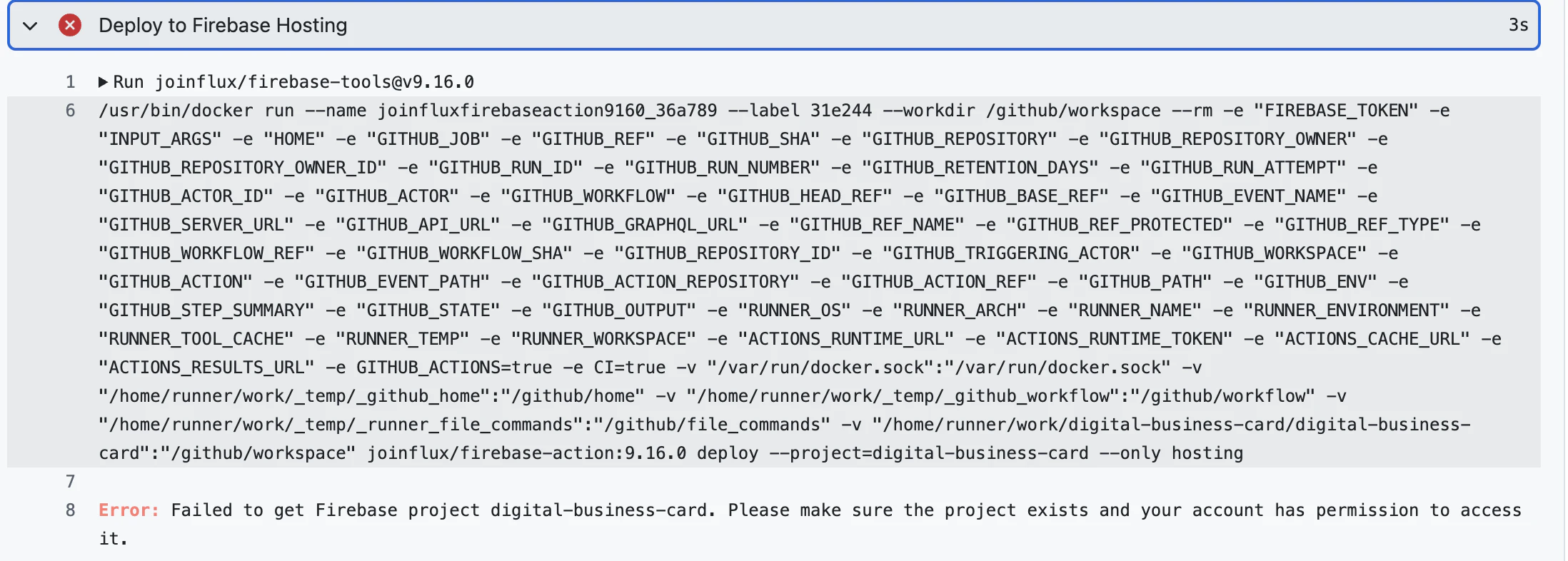
問題のコード
     - name: Deploy to Firebase Hosting
        uses: joinflux/firebase-tools@v9.16.0
        with:
          args: deploy --project=digital-business-card --only hosting #ここで指定しているプロジェクトIDが誤っている
        env:
          FIREBASE_TOKEN: ${{ secrets.FIREBASE_TOKEN }}
根本原因
FirebaseプロジェクトのIDは、プロジェクト作成時に自動生成される一意の識別子です。
プロジェクト名とプロジェクトIDは異なる場合があるため、必ずFirebaseコンソールで正しいプロジェクトIDを確認する必要がありました。
解決方法
Firebaseコンソールで確認した正しいプロジェクトIDに書き換えることで、エラーは解消されました。
- args: deploy --project=digital-business-card --only hosting
+ args: deploy --project=digital-business-card-9b15f --only hosting
FirebaseプロジェクトIDの確認方法
- Firebaseコンソールを開く
- デプロイしたいプロジェクトを選択する
- 左側メニューの歯車アイコン →「プロジェクトの設定」をクリック
- 「全般」タブの「マイアプリ」セクションで「プロジェクトID」を確認
おわりに
今回のエラーは、FirebaseとGitHub Actionsの認証や設定に原因があると思い込んでしまい、
実際には単純なプロジェクトIDの記述ミスだったことに気づくのに時間がかかりました。
同様のエラーに遭遇した際は、まずプロジェクトIDが正しいかを確認することをお勧めします。
参考