この文は以下の2つの方法を使用して、Javaアプリケーションでword文書をマージします。
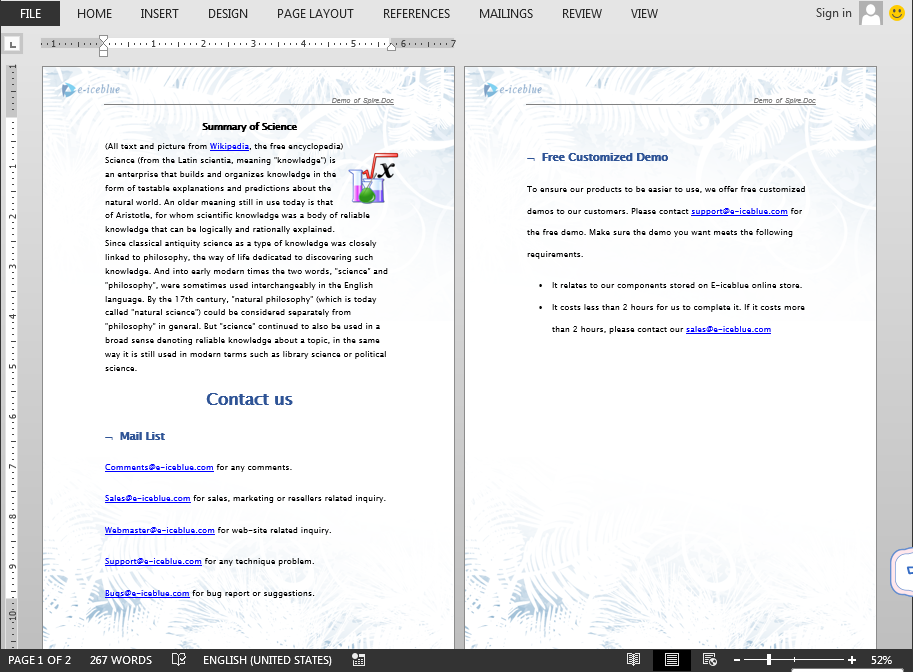
方法1: 結合された文書は新しいページから開始されます
方法2:前文を受けるWord文書をマージする
DockmentクラスのinsertTextFroomFile()を使用して、異なるドキュメントを同じドキュメントに統合できます。この方法でドキュメントを結合すると、結合されたドキュメントの内容がデフォルトで新しいページから表示されます。
import com.spire.doc.Document;
import com.spire.doc.FileFormat;

public class MergeWordDocument {
    public static void main(String[] args){

        //最初の文書を取得するパス
        String filePath1 = "merge1.docx";

        // 2番目の文書のパスを取得します
        String filePath2 = "merge2.docx";

        //最初の文書を読み込む
        Document document = new Document(filePath1);

        // 2番目のドキュメントの内容を最初のドキュメントに挿入します
        document.insertTextFromFile(filePath2, FileFormat.Docx_2013);

        //文書を保存
        document.saveToFile("Output.docx", FileFormat.Docx_2013);

    }
}
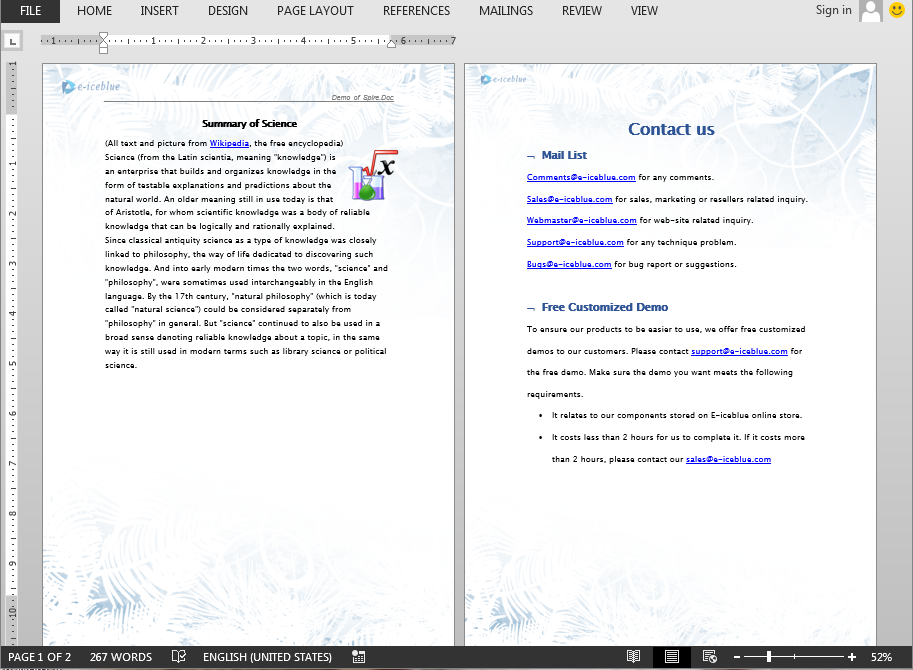
新しく追加するドキュメントが、前のドキュメントの最後の段落の終わりに続いて表示される場合は、次の方法で最初のドキュメントの最後のセレクションを取得し、残りの結合されたドキュメントの段落を新たな段落としてセレクションに追加します。
import com.spire.doc.Document;
import com.spire.doc.DocumentObject;
import com.spire.doc.FileFormat;
import com.spire.doc.Section;

public class MergeWordDocument {
    public static void main(String[] args){

        //最初の文書を取得するパス
        String filePath1 = "merge1.docx";
        //2番目の文書のパスを取得します
        String filePath2 = "merge2.docx";

        //最初の文書を読み込む
        Document document1 = new Document(filePath1);
        //2番目の文書を読み込む
        Document document2 = new Document(filePath2);

        //最初の文書の最後のセレクションを取得します
        Section lastSection = document1.getLastSection();

        //2番目のドキュメントの段落を新しい段落として、最初のドキュメントの最後のアクションに追加します
		 for (Section section:(Iterable <Section>)document2.getSections()) {
            for (DocumentObject obj:(Iterable <DocumentObject>)section.getBody().getChildObjects()
                 ) {
                lastSection.getBody().getChildObjects().add(obj.deepClone());
            }
        }


        //文書を保存
        document1.saveToFile("Output.docx", FileFormat.Docx_2013);

    }
}