0
0

Delete article

Deleted articles cannot be recovered.

Draft of this article would be also deleted.

Are you sure you want to delete this article?

More than 3 years have passed since last update.

[vscode]command+zを戻したい

Posted at

概要

macでvscode入れるとデフォルトでcommand+y(編集を進める?)が効かない。
command+z(編集を戻す)はデフォルトで効くのだが、戻しすぎた時とか間違えて消してしまった場合にcommand+yが使えないと結構困るのでメモとして残しておく。

設定

vscodeを開いて
command+shift+pを押すと以下画面が表示されるので
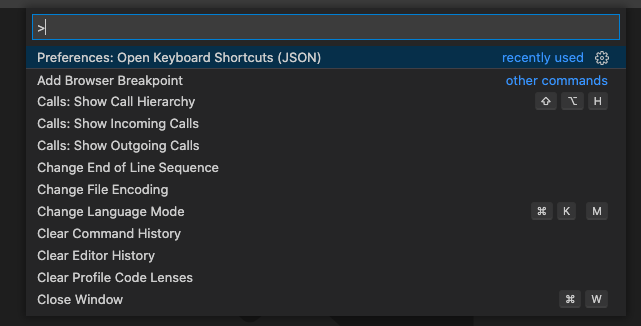
スクリーンショット 2020-12-22 12.58.03.png

>open keyboard shortcuts(json)と検索すると項目が表示されるので上の方を選択する。
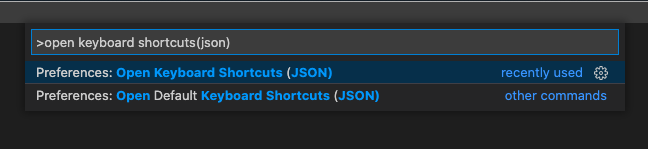
スクリーンショット 2020-12-22 12.59.14.png

そうすると以下のようなファイルが開きます。スクリーンショット 2020-12-22 13.00.27.png

[]の中に

  {
    "key": "cmd+y",
    "command": "redo",
    "when": "editorTextFocus"
  }

を追加すればcommand+yが効くようになります。

0
0
0

Register as a new user and use Qiita more conveniently

  1. You get articles that match your needs
  2. You can efficiently read back useful information
  3. You can use dark theme
What you can do with signing up
0
0

Delete article

Deleted articles cannot be recovered.

Draft of this article would be also deleted.

Are you sure you want to delete this article?