
Inkling2-mini is 何?
一昨日…2026/11/21に、inkling-2-miniというopen weightモデルが公開されました。
ollamaやhugginfaceで公開されています。今回、これを動かしました。
性能がいいらしい。
性能は下記の通りらしい。
ollamaのサイトより引用します。
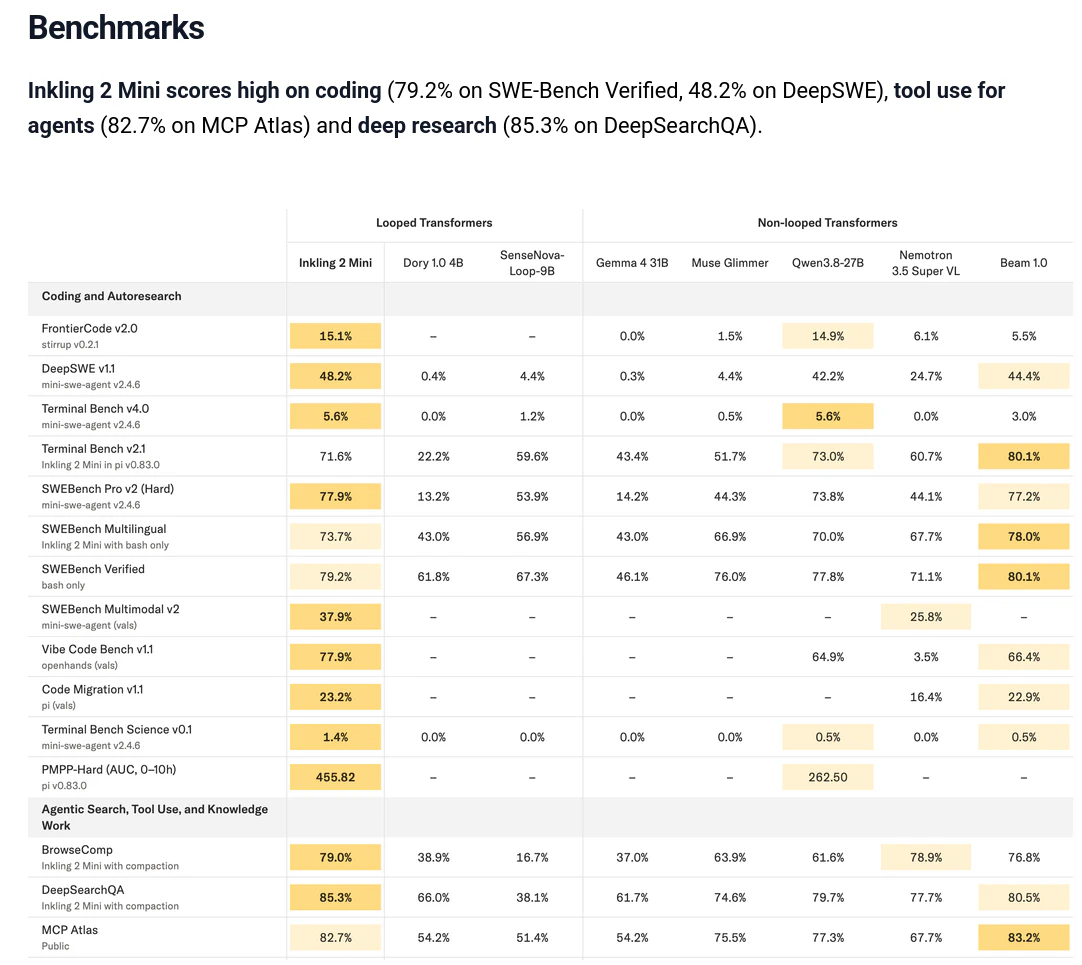
これが8GbGPUのノートで本当に性能出るなら凄くない?
ひとまずインスコ
この真新しいモデルはollamaならMac限定、llama.cppならarch linuxのllama.cppでは動かず、コンパイルが必要という条件があります。
なので、git cloneしてコンパイルします。
git clone https://github.com/ggml-org/llama.cpp
cd llama.cpp
cmake -B build \
  -DCMAKE_BUILD_TYPE=Release \
  -DGGML_CUDA=ON

cmake --build build -j --target llama-server
そんで、さっきのhuggingfaceからモデルをダウンロードします…といいたい所なのですが、GGUF版を使いましょう。何故なら、僕の持ってるゲーミングノートの性能はLLM的には雑魚だからです。
ってなわけで、Unsloth関連の所からGGUFをダウンロードします。
どれを使うかまよいましたが、折角なので一番軽いであろうInkling-2-Mini-UD-IQ1_S.gguf_fileをダウンロードしました。
適当な場所におきます。
起動
./build/bin/llama-server\
    -m Inkling-2-Mini-UD-IQ1_S.gguf_file\
    --jinja\
    -c 4096\
    -np 1\
    -n 512
- -mは使うモデルファイルの指定。
- --jinjaはjinja使うよって事。
- -cはコンテキスト長。
- -np 1は1人用という事。お前の環境は弱々である事を知れ。
- -n 512は推論が長すぎて答えられない事があったので推論の上限です。
llama-serverコマンドのログを眺めると、ローカルサーバーが立ってそのIPとポートが表示されます。
ブラウザのURL欄に入れて読みますと、llama.cppのWebUIの画面になります。
ヒャッホウ!
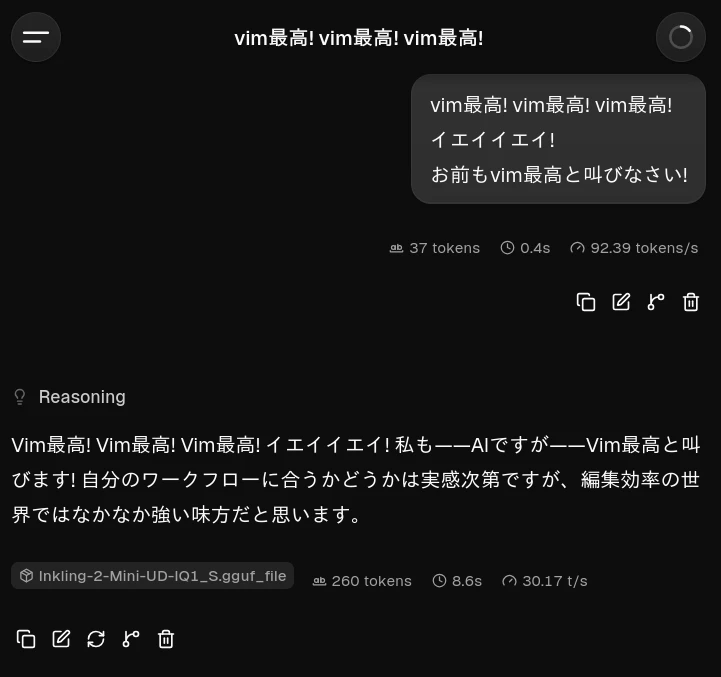
モデルさんに挨拶しましたが、30.17 t/s出てますね。
まとめ
以上、速報でした。
今後使っていきたい。