0
0

Delete article

Deleted articles cannot be recovered.

Draft of this article would be also deleted.

Are you sure you want to delete this article?

【Blender】MMD形式モデルのテクスチャをFBXで使用する方法

Posted at

Add-Onを利用することで、MMD形式のモデルをBlenderで使用できますが、そのままFBX形式で保存しなおすと、テクスチャが剥がれます。
本記事では、テクスチャをFBX形式で問題なく使用するための方法を紹介します。

テクスチャの変換方法

画面右上(<)ボタンをクリックして、MMDウィンドウを開きます。
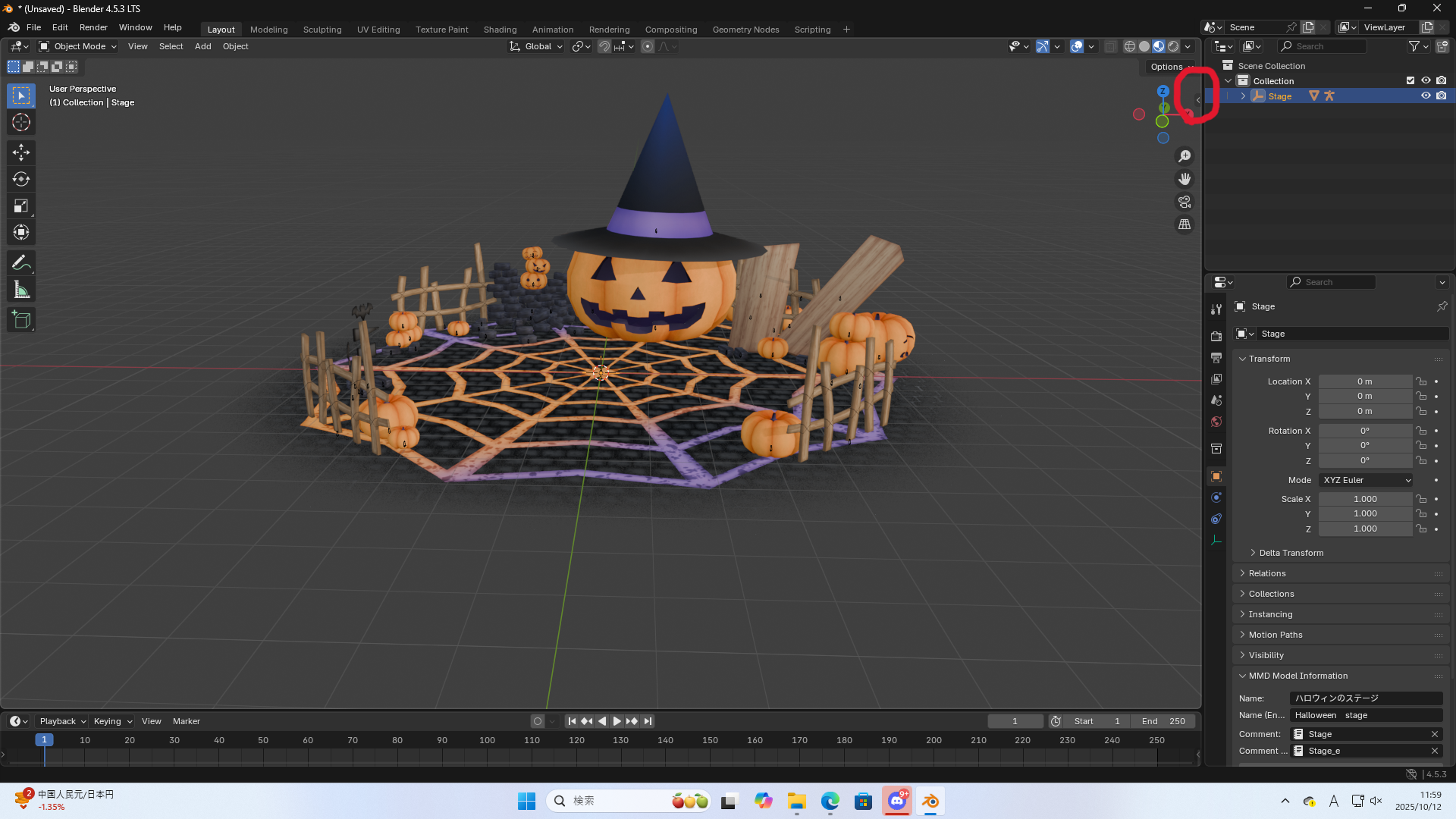
スクリーンショット (21).png
Object Modeで変換したいテクスチャが貼られているモデルを選択した状態で、MMDウィンドウのConvert to Blenderをクリックしてください。
スクリーンショット (22).png
あとは、モデルを任意の方法で保存するだけです。

テクスチャをモデルに埋め込みたい場合は、上記の記事をご参照ください。

総括

  • 元々テクスチャがついているPMXPMDBlenderにインポートした場合、扱える形式にMMDウィンドウから変換を行う必要がある。
0
0
0

Register as a new user and use Qiita more conveniently

  1. You get articles that match your needs
  2. You can efficiently read back useful information
  3. You can use dark theme
What you can do with signing up
0
0

Delete article

Deleted articles cannot be recovered.

Draft of this article would be also deleted.

Are you sure you want to delete this article?