
概要
なんか微分方程式とかでよく見る混沌としたやつをPower Queryで召喚した
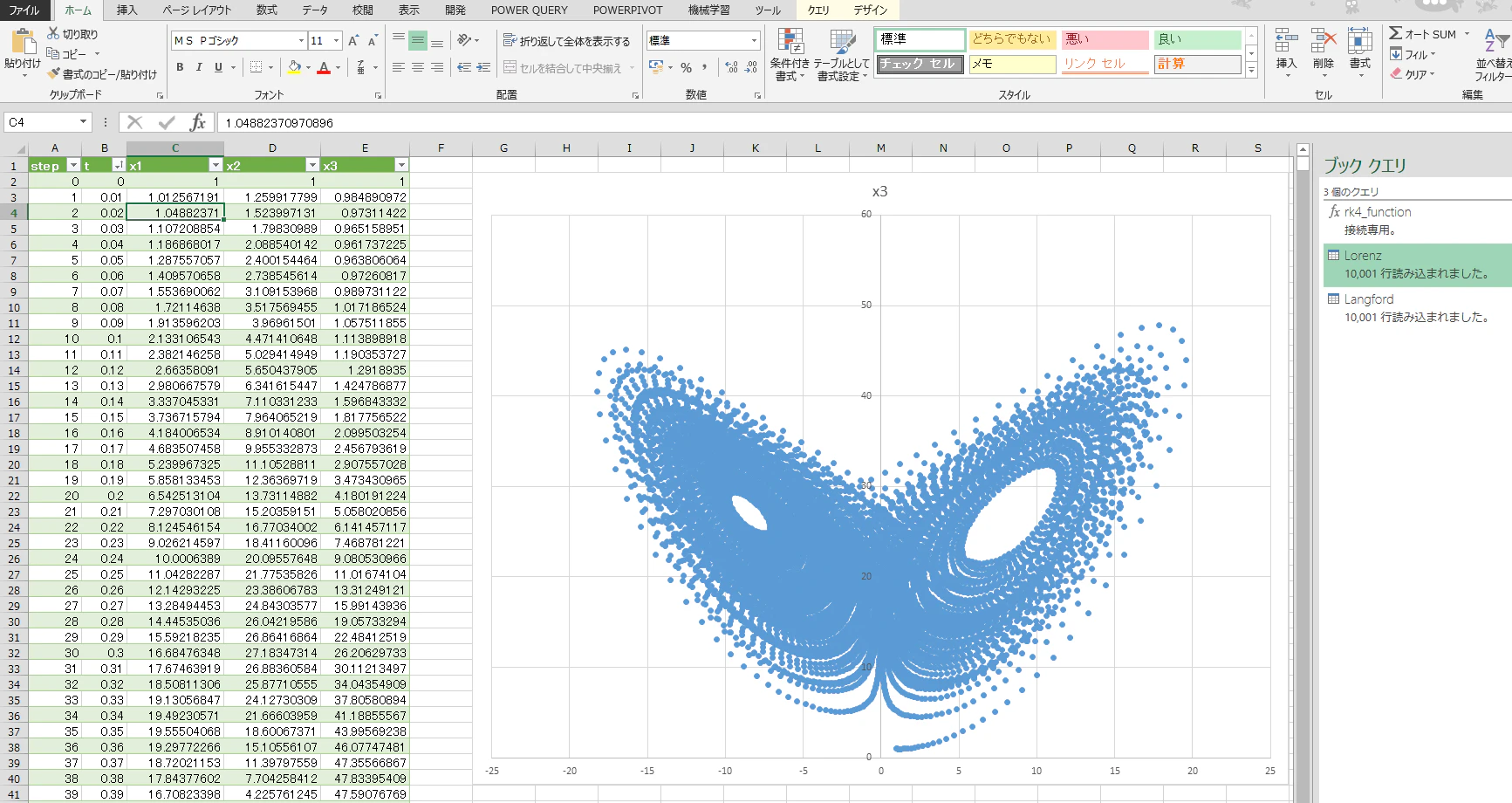
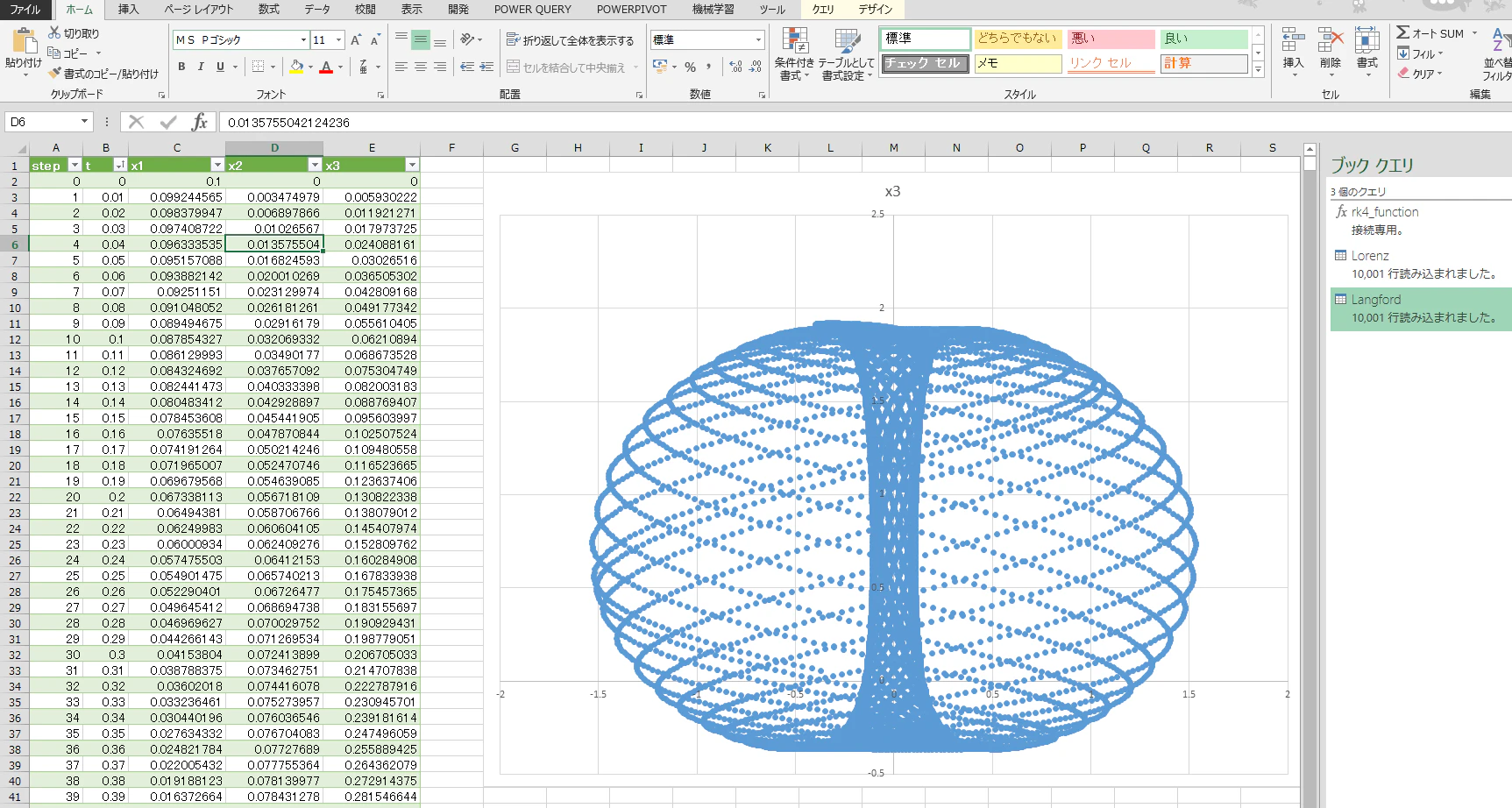
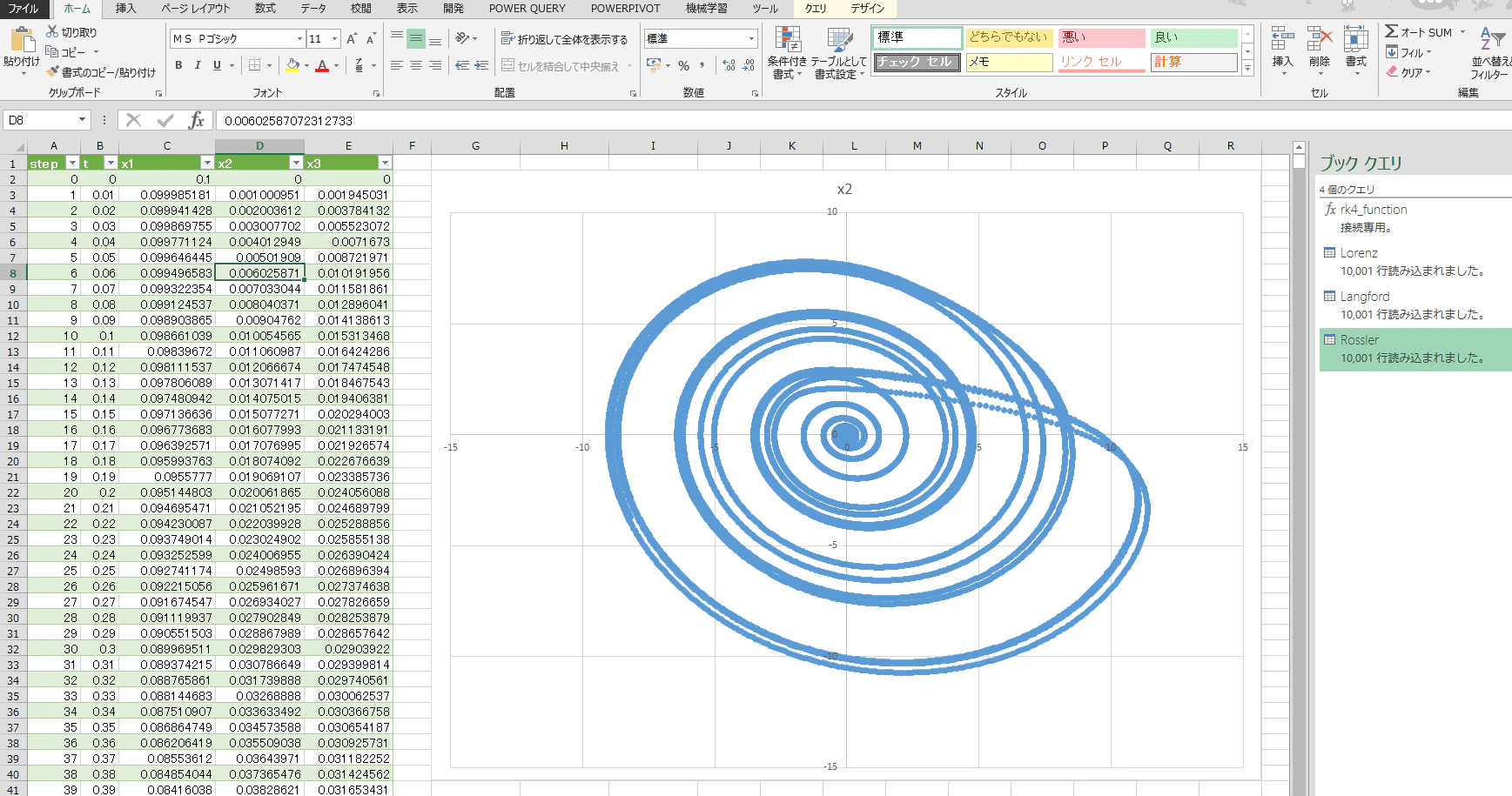
やり方
- 召喚用の関数を用意する
- 式を作って召喚用の関数を呼び出す
- 計算が終わるまでひたすら待つ
1.召喚用の関数(rk4_function)
PowerQueryで無理やりルンゲクッタするための関数
入れ子のletの最後のList.Buffer(next)がないと遅すぎてとてもつらい
(f as function,h as number,steps as number, initial_values as list)=>
let
    rk4 = (x as list) as list =>
    let
        k1 = f(x),
        xk2 = List.Transform({0..List.Count(x)-1}, each x{_} + (h/2.0) * k1{_}),
        k2 = f(xk2),
        xk3 = List.Transform({0..List.Count(x)-1}, each x{_} + (h/2.0) * k2{_}),
        k3 = f(xk3),
        xk4 = List.Transform({0..List.Count(x)-1}, each x{_} + h * k3{_}),
        k4 = f(xk4),
        next = List.Transform({0..List.Count(x)-1}, each x{_} + (h/6.0) * (k1{_} + 2.0*k2{_} + 2.0*k3{_} + k4{_}))
    in
        List.Buffer(next),

    seq = List.Generate(
        ()=> [step = 0, t = 0.0, val = initial_values],
        each [step] <= steps,
        each [step=[step]+1, t=[t]+h, val=rk4([val])]
    ),

    fieldNames = List.Transform({1..List.Count(initial_values)}, each "x" & Text.From(_)),
    tbl = Table.FromList(seq, Splitter.SplitByNothing(), {"Record"}),

    Expanded1 = Table.ExpandRecordColumn(tbl, "Record", {"step","t","val"}, {"step","t","val"}),

    AddRec = Table.TransformColumns(Expanded1, {"val", each Record.FromList(_, fieldNames)}),
    Expanded2 = Table.ExpandRecordColumn(AddRec, "val", fieldNames),

    result = Table.TransformColumnTypes(
        Expanded2,
        {{"step", type number},{"t", type number}} & List.Transform(fieldNames, each {_, type number})
    )
in
    result
2. 式を作って召喚用の関数を呼び出す
下記みたいな感じでrk4_functionを呼ぶ
rk4_functionの第1引数のfに入れる部分は元の式を見ながら頑張って作るか、
LLMにお願いする
- ローレンツ方程式(1個目のやつ)のrk4_functionの呼び出し例
let
    h     = 0.01,
    steps = 10000,
    Lorenz = (x as list) as list =>
    let
        sigma = 10.0,
        rho   = 28.0,
        beta  = 8.0/3.0,
        dx = sigma * (x{1} - x{0}),
        dy = x{0} * (rho - x{2}) - x{1},
        dz = x{0} * x{1} - beta * x{2}
    in
        {dx, dy, dz},

    result = rk4_function(Lorenz,h,steps,{1,1,1})
in
    result
(参考)元の式
$$
\frac{dx}{dt} = \sigma (y - x)
$$
$$
\frac{dy}{dt} = x(\rho - z) - y
$$
$$
\frac{dz}{dt} = xy - \beta z
$$
3. 計算が終わるのをひたすら待つ
1秒ぐらい待つ (今回の例だと1万step/秒)
正直思ったより実用性があって笑える
まとめ
PowerQueryすごい
おまけ
余談
このへんを使えば、userformで今回のやつを3Dで表示できるとおもうよ(面倒くさいので誰か書いて)
他の呼び出し例
- Langford(2個目のやつ)
let
    h     = 0.01,
    steps = 10000,
    Langford = (x as list) as list =>
    let
        x1 = x{0},
        x2 = x{1},
        x3 = x{2},
        alpha = 1.0,
        beta  = 0.7,
        gamma = 0.6,
        omega = 3.5,
        rho   = 0.25,
        eps   = 0.0,
        dx1 = (x3 - beta) * x1 - omega * x2,
        dx2 = omega * x1 + (x3 - beta) * x2,
        dx3 = gamma + alpha * x3 - (x3*x3*x3)/3.0 - (x1*x1 + x2*x2) * (1 + rho * x3) + eps * x3 * (x1*x1*x1)
    in
        {dx1, dx2, dx3},
    result = rk4_function(Langford, h, steps, {0.1, 0.0, 0.0})
in
    result
- Rossler(3個目のやつ)
let
    h     = 0.01,
    steps = 10000,
    Rossler = (x as list) as list =>
    let
        x1 = x{0},
        x2 = x{1},
        x3 = x{2},

        a = 0.2,
        b = 0.2,
        c = 5.7,

        dx1 = -x2 - x3,
        dx2 = x1 + a * x2,
        dx3 = b + x3 * (x1 - c)
    in
        {dx1, dx2, dx3},
    result = rk4_function(Rossler, h, steps, {0.1, 0.0, 0.0})
in
    result
This article shows how to implement the Runge–Kutta 4th order method (RK4) in Power Query M to solve ordinary differential equations (ODEs). By defining a function f, a step size, number of steps, and initial values, the code generates a sequence of time steps and outputs the solution as a clean table.
Key points:
Implements the RK4 algorithm to compute the next state from the current values.
Uses List.Generate to build a sequence of steps with time t and state variables.
Expands the results into a table with columns like step, t, x1, x2, etc.
Can be applied to systems such as a harmonic oscillator, producing sine/cosine-like results.
The article highlights how Power Query can be used not only for data transformation but also as a numerical simulation tool inside Excel or Power BI.