
Payroll looks like the easiest project a developer can take on. A few forms, a table of employees, some arithmetic at the end of the month, and a PDF payslip. I believed that until I started studying how real payroll systems fail.
Payroll is not a CRUD app. It is a financial calculation engine, an audit system, and a permissions system wearing a CRUD costume. A bug in a normal app shows an error page. A bug in payroll pays a real person the wrong amount of money, and that person notices within minutes.
Here is what building this kind of system teaches you about software.
1. Money Is Not a Float
The first lesson arrives in the first week: never store or calculate money with floating point numbers.
The Classic Bug
Code Example
// Do not do this
const salary = 0.1 + 0.2; // 0.30000000000000004

// Store money as integer minor units instead
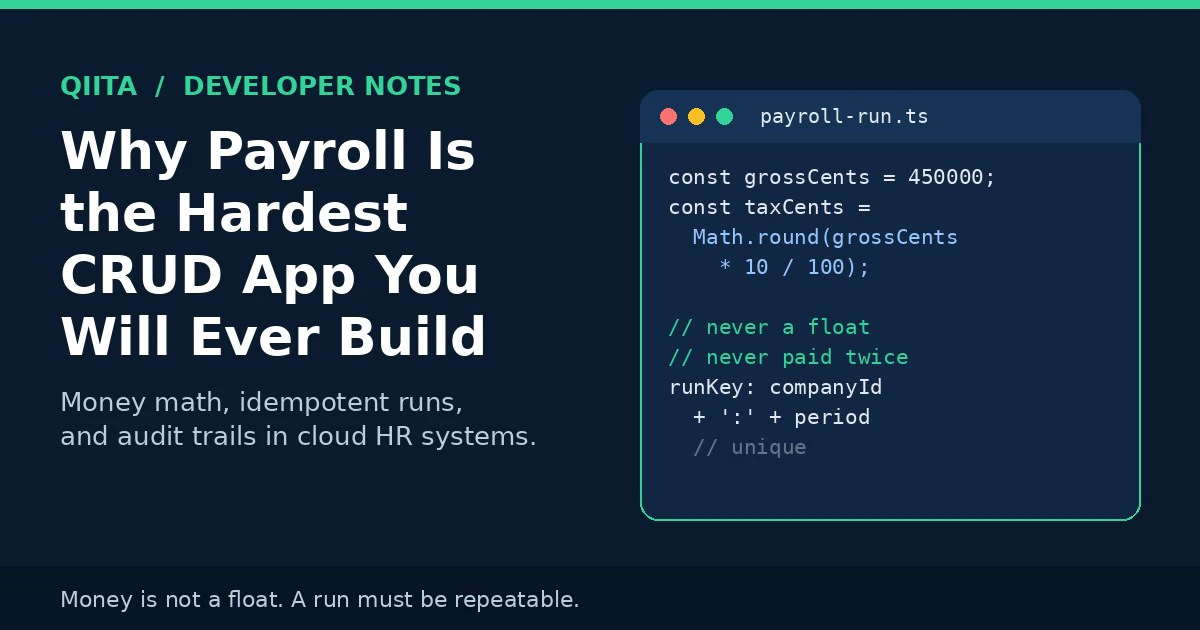
const grossCents = 450000; // 4,500.00 in major units
const taxCents = Math.round(grossCents * 10 / 100);
const netCents = grossCents - taxCents;
Binary floating point cannot represent most decimal fractions exactly, so small rounding errors appear and then compound across hundreds of employees. The fix is boring and absolute: store money as integers in the smallest currency unit, or use an exact decimal type in the database.
PostgreSQL makes this choice explicit in its own documentation. The numeric type is described as recommended for monetary amounts where exactness is required, while floating point types are documented as inexact. That one column decision, made on day one, prevents an entire category of bugs that are almost impossible to hunt down later.
Rounding is a business rule too, not a detail. Does tax round per employee or per department total? Does overtime round to the nearest minute, quarter hour, or not at all? Write the rule down, put it in one function, and test that function like your job depends on it, because on payday it does.
2. A Payroll Run Must Be Repeatable
A payroll run is a calculation over a moving target. Salaries change, people join and leave, tax tables update. If you run the same period again next month, will you get the same answer?
Snapshot the Inputs
A correct run does not read live data. It snapshots everything it used: the salary values, the approved leave, the hours, and the version of the tax rules in force for that period. The payslip produced in March must still be explainable in December, even after three salary revisions.
Make Retries Safe
Runs also fail halfway. A payment file is generated, the connection drops, and someone clicks the button again. Without protection, that second click can pay everyone twice.
The standard defense is an idempotency key: one unique key per company and period, so a retry returns the existing run instead of creating a new one. Payment APIs solved this years ago, and the Stripe guide to idempotent requests is still the clearest explanation of the pattern.
Code Example
type PayrollRun = {
  companyId: string;
  period: string; // "2026-11"
  runKey: string; // companyId + period, unique in the database
  rulesVersion: string; // tax table version used for this run
  status: "draft" | "approved" | "paid";
};

async function createRun(input: PayrollRun) {
  // The unique constraint on runKey is the real safety net.
  // A retry hits the constraint and returns the existing run.
  return db.payrollRun.upsert({
    where: { runKey: input.runKey },
    create: input,
    update: {},
  });
}
Notice that the code is not clever. The database constraint does the work. In payroll, that is a compliment.
3. One Employee Record, Many Readers
The second big lesson is architectural. In a spreadsheet world, payroll keeps its own copy of every fact: a salary figure here, a leave balance there, hours in a third file. Every copy is a chance to disagree.
A cloud system only works when that copying stops. HR holds the employee record. Attendance reads it. Leave reads it. Payroll reads the same record at run time instead of importing its own version of the truth.
That single record design is the technical core behind cloud based hr and payroll: one employee record, updated once, that every module reads from, so an approved raise, a leave approval, and recorded hours all reach the payslip without anyone retyping them.
A Salary Change as an Event
{
  "type": "salary.changed",
  "employeeId": "emp_1042",
  "oldMonthlyCents": 380000,
  "newMonthlyCents": 410000,
  "effectiveFrom": "2026-12-01",
  "approvedBy": "mgr_207"
}
Model changes as dated, approved events and two hard problems become simpler. Proration has a clear start date to calculate from, and the audit question "who approved this change, and when" already has an answer stored with the change itself.
4. Salary Data Needs Field Level Control
Most apps treat access control as a page level question: can this user open the payroll screen? Payroll data breaks that model, because the same record holds harmless fields and highly sensitive ones side by side.
- A manager should see their team list, leave dates, and approval tasks
- The same manager should not automatically see every salary on that team
- Payroll staff need salary and bank details, but not performance notes
- An employee should see all of their own record, and none of anyone else's
That means permissions belong at field level, enforced on the server on every request, and denied by default. This is exactly the model the OWASP Authorization Cheat Sheet recommends: least privilege, deny by default, and validate permissions on every request rather than trusting the interface to hide what the API would happily return.
Every read and change of a salary field should also land in an audit log. When money is involved, "the database says so" is not an explanation. Who changed it, what the old value was, and when it changed is part of the data.
5. Time Is a Business Rule, Not a Date Object
Ask a developer to calculate pay for someone who joined on the 17th of the month, took two days of unpaid leave, and worked three hours of overtime, and the date library suddenly stops being the hard part. The rules are the hard part.
- Proration: which days count, calendar days or working days?
- Unpaid leave: does it reduce salary only, or allowances too?
- Overtime: which rate applies, and after how many hours?
- Time zones: for remote staff, whose midnight ends the shift?
None of these questions has a universal answer. Each company, and sometimes each country, answers them differently. Good payroll code keeps these answers in a small, named, heavily tested rules module, separate from the API and the interface, so a rule change is a small reviewable diff and not a treasure hunt through the codebase.
6. A Pre-Payday Checklist for Developers
Before any payroll release, I would want these eight checks green:
- No money value is stored or calculated as a float anywhere in the codebase
- Every money column uses integer minor units or an exact decimal type
- A repeated run request for the same period returns the existing run
- A run can be recalculated later from its snapshot and produce identical results
- Salary fields are blocked at API level for roles without explicit permission
- Every salary, bank detail, and deduction change writes an audit log entry
- Proration, unpaid leave, and overtime rules each have their own unit tests
- A full test run is compared line by line against the previous system before go live
None of this needs a large team. It needs the discipline to treat payroll as finance software from the first commit.
Conclusion
Payroll is a strict teacher. It punishes floating point shortcuts, duplicate copies of the same fact, vague permissions, and untested business rules, and it punishes them in public, on a fixed date every month.
Build it with exact money types, repeatable runs, one shared employee record, field level access control, and an audit trail, and you have not just built payroll. You have learned patterns that make every other system you build safer too.
I am an SEO Executive and web developer. I write about the overlap between how systems are built and how they hold up in real use.