0
0

Delete article

Deleted articles cannot be recovered.

Draft of this article would be also deleted.

Are you sure you want to delete this article?

Google Colabで作る “摂氏 ↔ 華氏” 温度変換アプリ(Gradioで簡単Web化)

Last updated at Posted at 2025-12-01

この記事では、Python と Gradio を使って
摂氏(℃) ↔ 華氏(°F) の双方向変換ができる
シンプルな 温度変換Webアプリ を Google Colab 上で作成する方法を紹介します。

Google Colab 上で動作するため、
インストール不要・初心者でも簡単に作成できるのが特徴です。

🎨 完成イメージ

温度を入力し、「C→F」または「F→C」を選ぶだけ👇
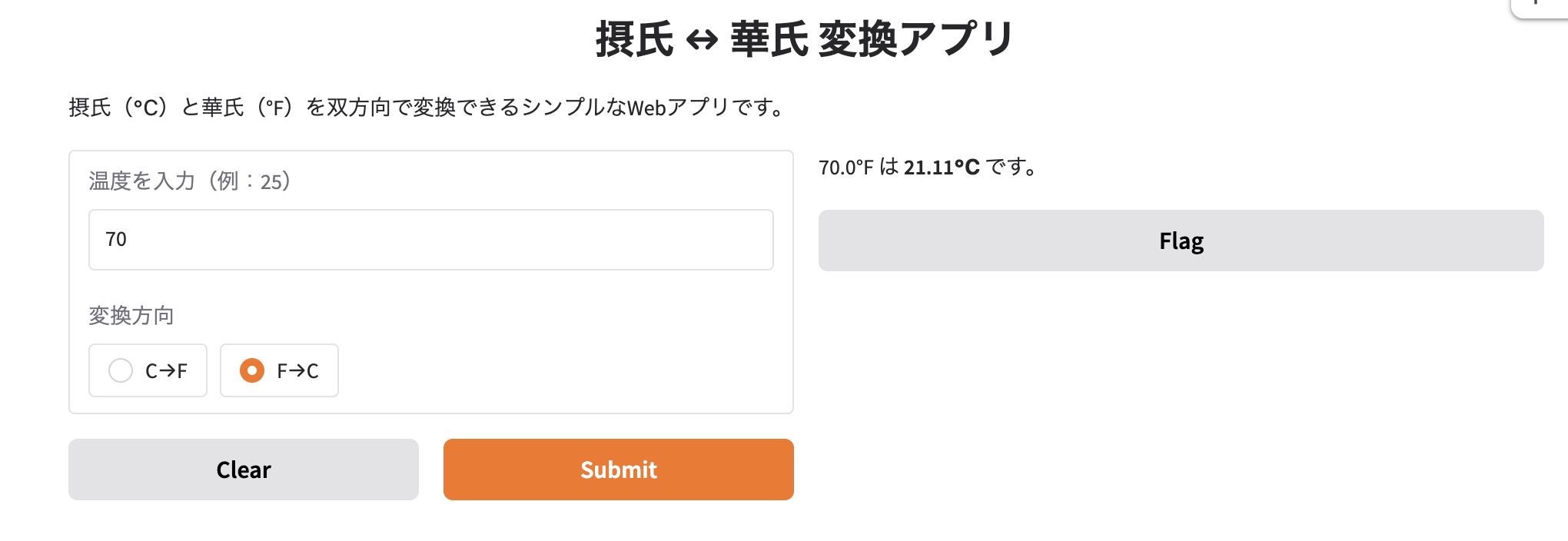
Screenshot 2025-11-14 at 18.41.28.png
Screenshot 2025-11-14 at 18.41.43.png

✨ このアプリでできること

✔ 摂氏(℃) → 華氏(°F)
例:
1. 0℃ → 32°F
2. 25℃ → 77°F
3. 100℃ → 212°F

✔ 華氏(°F) → 摂氏(℃)
例:
1. 32°F → 0℃
2. 77°F → 25℃
3. 212°F → 100℃

✔ スマホ・PCどちらでも使える

Gradio の Public URL を利用することで、
制作したアプリをそのままスマホからも実行可能です。

🛠 使用技術

1. Python 3.x
2. Gradio
3. Google Colab

🚀 1. Google Colab の準備

まずは Gradio をインストールします。
Screenshot 2025-11-14 at 18.44.03.png

🌡️ 2. 温度変換の関数を作る

摂氏→華氏、華氏→摂氏をそれぞれ定義します。

Screenshot 2025-11-14 at 18.44.50.png

🌈 3. GradioでWebアプリ化する

実際にUIを作り、変換を行うアプリを構築します。
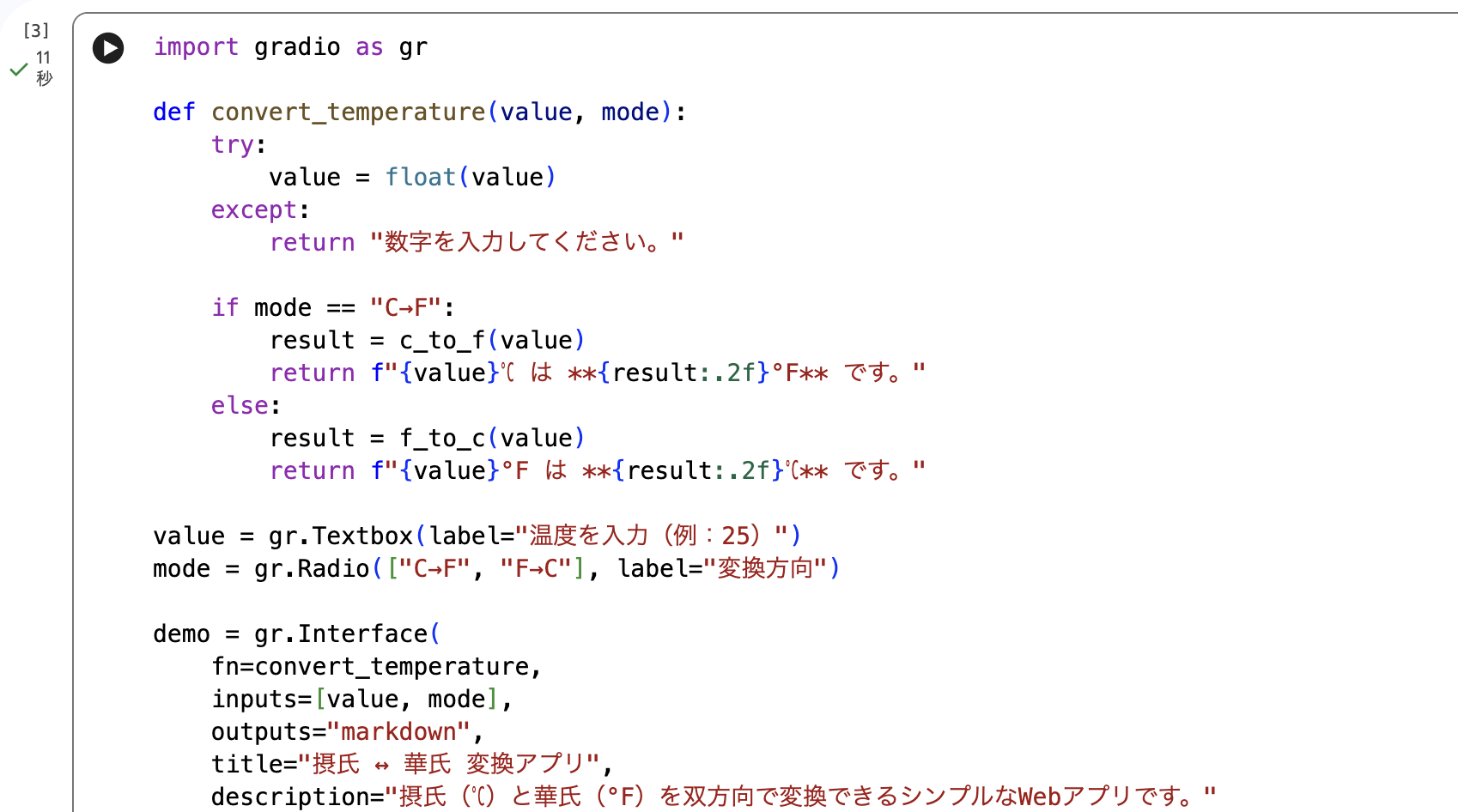
Screenshot 2025-11-14 at 18.45.30.png
Screenshot 2025-11-14 at 18.45.43.png

🔍 4. 実行例

Screenshot 2025-11-14 at 18.46.19.png

Screenshot 2025-11-14 at 18.47.57.png

◆ 摂氏(℃) → 華氏(°F)

入力:
1. 温度:37
2. 変換方向:C→F
結果:98.60°F

◆ 華氏(°F) → 摂氏(℃)

入力:
1. 温度:77
2. 変換方向:F→C
結果:37.78℃

📝 5. まとめ

この記事では、Google Colab と Gradio を使って、
摂氏 ↔ 華氏の双方向変換アプリを作成しました。

1. シンプルなUIで初心者でも扱いやすい
2. 数値と方向を選ぶだけで瞬時に変換
3. スマホからもアクセス可能
4. 理科・数学の学習にも便利

ぜひ参考にしてみてください!

0
0
0

Register as a new user and use Qiita more conveniently

  1. You get articles that match your needs
  2. You can efficiently read back useful information
  3. You can use dark theme
What you can do with signing up
0
0

Delete article

Deleted articles cannot be recovered.

Draft of this article would be also deleted.

Are you sure you want to delete this article?