
記事一覧:https://qiita.com/takulabo/items/d5f56132c02d4136687c
MCPサーバを自作しよう①
今回は、MCPサーバの実行&検証に必要なMCP Inspectorをセットアップしていきます
確認に必要になりますのでまずセットアップしておきましょう。
ざっくり手順
①Node.jsを入れる
②MCP Inspectorを起動
③表示されるURLを開く
Node.jsセットアップ
準備
terminal
sudo apt update
sudo apt install -y ca-certificates curl gnupg
Node.jsインストール
terminal
curl -fsSL https://deb.nodesource.com/setup_20.x | sudo -E bash -
sudo apt install -y nodejs
確認
terminal
node -v
npm -v
バージョンが表示されればOKです。
MCP Inspectorを使う
MCPInspectorインストール
実体はインストール不要らしい
terminal
npx @modelcontextprotocol/inspector
表示内容を確認しブラウザで開きます。
Starting MCP inspector...
🔍 MCP Inspector is up and running at http://127.0.0.1:6274 🚀
⚙️ Proxy server listening on 127.0.0.1:6277
ブラウザでMCPInspectorを開く
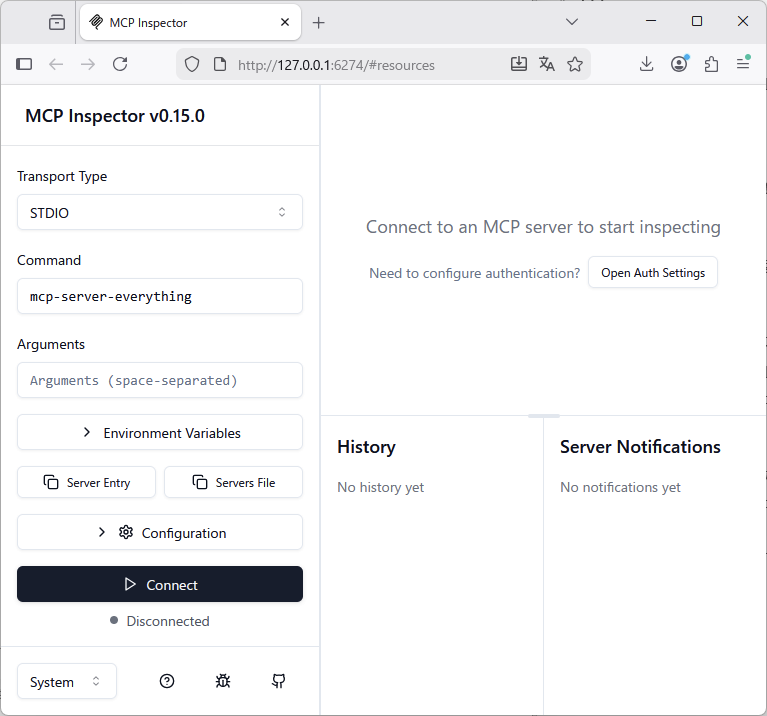
この画面が確認出来たら起動成功です。