0
0

Delete article

Deleted articles cannot be recovered.

Draft of this article would be also deleted.

Are you sure you want to delete this article?

Databricks UIからのai_parse_documentの活用

0
Posted at

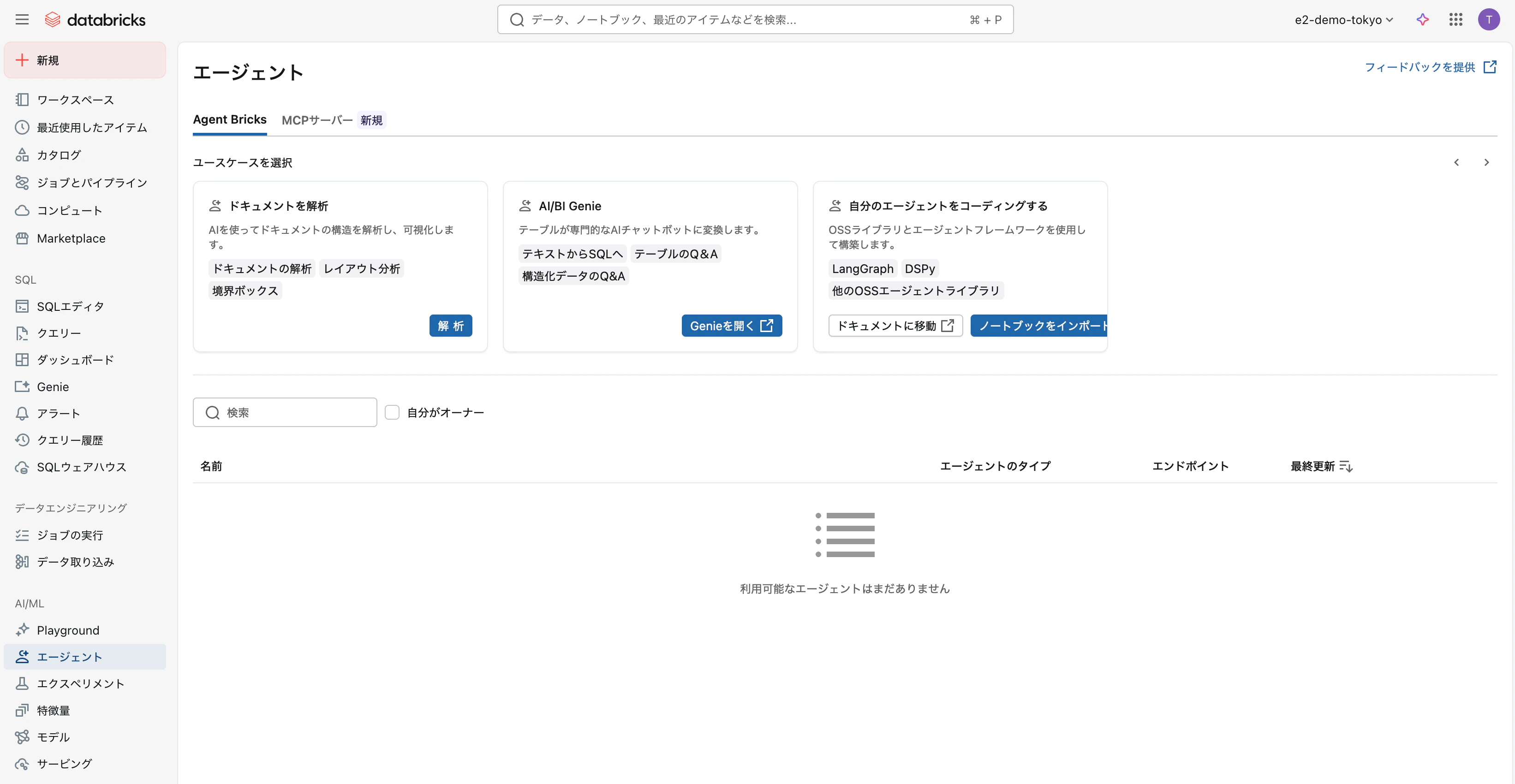
いつの間にかに、サイドメニューのエージェントにアクセスした際のメニューが増えていました。(Agent Bricksはまだ日本リージョンに来てません。すみません)
Screenshot 2026-02-10 at 17.30.59.png

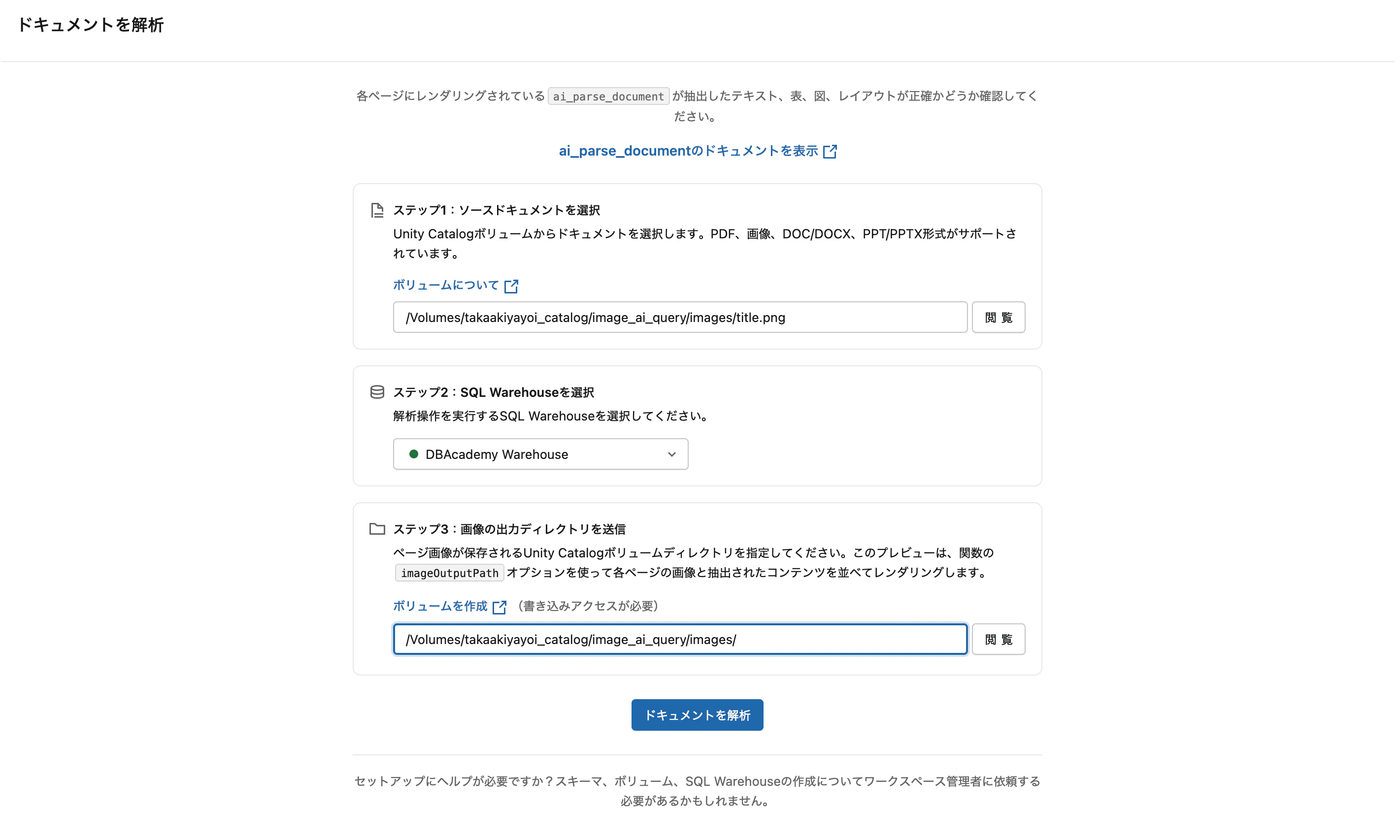
左のドキュメントを解析のボタンを押すと以下のようなUIが表示されます。

Screenshot 2026-02-10 at 17.22.36.png

解析するファイルを格納しているボリュームパス、使用するSQLウェアハウス、画像の出力ディレクトリ(これは解析した画像を出力するだけでした)を指定します。

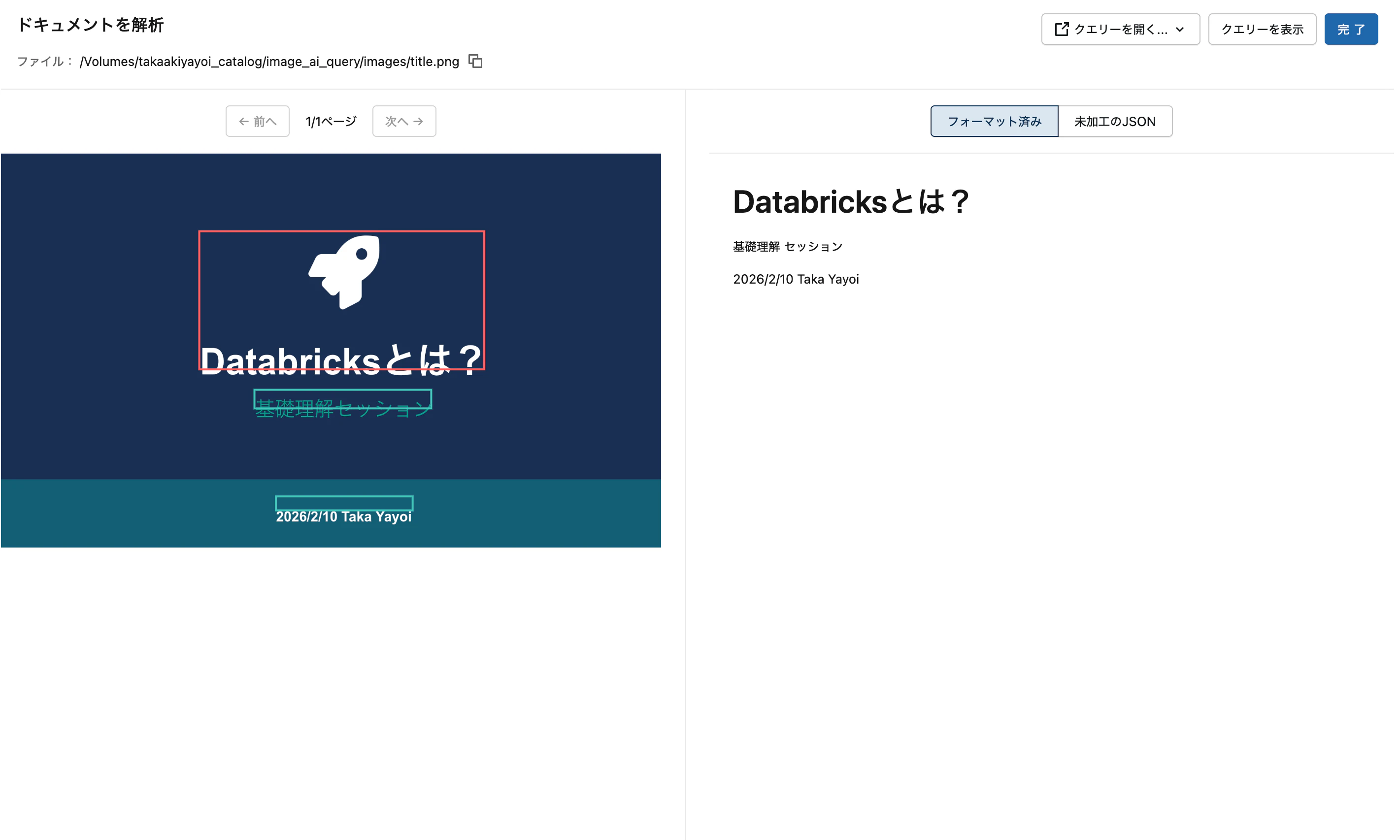
実行されるクエリーが表示され、解析が行われます。
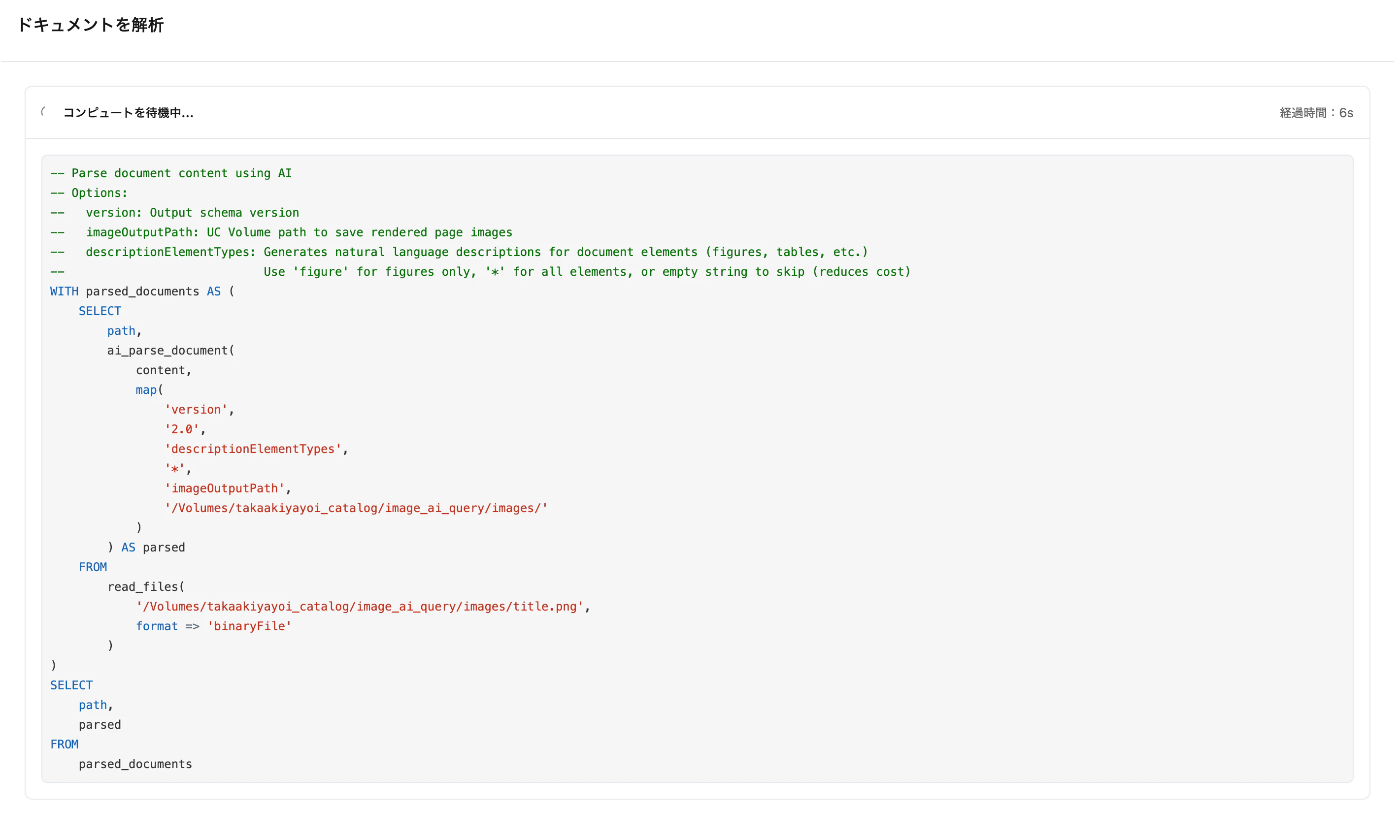
Screenshot 2026-02-10 at 17.22.50.png

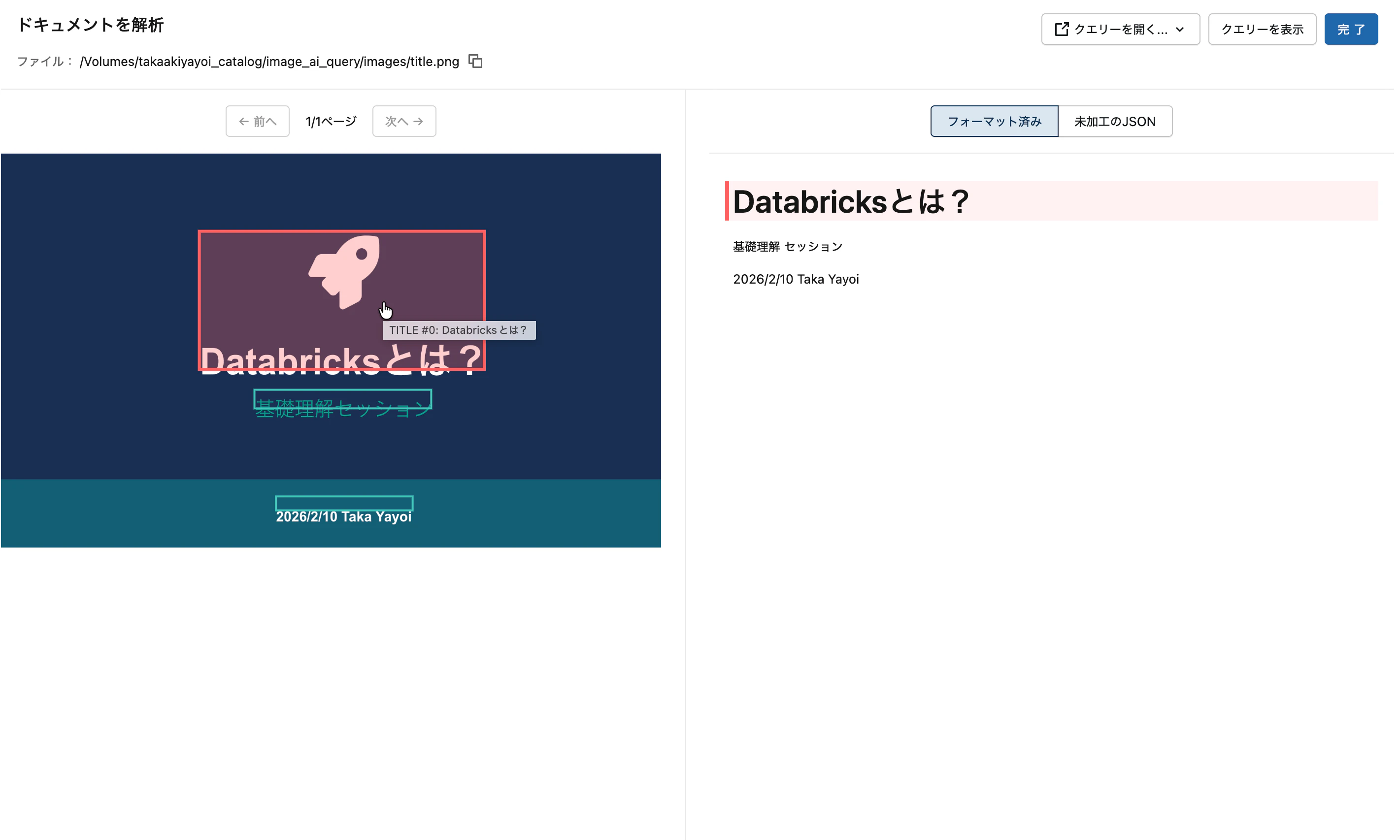
解析結果を視覚的に確認できます。

Screenshot 2026-02-10 at 17.23.02.png
Screenshot 2026-02-10 at 17.24.45.png

手軽にai_parse_document関数によるパーシングを試してみる際にご活用ください。

はじめてのDatabricks

はじめてのDatabricks

Databricks無料トライアル

Databricks無料トライアル

0
0
0

Register as a new user and use Qiita more conveniently

  1. You get articles that match your needs
  2. You can efficiently read back useful information
  3. You can use dark theme
What you can do with signing up
0
0

Delete article

Deleted articles cannot be recovered.

Draft of this article would be also deleted.

Are you sure you want to delete this article?