0
0

Delete article

Deleted articles cannot be recovered.

Draft of this article would be also deleted.

Are you sure you want to delete this article?

More than 1 year has passed since last update.

Rails devise導入の手順 【ChatGPTにも聞いてみた】

Last updated at Posted at 2023-03-10

はじめに

最近プログラミングスクールを卒業しました。
新たにwebアプリケーションを作成中なので、ここに書き留めたいと思い投稿しました。

Rails deviseの導入

# Gemfile
gem 'devise'
# ターミナル
bundle install
# ターミナル
rails s
# ターミナル
rails g devise:install

補足

運用やテスト、本番全ての環境で使用するため、gem 'devise'は一番下に記述。
bundle install後は、基本的にサーバーの再起動が必須。
rails g devise:installコマンドを実行することで、deviseの設定ファイルをrailsアプリケーションにインストールします。
これによって、使用するファイルが自動で生成されます。

ChatGPTにも聞いてみた

最近ChatGPTのアカウントを作ったので、試しにrailsのdevise導入手順について聞いてみました。
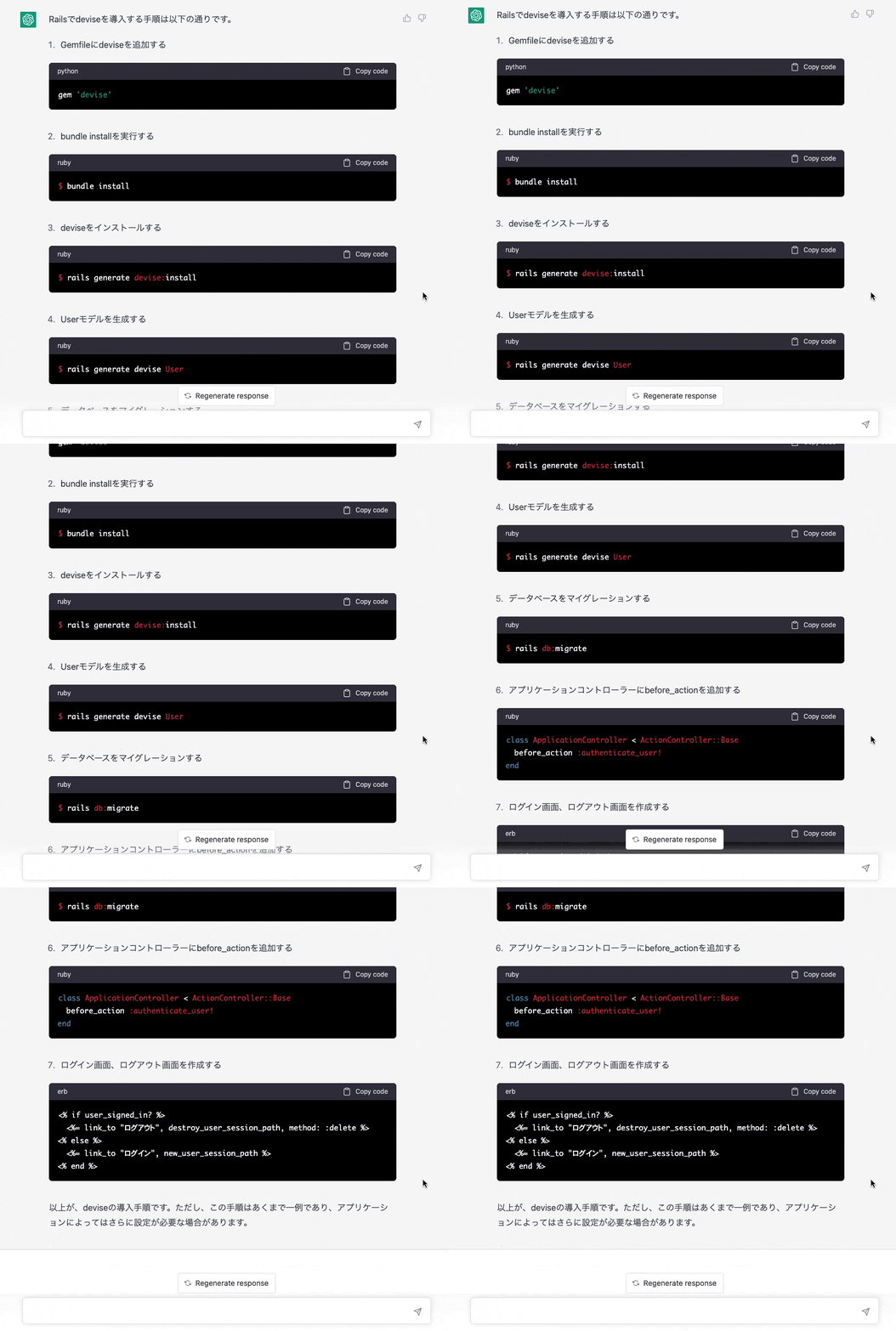
Image from Gyazo

説明とコマンドの両方記載してくれていました。
色々なこと試してみると面白いかもしれませんね。

終わり。

0
0
0

Register as a new user and use Qiita more conveniently

  1. You get articles that match your needs
  2. You can efficiently read back useful information
  3. You can use dark theme
What you can do with signing up
0
0

Delete article

Deleted articles cannot be recovered.

Draft of this article would be also deleted.

Are you sure you want to delete this article?