

このコラムはカラー画像をグレースケールに変換します
なぜ、グレースケールにしたいか?
「Elixirで画像解析して数値をCSV形式で取り込む 〜血圧計の写真をデータ化する 〜」
のコラムで検証した時、グレースケールに変換した画像はAIの精度が良かったからです
実行イメージ
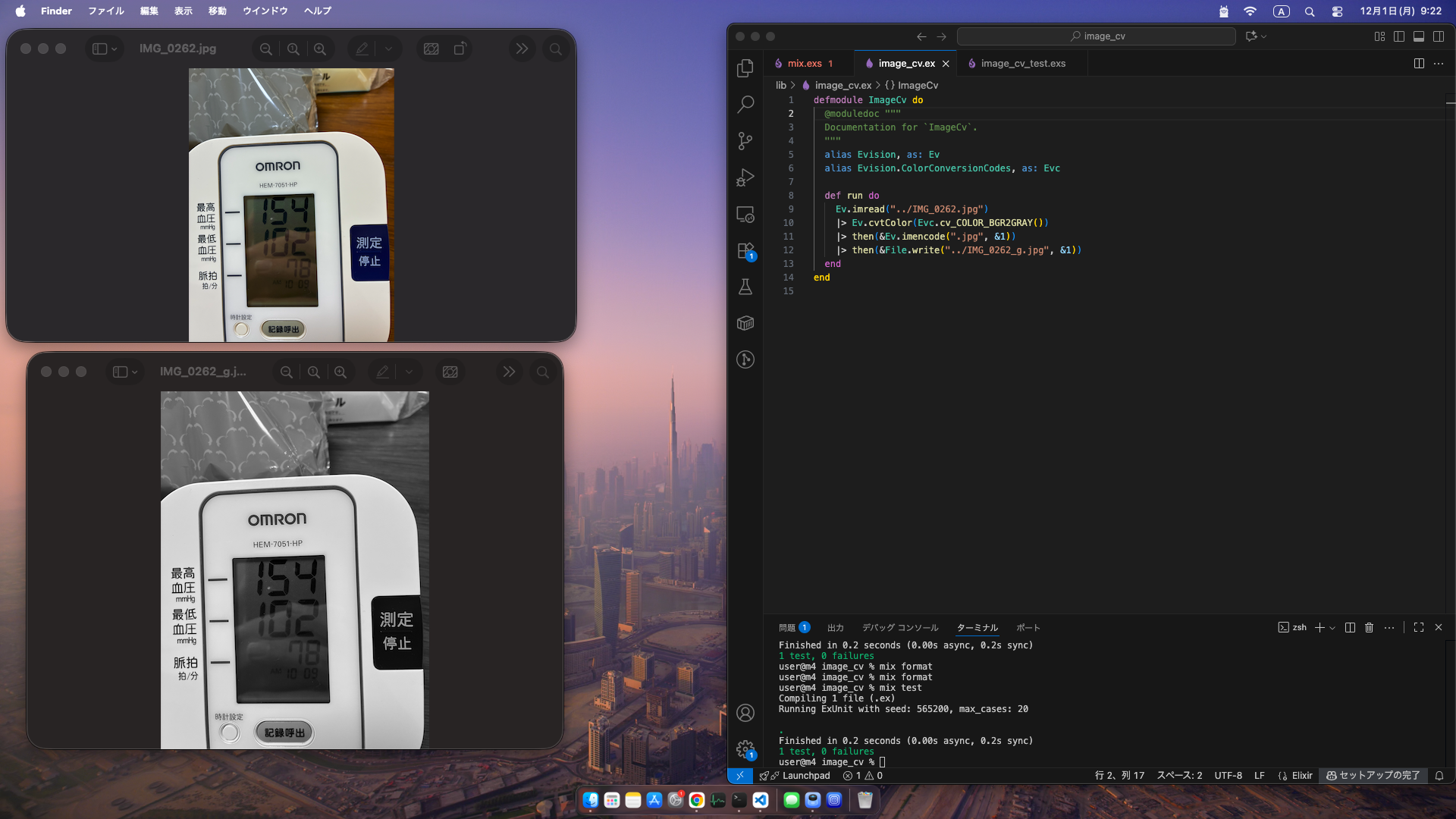
開発環境
- M4 Mac mini 16GB
- macOS Tahoe 26.1
- Elixir 1.17.3-otp-27
- Erlang 27.1.2
- Evision 0.2.14 (グレースケール変換に使いました)
開発環境作成
前提としてElixirがインストール済みであること
% brew install tesseract
Evisionを動かすに必要でした
プログラム作成
プロジェクト作成
% mix new image_cv
Evisionを使うので設定
mix.exs
defmodule ImageCv.MixProject do
  use Mix.Project

  def project do
    [
      app: :image_cv,
      version: "0.1.0",
      elixir: "~> 1.17",
      start_permanent: Mix.env() == :prod,
      deps: deps()
    ]
  end

  # Run "mix help compile.app" to learn about applications.
  def application do
    [
      extra_applications: [:logger]
    ]
  end

  # Run "mix help deps" to learn about dependencies.
  defp deps do
    [
      {:evision, "~> 0.2.14"}
      # {:dep_from_hexpm, "~> 0.3.0"},
      # {:dep_from_git, git: "https://github.com/elixir-lang/my_dep.git", tag: "0.1.0"}
    ]
  end
end
ライブラリーを取得
% mix deps.get
グレースケールに変換するプログラムを書く
lib/image_cv.ex
  @moduledoc """
  Documentation for `ImageCv`.
  """
  alias Evision, as: Ev
  alias Evision.ColorConversionCodes, as: Evc

  def run do
    Ev.imread("../IMG_0262.jpg")
    |> Ev.cvtColor(Evc.cv_COLOR_BGR2GRAY())
    |> then(&Ev.imencode(".jpg", &1))
    |> then(&File.write("../IMG_0262_g.jpg", &1))
  end
end
解説
- imreadで画像を読み込む
- cvtColorでグレースケールに変換
- imencodeでjpgにする
- File.writeで保存
テストを利用して変換する
test/image_cv_test.exs
defmodule ImageCvTest do
  use ExUnit.Case
  doctest ImageCv

  test "run" do
    ImageCv.run()
  end
end
実行
% mix test
これで、一つ上のフォルダーにあるIMG_0262.jpgファイルがグレースケールに変換されてIMG_0262_g.jpgとして保存されました
参考
ソース