2
0

Delete article

Deleted articles cannot be recovered.

Draft of this article would be also deleted.

Are you sure you want to delete this article?

Modeler FlowでICOSの複数のファイルをワイルドカード指定や正規表現で読み込む

2
Posted at

Watson StudioのModeler FlowでICOSのバケットからデータを読む際に複数のファイルを一度に読み込むことが可能です。

ICOSバケットにIOTsensor1000.csvIOTsensor1001.csvという二つのファイルを入れてあります。
image.png

中身は装置1000番と1001番の5件ずつのデータが入っています。
image.png

「新規資産」のボタンをクリックし、「データソースへの接続」をクリックします。
image.png

「IBM Cloud Object Storage」を選びます。
image.png

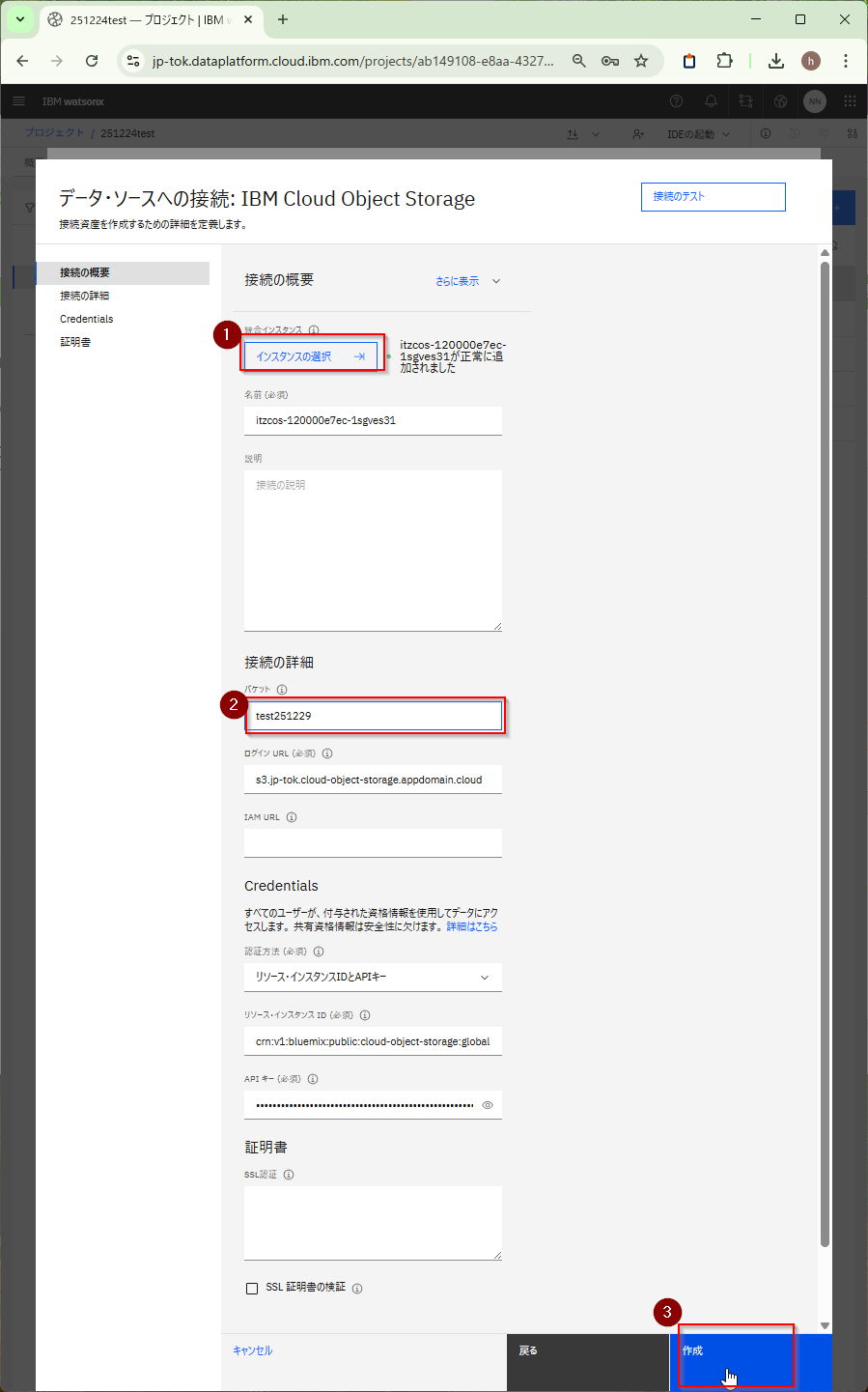
ICOSのインスタンスを選択し、バケット名を入力し作成します。
image.png

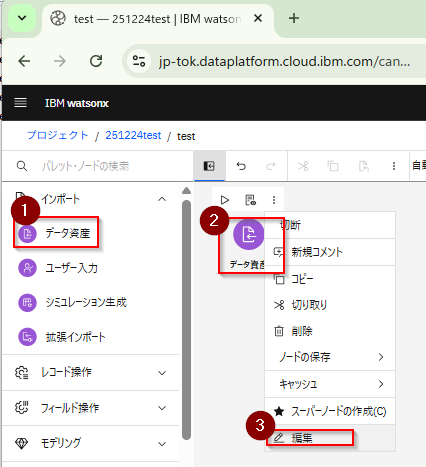
ModelerFlowでデータ資産をキャンバスに置き編集します。
image.png

接続を選びICOSの接続を選び一旦ファイルを何か選びます。

image.png

読み取りモードをワイルドカードを使用して複数のファイルを読み取るにします。ファイル名に*.CSVと入れて、最初の行はヘッダーですにチェックを付けて保存します。
image.png

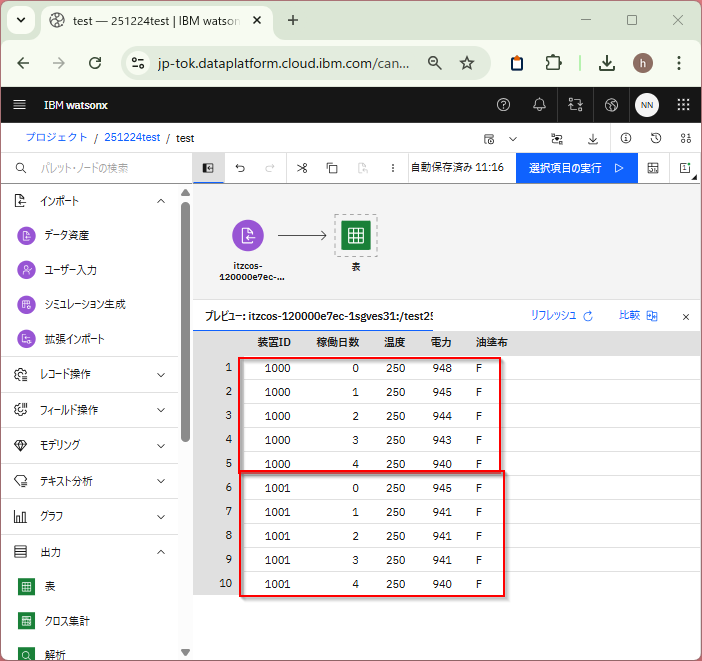
レビューをすると二つのファイルが読み込まれていることがわかります。
image.png

なお、ワイルドカードより複雑な表現をしたい場合は正規表現も可能です。
image.png

  • テスト環境
    • CP4DaaS (2025/12/29)
    • Modeler Flow

参考:フローのスクリプト

2
0
2

Register as a new user and use Qiita more conveniently

  1. You get articles that match your needs
  2. You can efficiently read back useful information
  3. You can use dark theme
What you can do with signing up
2
0

Delete article

Deleted articles cannot be recovered.

Draft of this article would be also deleted.

Are you sure you want to delete this article?