
概要
PrismaのTypedSQLとdbmateを使って、Next.jsプロジェクトでORMを使わずに型安全なクエリを書く環境を構築した際のメモです。
技術スタック
| ツール | 役割 |
|---|---|
| dbmate | マイグレーション管理 |
| Prisma | 型定義生成・クエリ実行・TypedSQL |
| pgweb | DB管理UI |
| pg_format | SQLフォーマッター |
| pre-commit | コミット時自動チェック |
パッケージインストール
pnpm add @prisma/client @prisma/adapter-pg pg
pnpm add -D prisma @types/pg
ディレクトリ構成
.
├── db/
│   └── migrations/          # DDL
├── prisma/
│   ├── schema.prisma       # 自動生成されるPrismaスキーマ
│   ├── client.ts           # Prismaクライアント設定
│   └── sql/                # TypedSQL用クエリ
├── app/
│   └── generated/
│       └── prisma/         # TypedSQLから生成されるコード
├── lib/
│   └── db.ts
├── docker-compose.yml
├── Makefile
├── .env
├── .pre-commit-config.yaml
└── .pg_format
主要コマンド
make db-new name=xxx  # マイグレーションファイル作成
make format-sql       # SQL整形
make db-up            # マイグレーション適用
make db-down          # ロールバック
make prisma-sync      # Prisma型定義再生成

make service-up       # Docker起動
make service-down     # Docker停止
make db-status        # マイグレーション状態確認
pgwebについて
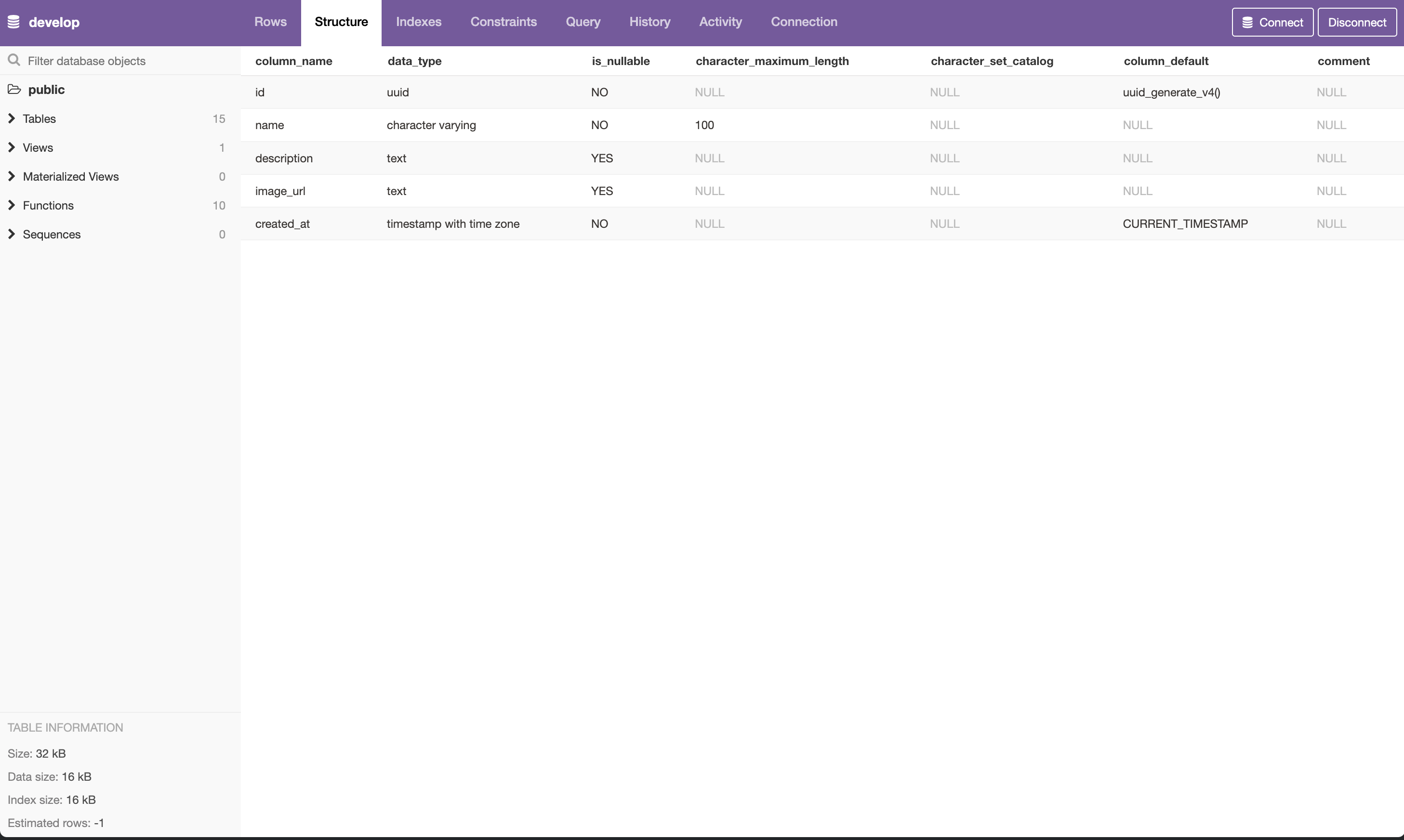
make service-up でコンテナを起動すると、pgwebも立ち上がります。
localhost:8080にアクセスすると、ブラウザからGUIでDBの中身を確認・クエリ実行ができます。
設定ファイル
docker-compose.yml
services:
  db:
    image: postgres:latest
    container_name: postgres
    restart: always
    environment:
      POSTGRES_USER: ${POSTGRES_USER}
      POSTGRES_PASSWORD: ${POSTGRES_PASSWORD}
      POSTGRES_DB: ${POSTGRES_DB}
    ports:
      - "5432:5432"
    volumes:
      - pgdata:/var/lib/postgresql
    healthcheck:
      test: ["CMD-SHELL", "pg_isready"]
      interval: 3s
      timeout: 5s
      retries: 10

  pgweb:
    image: sosedoff/pgweb:latest
    ports:
      - "8080:8081"
    environment:
      PGWEB_DATABASE_URL: ${DATABASE_URL_FOR_CONTAINER}
    depends_on:
      db:
        condition: service_healthy

  dbmate:
    image: amacneil/dbmate:latest
    environment:
      DATABASE_URL: ${DATABASE_URL_FOR_CONTAINER}
    volumes:
      - ./db:/db
    depends_on:
      db:
        condition: service_healthy

volumes:
  pgdata:
.env
# postgres
POSTGRES_USER=postgres
POSTGRES_PASSWORD=postgres
POSTGRES_DB=develop
DATABASE_URL_FOR_CONTAINER=postgres://${POSTGRES_USER}:${POSTGRES_PASSWORD}@db:5432/${POSTGRES_DB}?sslmode=disable
# dbmate
DATABASE_URL=postgres://${POSTGRES_USER}:${POSTGRES_PASSWORD}@localhost:5432/${POSTGRES_DB}?sslmode=disable
もちろんですが、実際に使用する際は安全な値で設定してください。
Makefile
.PHONY: help init service-up service-down db-new db-up db-down db-status db-init prisma-sync format-sql

help:
	@echo "Available commands:"
	@echo "  make init          - Initialize project"
	@echo "  make service-up    - Start Docker services"
	@echo "  make service-down  - Stop Docker services"
	@echo "  make db-new        - Create new migration (usage: make db-new name=xxx)"
	@echo "  make db-up         - Run migrations"
	@echo "  make db-down       - Rollback last migration"
	@echo "  make db-status     - Show migration status"
	@echo "  make db-init       - Reset database"
	@echo "  make prisma-sync   - Pull schema and generate Prisma client"
	@echo "  make format-sql    - Format SQL files"

init:
	cp .env.example .env
	pnpm install

service-up:
	docker compose up -d

service-down:
	docker compose down

db-new:
	dbmate new $(name)

db-up:
	dbmate up

db-down:
	dbmate down

db-status:
	dbmate status

db-init:
	dbmate drop
	dbmate create
	dbmate up

prisma-sync:
	pnpm prisma db pull
	pnpm prisma generate

format-sql:
	find db/migrations -name "*.sql" -exec pg_format -i {} \;
.pre-commit-config.yaml
repos:
  - repo: local
    hooks:
      - id: tsc
        name: TypeScript Compiler
        entry: npx tsc --noEmit
        language: system
        types: [ts, tsx]
        pass_filenames: false
        always_run: true

  - repo: local
    hooks:
      - id: eslint
        name: ESLint
        entry: npx eslint
        language: system
        types: [ts, tsx]
        pass_filenames: false
        always_run: true

  - repo: local
    hooks:
      - id: pg-format
        name: PostgreSQL Format
        entry: bash -c 'for file in "$@"; do pg_format "$file" -o "$file"; done' --
        language: system
        types: [sql]
        always_run: true

  - repo: https://github.com/pre-commit/pre-commit-hooks
    rev: v6.0.0
    hooks:
      - id: trailing-whitespace
      - id: check-yaml
      - id: check-json
      - id: check-added-large-files
      - id: check-merge-conflict
      - id: check-case-conflict
      - id: mixed-line-ending
        args: ["--fix=lf"]
.pg_format
# インデント設定
spaces = 4
tabs = no

# 大文字・小文字設定
function-case = 2  # 関数名も大文字 (例: COUNT, SUM)
keyword-case = 2   # キーワード大文字
type-case = 2      # 型も大文字 (例: INTEGER, TEXT)

# 折り返し・改行設定
wrap-limit = 120
no-extra-line = yes
comma-break = after  # カンマの後で改行する
trailing-comma = no

# その他
wrap-comment = yes # コメントも折り返す
prisma/schema.prisma(自動生成ファイル)
generator client {
  provider        = "prisma-client"
  output          = "../app/generated/prisma"
  previewFeatures = ["typedSql"]
}

datasource db {
  provider = "postgresql"
}

(モデル定義が続く)
prisma/client.ts
import { PrismaClient } from "@/app/generated/prisma/client";
import { PrismaPg } from "@prisma/adapter-pg";
import { Pool } from "pg";

const connectionString = process.env.DATABASE_URL || "";

const pool = new Pool({ connectionString });
const adapter = new PrismaPg(pool);

const globalForPrisma = globalThis as unknown as {
  prisma: PrismaClient | undefined;
};

const prisma = globalForPrisma.prisma ?? new PrismaClient({ adapter });

if (process.env.NODE_ENV !== "production") globalForPrisma.prisma = prisma;

export default prisma;
lib/db.ts
export { default as prisma } from "@/prisma/client";
運用パターン
パターン1:テーブル作成
1. マイグレーションファイル作成
make db-new name=create_shops
# → db/migrations/20251222120000_create_shops.sql が作成される
2. DDL記述
-- db/migrations/20251222120000_create_shops.sql
-- migrate:up
CREATE TABLE Shop (
    id UUID PRIMARY KEY DEFAULT uuid_generate_v4(),
    name VARCHAR(100) NOT NULL,
    description TEXT,
    image_url TEXT,
    created_at TIMESTAMPTZ NOT NULL DEFAULT CURRENT_TIMESTAMP
);

CREATE INDEX idx_shop_name ON Shop(name);

-- migrate:down
DROP TABLE IF EXISTS Shop;
3. マイグレーション適用
make format-sql    # SQLを整形
make db-up         # マイグレーション適用
make prisma-sync   # Prisma型定義を再生成
パターン2:TypedSQL
PrismaのTypedSQL機能で、生SQLに型をつけることができます。
1. SQLファイル作成
-- prisma/sql/getShopById.sql
SELECT id, name, description, image_url, created_at
FROM Shop
WHERE id = $1;
2. 型生成
make prisma-sync
3. アプリで使用
import { getShopById } from "@/app/generated/prisma/sql";
import { prisma } from "@/lib/db";

const shop = await prisma.$queryRawTyped(
  getShopById("a3de0a47-c4af-4fff-97ef-8e1141e298a6")
);
参考