
tl;dr
~/.gemini/keybindings.json を作成して, 下記のように設定する.
これにより Ctrl+b でカーソルを「1文字戻る」, 代わりに元のバックグラウンド機能を別キー (例: Ctrl+q) へ退避できる.
~/.gemini/keybindings.json
[
  {
    "command": "-background.toggle",
    "key": "ctrl+b"
  },
  {
    "command": "cursor.left",
    "key": "ctrl+b"
  },
  {
    "command": "background.toggle",
    "key": "ctrl+q"
  }
]
キーを上書きしたい場合は, command 名の先頭に - を付けて, デフォルトの割り当てを明示的に解除する必要があるらしい.
Ctrl+b 問題に毎回引っかかる日々
Gemini CLI では, Ctrl+f, Alt+f, Alt+b等はカーソル移動に割り当てられている一方, Ctrl+b だけは background.toggle(バックグラウンドタスクの表示切り替え)に割り当てられている.
つい手癖で「1文字戻る」つもりで Ctrl+b を長押してしまうがカーソルは動かず, 無慈悲にも下記のメッセージが連続表示されてしまうことが多発.
ℹ No background tasks are currently active.
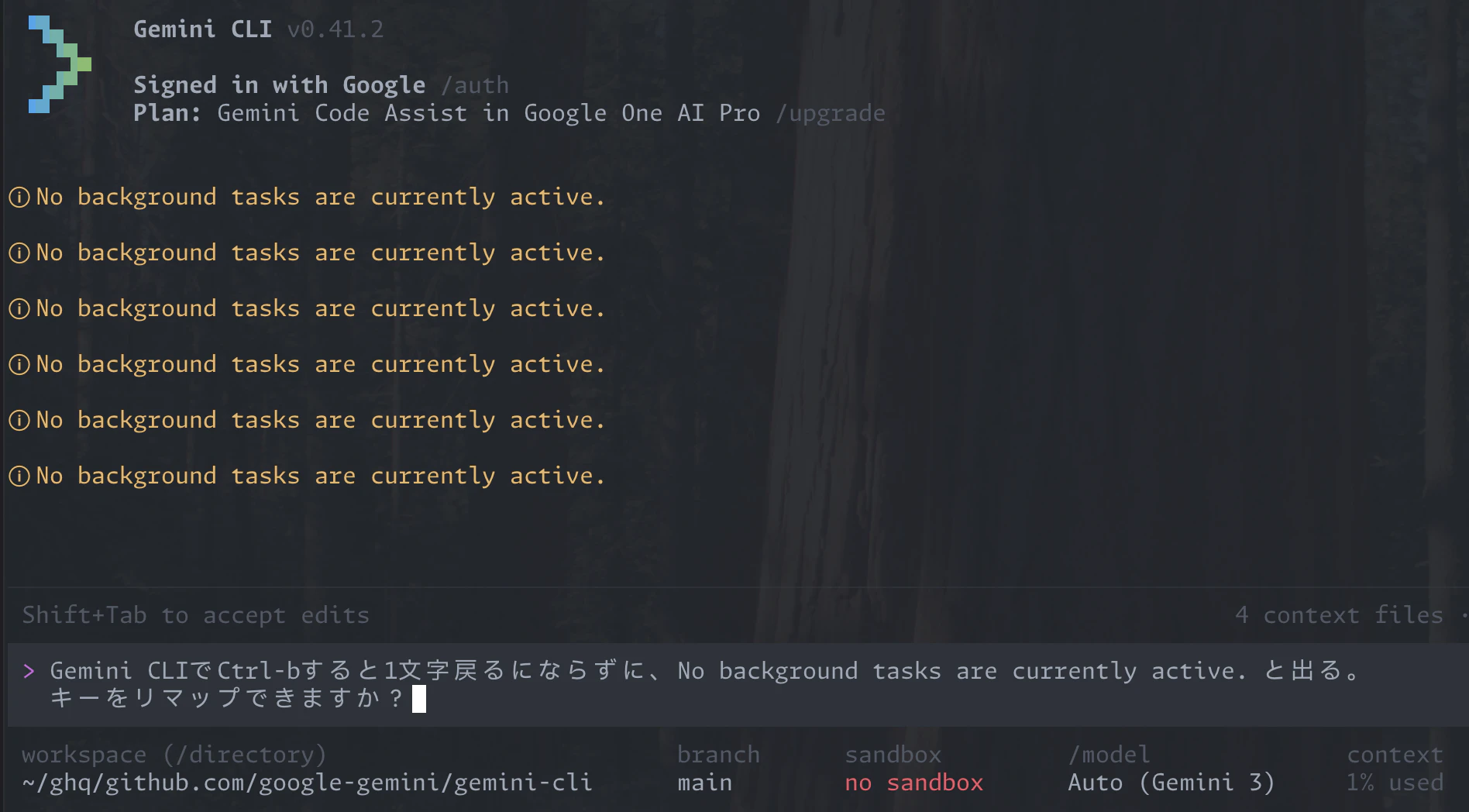
Emacs や Mac 等のユーザーにとってはこれがなかなかのストレスだったのだが, キーのカスタム機能がいつの間にか実装されていた.
Ctrl+b 問題についてユーザーからの怒りの声