
 Japanese notation

はじめに
記事について
OpenWrt One/AP-24.XYの初期設定・運用ガイドです
インストールから各種設定、チューニングなどをまとめています
初心者対応構成
- スクリプトでの自動設定
-
UCI (ttyd)、Webコンソール (LuCi)、ファイラー (SFTP)にて比較作業がおススメ

OpenWrt

デバイス

ファームウェア
フラッシュ&インストールシステム
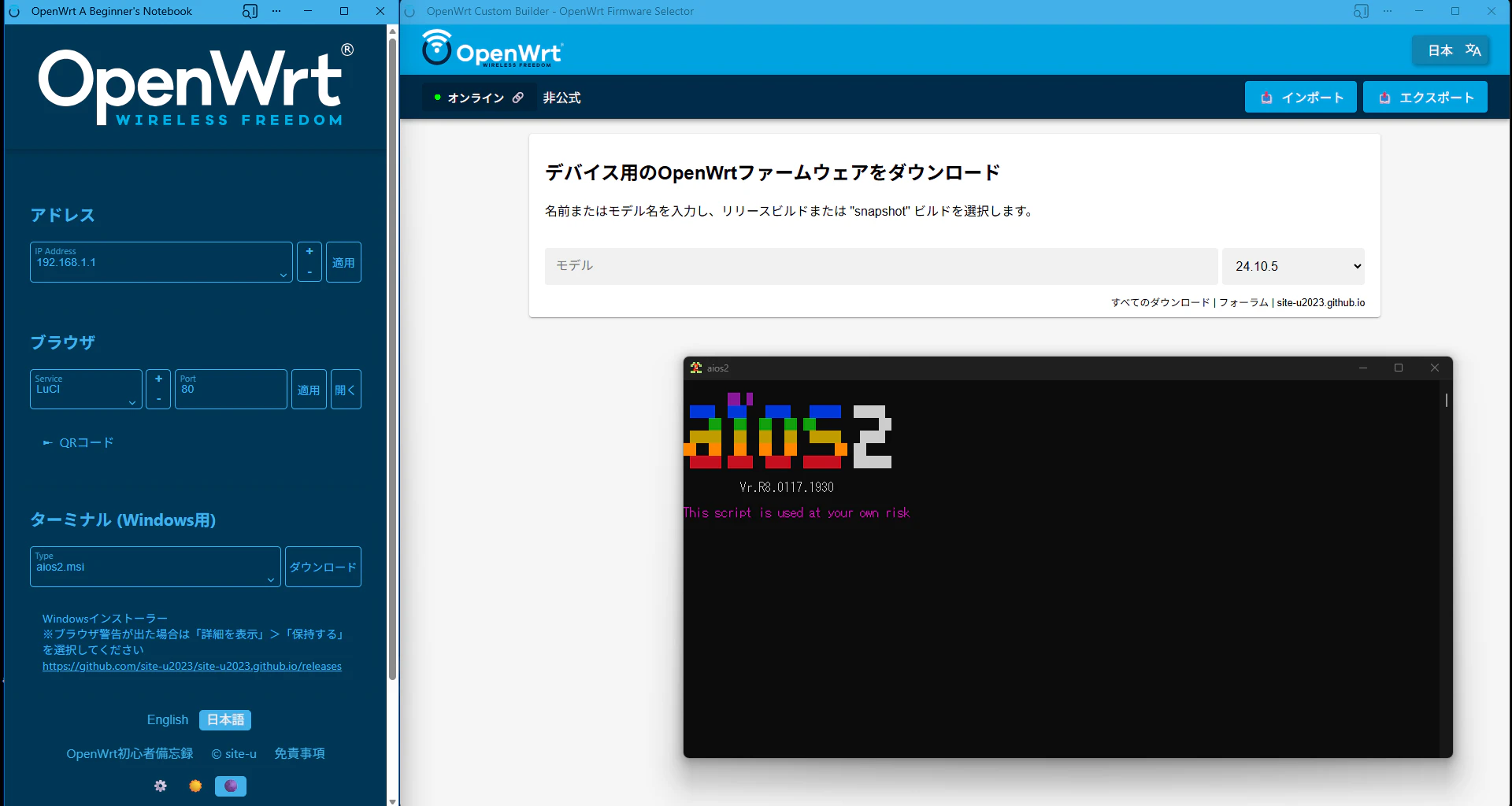
デバイスアクセス
SSH(UCI)
コンソールでアクセス
-
パワーシェル起動:キー入力:
Win+x>a>はい -
コンソールログイン (パワーシェル)
※192.168.1.1以外の場合、以下の形式で入力後にワンライナーを入力下さい
$ip="192.168.*.*"
- コンソールログイン (192.168.1.1用)
万能型ワンライナー
if(!$ip){$ip="192.168.1.1"}; ssh -o StrictHostKeyChecking=no -o UserKnownHostsFile=NUL -o GlobalKnownHostsFile=NUL -o HostKeyAlgorithms=+ssh-rsa -tt root@$ip
LuCi (GUI)
初期設定
パスワード
初期値から変更
passwd
Changing password for root
New password:
passwd:入力モード
任意のパスワード
Retype password:
passwd:入力モード
再入力
passwd: password for root changed by root
exit
ホストネーム
ホストネーム(openwrt)を変更
#!/bin/sh
HOSTNAME="openwrt" # デバイス名
uci set system.@system[0].hostname=${HOSTNAME}
uci commit system
/etc/init.d/system reload
NTP
NTPサーバーを変更
#!/bin/sh
NTP="jp.pool.ntp.org"
uci delete system.ntp.server
uci -q batch <<EOF
	add_list system.ntp.server="0.${NTP}"
	add_list system.ntp.server="1.${NTP}"
	add_list system.ntp.server="2.${NTP}"
	add_list system.ntp.server="3.${NTP}"
	set system.ntp.enable_server='1'
	set system.ntp.use_dhcp='0'
	set system.ntp.interface='lan'
	commit system
EOF
/etc/init.d/sysntpd restart
SSH
WANからのアクセスを遮断
uci set dropbear.@dropbear[0].Interface='lan'
uci commit dropbear
LED
ネットワークアクセスで点灯点滅
#! /bin/sh
uci add system led
uci set system.@led[-1].name='wan'
uci set system.@led[-1].sysfs='green:status'
uci set system.@led[-1].trigger='netdev'
uci set system.@led[-1].dev='wan'
uci set system.@led[-1].mode='link tx rx'
uci add system led
uci set system.@led[-1].name='br-lan'
uci set system.@led[-1].sysfs='blue:wps'
uci set system.@led[-1].trigger='netdev'
uci set system.@led[-1].dev='br-lan'
uci set system.@led[-1].mode='link tx rx'
uci commit system
/etc/init.d/led reload
パッケージ
母国語サポート
LuCiの言語パッケージをインストール
- 対応言語検索
#! /bin/sh
PATTERN="luci-i18n-base*"
UPDATE="${UPDATE:-$(command -v opkg && opkg update >&2; command -v apk && apk update >&2; echo 1)}"
command -v opkg && opkg list $PATTERN
command -v apk && apk search $PATTERN
- 設定
#! /bin/sh
I18N="ja"
PKGS="luci-i18n-base-${I18N} luci-i18n-opkg-${I18N} luci-i18n-firewall-${I18N} luci-i18n-package-manager-${I18N} luci-i18n-attendedsysupgrade-${I18N}"
UPDATE="${UPDATE:-$(command -v opkg && opkg update >&2; command -v apk && apk update >&2; echo 1)}"
command -v opkg && opkg install $PKGS
command -v apk && apk add $PKGS
UCI(TTYD)
ブラウザーでUCIにアクセス
#! /bin/sh
I18N="ja"
PKGS="luci-i18n-ttyd-${I18N}"
UPDATE="${UPDATE:-$(command -v opkg && opkg update >&2; command -v apk && apk update >&2; echo 1)}"
command -v opkg && opkg install $PKGS
command -v apk && apk add $PKGS
uci set ttyd.@ttyd[0].ipv6='1'
uci set ttyd.@ttyd[0].command='/bin/login -f root' #自動ログイン
uci commit ttyd
/etc/init.d/rpcd restart
ファイラー
ブラウザでファイルにアクセス
mkdir -p /tmp/aios && wget -q -O /tmp/aios/install-filebrowser.sh https://raw.githubusercontent.com/site-u2023/aios/main/install-filebrowser.sh && sh /tmp/aios/install-filebrowser.sh
-
管理画面
192.168.1.1:8080 -
設定
# ポート変更
uci set filebrowser.config.port=9090
# ルートディレクトリ変更
uci set filebrowser.config.root=/mnt/storage
# ユーザーネーム及びパスワード変更
uci set filebrowser.config.username='root'
uci set filebrowser.config.password='password'
uci commit filebrowser
# 設定確認
uci show filebrowser
# サービス再起動
service filebrowser restart
# 既存DBをリセットしてUCI値で上書きしたいとき
rm /etc/filebrowser/filebrowser.db
service filebrowser restart
- 使用方法
filebrowser_main.sh: 自動判定 (インストールまたはリムーブ)
filebrowser_main.sh install: インストール
filebrowser_main.sh remove: リムーブ
filebrowser_main.sh status: 状態確認
WinSCPでファイルにアクセス
#! /bin/sh
PKGS="openssh-sftp-server"
UPDATE="${UPDATE:-$(command -v opkg && opkg update >&2; command -v apk && apk update >&2; echo 1)}"
command -v opkg && opkg install $PKGS
command -v apk && apk add $PKGS
クライアント設定(Windows)
- 手動インストール
- ダウンロード:WinSCP
- 自動インストール
- キー入力:
Win+x>a>はい - 最新版ソフトウェアのインストール
- キー入力:
powershell:クライアントPC
$psVersion = $PSVersionTable.PSVersion.Major
$LINKS = Invoke-WebRequest "https://winscp.net/eng/download.php"
$LINKS_VERSION = $LINKS.Links | Where-Object {$_.href -like "*WinSCP-*-Setup.exe*"} | Select-Object -ExpandProperty href
$VERSION = ($LINKS_VERSION -split '/')[-2] -replace "WinSCP-([0-9]+\.[0-9]+\.[0-9]+).*", '$1'
Write-Host "Version to install: $VERSION"
$downloadUrl = "https://jaist.dl.sourceforge.net/project/winscp/WinSCP/$VERSION/WinSCP-$VERSION-Setup.exe?viasf=1"
Write-Host "Downloading from: $downloadUrl"
$ONAMAE = (whoami).Split('\')[1]
$destinationPath = "C:\Users\$ONAMAE\Downloads\WinSCP-$VERSION-Setup.exe"
Invoke-WebRequest -Uri $downloadUrl -OutFile $destinationPath
Write-Host "Installing WinSCP..."
Start-Process -FilePath $destinationPath -ArgumentList "/VERYSILENT /NORESTART" -Wait
Invoke-Expression "C:\Users\$ONAMAE\AppData\Local\Programs\WinSCP\WinSCP.exe"
-
警告>強制的に貼り付け -
WinSCP設定
- セッション
- ホスト名:
192.168.1.1 - ユーザー名:
root - パスワード:
設定したパスワード -
ログインをクリック
- ホスト名:
- セッション
CPU負荷分散
インストール
#! /bin/sh
PKGS="irqbalance"
UPDATE="${UPDATE:-$(command -v opkg && opkg update >&2; command -v apk && apk update >&2; echo 1)}"
command -v opkg && opkg install $PKGS
command -v apk && apk add $PKGS
uci set irqbalance.irqbalance=irqbalance
uci set irqbalance.irqbalance.enabled='1'
uci commit irqbalance
/etc/init.d/irqbalance start
ネットワーク統計インターフェイス
インストール
#! /bin/sh
I18N="ja"
PKGS="luci-i18n-statistics-${I18N}"
UPDATE="${UPDATE:-$(command -v opkg && opkg update >&2; command -v apk && apk update >&2; echo 1)}"
command -v opkg && opkg install $PKGS
command -v apk && apk add $PKGS
/etc/init.d/collectd enable
/etc/init.d/rpcd restart
- プラグイン検索
#! /bin/sh
PATTERN="collectd-mod\*"
UPDATE="${UPDATE:-$(command -v opkg && opkg update >&2; command -v apk && apk update >&2; echo 1)}"
command -v opkg && opkg list $PATTERN
command -v apk && apk search $PATTERN
追加テーマ
インストール
#! /bin/sh
PKGS="luci-theme-openwrt luci-theme-material"
UPDATE="${UPDATE:-$(command -v opkg && opkg update >&2; command -v apk && apk update >&2; echo 1)}"
command -v opkg && opkg install $PKGS
command -v apk && apk add $PKGS
AdGuard Home
インストール
- インストール及びリムーブ
mkdir -p /tmp && wget --no-check-certificate -O /tmp/adguardhome.sh "https://site-u.pages.dev/www/custom-scripts/adguardhome.sh" && chmod +x /tmp/adguardhome.sh && sh /tmp/adguardhome.sh
- 管理画面ログイン
http://192.168.1.1:8000/
既知の問題
初期化
ファクトリーリセット(初期化)
リセット
# 要注意
firstboot && reboot now
This will erase all settings and remove any installed packages. Are you sure? [N/y]
初期化:入力モード
y
デバイスリセットボタン
デバイスのリセットボタンを10秒(LEDが点滅するまで)押し続ける
あとがき
プリインストールモデルなので、何も書く事がない。。。
SN比は90dBmくらい、OpenWrt専用品にしては正直悪いね