

はじめに
この記事では、作成済みのCAIプロセスを サービスステップ によりサブプロセスとして呼び出す実装を確認します。
この記事は次の記事の内容を理解していることを前提としています。
サブプロセスの実行と非同期実行の確認
CAIプロセスをサブプロセスを非同期実行するには次のようにCAIプロセスを作成します。
-
CAIプロセスを次の設定で作成します。
- 名前を recipe-pca-stepSubProcess とする
- 匿名アクセス を許可する
- クラウドサーバー にデプロイする
-
タイプ=テキスト の出力フィールド output を定義します。
-
サブプロセスステップ を追加して、プロセスの作成と実行(匿名認証と基本認証)にて作成した recipe-pca-HelloWorld をサブプロセスとして実行するように指定します(今回は不要ですが、必要な場合には入力フィールドを設定します)。
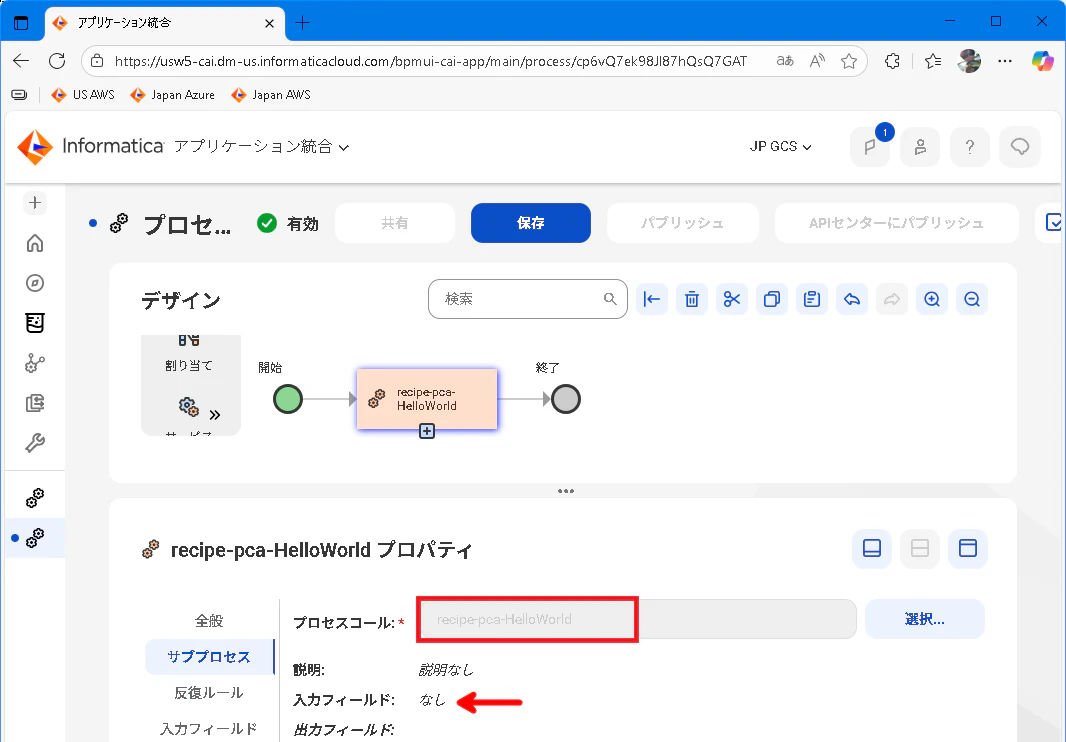
なお、サブプロセスは サービスステップ としても実行できます。

-
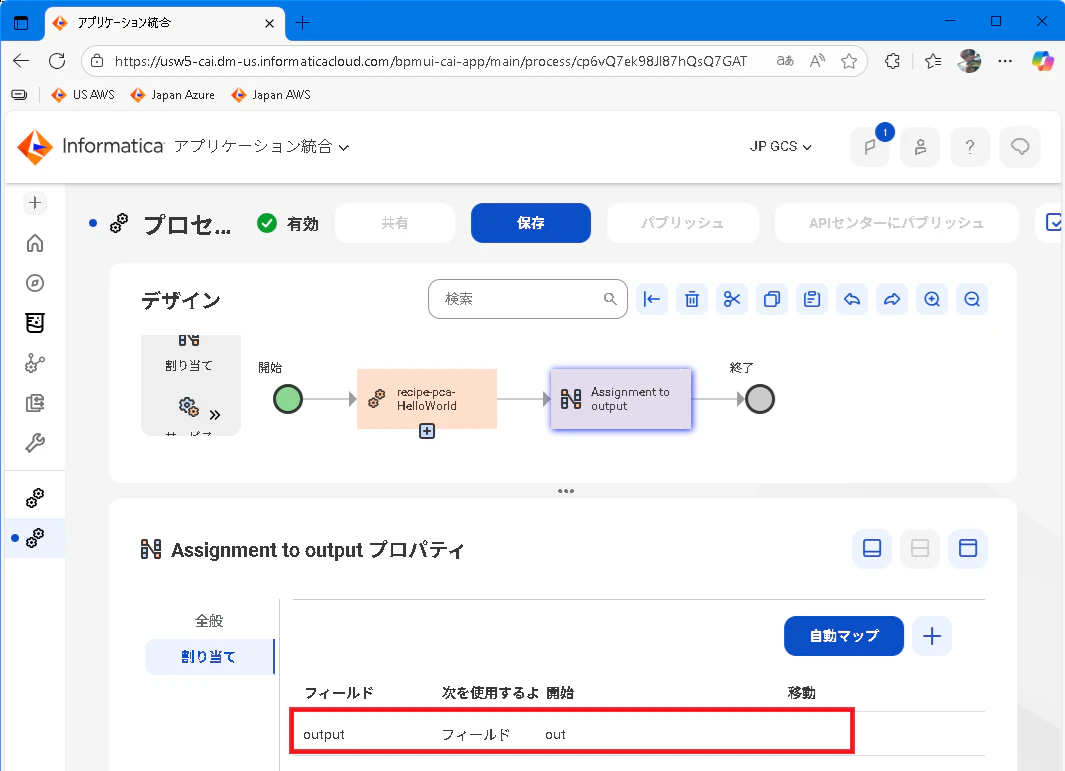
割り当てステップ を追加して、出力フィールド output にサブプロセスの出力フィールド out を指定します。
-
サブプロセスの実行に時間を要している場合にCAIプロセスの処理を終了するには、次のように サブプロセスステップ の タイマーイベント を指定します。
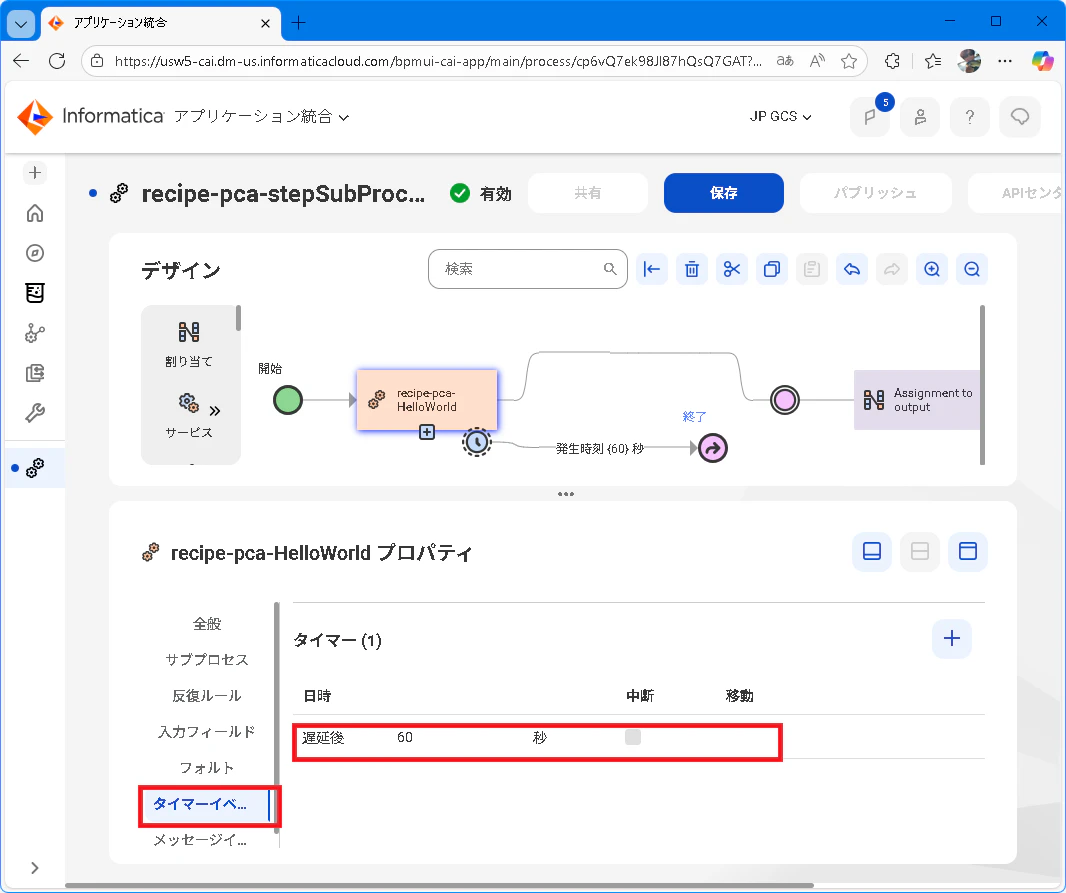
タイマーイベントの設定により追加されたパスには、ジャンプステップ を配置して 終了ステップ に処理を遷移するように指定します。この実装ではサブプロセスの実行に60秒を要している場合にタイマーイベントが発生してCAIプロセスが終了します。
(タイマーイベントの遷移先をアサインステップとしてサブプロセスの出力フィールドを取得しようとするとエラーが発生します)
Step3までの実装にてcurlコマンドを実行すると次のようにサブプロセスの実行結果が出力される動作を確認できます。
// curl コマンド
curl https://<IICS・CAIサーバー>/active-bpel/public/rt/<Org ID>/recipe-pca-stepThrow

// 実行結果
{"output":"Hello World"}
Step4までの実装にてcurlコマンドを実行すると次のようにサブプロセスの実行結果は得られない動作となります。
// curl コマンド
curl https://<IICS・CAIサーバー>/active-bpel/public/rt/<Org ID>/recipe-pca-stepThrow

// 実行結果
{}