1. はじめに
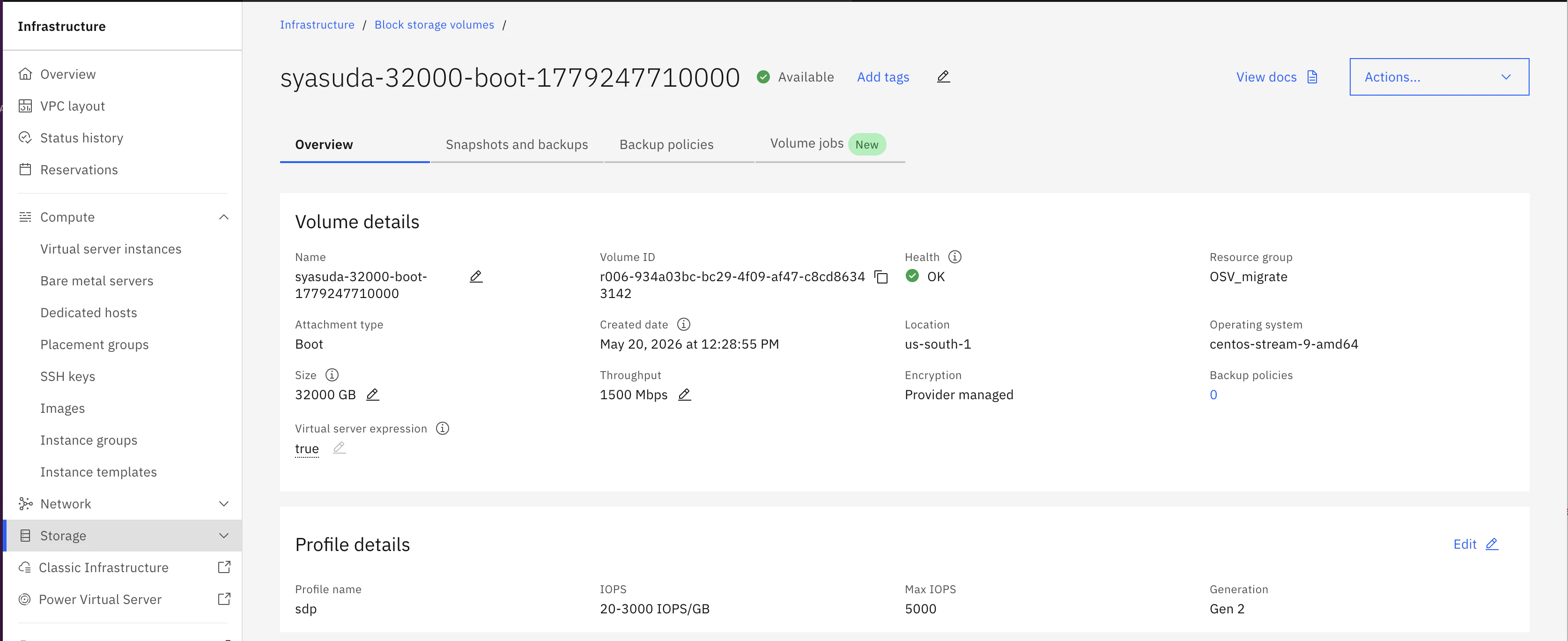
IBM CloudのVSI for VPCでは、250GBまでのboot diskしか利用できませんでした。
2026/5/19付のrelease notesによると、32TBまで利用が可能になったので確認してみました。
https://cloud.ibm.com/docs/vpc?topic=vpc-release-notes&locale=en#vpc-may1926
なお、以下の注意点があります。
-
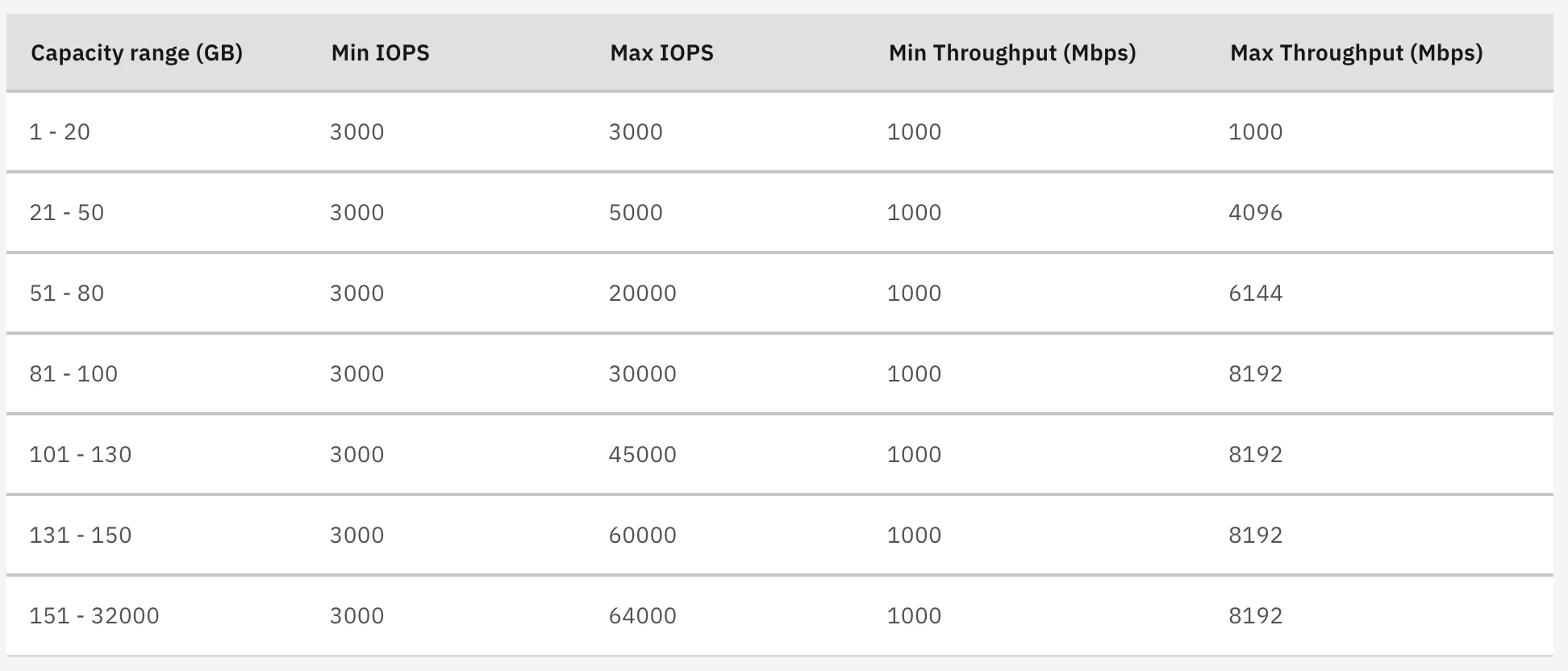
250GBより大きなboot diskが利用できるのは、sdp profileと呼ばれるものです。sdp profileは、容量以外にもIOPSやThrougputがカスタマイズ可能だという特徴があります。利用可能なIOPS/Througputの対応表はdocsに記載がありますが、以下にも載せておきます。
-
今回のリリースに伴い、sdp profileがデフォルトで選択されるようになりました。1st generationのprofileについては、現時点でEOM/EOSの発表はされていませんが、すでに移行機能が提供されていることを鑑みると、今後はsdp profileを利用するべきだと考えられます。
-
release notesによると、
Boot volumes larger than 250 GB can't be used to create custom imagesという制限があります。つまり、Image Templateを使って雛形を作成するということは、250GBより大きいboot volumeでは本執筆段階ではまだ対応していません。
2. 注文画面
- ストレージ選択画面は以下のように変更されています。

- 100GBを選択したまま、Customのタイルをクリックすると、Storage sizeが100GBのままsdpプロファイルが選択されていることから、デフォルトがsdpプロファイルになっていることが読み取れます。

- sdp profileではgeneration 1と違ってIOPSもThroughputも選択できるという利点があります。今回は、以下のようにストレージサイズを32TBに変更してプロビジョニングしてみたいと思います。

3 検証
3.1 容量検証
[vpcuser@syasuda-32000 ~]$ sudo lsblk -pf
NAME        FSTYPE  FSVER            LABEL      UUID                                 FSAVAIL FSUSE% MOUNTPOINTS
/dev/vda
├─/dev/vda1
├─/dev/vda2 vfat    FAT16            EFI        7898-675F                              92.8M     7% /boot/efi
└─/dev/vda3 xfs                      ROOT       92b13a14-6027-4bfc-b6d6-6360aab2b1b6     31T     1% /
/dev/vdb    iso9660 Joliet Extension cidata     2026-05-20-03-28-56-00
/dev/vdc    swap    1                SWAP-xvdb1 566a9de3-4f16-4937-aaf1-0a28fc6becae


[vpcuser@syasuda-32000 ~]$ sudo df -h
Filesystem      Size  Used Avail Use% Mounted on
devtmpfs        4.0M     0  4.0M   0% /dev
tmpfs           3.8G     0  3.8G   0% /dev/shm
tmpfs           1.5G   17M  1.5G   2% /run
efivarfs        256K   21K  231K   9% /sys/firmware/efi/efivars
/dev/vda3        32T  225G   32T   1% /
/dev/vda2       100M  7.0M   93M   8% /boot/efi
tmpfs           768M     0  768M   0% /run/user/1000
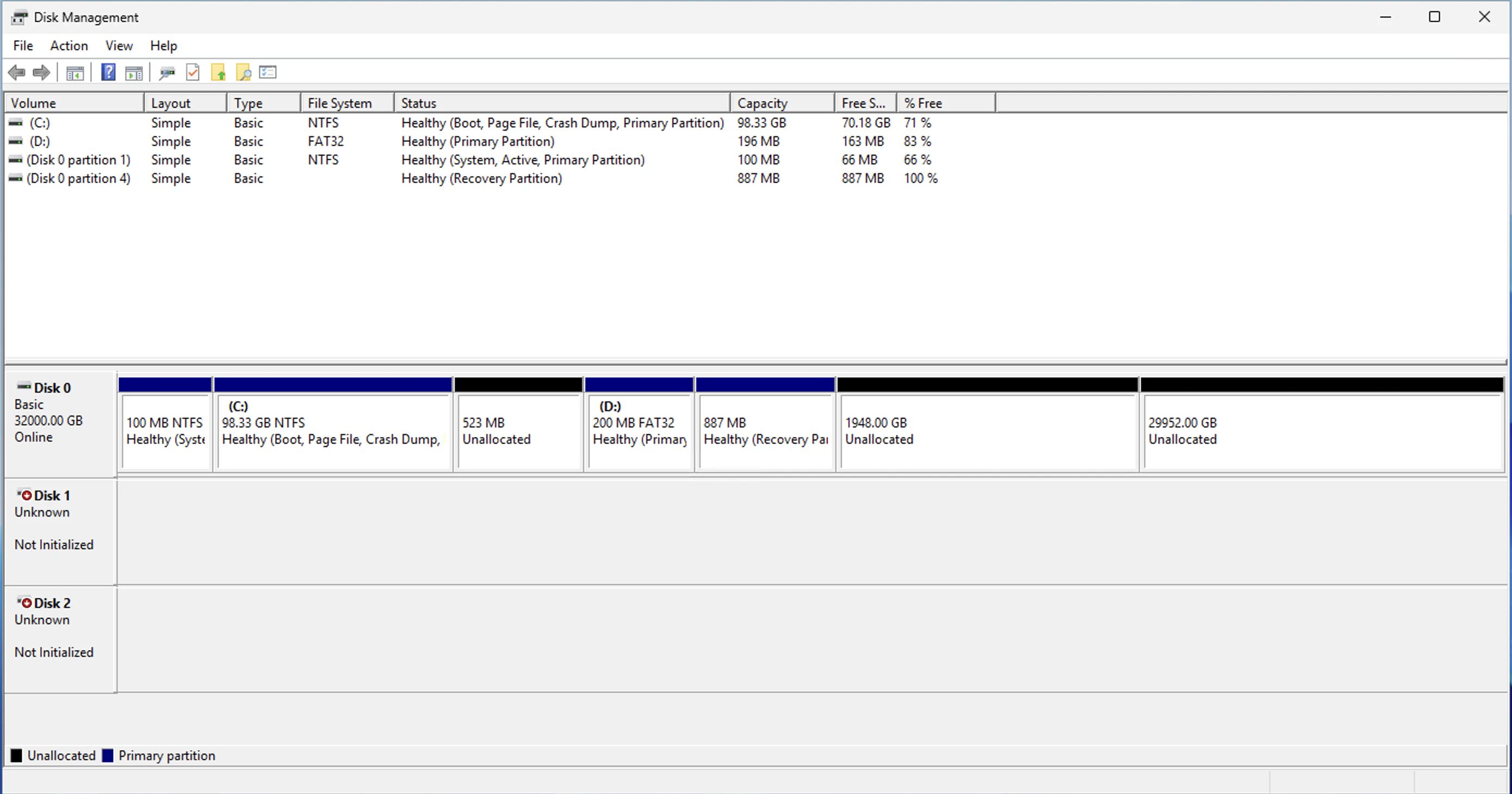
Windows
3.2 Image Template
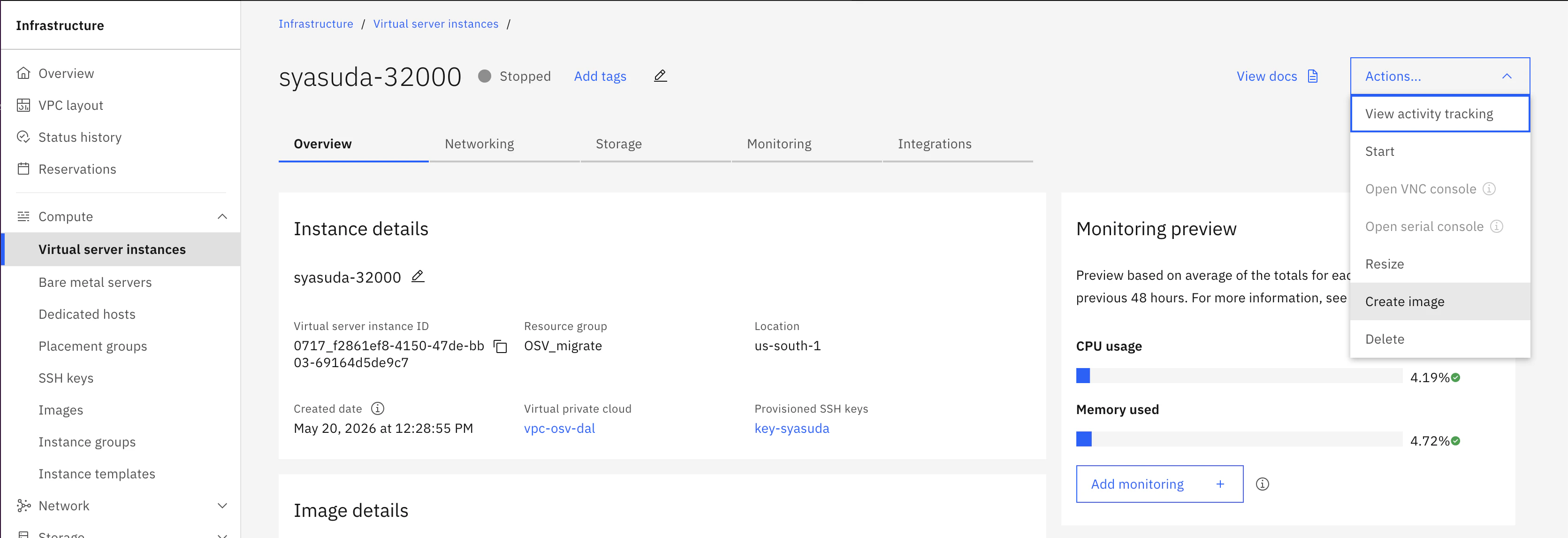
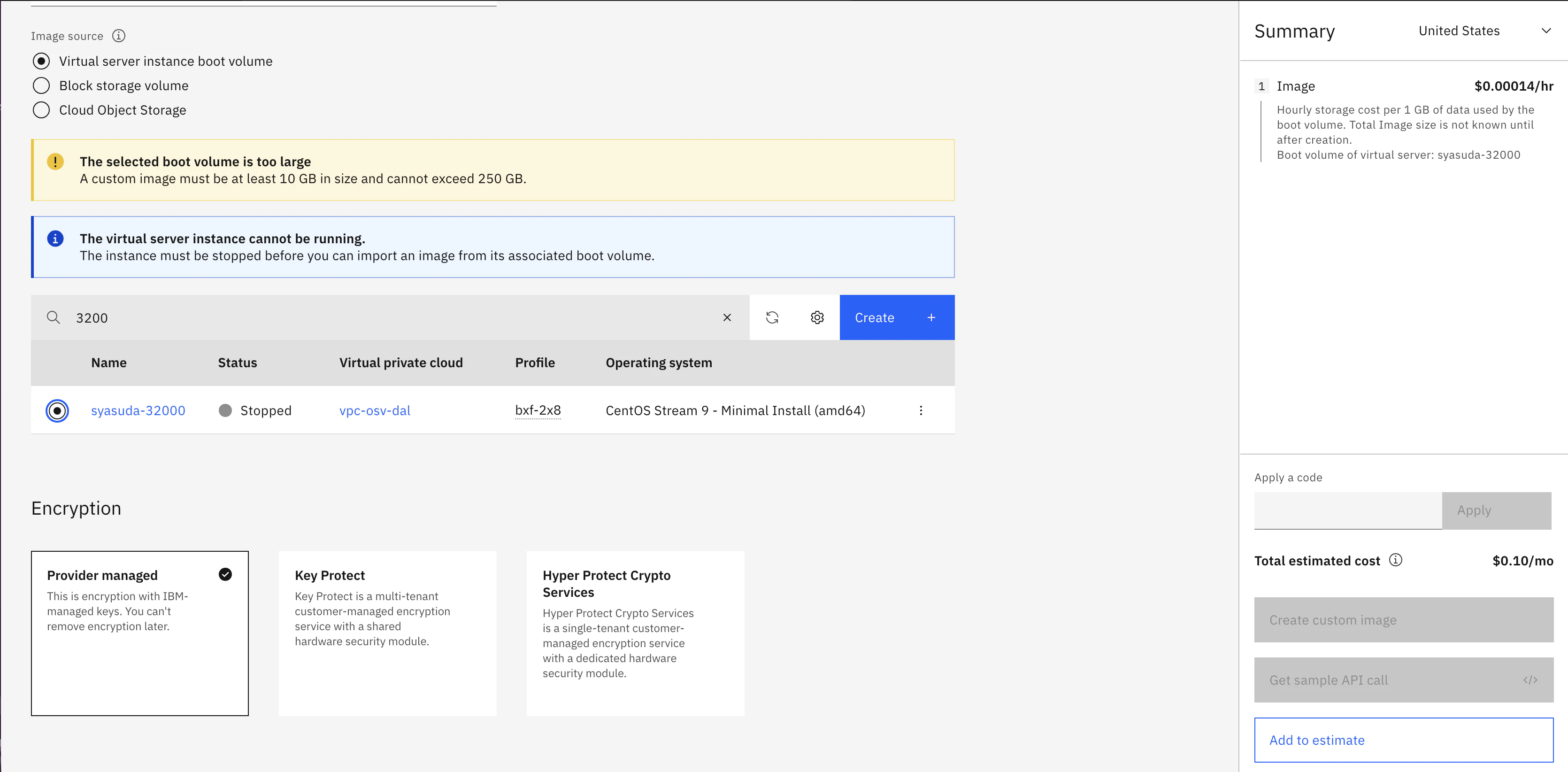
VSIを停止して、Image templateを取得しようとしてみたところ、該当のVSIを選択するとThe selected boot volume is too largeというエラーが出て、Image templateを作成することはできませんでした。
3.3 IOPS/Througput
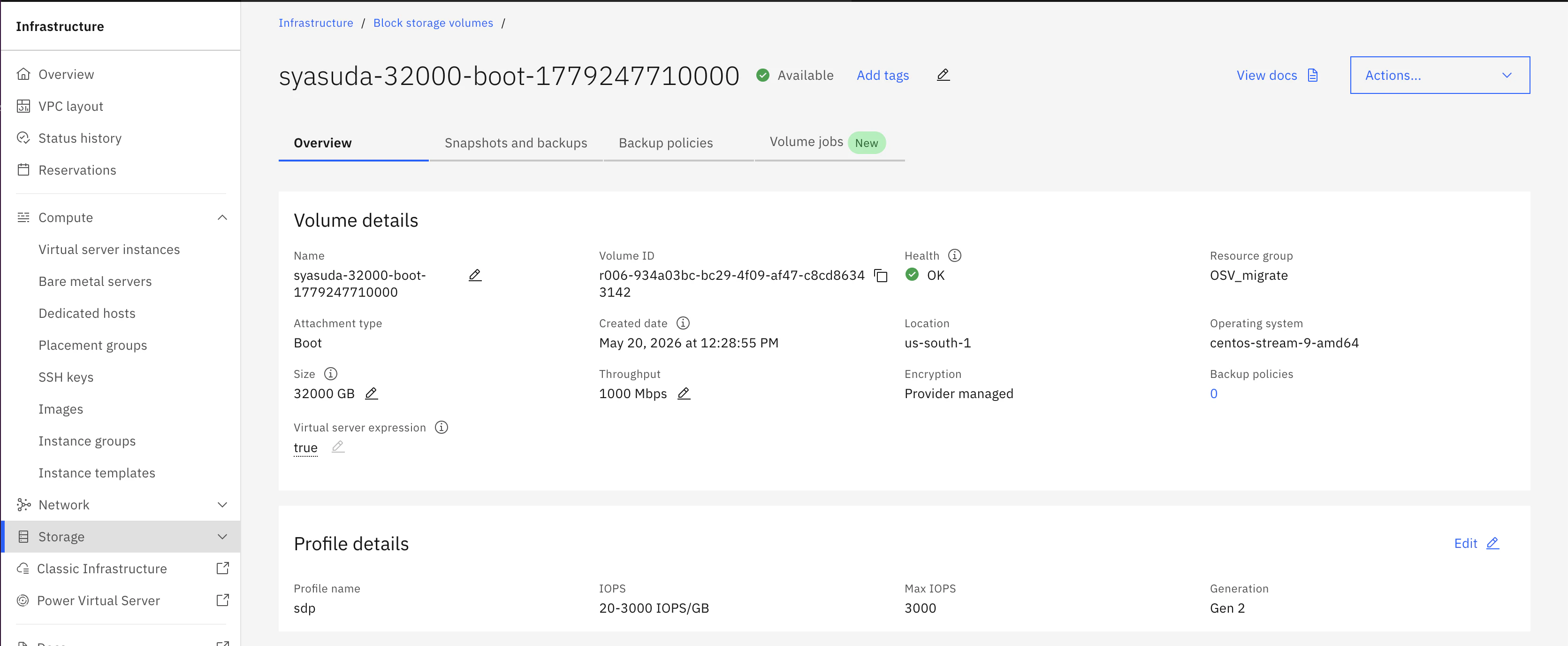
オンラインで変更可能でした。
- 元の環境
- 増やしてみる
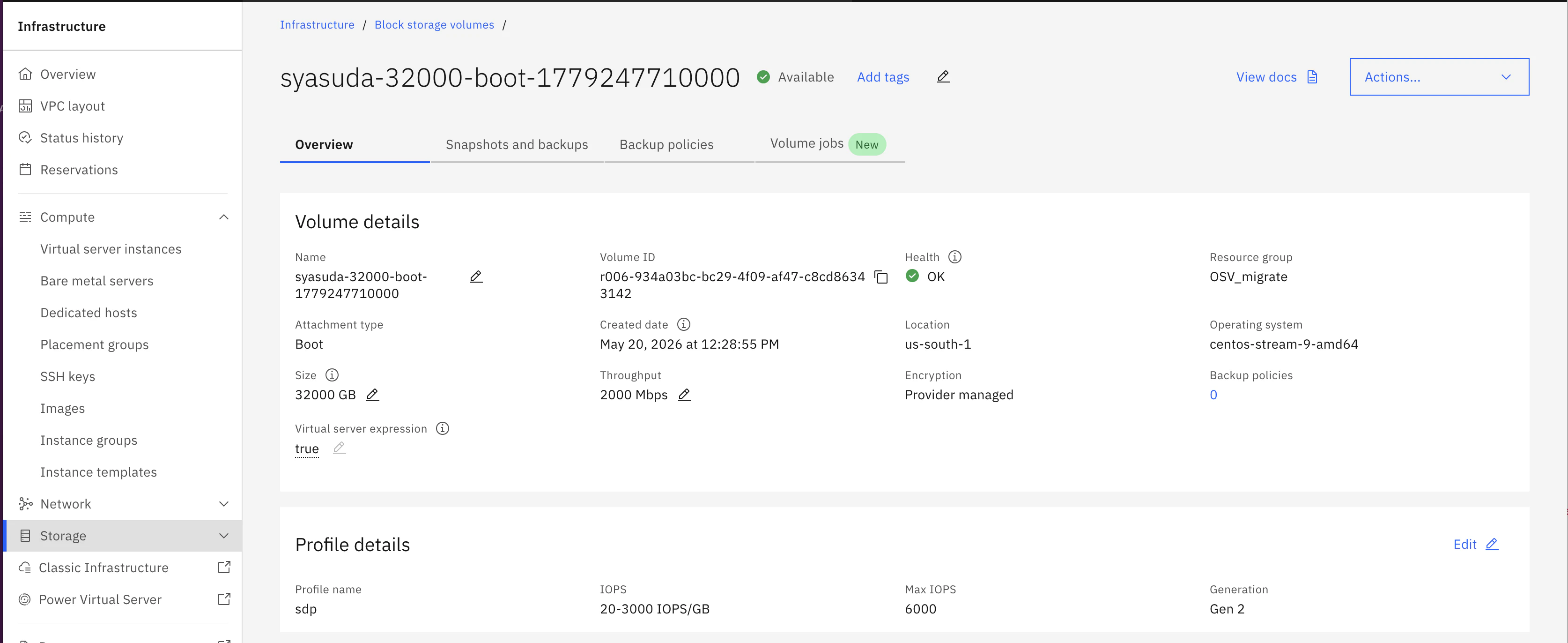
- その後減らしてみる。