
前置き
CTFの学習をしているさわちゃんと申します。
今回は、TryHackMeのOpenVPN接続で躓いたので、備忘録的に解決法を残します。
対象読者
・WSL2上のKali LinuxでTryHackMeの学習を始めようとしている人。
・sudo openvpn <your-file-name>.ovpn を実行し、Initialization Sequence Completed と表示されるにもかかわらず、ターゲットマシンにSSH接続できない人
解決策
WSL2上のKali Linux内でOpenVPNを起動するのではなく、ホストOSであるWindowsにOpenVPNクライアントをインストールし、そこでVPN接続を確立する
具体的な手順
① Windows用OpenVPNクライアントのインストール
- OpenVPN公式サイトからWindows用インストーラーをダウンロードし、インストールします。
https://www.openvpn.jp/download/

② TryHackMeからVPN設定ファイルをダウンロード
- TryHackMeのAccessページから設定ファイルをダウンロードします。
https://tryhackme.com/access

③ WindowsでOpenVPN接続を確立
- ダウンロードした設定ファイルをダブルクリックで開き接続します。

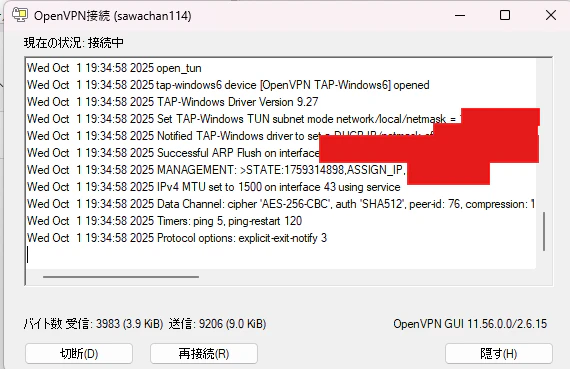
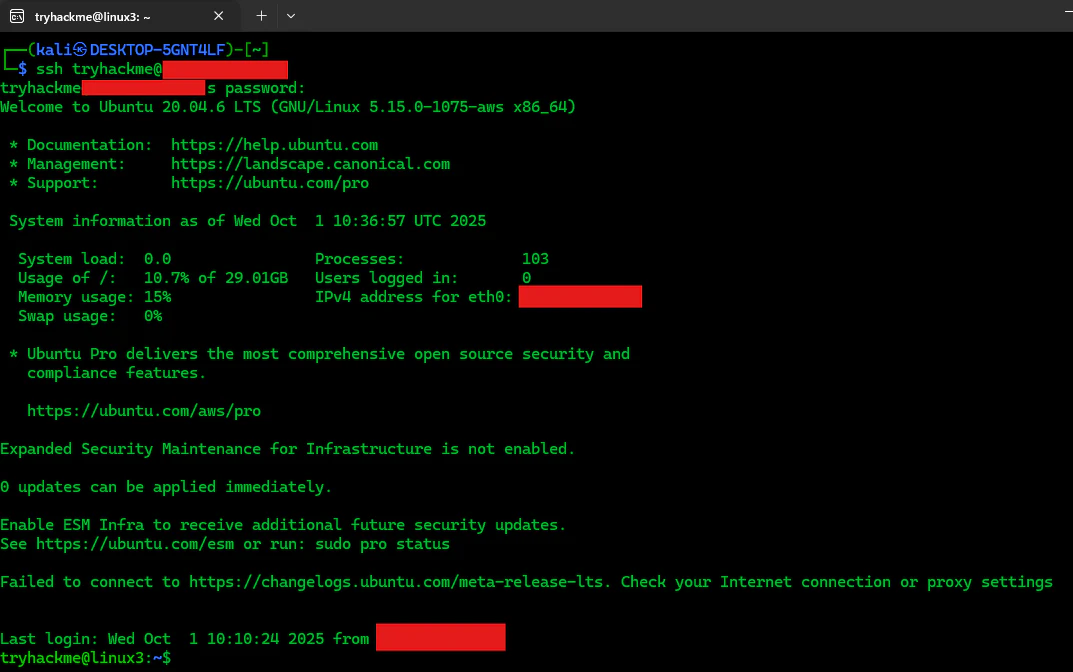
④ WSL2(Kali Linux)での接続確認
- SSHで接続できるか確認します。下記の通り成功するはずです。
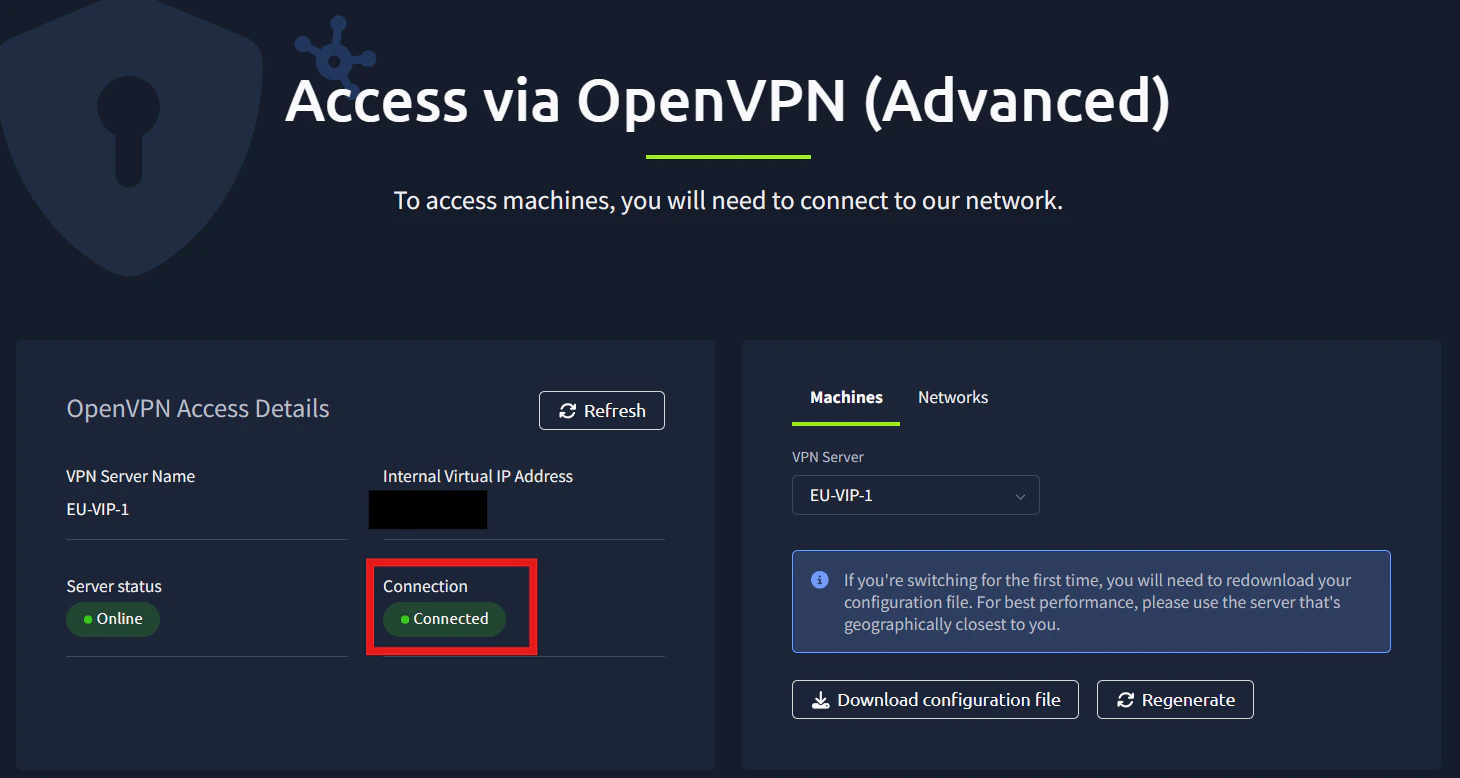
- TryHackMeのAccessページを見ても、接続できています。
原因について
解決方法を調べている中で、TryHackMe側のサーバーを変えるやopenvpn-troubleshootingを使うなど出てきましたが、どれを試しても解決しませんでした。
未だに根本原因は判明していないので、何か分かったら追記します。