
Robloxでちょっとしたカットシーンや、選択肢付きの会話演出を作ってみたので、その実装例をまとめました。
ローカルスクリプトだけでできる範囲の内容で、初学者の方にもおすすめです!
動画で見てみよう
📍1. LookPartの方向を向かせて、カメラを真上に固定する
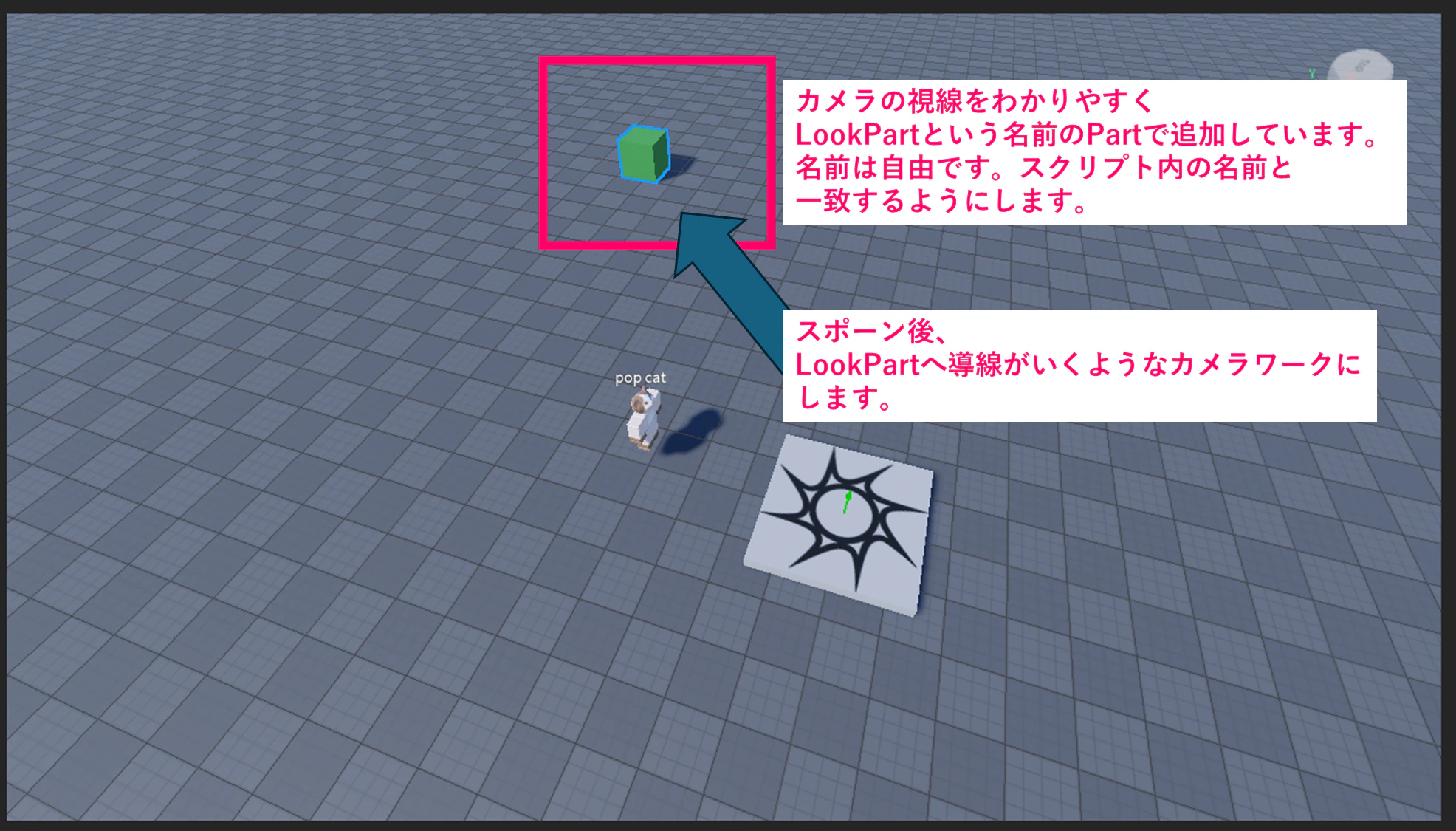
プレイヤーが出現したあと、マップ内の特定パーツ(LookPart)を注視させるカットシーンを入れることができます。
以下のスクリプトでは、カメラをプレイヤーの真上に固定し、LookPartを注視するようにしています。
-- LookPartがある方向を見る
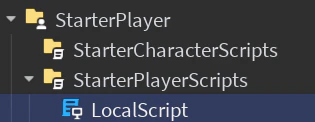
local Players = game:GetService("Players")
local player = Players.LocalPlayer
local camera = workspace.CurrentCamera

player.CharacterAdded:Connect(function(character)
	local hrp = character:WaitForChild("HumanoidRootPart")
	task.wait(0.2)

	-- LookPartを取得(プレイヤー出現後)
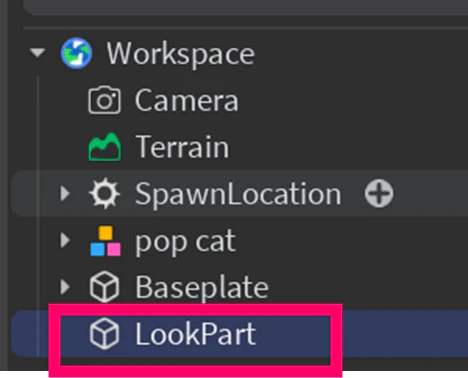
	local lookPart = workspace:FindFirstChild("LookPart")
	if not lookPart then
		warn("LookPart が見つかりませんでした!")
		return
	end

	-- カメラを固定
	camera.CameraType = Enum.CameraType.Scriptable

	-- 真上から LookPart を注視
	local camPosition = hrp.Position + Vector3.new(0, 20, 0)
	camera.CFrame = CFrame.new(camPosition, lookPart.Position)

	-- 数秒後に通常カメラに戻す(3秒後など)
	task.delay(3, function()
		camera.CameraType = Enum.CameraType.Custom
	end)
end)
🎥2. LookPartを横から注視する構図に変更する場合
上記のスクリプトを少しアレンジして、LookPartの近く・斜め後ろ上方から注視するカメラにすることもできます。
より「演出っぽい視点」にしたい場合はこちら。
local Players = game:GetService("Players")
local player = Players.LocalPlayer
local camera = workspace.CurrentCamera

player.CharacterAdded:Connect(function(character)
	local hrp = character:WaitForChild("HumanoidRootPart")
	task.wait(0.2)

	local lookPart = workspace:FindFirstChild("LookPart")
	if not lookPart then
		warn("LookPart が見つかりませんでした!")
		return
	end

	camera.CameraType = Enum.CameraType.Scriptable

	-- LookPart の位置の近くにカメラを配置(右斜め上後方)
	local camPosition = lookPart.Position + Vector3.new(-10, 10, -10)

	-- 注視点(例:プレイヤー or LookPart どちらでもOK)
	camera.CFrame = CFrame.new(camPosition, lookPart.Position)

	-- 数秒後にカメラを元に戻す
	task.delay(3, function()
		camera.CameraType = Enum.CameraType.Custom
	end)
end)
💬3. プレイヤーが近づいたら「はい / いいえ」で選択肢付きの会話イベントを出す
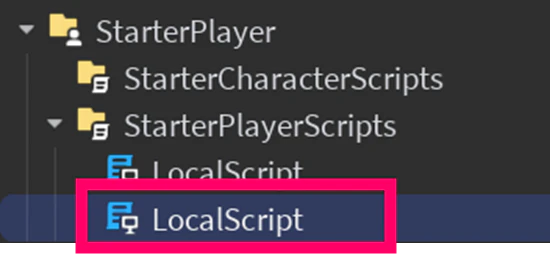
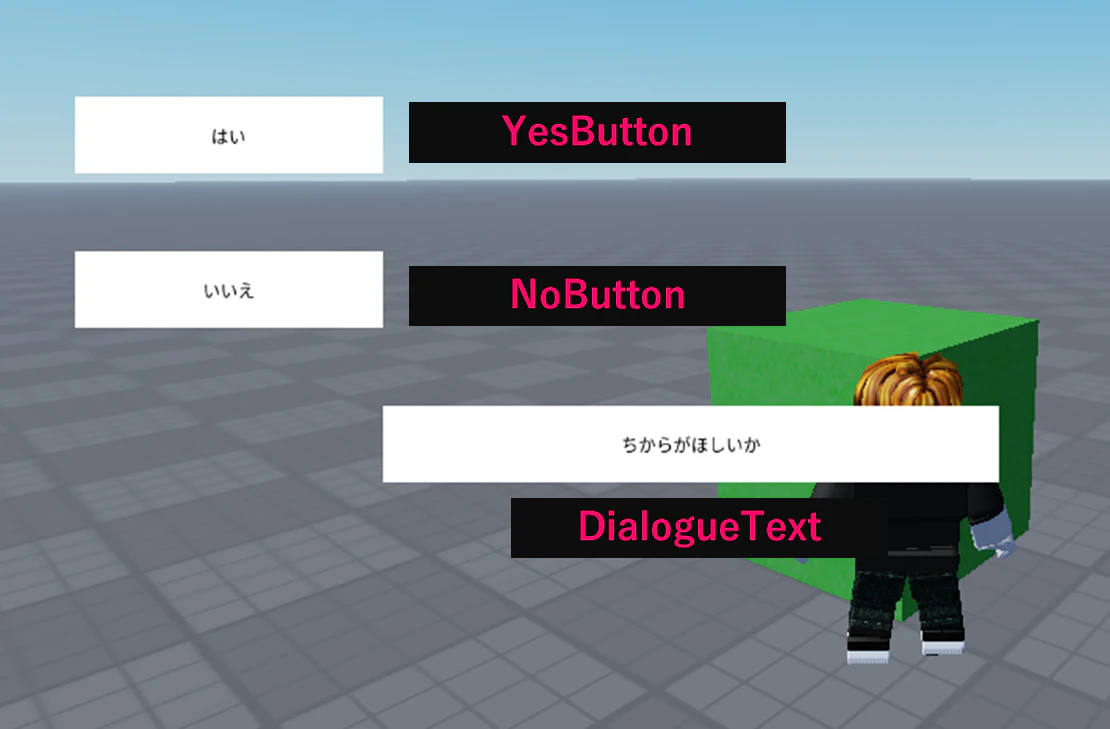
次は、プレイヤーが特定のパーツ(LookPart)に近づいたら会話UIを表示し、「はい」「いいえ」で選択肢を出すUIの処理です。
local Players = game:GetService("Players")
local player = Players.LocalPlayer
local RunService = game:GetService("RunService")

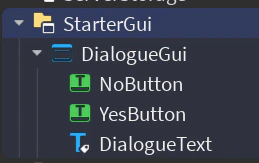
local dialogueGui = player:WaitForChild("PlayerGui"):WaitForChild("DialogueGui")
local yesButton = dialogueGui:WaitForChild("YesButton")
local noButton = dialogueGui:WaitForChild("NoButton")
local dialogueText = dialogueGui:WaitForChild("DialogueText")

local activated = false
local choiceMade = false

-- ボタン関数を先に定義しておく(複数回接続されないように外に出す)
local function onYesClicked()
	if choiceMade then return end
	choiceMade = true
	dialogueText.Text = "よかろう"
	task.wait(2)
	dialogueGui.Enabled = false
end

local function onNoClicked()
	if choiceMade then return end
	choiceMade = true
	dialogueText.Text = "そうか……"
	task.wait(2)
	dialogueGui.Enabled = false
end

-- イベントは最初に一度だけ接続しておく(RenderStepped内では接続しない!)
yesButton.MouseButton1Click:Connect(onYesClicked)
noButton.MouseButton1Click:Connect(onNoClicked)

-- 距離チェック処理(RenderStepped内)
RunService.RenderStepped:Connect(function()
	local character = player.Character
	local lookPart = workspace:FindFirstChild("LookPart")
	if not character or not lookPart then return end

	local hrp = character:FindFirstChild("HumanoidRootPart")
	if not hrp then return end

	local distance = (hrp.Position - lookPart.Position).Magnitude

	if distance < 10 and not activated then
		activated = true
		choiceMade = false
		dialogueGui.Enabled = true
		dialogueText.Text = "ちからがほしいか"
	end
end)
🔚まとめと今後の展望
今回は、以下の3点を中心に実装しました:
-
プレイヤー出現時にLookPartの方向を注視させるカメラ演出
-
LookPartの近くにカメラを置いて簡単なカットシーン表現
-
距離トリガーによる会話イベントと選択肢UIの実装
次はこのカットシーン演出をアニメーション再生やBGM、キャラクターの動きと組み合わせて強化していく予定です!
Mediumやショート動画で動き付きの解説も予定しています〜!