
kintone プラグイン開発を docker でやりたくなって試したことのメモ。
パッケージまでは、OK。アップロードでつまずき。
概要
PC を変えたり、開発環境でいろいろなバージョンを切り替えたりすると訳が分からん状態になったので、docker でプラグイン開発できないか試した。
パッケージまでは、問題なくOK。アップロードでつまずき。
docker のベースをブラウザー有のものから作ったほうがいいかもしれません。
環境
- Windows 11 Pro
- Docker Desktop
- VSCode
dockerfile
- ベースは、node:18。とりあえず node curent バージョン
- WORKDIR /home/kintone ; vscode ソースマウント用に
- npm は、 8.10.0 の最新があるよと言われたので。
- @kintone/create-plugin、@kintone/plugin-packer、@kintone/plugin-uploader、@kintone/webpack-plugin-kintone-plugin webpack webpack-cli は、-g オプションで。
- sed -i ~ は、create-plugin を実行するといろいろローカルにインストールしてしまうので、インストール部分をコメントアウト
FROM node:18
WORKDIR /home/kintone
RUN npm install -g npm@8.10.0
RUN npm install -g @kintone/create-plugin
RUN npm install -g @kintone/plugin-packer
RUN npm install -g @kintone/plugin-uploader
RUN npm install -g @kintone/webpack-plugin-kintone-plugin webpack webpack-cli
RUN sed -i "s/(0, deps_1.installDependencies)(outputDirectory, lang);/\/\/ &/" /usr/local/lib/node_modules/@kintone/create-plugin/dist/src/generator.js
- .dockerignore は、docker イメージに不要なものを除外する指定
.dockerignore
node_modules
npm-debug.log
docker image build
dockerfile のフォルダーで、docker image build
docker image build -t rex0220/kintone-plugin:1 .
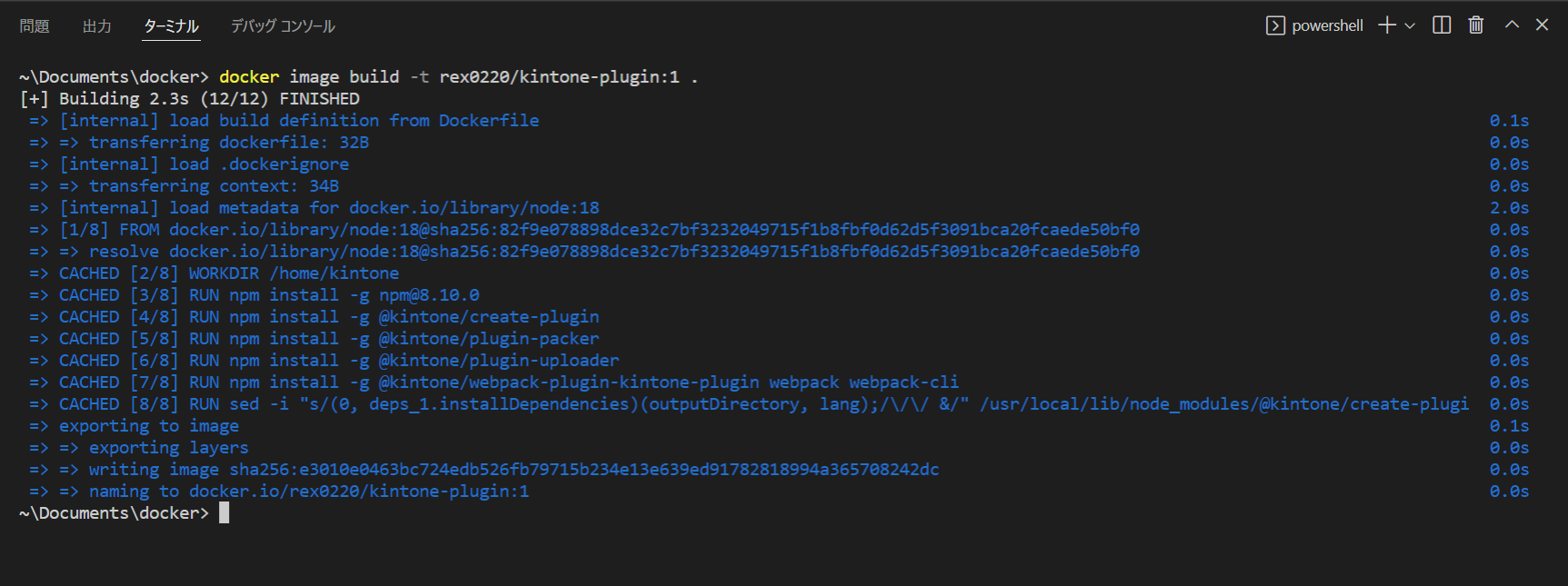
VSCode で docker image 確認
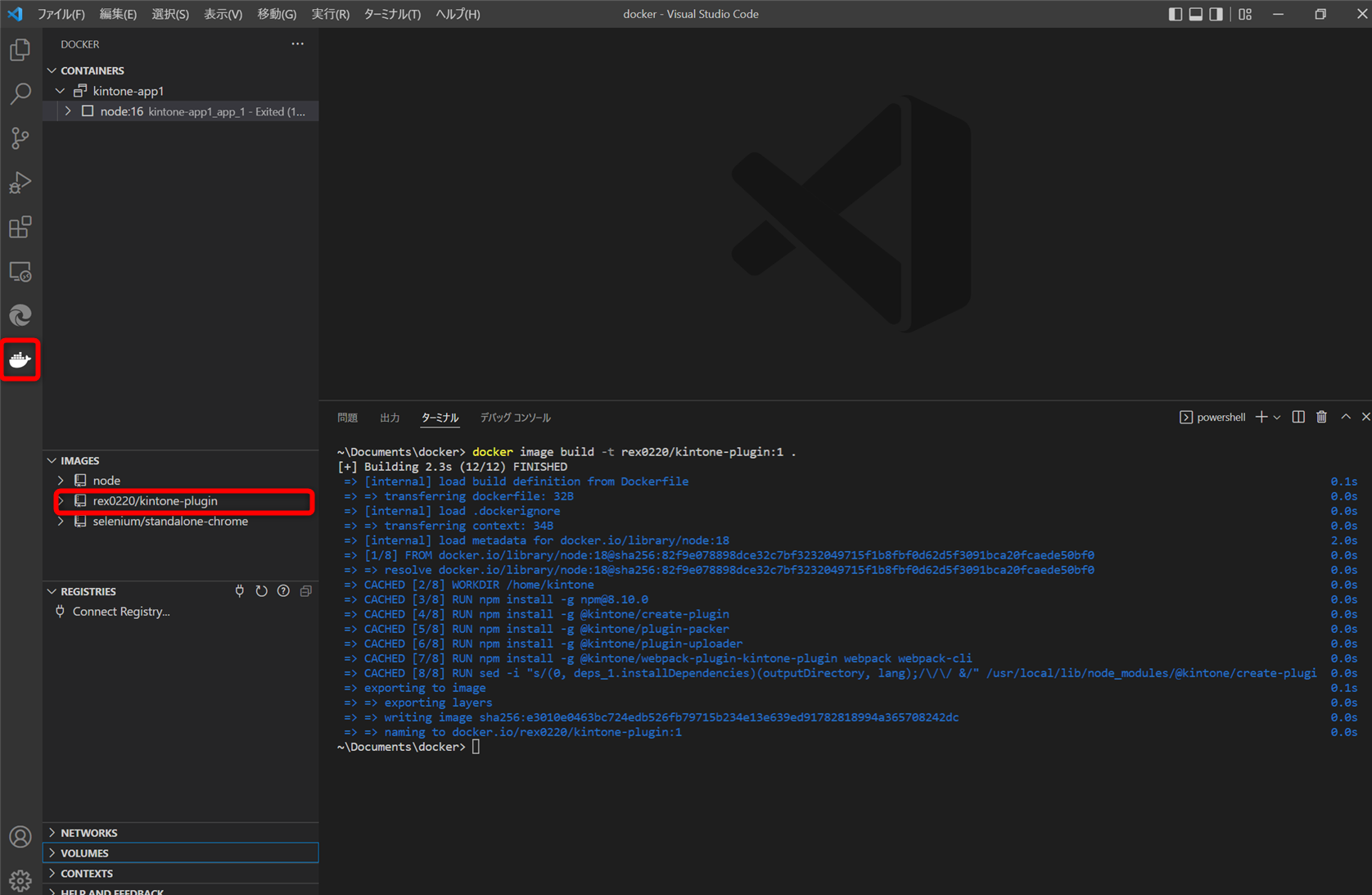
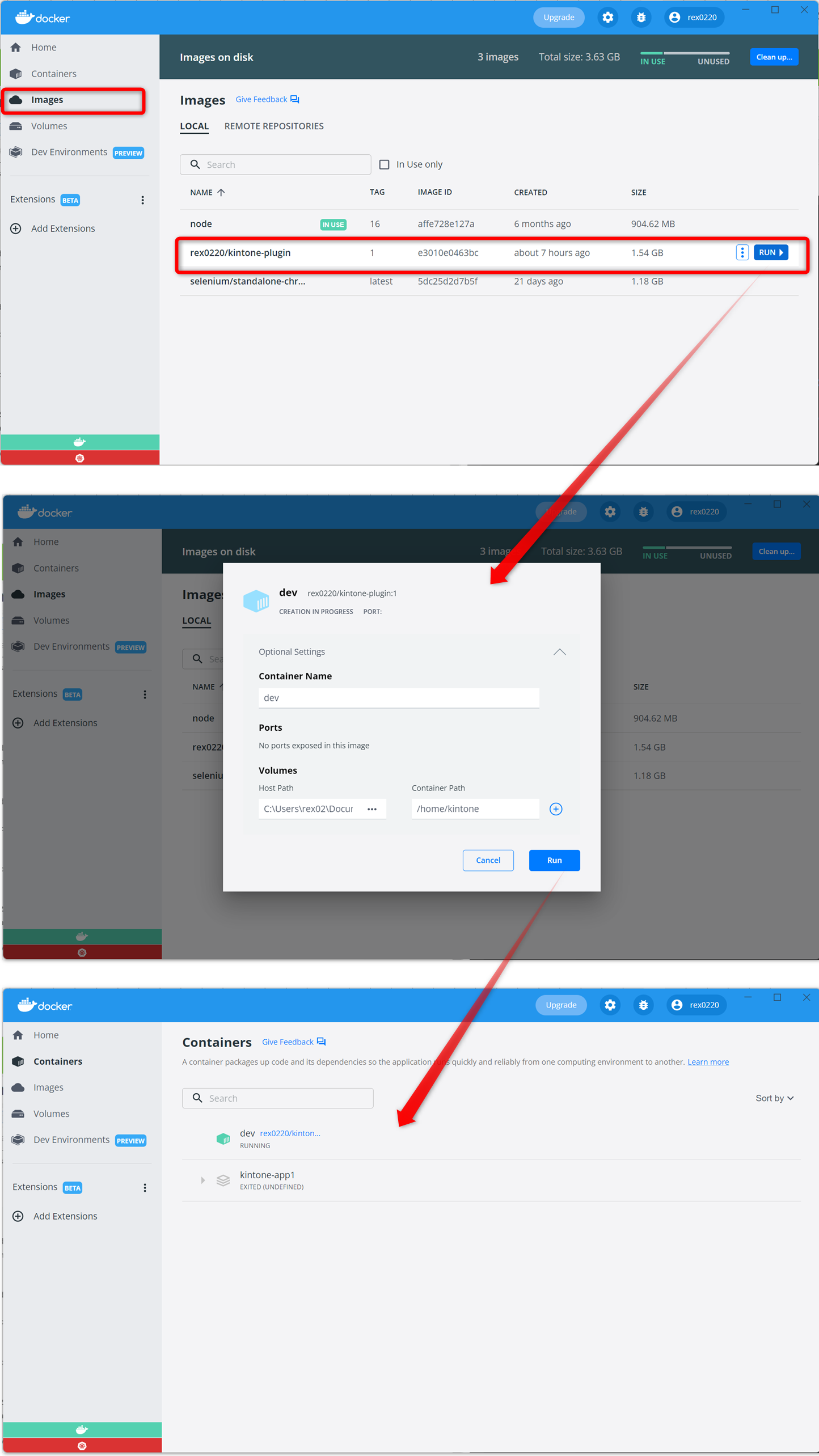
image から実行
Docker Desktop を使うと、設定が楽ですね。
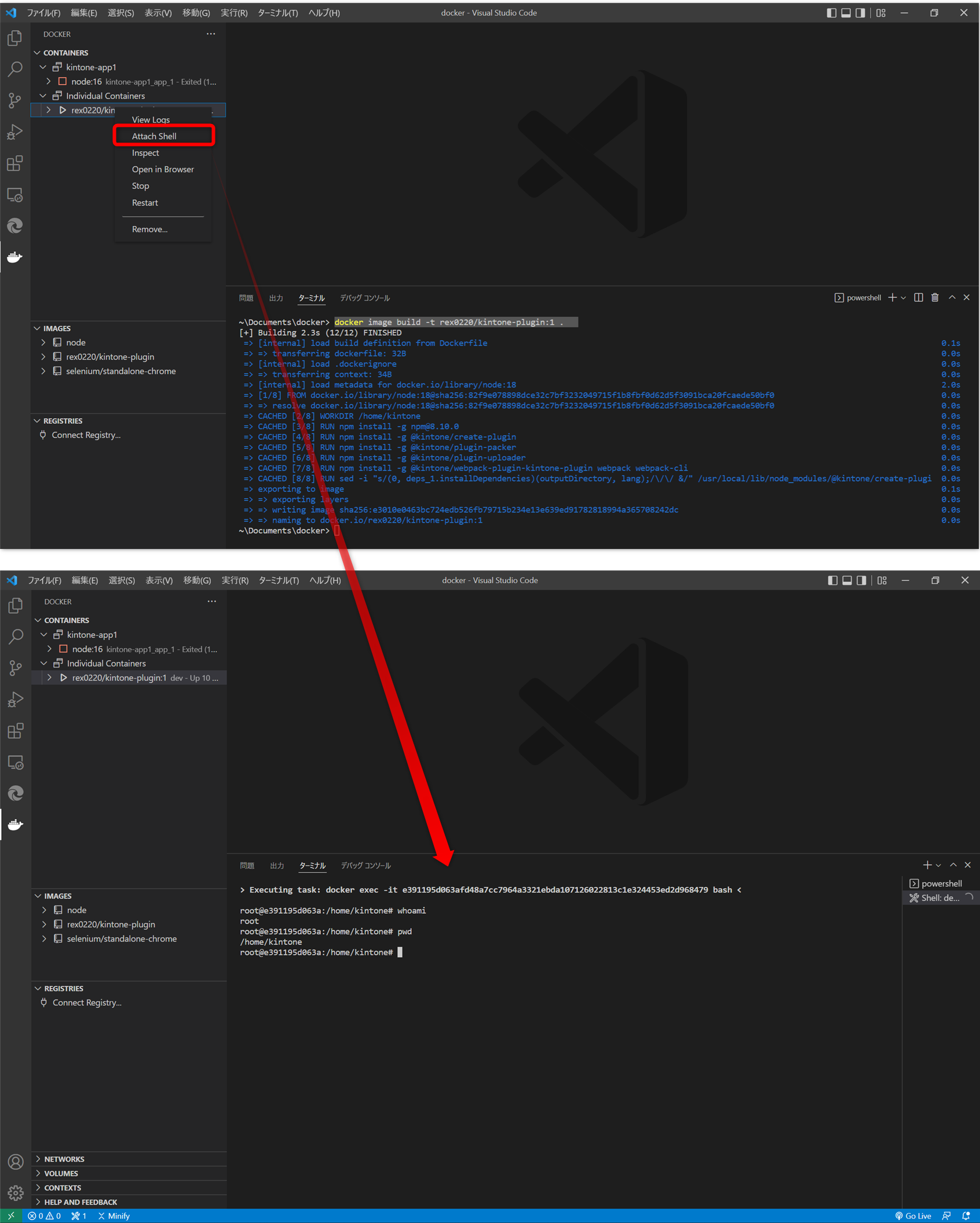
VSCode でコンテナにアタッチ
VSCode で、docker コンテナ側でプラグインの作成・ビルド。
PC側のフォルダーで編集ができます。
VSCode から コンテナへアタッチできます。
root の /home/kintone へ bash で入ります。
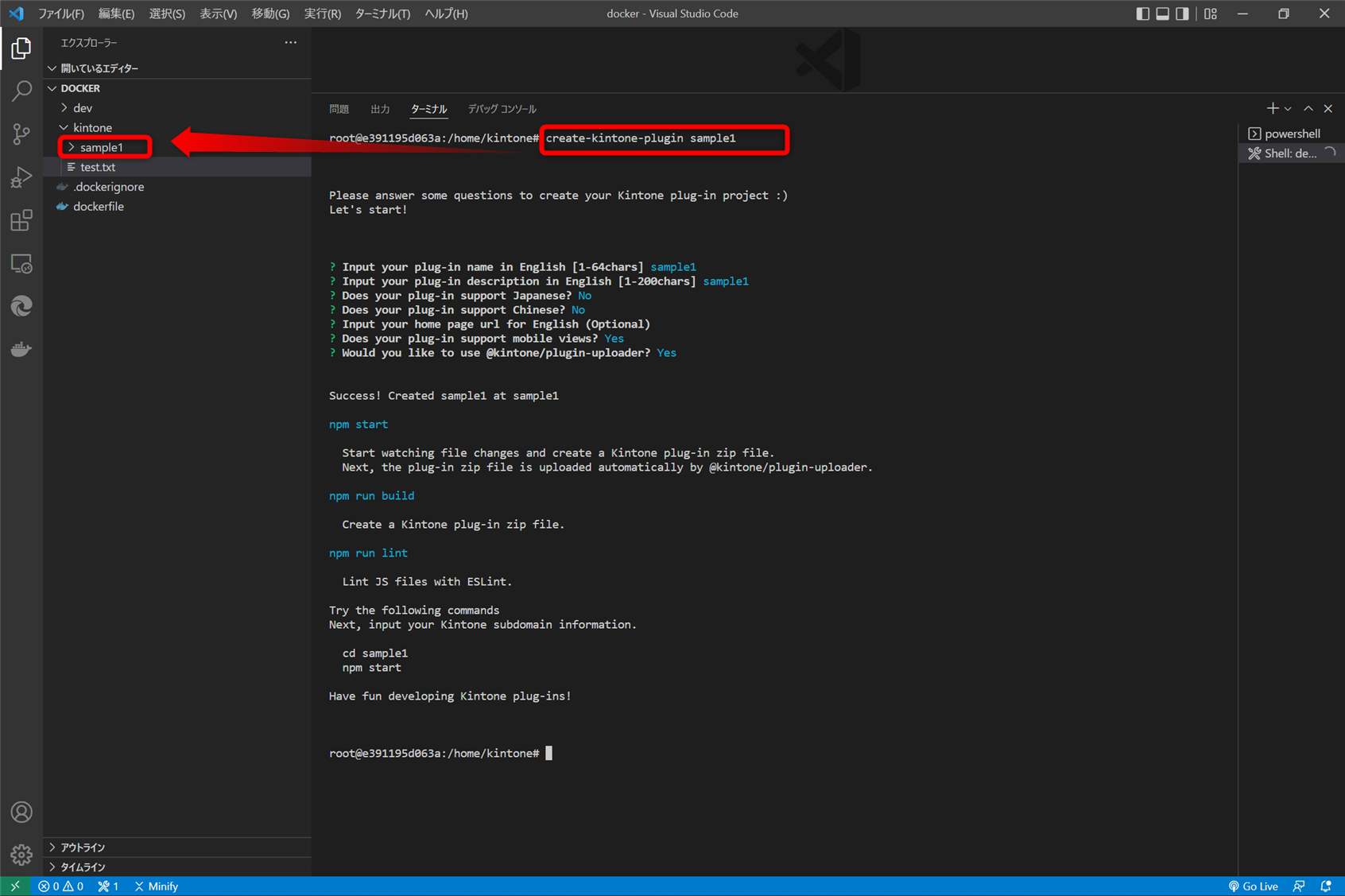
プラグインを作成
create-kintone-plugin sample1
プラグインをビルド
root@e391195d063a:/home/kintone# cd sample1/
root@e391195d063a:/home/kintone/sample1# npm run build

> sample1@0.1.0 build
> kintone-plugin-packer --ppk private.ppk --out dist/plugin.zip src

Succeeded: dist/plugin.zip
root@e391195d063a:/home/kintone/sample1#
プラグインをアップロード
plugin-uploader は、ブラウザーでプラグインをアップロードするので、ブラウザーが無い環境なのでエラーになります。
ブラウザーをインストールを試したが、いろいろ面倒で挫折。
root@e391195d063a:/home/kintone/sample1# npm run upload

> sample1@0.1.0 upload
> kintone-plugin-uploader dist/plugin.zip --watch --waiting-dialog-ms 3000

? Input your kintone's base URL (https://example.cybozu.com): https://xxxxx.cybozu.com/
? Input your username: xxxxx
? Input your password: [hidden]
Error: Failed to launch the browser process!
/usr/local/lib/node_modules/@kintone/plugin-uploader/node_modules/puppeteer/.local-chromium/linux-982053/chrome-linux/chrome: error while loading shared libraries: libnss3.so: cannot open shared object file: No such file or directory


TROUBLESHOOTING: https://github.com/puppeteer/puppeteer/blob/main/docs/troubleshooting.md

    at onClose (/usr/local/lib/node_modules/@kintone/plugin-uploader/node_modules/puppeteer/lib/cjs/puppeteer/node/BrowserRunner.js:241:20)
    at Interface.<anonymous> (/usr/local/lib/node_modules/@kintone/plugin-uploader/node_modules/puppeteer/lib/cjs/puppeteer/node/BrowserRunner.js:231:68)
    at Interface.emit (node:events:539:35)
    at Interface.close (node:internal/readline/interface:535:10)
    at Socket.onend (node:internal/readline/interface:261:10)
    at Socket.emit (node:events:539:35)
    at endReadableNT (node:internal/streams/readable:1344:12)
    at process.processTicksAndRejections (node:internal/process/task_queues:82:21)
root@e391195d063a:/home/kintone/sample1#
プラグインをPC側の powershell でアップロード
VSCode のターミナルを切り替えて、プラグインをアップロードはできました。
コンテナ側のシェルで全部済ませたいですね。
~\Documents\docker> cd .\kintone\
~\Documents\docker\kintone> cd .\sample1\
~\Documents\docker\kintone\sample1> npm run upload
npm WARN lifecycle The node binary used for scripts is C:\Program Files (x86)\Nodist\bin\node.exe but npm is using C:\Program Files (x86)\Nodist\v-x64\12.16.1\node.exe itself. Use the `--scripts-prepend-node-path` option to include the path for the node binary npm was executed with.

> sample1@0.1.0 upload C:\Users\rex02\Documents\docker\kintone\sample1
> kintone-plugin-uploader dist/plugin.zip --watch --waiting-dialog-ms 3000

--domain オプションおよび KINTONE_DOMAIN は非推奨となり、次のメジャーリリースで削除されます。代わりに --base-url や KINTONE_BASE_URL を使用してください
Open https://devenxyfi.cybozu.com/login?saml=off
Trying to log in...
Navigate to https://devenxyfi.cybozu.com/k/admin/system/plugin/
Trying to upload dist/plugin.zip
upload button click
dist/plugin.zip をアップロードしました!
まとめ
とりあえず、プラグインのビルドまでは、docker コンテナ上で出来た。
プラグインアップロードは、使っているうちに動作しなくなる場合も多いので、早く kintone で、プラグインアップロードの API を公開してほしい。