はじめに
microCMSでコンテンツを公開した時にWebhookを利用して、その旨をChatworkと連携してメッセージ投稿する方法として、
を作成したのですが、それだけだと投稿内容が寂しいので、続編として画像を添えてみます。なお、前編を読んでもらっている前提とさせて頂き、ある程度、重複したところは省略します。
前提
microCMSのアカウントを保有済(フリーのHobbyプランでも可能)
Chatworkのアカウントを保有済(フリーアカウントでも可能)
microCMSで画像アップロード可能?
microCMSの料金プランを見て、microCMSのHobbyプランだと、画像のアップロードはできないように思っていました。
が、実際に試すと可能ですね。
Hobbyプランだと画像だけですが、可能です。データ転送量の制限がありますので、実業務で使用するのであれば、上位のプランを検討した方が良さそうです。
(ステップ1) microCMS側の準備
前編と同じく、API名は社内通知で、エンドポイントはnotice にします。
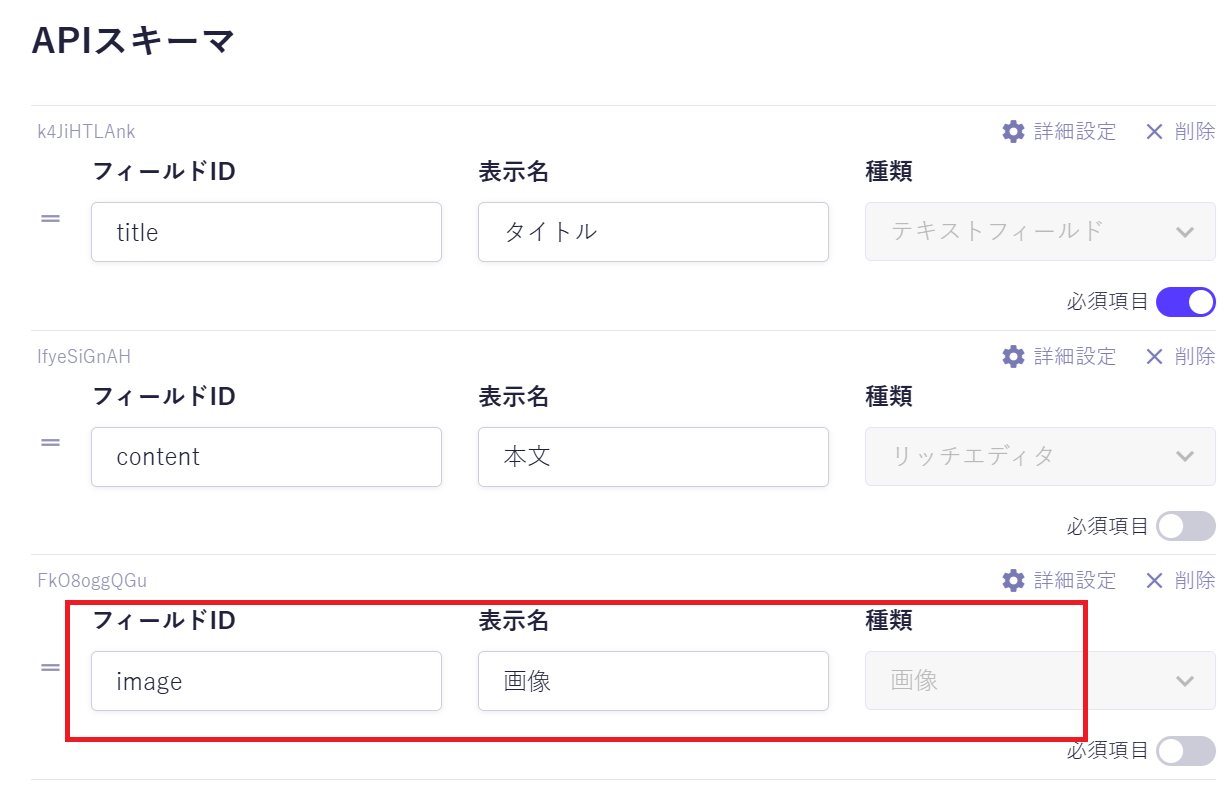
APIスキームも前編とほぼ同じですが、画像フィールドを追加しています。
(ステップ2) Chatwork側の準備
前編と同じく、APIトークンとルームIDを調べておきます。
(ステップ3) AWS側の準備
画像を添えた投稿をしようとすると、microCMSで用意しているChatwork用の標準的なWebhookでは無理ですので、Webhookのカスタム通知を利用することになります。このカスタム通知は外部のAPIを叩くものですが、本記事ではサーバレスで用意できる、AWS API Gatewayを利用します。という訳で(私の作成した)別の記事
をそのまま利用して、AWS Lambdaのコードだけを変更して、APIを用意します。
ChatworkのファイルアップロードAPIは
https://developer.chatwork.com/reference/post-rooms-room_id-files
に分かりやすい説明があるので、それを組み込みます。
import os
import hmac
import hashlib
import json
import urllib.request
from urllib.parse import urlparse
import base64
import re
import requests
import mimetypes

max_file_size = 5 * 1024 * 1024 # Chatworkのファイルアップロード上限5MB

def _get_header(event, name: str):
    headers = event.get("headers") or {}
    lname = name.lower()
    for k, v in headers.items():
        if k.lower() == lname:
            return v
    return None

def _response(status: int, body: str):
    return {
        "statusCode": status,
        "headers": {"Content-Type": "application/json"},
        "body": json.dumps(body),
    }

def get_filename(imageurl):
    return os.path.basename(urlparse(imageurl).path)

def get_content_type(filename):
    return mimetypes.guess_type(filename)[0] or 'application/octet-stream'

def _post_chatwork_message(chatwork_token : str, roomid: str, title: str, content: str, imageurl: str):
    url = "https://api.chatwork.com/v2/rooms/" + roomid + "/messages"
    message = _make_message(title, content, imageurl)
    payload = { "self_unread": 0, "body": message }
    headers = {
        "accept": "application/json",
        "content-type": "application/x-www-form-urlencoded",
        "x-chatworktoken": chatwork_token
    }
    response = requests.post(url, data=payload, headers=headers)
    print(response.text)

def _post_chatwork_file(chatwork_token : str, roomid: str, title: str, content: str, imageurl: str):
    image = None
    with urllib.request.urlopen(imageurl) as response:
        # 画像が大きすぎる場合はメッセージのみ投稿
        content_length = response.headers['content-length'] if 'content-length' in response.headers else 0
        print(f"レスポンスヘッダーからのサイズ: {content_length} バイト")
        if int(content_length) > max_file_size:
            _post_chatwork_message(chatwork_token, roomid, title, content, imageurl)
            return
        image = response.read(max_file_size + 1)
        image_size = len(image)
        print("image_size=", image_size)
        if image_size > max_file_size:
            _post_chatwork_message(chatwork_token, roomid, title, content, imageurl)
            return

    filename = get_filename(imageurl)
    content_type = get_content_type(filename)
    url = "https://api.chatwork.com/v2/rooms/" + roomid + "/files"
    files = { "file": (filename, image, content_type) }

    message = _make_message(title, content, None)
    payload = { "message": message }
    headers = {
        "accept": "application/json",
        "x-chatworktoken": chatwork_token
    }
    response = requests.post(url, data=payload, files=files, headers=headers)
    print(response.text)

def _make_message(title, content, imageurl):
    message = ''
    if title:
        message += title
    if content:
        # 本文のHTMLタグを除去
        content = re.sub(re.compile('</p>'), "\n", content)
        content = re.sub(re.compile('<.*?>'), '', content)
        message += "\n" + content
    if imageurl:
        message += "\n" + imageurl
    print("message=", message)
    return message

def lambda_handler(event, context):
    # シークレット
    secret = os.environ.get("MICROCMS_WEBHOOK_SECRET")
    if not secret:
        return _response(500, "Server misconfigured: missing secret")
    print('secret=', secret)

    # Chatwork用トークン
    chatwork_token = os.environ.get("MICROCMS_WEBHOOK_CHATWORK_TOKEN")
    if not chatwork_token:
        return _response(500, "Server misconfigured: missing chatwork token")
    print('chatwork_token=', chatwork_token)

    # Chatwork用ルームID
    roomid = os.environ.get("MICROCMS_WEBHOOK_CHATWORK_ROOMID")
    if not roomid:
        return _response(500, "Server misconfigured: missing roomid")
    print('roomid=', roomid)

    # イベントとコンテキストの内容を出力
    print( "event:" , event )
    print( "context:", context )

    # microCMSから送られる署名
    signature = _get_header(event, "x-microcms-signature")
    print('signature=', signature)

    # データから計算した署名(HMAC-SHA256)
    body = event.get('body')
    if event.get("isBase64Encoded"):
        try:
            body_bytes = base64.b64decode(body)
        except Exception:
            return _response(400, "Invalid base64 body")
    else:
        # UTF-8でbytes化
        body_bytes = body.encode("utf-8")
    expected_signature = hmac.new(
        key=secret.encode("utf-8"),
        msg=body_bytes,
        digestmod=hashlib.sha256,
    ).hexdigest()
    print('expected_signature=', expected_signature)

    # 署名の検証
    if not hmac.compare_digest(signature, expected_signature):
        print("Invalid signature")
        return _response(401, "Unauthorized")

    # 検証成功
    print("Valid signature")

    # パースする
    param = json.loads(body)
    print(param)
    title = param['contents']['new']['publishValue']['title']
    content = param['contents']['new']['publishValue']['content']
    imageurl = param['contents']['new']['publishValue']['image']['url']
    _post_chatwork_file(chatwork_token, roomid, title, content, imageurl)
    return _response(200, "OK")
少し、説明をすると、
・Chatworkでは添付ファイルは5MBまでという制限があるので、5MBを超える時は通常のメッセージ投稿にして、その時は画像ファイルのURLを貼り付けるだけにする。ちなみに、microCMSの画像URLは一般公開されているので、特に工夫しなくても読めるはず。
・画像ファイルのサイズは、レスポンスヘッダーに値が登録されていれば、その値を、設定がない時はダウンロードして判定する。(microCMSの画像ファイルは、レスポンスヘッダーに値が登録されているようです)
・画像ファイルの末尾からダウンロード時のファイル名を決定して、さらにそのファイルの添え字からMIMETYPEを決定する。
・requestsはPython標準モジュールではないので、AWS Lambdaで使用するには、requestsモジュールを組み込んだレイヤーを追加しています。
・シークレット、Chatwork用トークン、ルームIDについては環境変数として、
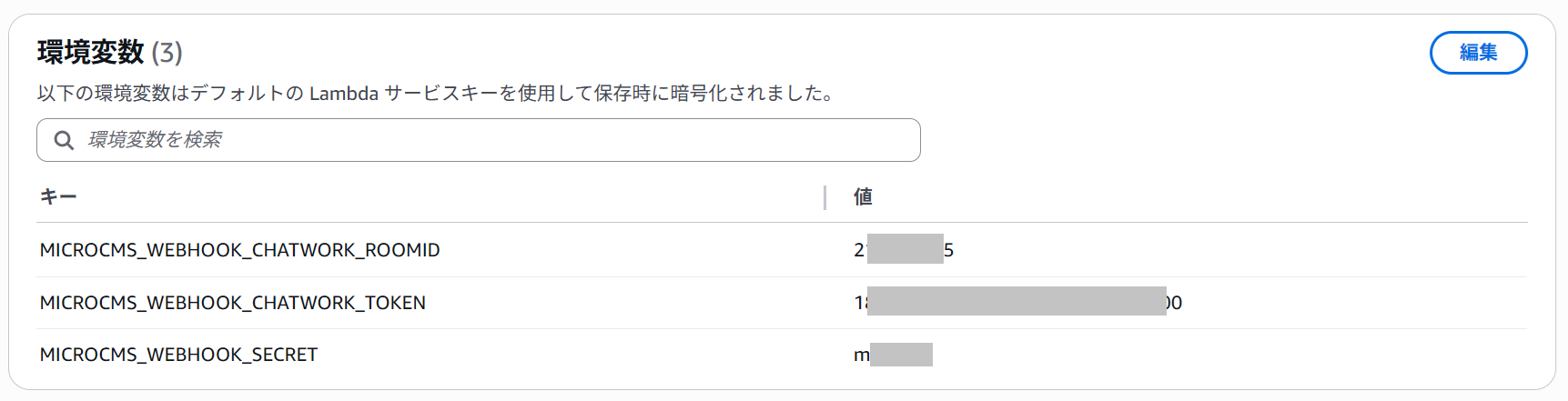
を用意して、プログラムから読み込んでいます。
(ステップ4) microCMSのWebhook
microCMSのカスタム通知に、API GatewayのURLと、上記のシークレットを入力します。
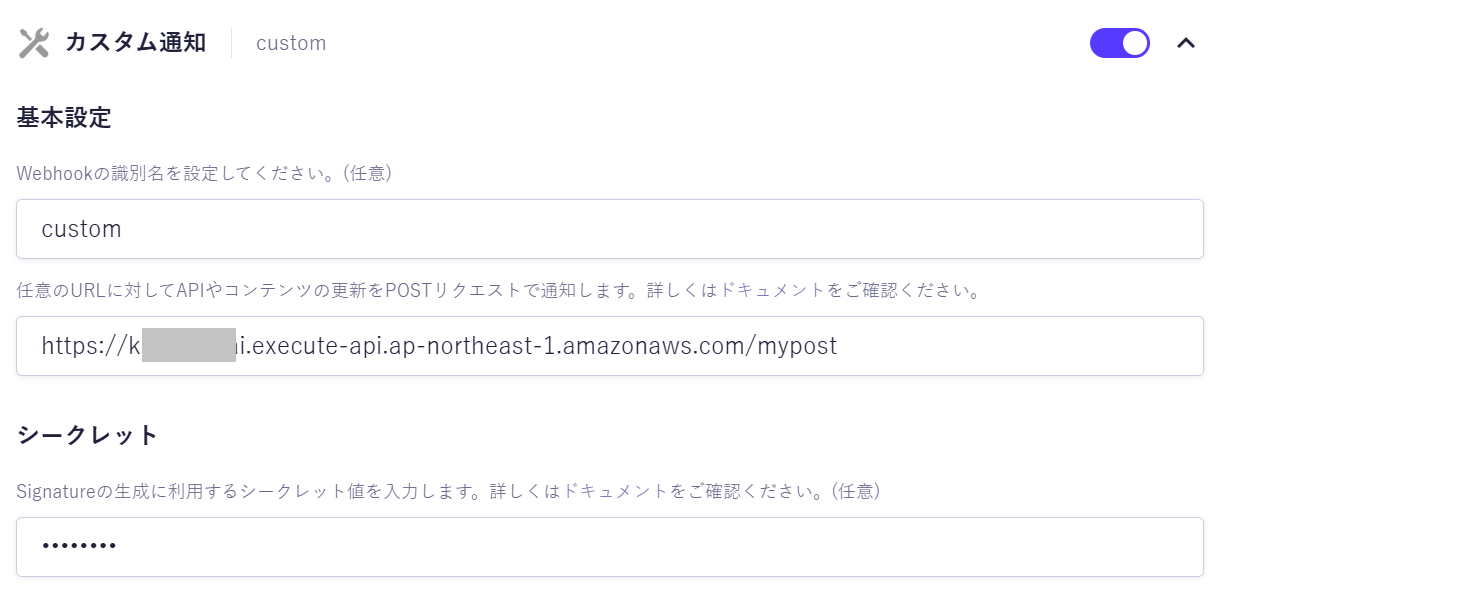
これで完成です。
(ステップ5) テスト
microCMSで、レコードを入力して公開ボタンをクリックすると、
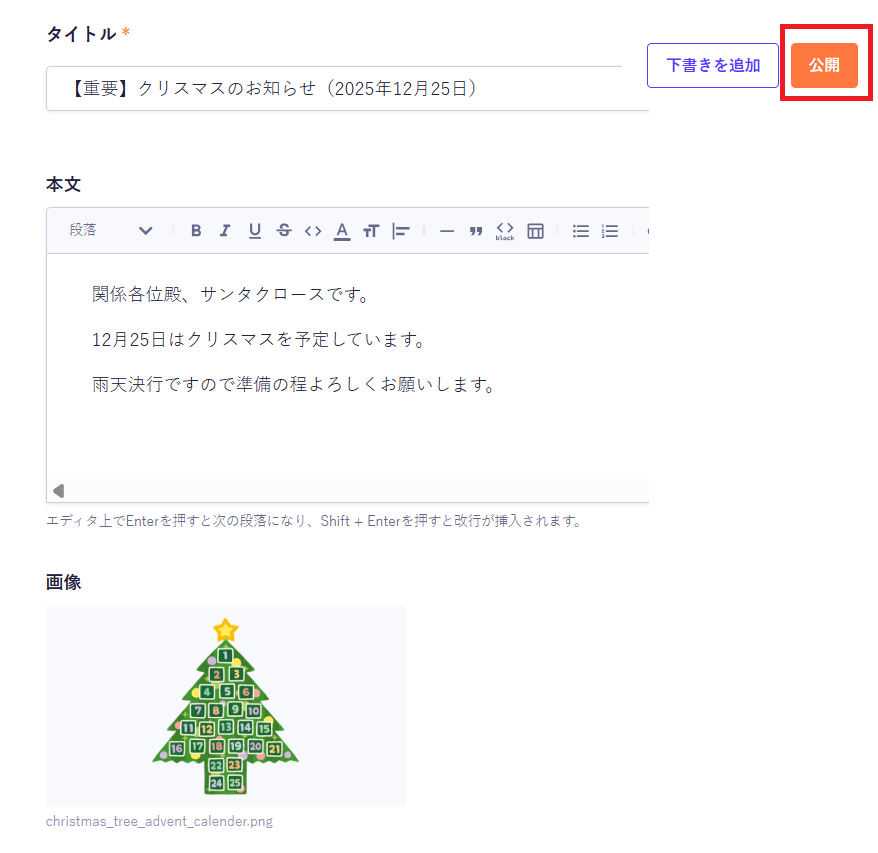
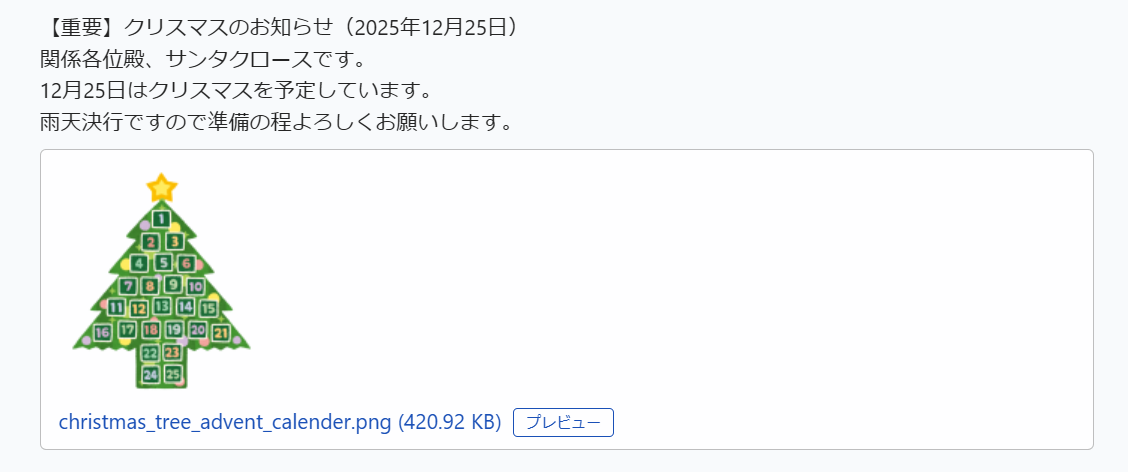
Chatworkに画像付きで投稿されました。